Google is apparently shutting down its nearly nine-year-old Fusion Tables data tool in a year, the company announced:
Notice: Google Fusion Tables Turndown
Google Fusion Tables and the Fusion Tables API will be turned down December 3, 2019. Embedded Fusion Tables visualizations — maps, charts, tables and cards — will also stop working that day. Maps using the Fusion Tables Layer in the Maps JavaScript API v3.37 will start to see errors in August 2019.
I will admit that I have never heard of this product. That said… has “turned down”/”turndown” now entered the Silicon Valley vocabulary? Is “to sunset” no longer euphemistic enough for shutting something off? Will Fusion Tables still operate, but at a much quieter volume? Is Fusion Tables getting a mint on its pillow and its comforter tweaked at a jaunty angle?
Apple is apparently working on its own, in-house developed modem to allow it to better compete with Qualcomm, according to several new Apple job listings that task engineers to design and develop a layer 1 cellular PHY chip — implying that the company is working on actual, physical networking hardware. Two of the job posts are explicitly to hire a pair of cellular modem systems architects, one in Santa Clara and one in San Diego, home of Qualcomm. That’s alongside several other job postings Apple has listed in San Diego for RF design engineers.
There’s nothing inherently shocking about this report, which derives originally from The Information (paywall). Apple’s M.O. for the last several years has been to move more and more of its technology in house.
Historically, Apple has used a mix of modems from Intel and Qualcomm in iPhones. In the iPhone 7 and 7 Plus, the company even used chips from both companies interchangeably, leading to some frustrations with Intel modems that were considered inferior to the Qualcomm counterparts.
However, as relations between Apple and Qualcomm deteriorated, iPhones have recently switched exclusively to Intel-powered modems. But it certainly seems obvious that such a situation couldn’t last, given Apple’s inclination to control every single part of its devices. (See also CPUs, graphics hardware, and even power management chips.)
But building up, testing, and deploying such chips at the enormous scale that Apple needs is bound to take some time, so don’t expect an Apple modem in next year’s iPhone. But perhaps you might see one in 2020…hey, just in time for a 5G iPhone, maybe.
Microsoft rolled out a new set of updates to Office 365 customers on the Mac that adds support for Dark Mode in Mojave across all its apps, as well as support for Continuity Camera within PowerPoint.
Many Mac apps are gaining support for Dark Mode, which is great—but the prevalence of black-on-white content still makes it a place I don’t like to spend much time. When future versions of Safari support Dark Mode stylesheets, things will improve somewhat.
There needs to be more thought applied to those giant content areas in apps like Word, Excel, and yes, Numbers and Pages, too. I get that for a true WYSIWYG experience for building a document you’re going to print, you need to see things in black on white—but how about a toggle option? This especially goes for Excel, which I really don’t need to see in the equivalent of print-preview mode when I’m working.
The bottom line: Until all the apps I use give me a way to view their interfaces and content in a light-on-dark context, I don’t think I can use Dark Mode in Mojave.
The tech giant is preparing to relaunch Texture, an app it agreed to buy in March that offers unlimited access to about 200 magazines. The company plans to make it a premium product within Apple News, which curates articles and comes preinstalled on iPhones, according to people familiar with the matter. A new version could be unveiled as soon as this coming spring, said the people, who asked not to be identified because the plans aren’t public.
As the article describes, the challenge here is that a lot of publications are making it work with their own premium subscription models. But there’s probably a second tier of publications that could see added revenue if they embraced Apple’s all-you-can-eat subscription approach.
It’s unclear if Apple can drive enough subscriptions to this service to provide enough revenue to make a bunch of other media businesses successful, though. My gut feeling is that it can’t, but it’s possible we’re heading for a hybrid model where dedicated subscribers pay news sources directly, while less loyal news grazers buy a Texture (or Apple News) subscription in order to browse widely without hitting a paywall.
And of course, this whole thing is going to be yet another bit of subscription revenue that adds to Apple’s ever-growing Services revenue line.
A two-year legal battle between Apple and its chip supplier, Qualcomm, reached a new level of contention on Monday when Qualcomm said a Chinese court had ordered Apple to stop selling older iPhone models in China.
What’s peculiar about this ruling is that it only covers old models—the iPhone 6S/Plus, 7/Plus, 8/Plus, and iPhone X. Apple says it’s appealing the ruling. Perhaps more strangely, the patents being contested here are not the wireless patents that are at the core of Apple’s dispute with Qualcomm:
The ruling in China involved two Qualcomm patents. One lets consumers adjust and reformat the size and appearance of photographs. The other manages applications using a touch screen when viewing, navigating and dismissing applications, Qualcomm said.
Clearly Qualcomm’s using some questionable software patents to make trouble for Apple in order to force it to settle and pay Qualcomm what it says Apple owes. I’ve seen reports that say these patents aren’t even relevant on iOS 12, but Qualcomm’s general counsel told the Times that this wasn’t the case.
Qualcomm’s attacks on Apple have become more frequent and are getting uglier. Back to the Times:
Qualcomm has tried to put pressure on Apple by claiming patent infringement and other misdeeds, such as accusations that Apple stole proprietary Qualcomm software and shared it with Intel. Apple said Qualcomm had failed to provide evidence of any stolen information.
Qualcomm has also resorted to an aggressive public-relations campaign against Apple. It enlisted the firm Definers Public Affairs to publish negative articles about Apple on a conservative website and to start a false campaign to draft Apple’s chief executive, Timothy D. Cook, as a presidential candidate, presumably to make him a target of President Trump.
The Definers story is particularly sleazy. As a non-lawyer I can’t speak to the validity of the claims made on both sides of this case, but it’s clear that Qualcomm has decided to play hardball—whether out of desperation or confidence, I don’t know.
Computer hardware maker Super Micro Computer Inc told customers on Tuesday that an outside investigations firm had found no evidence of any malicious hardware in its current or older-model motherboards.
It seems pretty clear by now that Bloomberg–either knowingly or unknowingly–published a story that was demonstrably false. There has been no corroborating evidence from any other source or publication, and Apple, Amazon, and officials from both the U.S. and UK governments have all said there is nothing to back up the allegations.
This is extremely damaging for Bloomberg’s credibility, especially as the publication has made no move to retract the article, offer a correction, or indeed say anything publicly about the story. I certainly wouldn’t put any stock in anything that it reports in the information security realm–and perhaps not in technology in general–until it explains exactly how this story got published.
Note: This story has not been updated for several years.
As with most of Apple’s major software releases, iOS 12 contained a slew of new features—often more than any one person would find themselves using regularly. But one new ability that I have found myself actually using over the past few months was Downtime. This subset of the Screen Time feature lets you define times where your access to certain apps is restricted. However, I ended up turning Downtime off the other week, because it lacked one specific feature: the ability to temporarily disable it.
Let me clarify: While you can override the Screen Time/Downtime restrictions on an app-by-app basis (or, in the case of Safari, a site-by-site basis), there’s no overall control for it other than navigating into Settings and turning Downtime off in the Screen Time section.
That bit me the other week as I was traveling for vacation. Normally, I had Downtime set to run until 7 a.m., around the time I usually get up. But because of our trip to Mexico, we had to leave for the airport at around 5:30 a.m. Now, I do have some apps whitelisted for Downtime (and iOS automatically whitelists things like Phone and Messages), and you can, as I said, override individual apps either for a day or for fifteen minutes. Usually if I find myself waking up before Downtime turns off, I don’t mind popping into a couple apps and telling it to ignore my restrictions.
But if I’m going to be up for a full hour and a half before my limit expires and I need to a) hail a ride to the airport, b) make sure I can access my boarding pass, and c) do all the other time-wasting stuff I do while waiting for a really early flight, well, I don’t want to spend the time overriding those apps one at a time. So I went with the nuclear option and turned the whole feature off.
Then, of course, the issue was that I kept forgetting to turn it back on. As a result, I realized only now, a week after we got back, that I’m not even using Downtime anymore. Which is a shame, because it’s not a bad feature; it’s just inconvenient, in more ways than it’s probably intended to be.
So my proposal is this: treat it a little more like Do Not Disturb. If I wake up before my scheduled Do Not Disturb window expires, I can always use the notification on the lock screen to tell it to turn off DND, and thus receive any suppressed notifications. Downtime should have its own equivalent: “disable until this evening,” for example. A button in Control Center would also work.
I realize that some people use Downtime as enforcement on their kids’ devices and, as such, it requires the Screen Time passcode to disable. But that’s fine; iOS should still prompt you for a passcode if you’re trying to disable it for the day. (And if you’re managing Downtime for your kids via Family Sharing, then there should be the ability for you to remotely override it for their devices in similar situations.)
I’m actually fairly optimistic that a feature like this could make it into a future version of iOS, perhaps even as soon as next year. The Do Not Disturb improvements in iOS 12 are a good example of how Apple refines a feature after it’s been in use amongst the general public, and I’m hoping for a similar refinement to Downtime. In the meantime, at least I’ve finally remembered to turn it back on.
[Dan Moren is the East Coast Bureau Chief of Six Colors, as well as an author, podcaster, and two-time Jeopardy! champion. You can find him on Mastodon at @dmoren@zeppelin.flights or reach him by email at dan@sixcolors.com. His next novel, the sci-fi adventure Eternity's Tomb, will be released in November 2026.]
This week, a lot of the focus of the tech industry was on Hawaii, of all places. That was where Qualcomm was putting on a three-ring circus (or was it a luau?) in service of the forthcoming rollout of 5G cellular networks, highlighting the company’s strong position as a provider of 5G-capable chips for smartphones, namely the newly announced Snapdragon 855.
This week I got a little envious of Matthew Cassinelli, who was proudly posting how he’s building all these Shortcuts on iOS that let him do cool stuff involving automatically posting things to his blog.
His blog, you see, is WordPress—and there’s a WordPress app with Shortcuts support. Through nobody’s fault but my own, this site is built on Movable Type 4, the ancient blogging tool that I know by heart, which explains why I still use it when it’s woefully out of date.
So I don’t have fancy iOS apps or even fancy iOS-friendly web templates. If I want to post a story from my iPad, I end up loading a page template that was designed years before the iPad was a glimmer in Steve Jobs’s eye and pasting and tapping and zooming.
But wait, I thought. Movable Type has an external posting interface, a web API that lets apps like MarsEdit post into it. And I wondered if I might be able to figure out how to build a Shortcut that did all the interfacing with my blogging software’s ancient API and allowed me to post stories from my iPad without using the Movable Type web interface.
I got stuck a couple of times along the way—thanks to Matthew Cassinelli himself for giving me a couple of pointers, and to MarsEdit author Daniel Jalkut for reminding me of the best way to encode web content in CDATA statements so that an XML parser will accept it—but in the end, I made it happen. I now have two different Shortcuts that post directly into my Movable Type setup.
The first one, which lets me post the latest episodes of my podcasts to the site, is a total knockoff of Cassinelli’s, so I’ll suggest you read his post for inspiration. The item yesterday highlighting this week’s episode of Download was posted from this Shortcut.
The second one is built around my current iOS text editor of choice, 1Writer. In 1Writer I’ve created a very basic custom action that runs this URL:
All this action does is tell a specific Shortcut named Post to Six Colors to run, and passes along a single item as input—the name of the current file I’m working on. The shortcut picks up the baton, loads that file from my Stories folder in Dropbox, parses it, asks a couple of questions, and sends the result to Movable Type.
Along the way I had to dig up a Jay Allen post that detailed an obscure Movable Type preference that I had to change in order to control whether a post sent by this method would automatically go live or be saved as a draft, to be published later. In the post, Allen wrote “I expect this to garner interest from about three or four people in the entire world”—and that was written fifteen years ago.
Yet somehow, there I was on a December day in 2018, sitting in my local Starbucks working on an iPad, and once I read Allen’s post I logged in to my server (via Panic’s Prompt app), edited the mt.cfg settings file with vi, and—just like that—the whole thing worked perfectly.
Who knows how many people in the world this will garner interest from, but the larger point is that if there’s a web API, you can probably control it via Shortcuts! Below, I present how I use Shortcuts to post content to Movable Type via the XML-RPC API in annotated form.
Over the many decades of its existence, Apple has faced a lot of challenges. There was the company’s battle against IBM early in the PC era, the seeming dominance of Windows during the 1990s, and even the worry that the company itself might cease to exist in the dark days of 1997.
Lately, though, it seems as though the challenge for Apple might simply be that it’s ahead of its own game. Rumors of slow iPhone XS and XR sales are hard to substantiate, with the company stepping back from providing information on how many smartphones it is selling. But it does seem clear that the amazing growth of previous years is leveling off somewhat, whether because the new phones are more expensive or haven’t wooed customers away from their current phones.
The iPhone is, of course, a huge chunk of Apple’s business. In the most recent quarter, it accounted for 59 percent of the company’s revenue. Even if sales do start slowing or, eventually, declining, the company’s still going to be selling plenty of iPhones for years to come. But every product has a lifecycle–just ask the iPod–and Apple is all too aware of that. That’s just one reason that the company has worked hard to position itself for the future.
Apple presents its Best of 2018: https://www.apple.com/newsroom/2018/12/apple-presents-the-best-of-2018/
Apple Music comes to the Amazon Echo: https://www.macrumors.com/2018/11/30/apple-music-echo-december/
Lex recommends Jackbox Games: https://jackboxgames.com
Jason Snell on Apple’s rumored TV stick: https://www.macworld.com/article/3323389/apple-tv/how-an-apple-tv-stick-could-make-apples-video-streaming-service-an-instant-hit.html
Our thanks to Legacybox (http://legacybox.com/rebound) the world’s largest, most trusted, digitizer of home movies and photos. There’s never been a better time to digitally preserve your old home movies, film reels, and photos. Go to Legacybox.com/REBOUND to get 40% off your first order!
Our thanks as well to Indochino (https://www.Indochino.com) where you’ll find the best made to measure shirts and suits at a great price. Use the promo code “REBOUND” and get any premium suit for just $359.
I had been planning to write an article on this topic—and I still probably will, eventually—but Federico Viticci has done a marvelous job in detailing all the ways he works on his iPad, most notably with stands and keyboards:
One of my favorite aspects of working on the iPad is the flexibility granted by its extensible form factor. At its very essence, the iPad is a screen that you can hold in your hands to interact with apps using multitouch. But what makes iPad unique is that, unlike a desktop computer or laptop, it is able to take on other forms – and thus adapt to different contexts – simply by connecting to a variety of removable accessories. The iPad can be used while relaxing on a couch or connected to a 4K display with a Bluetooth keyboard; you can work on it while waiting in a car thanks to built-in 4G LTE, or put it into a Brydge keyboard case and turn it into a quasi-MacBook laptop that will confuse a lot of your friends who aren’t familiar with iPad Pro accessories.
I’m happy to have been mentioned in the article in a few places as an influence. Thanks, Federico!
The big story from Microsoft land is that the company is throwing in the towel on doing its own web rendering engine and embracing the Chromium open-source project, which is what powers Google Chrome. The new version of Microsoft’s new Edge browser will be based on Chromium and—most interestingly for Mac users—it will run on the Mac. As Tom Warren of The Verge reports:
Microsoft now wants to collaborate with Apple, Google, and everyone else who also commits changes to Chromium. “If you’re part of the open-source community developing browsers, we invite you to collaborate with us as we build the future of Microsoft Edge and contribute to the Chromium project,” says Belfiore. “We are excited about the opportunity to be an even-more-active part of this community and bring the best of Microsoft forward to continue to make the web better for everyone.”
Chromium is itself a fork of WebKit, the rendering engine used by Apple in Safari. What this means is that the Web should become more compatible across devices and browsers than it has ever been before because all the major vendors will be using browsers that are rooted in WebKit (and originally KHTML. Eventually the lives of Web developers should become easier.
Microsoft adopting Chromium also suggests that Google might now have some serious browser competition. Microsoft Edge will have the opportunity to compete with Chrome on browser features without being different in terms of HTML compatibility. (Presumably Chrome and Chromium will become better citizens of Windows as well.)
Just how big is Amazon’s announcement last week that Apple Music is coming to echo devices? It all depends on if you see it as saying something larger about how Apple is prioritizing its subscription services compared to its traditional focus on making money by selling hardware.
The cold war between Amazon and Apple seems to be thawing at last. Amazon’s Prime Video app finally arrived on Apple TV late last year. Apple devices are widely available on Amazon thanks to a new deal between the two companies. And now there’s this new wrinkle, in which Amazon will become the second third-party speaker vendor (after Sonos) to offer support for Apple Music.
The potentially larger wrinkle is the idea that Apple’s stated quest to rapidly grow its Services revenue line—encompassing the App Store, iCloud, Apple Music, and more, it’s been growing every quarter for the last few years—might finally have overridden its decades-long focus on making money by selling hardware with large profit margins.
Note: This story has not been updated for several years.
Comixology on the 12.9- and 11-inch iPad Pros.
I love reading comics on my iPad Pro. The iPad is the best thing to happen to comics since four-color printing. Now that the new iPad Pro models are out, I thought it was worth revisiting the current state of the art in iPad comics to see where things stand.
Comixology, owned by Amazon, is the leading digital comic-book storefront. Because it’s an Amazon property, you have to buy comics on the Comixology website and then switch to the app to download them. It’s an extra step, but it’s easy to buy comics in Safari and then read them in the app.
If you prefer in-app purchases, Apple will sell you comics inside the Books app, though I find Comixology’s reading experience superior in almost every way. (Books wants to pan back and forth across comic book spreads, which I just don’t like – I prefer to see just the current page I’m reading.)
Amazon’s Kindle app will also let you read comics, and it uses the same technology as Comixology, so it’s a good reading experience, other than needing to buy comics via the web. I prefer using Comixology for comics and Kindle for books—Comixology’s organizational system is built around comics, so it works better if you buy a lot of individual issues or collections in a series. But if you’re a heavy Kindle user and don’t read too many comics, reading in the Kindle app could be more convenient.
Marvel Unlimited is Marvel Comics’ subscription service, featuring more than 20,000 digital comics including old stuff from the catalog and new issues released between six and twelve months after initial release. At $69 per year I think it’s a spectacular deal if you’re a Marvel fan—it’s easy to read $69 worth of comics in a single sitting. The app was pretty rocky when it started out, but it keeps getting better.
DC Universe mixes subscription video with comics old and new, but it’s a good deal if you’re a DC fan.
Chunky Comic Reader is an independent comic reader app that you can load up with comics in CBR, CBZ, and PDF formats. It’s got spectacularly good network integration—you can add comics directly into Chunky from most cloud services as well as local file servers and even remote FTP servers. It has a bunch of friendly reading features, including the ability to automatically crop blank page borders to fit more comic on screen and dynamically calculate a background color that matches the color of the comic page.
Where do you get comics for Chunky Comic Reader? While piracy is definitely what comes to mind, there are actually lots of legal ways to get digital comics. I’ve bought numerous Humble Bundles of comics, as well as indie comics, that offer PDF and CBR/CBZ downloads as options. And while it’s not widely known, Comixology will let you download the comics from many independent publishers as DRM-free files. (Go to My Books on the Comixology website and click Backups for a list of your downloadable comics.)
While I’m not an ongoing subscriber of DC Comics’s new DC Universe service, which bundles TV shows, movies, comics, and a bunch of other stuff into a single $75 annual (or $8/month) subscription. It’s a much smaller selection of comics than Marvel offers, but if you’re a DC fan it won’t take much—again, a few comics a month and the occasional TV series—to make it worthwhile.
New screen sizes
Chunky Comic Reader is great, though it doesn’t hide the Home Indicator.
Apps need to be updated to take advantage of the displays on the new iPad Pros. The 12.9-inch model’s display is the same size as the old one’s, but it’s got curved corners and a Home indicator at the bottom of the screen. The 11-inch model is a completely different aspect ratio, plus it has the curved corners and Home indicator.
The whole point of reading comics on these new iPads is to take advantage of those screens, and the good news is that most apps have been updated for the new hardware. However, some quirks remain.
Comixology fades out the Home indicator when you’re reading, as is only proper, but still doesn’t display pages all the way to the bottom of the screen—so there’s wasted space down there unless you zoom in. Chunky fills the entire screen from top to bottom—but doesn’t fade out the Home indicator, so a wide black horizontal bar hovers over the bottom of the page. DC Universe does the right thing and displays the pages top to bottom and fades out the Home indicator. Marvel Unlimited and Kindle haven’t yet been update, which is a bummer—especially on the 11-inch model, which can really take advantage of the extra space.
Which model is best?
I’ve been a user of the 12.9-inch iPad Pro since the first generation, and that hasn’t changed with this new third-generation model. I like the larger screen for multitasking, for reading, for watching video, and for reading comics. The size is especially great for reading two-page spreads, which are too small to be readable without zooming on smaller displays.
That all said… if there’s an ideal comic-reading iPad, it’s the new 11-inch model. That new aspect ratio, which is taller when held vertically, gives comics far more room to breathe. And the device is thin and light enough to be held comfortably with one hand while reading, which isn’t really the case with the larger model. I’m sticking with my 12.9-inch iPad Pro, but the size increase on the smaller model makes it a much closer thing.
I can’t advocate buying a $799 iPad Pro just to read comics—if you don’t use an iPad for anything else, maybe consider the sixth-generation iPad?—but evaluated just as a reading device, the 11-inch iPad Pro is the best combination of screen size and weight.
Note: This story has not been updated for several years.
[Update: This is the last day for the sale, so get ’em now or regret it for.. a while.]
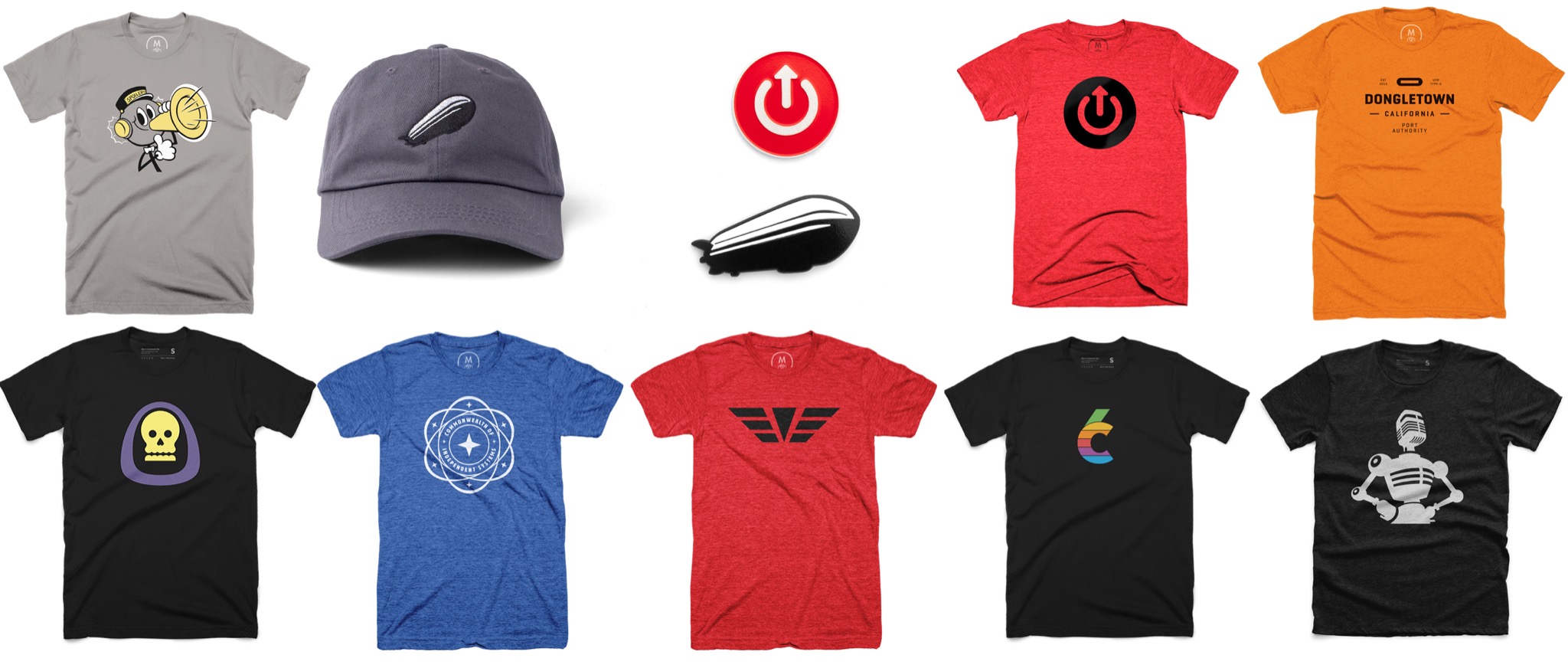
Apologies for this filthy commerce, but I know some people enjoy getting or giving tech related gifts for the holidays, and right now we—Jason, Dan, and our affiliated entities—are selling a bunch of new stuff. Consider this the Comprehensive Merch Wrap-Up Post.
Six Colors — This site gets to go first. The Six Colors t-shirt is back on sale through December 3.
It’s that time of the year to look back over the previous twelve months and identify the things that mean the most to us—the things that we’re thankful for. So, as we kick off this holiday season, I’d like to spend a moment and tell you, dear readers, the five Apple-related things that I’m most thankful for over the past year.
That Jony Ive is still imprisoned inside his white room. We all know Jony is happiest when he is able to truly immerse himself in work, isolating himself from any malign interference from the outside world, such as “customers.” And who would want to miss the anticipation that builds as the crowds gather outside the door to his sanctum sanctorum, waiting until the latest iPhone or iPad is slipped from beneath, fully assembled, to be hefted aloft and brought before the cowering masses? This is how Apple makes its magic, and it’s my most fervent wish that they never let him out—he is a delicate flower that might not survive contact with non-chamfered surfaces.
Apple’s commitment to the Mac laptop. “Oh, you’re worried we don’t make enough Mac laptops?” Tim Cook backs up a dump truck full of laptops to your house, and deposits ten thousand different models on your lawn. “How about THEM Apples? Eh? See what I did there?”
The increasing absurdity of iPhone model names. XS? XR? XS Max? None of those are even remotely pronounceable. Either Apple is slowly griefing us or Phil Schiller’s cat keeps taking naps on his keyboard. If there’s not at least one special character in next year’s iPhone model name, I will eat my hat. iPhone X§? iPhone ∫Ωøπ? Hey, at least it provides a rich vein for writing humorous pieces about Apple. Where else could you ask about a pirate’s favorite iPhone? (Come on, matey, it’s obviously the EX ARRRRRRRR.)
The iPad’s “computer or not” status. The iPad’s a computer. Or it’s not. It can be used for real work. But only if your real work isn’t real work. Thank god for all of this inane nonsensical debate, because if it didn’t exist, what the heck would I be writing all my articles about? Sure, the iPad seems like it’s good for about 80 to 90 percent of what people do every day, but I hope Apple never adds that last 10 percent so that I can keep milking this story forever.
Apple no longer reporting unit sales for its products. Numbers, man. They can be so misleading. Just because Apple reports how many iPhones it’s sold doesn’t mean that’s a real representation of the company’s success, how much money it makes, or even how many iPhones it’s sold, am I right? So good on the company for not only removing a confusing source of “factual information” but also really making those financial analysts exercise their creative impulses by coming up with totally ridiculous numbers of their own to squabble and argue about.
Courage. Oh man, it never gets old.
Well, I’ve taken up enough of your time. I hope there’s plenty that you and yours are thankful for this holiday season, even if it’s not about Apple. Now stop hogging the turkey.
[Dan Moren is the East Coast Bureau Chief of Six Colors, as well as an author, podcaster, and two-time Jeopardy! champion. You can find him on Mastodon at @dmoren@zeppelin.flights or reach him by email at dan@sixcolors.com. His next novel, the sci-fi adventure Eternity's Tomb, will be released in November 2026.]
People ask about my writing workflow all the time, and it’s changed so little over the years that I’m always hesitant to get into it. But with my move to working at home and the integration of the iPad Pro into my professional life, things have changed a little bit.
I have been using BBEdit to do most of my writing for a couple of decades now. It’s a text editor primarily designed for programmers, so it’s an odd choice for a writing tool, but I love it. Most of what I write is in John Gruber’s simple plain-text Markdown format, and BBEdit provides some tools and text coloring for that. I like working in plain text, and BBEdit won’t let me work in anything else.
But really, I use BBEdit because of the array of other features it offers. BBEdit’s grep search-and-replace features let me massage text—not just what I write, but data out of spreadsheets and mail-merge documents and all sorts of other things—into exactly the form I need it, in a short amount of time. I’ve written article after article praising the value in learning how to use grep—it’s a little like telling people they should learn how to write scripts or use Shortcuts on iOS—so I won’t get too deep into it here.
The problem with BBEdit, if there is one, is that Bare Bones Software is not interested in building a version for iOS. I’m writing in plain text, so there’s no custom file format to deal with—that’s good. But still, I can’t just pick up BBEdit for iOS and keep working. Right now, I’m using 1Writer as my iOS writing app of choice. I don’t love it, but it works, has some convenient macros and keyboard shortcuts, and—most important of all—it syncs directly with a Dropbox folder of my choice.
In terms of when and where I write: I still do a lot of writing at my desk on my iMac Pro. But I’m finding that an increasing number of the words I write are done on the iPad Pro, either standing at the bar in my kitchen (see photo above) or out at a cafe (which is a fancy way of saying my local Starbucks). At the bar, I can snap my iPad into a Viozon iPad Pro stand and use a Bluetooth mechanical keyboard and end up with a pretty fun set-up where I can write in vertical orientation most of the time. Out and about, I’m bringing Apple’s Smart Keyboard Folio case for now, but I’m looking forward to the 2018 iPad Pro version of my beloved Brydge keyboard.
Dropbox is the unsung hero of my Mac-and-iOS writing workflow. I have a folder in my Dropbox called Stories, and everything I write goes in there. On the Mac, I’ve configured Default Folder X to automatically prompt me to save every file in BBEdit to that folder. On iOS, I’ve configured 1Writer to use that particular Dropbox folder. Every story lives in there, and if I start writing on my Mac and then switch to my iPad, I know the story I’m working on will be there.
Another app that helps a lot with this is Hazel, which I’ve set to automatically move any story older than 14 days into a different Dropbox folder, called—get ready for this one—Old Stories. This means that I’ve always got an archive of my old stuff, but the Stories folder never ends up being too unwieldy.
It’s a system that works well for me, at least until the next system comes along. I could really use an iOS text editor with more programmable macros and keyboard shortcuts and Dropbox sync, but until that happens, this will suit me.
My favorite board games require some element of cooperation—I generally prefer to be working with people rather than against them. But one thing I don’t encounter as much is a game that requires both cooperation and competition. That rare mix is on display in Captain Sonar, a submarine-themed board game published by Asmodee.
In Captain Sonar, you have two teams of between one and four (it’s best played, in my experience, with teams of three or four), manning rival submarines that are attempting to track down the other and blow them up. Think of it a bit like Battleship—the game, not the movie—meets The Hunt for Red October—the movie andthe game). Each member of your team takes on a role: captain, radio operator, first mate, or engineer. As you maneuver your submarine, each role has their own job: the captain sets the course, the engineer is responsible for managing damage to your sub and keeping things running, the first mate powers up your systems, and the radio operator is keeping tabs on the enemy ship, trying to figure out where they are.
The setup of Captain Sonar is particularly delightful. The two teams sit across a partition from each other. Each station gets their own laminated “control panel” sheet and a dry erase marker, with which they mark or erase progress. The radio operator gets an additional plastic overlay so they can try to track the opponent’s course while trying to figure out where on the map the enemy ship is. The components are well designed, and there aren’t a lot of small pieces to misplace, which is always a bonus.
Mechanics of the game are relatively simple, though they do rely on good communication both between members of a team as well as between the two teams themselves; in my experience, it’s easy to lose track of whose turn it is. (There is both a turn-based method as well as a more chaotic “real-time” style which we haven’t been brave enough to try yet.) The game is definitely tense, but there’s nothing that quite matches the satisfaction of your well-oiled team locating the enemy sub and getting a direct torpedo hit.
I’ve gotten a few games of Captain Sonar in, and they’ve been a lot of fun—especially with the full four-person teams, though three-on-three is perfectly doable (the engineer/first mate roles combine well, and arguably work better together than separately). All in all, it’s one of my favorite games of the past year, and I highly recommend it to people who like board games with competitive and cooperative elements. To wrap it up: DIVE DIVE DIVE.
[Dan Moren is the East Coast Bureau Chief of Six Colors, as well as an author, podcaster, and two-time Jeopardy! champion. You can find him on Mastodon at @dmoren@zeppelin.flights or reach him by email at dan@sixcolors.com. His next novel, the sci-fi adventure Eternity's Tomb, will be released in November 2026.]