Chaoji Li, developer of iDOS reports that the app has fallen afoul of Apple’s prohibition on executed code, and will probably be removed from the App Store (though it’s still available as of this writing):
The bottom line is that I can not bring myself to cut the critical functionalities of iDOS2 in order to be compliant with Apple’s policy. That would be a betrayal to all the users that have purchased this app specifically for those features. Existing users should still be able to download this app in your purchased history, however, if someday you can’t and the appstore [sic] says “removed by developer”, it’s definitely not my doing.
This is a damn shame and points, once again, to the flaws in Apple’s one-size-fits-all rulemaking. As the developer points out, iDOS runs code inside an emulation environment within the app sandbox, meaning that it’s not really a security risk. While you might be able to argue that it provides the opportunity to load objectionable content outside of the purview of the App Store…we’re talking DOS here, people. I don’t expect you’re going to find a lot of kids trawling the Internet to find an old version of Leisure Suit Larry to install. After they learn how to use DOS.1
Apple also points out that this could allow for the loading of unlicensed material that circumvents App Review, which, fair, I suppose, but again, we’re talking software that is decades old, most of which is probably classified as abandonware.
iDOS is an impressive app: heck, you can use it to install Windows 3.1 on an iPad. Wild! Apple should be in the position of celebrating the resourcefulness of its developers, not punishing them for pushing the limits of the platform.
Over the last few years, Apple has been advancing the narrative that the iPad is just as good as a traditional computer2, but if Apple is going to continue to dictate the boundaries of its capabilities by arbitrarily deciding what software can and can’t do on the platform, the truth is simple: this platform, good as it is, will never be as good as a computer. And Apple will have no one to blame but itself.
DOS is by far the more objectionable content, amirite? ↩
Last year, I wrote about how I built a bunch of scripts to notify me about my local air quality. Well, it’s summer again, and wildfires are back—and with wildfires comes polluting wildfire smoke.
It can be really useful to get a quick read on the outdoor air quality, especially if you’re considering whether it’s safe to go for a run or even open a window. Fortunately, in the intervening year a few apps have arrived on the scene to make it easier to do just that.
Clockwise from upper left: Breathable (medium), Breathable (small), Paku (Weather style), Paku (colorful), my own Scriptable widget, AirLookout (PurpleAir), AirLookout (AirNow).
Breathable is an iOS app that creates a widget you can place on your iPhone or iPad. The widget is customizable via the app, including an option to display an emoji instead of an AQI number. That’s actually smart—it’s so easy to focus on the number, but it’s the gross quality level that’s important, not the specific number. (Unfortunately, Breathable doesn’t seem to be using the AQI adjustment calculation put out by the EPA to describe smoke from fires, so its numbers don’t quite match some other tools.)
Setting up Breathable isn’t simple, because it relies on two separate air-quality sources—and you as the user need to sign up for at least one of them. The sign-ups are free, but you must go to IQAir and are strongly recommended to go AirNow, request API keys, and paste the results into Breathable’s API Keys tab.
Breathable’s app is just there to configure the widget display. AirLookout is a more full-featured app that also offers a widget. It uses the AirNow API to display current air quality, but it can also display a widget featuring the results of a nearby PurpleAir sensor.
PurpleAir is a network of personal air-quality sensors, and what they might lack in reliability (since they’re maintained by individuals, not an official organization), they make up for in locality. What I learned last summer is that air quality can be extremely local. Our local AirNow station, a couple of cities north of my house, frequently reported the opposite air quality from what was outside my window.
Paku offers a nice map view of nearby PurpleAir stations.
Paku is an app that’s designed to work directly with the PurpleAir network. It will display nearby stations on a map and also offers widgets. The widgets could use some design work, but they seem pretty accurate.
If I were shopping for an air-quality display app for iOS today, I’d either use AirLookout (and specifically its PurpleAir widget) or Paku. Breathable has potential, and I like its approach to widgets, but I prefer using the PurpleAir network.
While Paku and AirLookout will run on the Mac, their primary appeal is really their widgets, and on the Mac widgets are hidden off to the side in Notification Center. I prefer ambient data like this to live in my Mac’s menu bar, and Miasma does the job. You can set it to display data from a nearby PurpleAir station and it’ll notify you if the air quality crosses a certain threshold.
Of course, you can also do it yourself, if you’re technically inclined. I built my own PurpleAir widget for iOS in JavaScript, for use with the Scriptable app, and it’s available here or in Scriptable’s own widget gallery. I wrote a script for SwiftBar that displays a nearby PurpleAir station in my Mac menu bar, but it currently requires you to install PHP in order to get it to work, which is a bit much—you’d be better off just using Miasma.
When the air outside turns foul, nobody is happy. I am not looking forward to our next bout with smoke from wildfires here in California. But at least the tools exist to help us all gauge just what’s going on outside before we go out there.
When Apple rolled out previews of the next versions of macOS, iOS, and iPadOS back in June, the most controversial aspect was the dramatic redesign the company gave to the Safari web browser. The new design sidelined much of the app’s user interface, choosing instead to prioritize web pages. And criticism has been fierce.
The good news is, based on the most recent preview releases of macOS, Apple is treating that Safari design more like a first draft than a final edition. Apple may not be going back to the drawing board with Safari 15, but it seems to be committed to listening to the criticism and making changes before the new design arrives on everyone’s devices this fall.
Safari isn’t just another app. I would argue that the web browser is the single most important app on just about any device, and on Apple’s devices, Safari reigns supreme. Sure, you can run other web browsers, but Apple would very much prefer all its users stick to Safari and would view any abandonment as a major embarrassment. The stakes are high.
With the latest beta releases, Safari on macOS has been left in a state that clearly can’t be the finished product—it’s a sign that Apple wants to show progress while still needing time to undo or tweak what it has done. On iPadOS, changes are in the works, but not visible yet. And on iOS, the new design feels a bit more entrenched but also still clearly in flux.
A few big stories in the news over the weekend disclosed the existence of a piece of spyware called Pegasus, developed by NSO Group, which has hacked a number of phones—including iPhones—belonging to journalists, politicians, activists, and so on. It’s frightening stuff, but should you be concerned?
I downloaded and tried out the Mobile Verification Toolkit so you don’t have to and, well, it’s definitely not user friendly. I had to install some command line updates via Homebrew, which took a little bit of trial and error after the instructions proved to not be exactly correct for my system, then had to make a decrypted copy of my iPhone backup, plus had to make sure I’d downloaded the correct definitions file to compare it to.
In the end, it popped up warnings about a couple dozen cases where my web browsing in Safari had been redirected, all of which appeared to be innocuous (things like being redirected from strw.rs to starwars.com), and one warning of a “known malicious file” that appeared to be a Crash Reporter preference file.1
The Mobile Verification Tool for iOS.
That’s not surprising to me, given that even with the widespread nature of this spyware, since, again, it seems to generally be of concern to those who are high-profile opponents of hostile regimes or companies. The average user is probably not going to be the target of very expensive and resource-intensive attacks like these.
However, it should still be of some concern that spyware now exists which can use previously unknown exploits to compromise a device without requiring users to take any action. That’s a new level of capability that, for obvious reasons, makes it difficult to take steps to protect yourself: you can’t even avoid opening suspicious links, for example.
The exploit was confirmed to work on iOS 14.6; as of this writing, Apple has not yet posted the details of the security updates in iOS 14.7, released yesterday, so it’s unclear whether or not this exploit still works. (One would hope that the timing of stories about it were concurrent with the vulnerability being patched, but it entirely depends on when Apple learned of it.)
Phones remain attractive targets, given the amount of personal data we keep on them, so there’s going to be more and more money and resources poured into finding ways to compromise them. Here’s hoping the companies that make them can keep up.
From what I can tell, Pegasus can try to disable Apple’s Crash Reporter, which involves writing said file, but given that I didn’t see any other flags, I think this is a case where that file was probably created for separate, legitimate reasons. ↩
[Dan Moren is the East Coast Bureau Chief of Six Colors, as well as an author, podcaster, and two-time Jeopardy! champion. You can find him on Mastodon at @dmoren@zeppelin.flights or reach him by email at dan@sixcolors.com. His next novel, the sci-fi adventure Eternity's Tomb, will be released in November 2026.]
It’s funny how that story has evolved since I first posted it. In 2017 the answer was “Wow, it’s complicated, no choice is really great.” In 2019 it was “Now that it’s Retina, the MacBook Air is probably the choice despite the keyboard.”
In 2021 the answer is easy. It’s the M1 MacBook Air. That’s it, that’s the answer. Clear as a bell.
In both games, you’re a sandsurfer endlessly sliding down mountainsides, doing backflips and grinding on cables and ruins for points while collecting coins and other items hidden along your path. Yes, it’s an “endless runner” of a sort—but what makes it special is its relatively simple mechanic and its gorgeous graphics and music, which end up making the game much more peaceful and calming than you’d expect.
And let me put my cards on the table: Alto’s Odyssey is my favorite iOS game ever.
Alto’s Odyssey: The Lost City is the original brought to a new audience via Apple Arcade—but with a new biome, featuring new graphics, music, and challenges. If you’re a newbie to Alto’s Odyssey, you can play the entire game from the beginning and get the whole experience. If you’re a veteran like me, there’s a button you can tap in the app’s settings to import all of your information from Alto’s Odyssey, letting you concentrate on the added content and challenges of the new game.
It’s still great. As a fan of the PlayStation game Journey (available on iOS, by the way), I’m amused by just how many homages to that game are contained within Alto’s Odyssey. The music and graphics in the original game were immaculate, but The Lost City just adds more.
Yes, the Lost City is beautiful at night, too.
When you arrive at the Lost City biome—which requires you to find ten map fragments scattered across the sands—you’ll see new background images, be able to interact with a few new object types, and of course the music will shift, too. Rather than add on to the old game’s existing level system, Team Alto has also introduced a new set of challenges, which you pick up as you explore. In a new mechanic, you can only “arm” a single challenge at any time, so there’s a single task you are trying to accomplish as you slide, flip, and grind.
And of course, there’s still Zen Mode, which lets you enjoy the sound and sights of this beautiful game without having to worry about scores or the game ending when you crash. I find it therapeutic. I wish more games would embrace the “you can’t lose, we’re just here to have a good time” ethos in more places.
When I completed my final tasks on Alto’s Odyssey, it was a bittersweet ending: I had conquered the game, but it also felt like a goodbye to something I loved. I’ve revisited the game a few times over the last couple of years, usually in Zen mode. Discovering The Lost City has given me a reason to revisit an old favorite, and I’m so glad I did.
And I’m also glad that Apple and Team Alto found a way to bring this game—plus a little bit extra—to a new audience. If you’ve got Apple Arcade, drop everything and get to the sandy slopes of Alto’s Odyssey: The Lost City.
Team Alto is a collaboration between development studios Snowman and Land & Sea. ↩
Bare Bones Software has released BBEdit 14.0, a new version with a whole bunch of new features. (Even the oldest software dogs are fully capable of learning new tricks.)
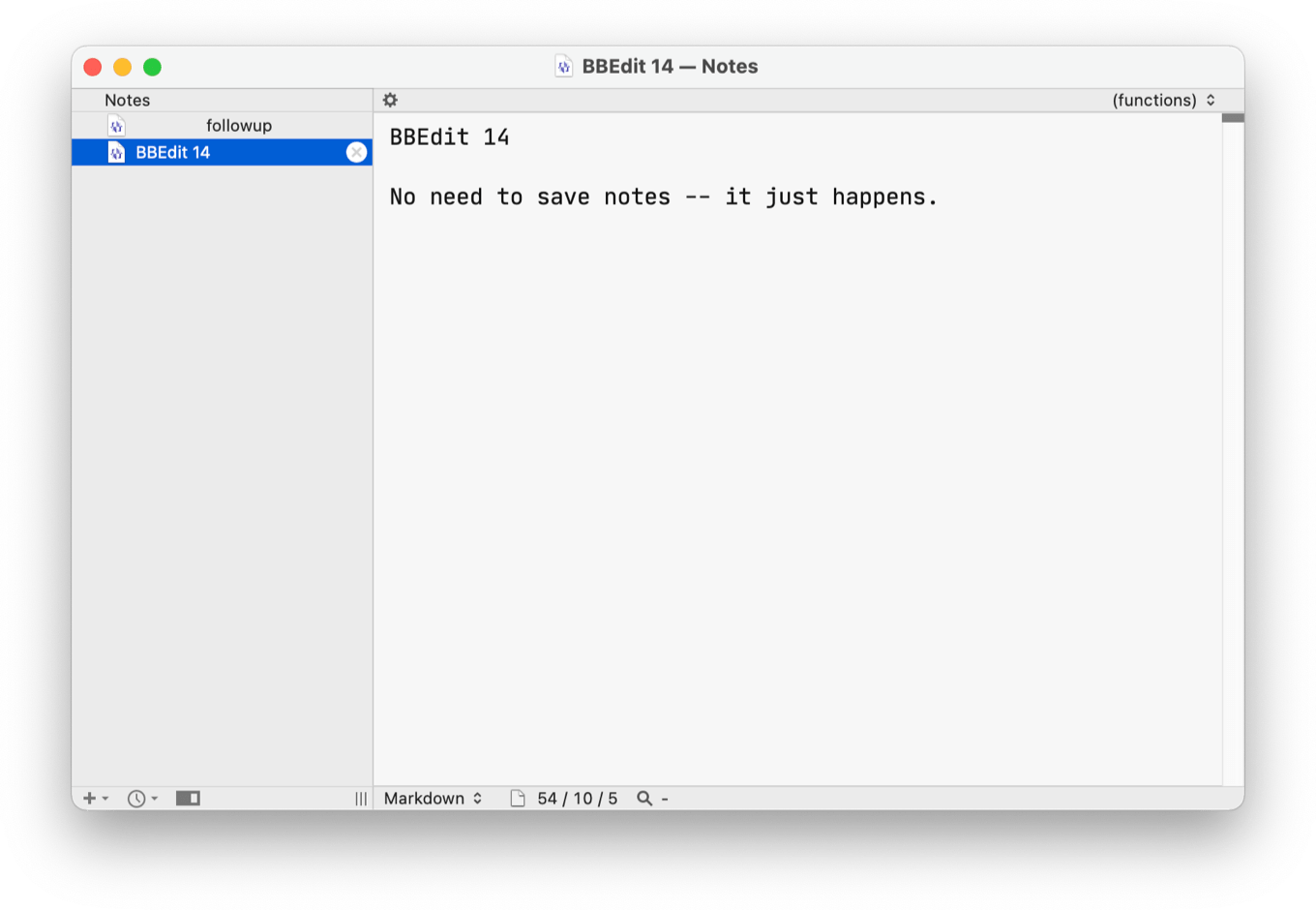
BBEdit notes are persistent, auto-saved text files.
The biggest new feature in BBEdit is Notes, a persistent collection of casual documents. Yes, there are other places you can leave yourself notes—but those places aren’t BBEdit. As a BBEdit user, I frequently find myself with a very large number of untitled documents full of stuff. Notes are the solution, since they’re automatically saved and viewable in a new Notes browser. Just as I was writing this story, I ended up on a phone call and needed to take some notes. Rather than naming and saving the file somewhere or switching to a different app, I just opened a note in BBEdit (where I was already writing) and took notes there.
For programmers, the biggest BBEdit 14 addition is support for the Language Server Protocol, a standard originally developed by Microsoft for Visual Studio Code and now available for pretty much any developer tool out there. Different editors can access a local language server to provide consistent autocompletion, definitions, and documentation. It’s still a bit early days for LSPs, both within BBEdit and without. I used the Python language server Jedi and sometimes it worked flawlessly, but other times it was a bit buggy. My understanding is that many of these language servers are still built with some very specific development tools in mind and that there may be bugs when trying to use them with a tool they didn’t even know about, like BBEdit. But I would be shocked if this wasn’t all working a lot better a few months down the road, now that BBEdit 14 is out in the world.
As someone who has been experimenting with writing code in Python, JavaScript, and PHP, I am intrigued by the LSP features but also am not the best person to judge how well they’re implemented. But I love the idea that BBEdit is trying to play ball with tools that are popularly used in other development tools—and I’m hopeful that I’ll be able to use the feature more in the future.
In the meantime, most of what I edit in BBEdit is in Markdown. Maybe someone will decide it’s time to make a linter/syntax checker for Markdown, designed for BBEdit’s new features.
But there are some new Markdown features, regardless! Dragging an HTML file or an image into BBEdit will now generate appropriately formatted Markdown. Markdown footnotes are now properly syntax colored, for those monsters who put footnotes in their Markdown.1
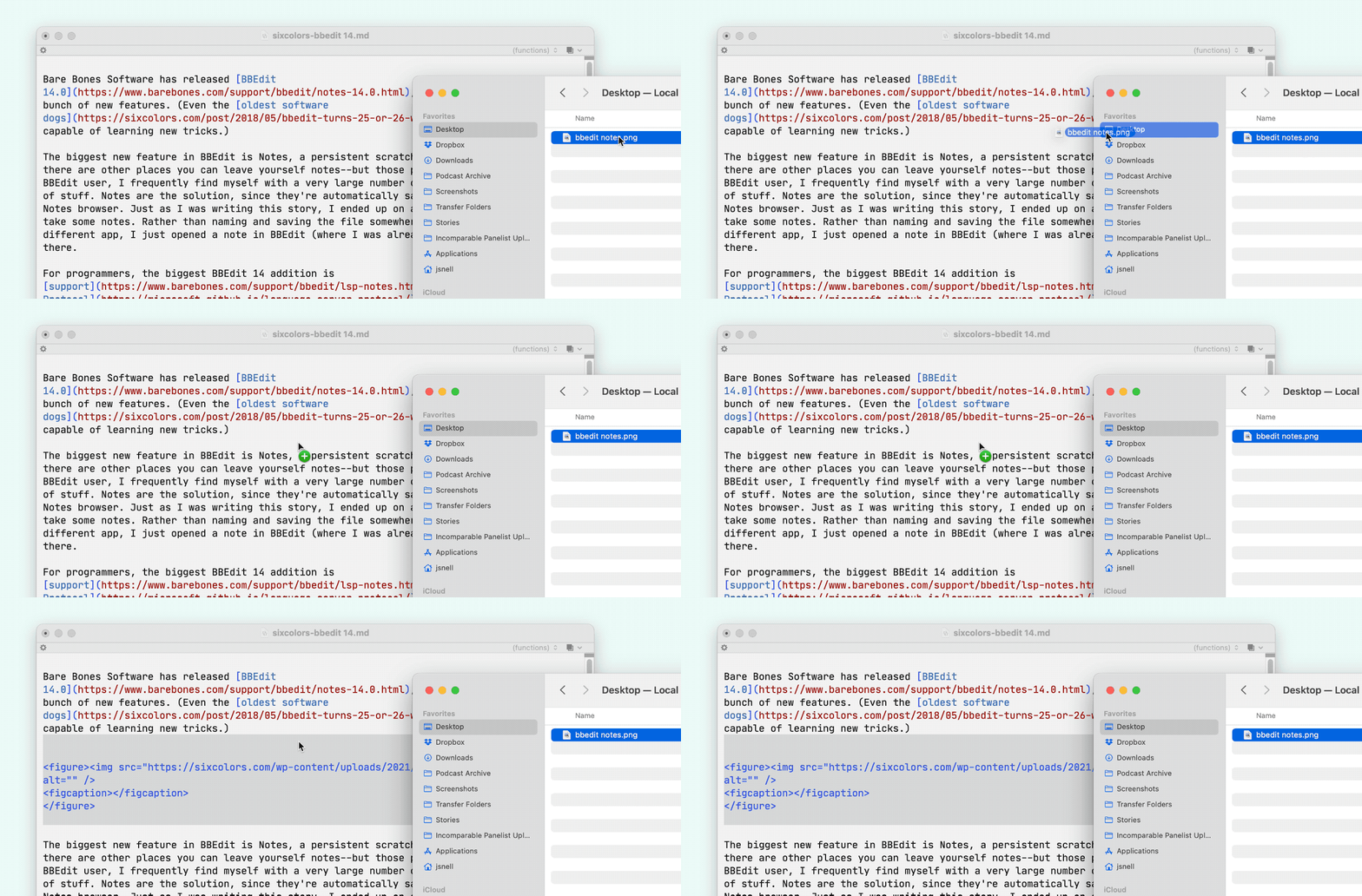
Also, a new feature that I inspired makes its debut: BBEdit now lets you attach a script in order to provide control over the text generated when you drop an image file into a BBEdit editing view. In short, I have modified the AppleScript script that I use to upload images to Six Colors so that if I drag an image into my story in BBEdit, the image is automatically resized, uploaded, and the proper HTML is inserted at that point in the document. (It’s magical.)
Resizing and uploading an image is now a drag-and-drop process for me.
A BBEdit 14 license is free for users who bought BBEdit this year, $30 for those who bought it last year, $40 for users of older versions, and $50 for brand-new purchasers. And of course, a large swath of BBEdit’s features are available for free without a license.
Jason’s back, and Myke has a lot of questions about his vacation. They also discuss a load of Apple TV+ news, new Safari betas, the MagSafe battery pack, and a bunch of Apple hardware rumors.
Amongst Apple’s latest spate of updates today is HomePod 14.7, which brings as its biggest feature the ability to view and control timers set on the HomePod from the Home app. Which all HomePod owners can probably agree merits a big “finally“.
Now, when you tap and hold on your HomePod to bring up the media controls, and then scroll up, past all the alarms you’ve ever set, you can find a list of your current timers—including their names, if they have one—as well as current time remaining, plus the ability to pause, resume, or cancel. You can also create new timers via the Home app.
Why aren’t currently running timers in all this empty space?
Unfortunately, it’s both too late and much too little.
For one thing, why are the timers forced to be buried all the way below the alarms? I use timers way more than I use alarms; I should at least be able to rearrange them to put alarms closer to the top.
And for that matter, why are the timers not surfaced anywhere else in the UI? I have a HomePod in my kitchen, but if I go to the Kitchen room in the Home app when my timer is running, why does seeing the current time remaining require tapping and holding on the HomePod, and then scrolling down? Apple’s done better about picking out relevant details, like information from sensors, and presenting them at the top of the interface. Timers should be there too.
While we’re on the subject, how come my different HomePods still aren’t aware of timers set on other HomePods? If I ask my office HomePod about a timer I set in the kitchen, it sure would be handy for it to tell me that I’ve got two minutes left for my tea to steep, instead of the very unhelpful “there are no timers set.” I’d like to see any current running timers on my iPhone lock screen and my Apple Watch too, to be honest. It’s a far cry from a unified home system.
Perhaps most annoyingly, when a timer is going off it no longer appears in the Home app interface, meaning that to stop a timer, you still have to shout at Siri, even if you’re halfway across the house. This is just a bizarre choice.
In short, months after Apple discontinued the HomePod and focused its sights on the HomePod mini, the company still doesn’t seem to have a clear vision for how exactly consumers use smart home tech. It continues to view the HomePods primarily as places where people play music, as evidenced by opening the HomePod in the Home app: 97 percent of the interface is music, with “Alarms” juuuust peeking out at the bottom so you know that there’s other stuff you can do.
Rumors of a homeOS appearing at WWDC were dashed, but here’s hoping that amongst Apple’s fall announcements is a revitalized and, well, better home system. Glad as I am that HomePod 14.7 improves timers, it just puts in stark relief how frustrating Apple’s home strategy—or, more accurately, lack thereof—is.
[Dan Moren is the East Coast Bureau Chief of Six Colors, as well as an author, podcaster, and two-time Jeopardy! champion. You can find him on Mastodon at @dmoren@zeppelin.flights or reach him by email at dan@sixcolors.com. His next novel, the sci-fi adventure Eternity's Tomb, will be released in November 2026.]
To paraphrase the immortal words of Smash Mouth, the tech starts coming and it don’t stop coming. Every year seems to bring a new set of Apple devices, replete with a host of features, some of which seemed practically impossible previously. But such is the way of progress! It marches ever forward.
The difficulty, as always, is in figuring out exactly which technological advances will find their way into future products. More often than not, these novel approaches are expensive or impractical, especially if you’re shoving them into something as small as a smartphone or a watch.
But sometimes you can trace the trajectory of these developments to see just how they might end up in an Apple device—and perhaps even get an idea of when.
Siri gets a lot of flack from Apple device users—and it’s often well deserved. The voice assistant’s performance is generally spotty, sometimes downright recalcitrant, and—in my house anyway—tends to evoke frustrated yelling.
But Apple has long been using Siri as the catchall for its various artificial intelligence and machine learning ventures, and much as it may surprise you to hear me say it: some of them are actually pretty great.
For the last year, I’ve been relying on one specific use of these machine learning technologies: the Siri Suggestions widget on iOS and iPadOS.
Widgets were, of course, a big hit when iOS 14 was released last year, allowing users to customize their home screens with not just app icons but data pulled from their favorite apps.
But the Siri Suggestions widget has proved to be a valuable, if overlooked, addition as well.
Many people have probably used Siri Suggestions without even realizing it: if you’ve noticed the apps and actions that appear when you swipe down to bring up Spotlight on your iPhone or iPad, that’s Siri Suggestions.
Essentially, Siri Suggestions learns from your behavior and tries to predict various apps and tasks that you do at specific times, locations, and so on. In using it via Spotlight, I’ve found it often spot on, the only impediment to trusting it generally being that I sometimes start to type an app name before even checking the suggested apps below.
And that’s one reason that I decided to drop the Siri Suggestions widget onto one of my iPhone’s few home screens. My first two home screens are generally set: page one are the apps that I use pretty much every day; page two are apps that I frequently use or want to make an effort to use more (such as apps I’m testing).
Page three, on the other hand, is all widgets—but one of those widgets is the Siri Suggestions app widget, which provides two rows of app icons that change depending on what iOS thinks I might want at the given moment. (You can also use a different version of the Siri Suggestions widget which suggests actions rather than apps.) On the iPhone, they look just like normal app icons—without tapping and holding on it, you wouldn’t even know it was a widget. Clever!
I’m sure there will be people who argue that this is dumb and you should just search for the app you want. I understand that impetus, and I do spend a lot of time searching for apps, but I frequently find swiping over a couple screens faster than having to tap out the name of my app.
More to the point, what I love about this feature is the idea of my technology working for me. There’s a joy in having my device anticipate my needs rather than having to go and seek out what I want. This, to me, is the reason that Apple has invested so much time in machine learning, despite the often underwhelming experience of directly interacting with Siri: technology aims to make our lives easier, not harder. And rather than having to carefully arrange my home screen to provide only the apps I want at various times, I can simply have the system do the work for me. It’s very low overhead.
The Siri Suggestions apps widget on iPad (beneath the Calendar widget) and action widget (beneath Find My widget).
I’m not yet at the point of entirely replacing all my home screen apps with a Siri Suggestions widget, but I can’t say I haven’t considered it—especially with iPadOS 15, where the combination of putting apps in the dock and dropping other widgets on the Home screen means I simply don’t need as many apps front and center all the time. Apple’s tried out a similar approach with the Siri watch face on the Apple Watch, though the results there have been maybe too aggressive in some ways.
More than anything, I appreciate that these are just what they purport to be: suggestions. Kind of the equivalent of somebody offering you your favorite drink when you step into their home. It’s not shoving something in your face, it’s just putting the option there if you want it. In some ways, it’s the most personal Siri has ever been.
[Dan Moren is the East Coast Bureau Chief of Six Colors, as well as an author, podcaster, and two-time Jeopardy! champion. You can find him on Mastodon at @dmoren@zeppelin.flights or reach him by email at dan@sixcolors.com. His next novel, the sci-fi adventure Eternity's Tomb, will be released in November 2026.]
Podcasting has been an important part of my life for more than a decade now; these days, I make roughly half my income from the various shows that I host and produce. That’s why it’s so frustrating when Apple, the de facto leader in podcast discovery, seems to have screwed up what was once its biggest asset in favor of trying to capitalize on a new feature.
Back in April of this year, Apple announced plans to roll out Podcast Subscriptions, which would allow creators to monetize their podcasts with subscriptions that can be purchased directly in the Apple Podcasts app. The company’s Podcasts app is one of the biggest podcast clients in the industry, thanks to Apple’s longstanding position as the most prominent directory of shows and the fact that the app is preinstalled on every iOS device.
Unfortunately, when Apple started rolling out the podcast subscription feature, it came with a (presumably unintended) side effect: new podcast episodes sometimes don’t show up. Back in May, Jason speculated about some of the possible causes, the most likely culprit being Apple changing how it handles podcasts behind the scenes.
But more than two months later, this problem persists. Just this week, I’ve received multiple emails, direct messages, and Twitter replies mentioning that the latest episodes of several of my shows simply aren’t showing up in the Apple Podcasts app. Sometimes it seems to vary by platform or region. Other shows that I’ve put out in the same time period show up as normal. It’s maddeningly inconsistent. And I’m certainly not alone in this, either; when I asked in a Slack community of podcasters if there was anything to do about this other than throw up my hands in frustration, several other hosts could offer nothing but sympathies.
But all of this points to a very serious root issue: a loss of reliability.
My Star Wars podcast, A Complicated Profession, shown in Apple Podcasts (left) and on The Incomparable website (right). The July 12 episode finally appeared on July 16.
The previous incarnation of Apple’s podcasting management tools wasn’t particularly amazing, and at times the system worked in ways that felt capricious and arbitrary.1 But those frustrations have largely hit creators, while the service has generally remained reliable for end users. And given that it’s always been a free service, most creators shrugged and took a “you get what you pay for” mentality.
But the problems with reliability cropped up right around the time that Apple also decided that there was money to be made on podcasts. And much as this might benefit creators, Apple also gets to take its usual 30 percent cut. Awkward.
Apple Podcasts (left) and the Relay FM website (right). The July 14 episode has not yet appeared in the former.
The bottom line is that it’s a shame that Apple’s addition of a monetization feature has ended up damaging its reputation amongst podcast creators. Consumers, at least, can turn to a different podcast app like Overcast, Castro, or Pocket Casts, all of which seem to have no problem displaying the latest episodes of shows. But some won’t even know that’s an option and, as a result, shows may lose out on listeners and, in some cases, revenue.
As I said above, I do make money from podcasting—just not via Apple’s subscriptions. And it’s started to feel uncomfortably like Apple doesn’t care about podcast creators livelihoods’ unless it’s also getting a cut.
Unfortunately, the options for creators are limited since pulling up stakes on Apple Podcasts—still the place most people find podcasts—is a non-starter. But with competitors like Spotify and Amazon pushing into the market, this doesn’t help Apple’s reputation any. It’s probably not the tipping point that will drive people to abandon Apple’s podcast platform, but it’s another drop in the bucket.
Perhaps, looking back over nearly two decades of Apple stewardship in podcasting, I was naive in thinking that the company’s aims in supporting the free distribution of podcasts were at all altruistic. Maybe they started that way, but at some point, Apple decided it could make podcasting another revenue generator to add into its growing Services portfolio.
I’d like to be proved wrong about this, but I haven’t seen any direct acknowledgment from Apple about this issue over the last two months, much less any indication of what went wrong and how it plans to fix it. And even if Apple does deal with these particular examples2, it doesn’t give me confidence that I won’t run into the problem in the future with these or other shows—or that other creators wouldn’t encounter it as well. That lack of reliability is hardly a recipe for success or trust.
I once couldn’t get a show’s artwork changed for months on end because of a minor formatting/hosting problem. ↩
The latest episode of A Complicated Profession finally appeared between the writing of this post and its publication. ↩
[Dan Moren is the East Coast Bureau Chief of Six Colors, as well as an author, podcaster, and two-time Jeopardy! champion. You can find him on Mastodon at @dmoren@zeppelin.flights or reach him by email at dan@sixcolors.com. His next novel, the sci-fi adventure Eternity's Tomb, will be released in November 2026.]
The input devices we use, how much of our work happens in the cloud, form vs. function in our tech purchases, and the details that Apple sweats (and the ones it doesn’t).
Apple’s continuing to build out its MagSafe accessory market by releasing a $99 battery pack that uses the company’s magnetic charging feature. Just slap it on the back of your iPhone 12/12 mini/12 Pro/12 Pro Max and it’ll automatically charge it to the tune of 5W (basically the equivalent of the standard iPhone USB-A charger). The battery pack’s power level is shown in the iOS battery widget.
How do you charge the Battery Pack? Unsurprisingly, it’s got a Lightning port on it, so you just charge it a Lightning-to-USB cable connected to a USB adapter to charge at 15W, or up to 20W with a USB-C adapter. And, very handy, you can charge both devices by attaching the Lightning cable to either the phone or the battery pack. That way, you can still connect your phone to another device like a Mac or a CarPlay unit and charge the battery pack.
The battery pack is compatible with cases that support MagSafe, like Apple’s own, but the company says that if you use a wallet case, remove your credit cards before attaching the battery pack.
The good news is that, theoretically, any future iPhone that supports MagSafe will work with the battery pack, which is a leg up on battery cases, which you generally have to change whenever the form factor of the phone changes. The downside is, if you’re looking to pick one up, you’d better like white—it’s the only color it’s available in.
I’ve been watching and enjoying Loki, but one of the most fun parts of the show is the design and aesthetic of the Time Variance Authority offices. It’s just dripping with a ’60s feel, with retro technology that feels like it is (appropriately) from an entirely separate timeline.
According to the series’ style guide, the all-powerful TVA has been able to pick and choose different technologies from different timelines as they please. “The conceit behind the technology at the TVA as we imagined it was that… digital technology never existed, and that analog technology just continued to get more and more sophisticated,” he says.
It’s relatively light on spoilers, but if you’d rather wait until the end of the show to read, well, good news: the series wraps up tomorrow.
Like many of you, I generally feel that I pay a lot for internet access and it’s not as good as I’d like. But it’s tricky sometimes to draw data from that feeling. Which is why Consumer Reports and The Verge have teamed up to collect actual numbers about internet prices and performance—and they’d like your help.
Head over to the Consumer Reports site; they’ll run a quick speed test to see what your performance is actually like, and then ask for a copy of your internet bill. (Which, of course, they will handle carefully and delete after pulling the relevant information.)
Many geographic regions have monopolies or little competition when it comes to internet access, and over the last year of working/living/school from home, it’s become increasingly apparent that broadband infrastructure is not only lagging behind, but is also unevenly distributed. If you’ve ever felt burned by the limited internet options available to you, then this might be one way to help at least provide hard data supporting that.