In it, he made some very pointed comments about companies that don’t share Apple’s commitment to building products that provide users with choices about what level of privacy or tracking they’re comfortable with. This comes a day after Facebook’s Mark Zuckerberg directly attacked Apple as a part of its ongoing effort to push back against Apple’s new App Tracking Transparency feature.
Cook didn’t mince words. “Will the future belong to the innovations that make our lives better, more fulfilled, and more human,” he asked, “or will it belong to those tools that prize our attention to the exclusion of everything else, compounding our fears and aggravating extremism to serve ever more invasively targeted ads over all other ambitions?”
You can watch Tim Cook’s speech on YouTube (warning: the audio is not very good), or just read our transcript of his remarks below.
It’s not like the iPad hit an all-time revenue high. There have been seven better quarters in the history of the iPad. It’s just that they were all between 2012 and 2015. This most recent iPad quarter was the best since the holiday quarter six years ago. As viewed through the lens of the four-quarter rolling average, the iPad is showing signs of a real uptick out of its late-2010s trough.
The quarter’s 41% year-over-year iPad growth also marks three consecutive quarters of greater than 30% growth, with growth in 11 of the last 15 quarters. I realize that some portion of the iPad’s growth in the past year is because of the pandemic, which has driven a lot of device sales due to the need to do remote work and school.
But I want to give credit to the iPad itself, here. Apple has spent the last few years giving the iPad product line a lot more clarity; the high-end iPad Pro line has more in common with powerful laptop computers all the time, while the low-end iPad has benefited from hand-me-down features like support for Apple Pencil while continuing to drop in price.
The iPad heyday of 2012-2014 was a sales spike driven by enthusiasm for a new product category, but wasn’t the transformative moment Apple might have hoped it was. After a few years muddling along, the iPad seems to have found its footing.
Your move, PC market
Because the release of financial data is of greatest interest to the investment sector, and Wall Street prizes growth over anything else, Apple’s record results releases are often jarringly met with concern rather than enthusiasm. Sure, you generated more than $100 billion in revenue, but are you growing?
Not only did this quarter show growth in pretty much every Apple product category and region, but Apple also made specific emphasis on its growth opportunities in its conference call with analysts. And the biggest growth opportunity might be a surprise one, because it’s Apple’s 37-year-old personal computing platform.
Here’s what Tim Cook said:
If you look at Mac, the M1 I think gives us a new growth trajectory that we haven’t had in the past. Certainly if Q1 is a good proxy, there’s lots of excitement about M1-based Macs. As you know, we’re partly through the transition, we’ve lot more to do there, we’re early days of a two year transition, but we’re excited about what we see so far…
And of course our share on the Mac is quite low for the total personal computer market. And so there’s lots of headroom there.
Here’s the message: The move to Apple silicon is going to spur Mac growth like never before. Apple’s M1 Macs were incredibly well received, but it’s still just the beginning of the transition. Cook is telling investors, and everyone else, that Apple expects the move to Apple silicon to put its competition in the PC market to shame and fuel a major boost to the Mac.
It’s a pretty bold statement for someone as restrained as Tim Cook tends to be.
A piece of the magic
Katy Huberty of Morgan Stanley is a longtime attendee of the quarterly earnings conference calls. She isn’t going to make the rookie mistake that almost every analyst makes: attempting to get an Apple executive to announce future products. Instead, Huberty asked Cook for some insight into how Apple decides to enter a new market with a product. (“Thanks for not asking me any specifics,” Cook said.)
Here’s Cook’s response to Huberty:
We ask ourselves if this is a product that we would want to use ourselves, or a service that we would want to use ourselves. And that’s a pretty high bar.
And we ask ourselves if it’s a big enough market to be in, unless it’s an adjacency product which we’re looking at it very much from a customer experience point of view.
And so there’s no set way that we’re looking at it. No formula kind of thing. But we’re taking into account all of those things. And the kind of things that we love to work on are those where there’s a requirement for hardware, software, and services to come together, because we believe that the magic really occurs at that intersection.
This isn’t exactly revelatory, but it’s informative: Apple’s own internal tastemakers need to determine if it’s something they’d actually want to use, and they gauge the size of the market to see if it’s worth entering. (Unless it’s an accessory to another product, anyway.) But it’s more art than science.
I was struck by the last portion of that statement, though. For essentially all of Apple’s nearly 50 years, the company has steadfastly held to the philosophy that the best tech products are made from a fusion of hardware and software. The integration of hardware with software is Apple’s secret sauce, or “the magic,” as Cook puts it.
But look at the change to that recipe! It’s now the integration of hardware, software, and services. Which, if you’ve been following Apple for the last few years, makes perfect sense. Services is now in the mix, but the larger point remains: Apple is a company that believes it can make the best products by painstakingly integrating features that other companies just buy off the rack.
There was a time when Apple seemed pretty solid at hardware and software, but utterly at sea when it came to services. In the past decade it’s gotten a lot better at it, and it’s clear from Cook’s comments that Apple’s culture has adapted to the idea that services can’t be an afterthought.
Tim Chaten reached out to me because I posted a screenshot of me editing (vertically!) a complicated podcast project in Ferrite Recording Studio. So I appeared on his podcast to discuss working from the iPad, and we took a dive very deep into podcast editing.
We all saw it coming. Despite a global pandemic and economic and political unrest, the indefatigable Apple money machine would continue to chug away. Traditionally, the last three months of the calendar year are Apple’s best, and Apple’s been on an upswing in recent quarters. If you placed a bet that the company’s first financial quarter of 2021 (covering the holiday season of 2020) would be an all-time record—well, you would’ve won, but only a sucker would’ve taken the bet.
All product categories and regions were up. It was a veritable downpour of up arrows. And yet, amid Apple CEO Tim Cook’s continued embarrassment that Apple continues to generate enormous sales and profits at a time when so much of the world is in turmoil, there were (as there almost always are!) also some interesting things we can glean about Apple’s business left amid the financial disclosures and coy asides to financial analysts. Here are a few of them.
Apple’s latest record financial results were released on Wednesday. Here’s our usual complete transcript of Apple CEO Tim Cook’s and CFO Luca Maestri’s statements on their call with analysts, including their question-and-answer segment.
On Wednesday, Apple announced its financial results for its first fiscal quarter of 2021, covering the holiday quarter of calendar-year 2020. This is traditionally Apple’s largest quarter every year, and despite a global pandemic, this one was no different: The company reported an all-time-record quarter, with $111.4 billion in revenue and $28.8 billion in profit.
Year over year, iPhone revenue was up 17% and set a new record, iPad revenue was up 41% to its best showing in six years, Mac revenue was up 21%, Services revenue was up 24% to a new record, and Wearables revenue was up 30 to a new record%.
More charts follow. Full coverage of Apple’s phone call with financial analysts will follower later today.
Twitter’s new crowdsourced fact-checking feature, Apple’s new companion audio for taking walks, our tech pet peeves, and the future of unions in Silicon Valley.
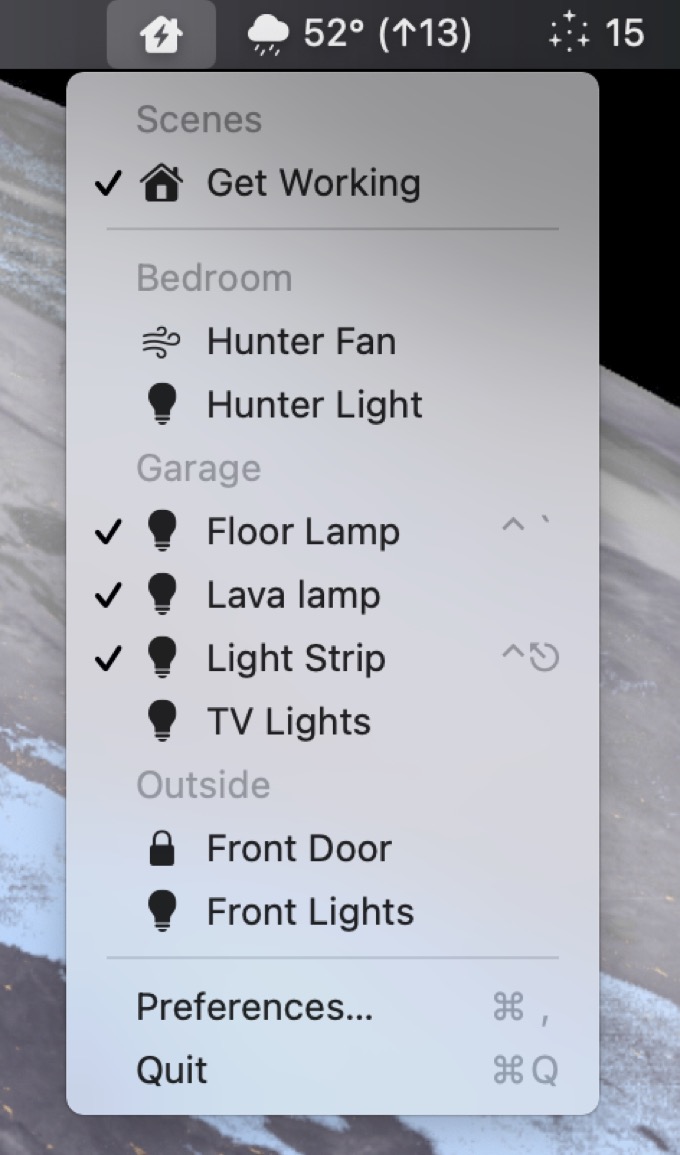
HomeKit came late to macOS, and the Home app—imported from iOS—isn’t very good. Among its failings is a lack of presence in the menu bar, an inability to bind devices to keyboard shortcuts, and a complete lack of support for user automation to help fill in its gaps.
Fortunately, there are a bunch of utilities in the Mac App Store that address these failings. The best one I’ve found is the $3 HomeControl Menu for HomeKit by Pedro Jose Pereira Vieito.
HomeControl Menu puts a HomeKit item in your menu bar. Click and you can see all the devices, scenes, and even homes associated with your Apple ID. You can see a device’s status and quickly turn it on or off with a couple of clicks. (If you’ve got a lot of HomeKit devices, but only a few that are relevant in the context of sitting at your Mac, you can choose to hide devices in HomeControl Menu’s settings window.)
Even better, HomeControl Menu lets you assign keyboard shortcuts to devices. Now I can turn on the strip lights that ring the window in my office with a quick keypress, rather than needing to launch the Home app, click over to the right room, and click the icon representing those lights. (And that’s when the Home app works. Even the mighty Keyboard Maestro, a spectacularly good tool for automating the un-automatable, couldn’t properly navigate the app’s menus and buttons due to Home’s many bugs.)
And it gets better: HomeControl Menu also supports automation, so you can write scripts that call an iOS-style x-callback-url format in order to control devices. (And yes, that’s accessible from AppleScript as well—you just tell HomeControl Menu to open a location, and that location is the app’s own x-callback-url. It’s weird, but it works!)
The app still has some rough edges and missing features. You can’t sort items in the preferences window, you can’t mass-hide devices, scenes, and homes. (I’d have preferred to hide every device off and then choose a select few to display.) As a person with but a single HomeKit home, I’d prefer to have the “home” field hidden entirely.
But really, these are minor quibbles. It’s great to finally have HomeKit under my control on my Mac—from my menu bar, my keyboard, and my scripts.
Apple has released iOS 14.4 with security fixes for three vulnerabilities, said to be under active attack by hackers.
The technology giant said in its security update pages for iOS and iPadOS 14.4 that the three bugs affecting iPhones and iPads “may have been actively exploited.” Details of the vulnerabilities are scarce, and an Apple spokesperson declined to comment beyond what’s in the advisory.
It’s pretty rare for Apple to acknowledge an actively exploited security vulnerability in its patch notes for any product, and on the iPhone—largely considered among the most secure platforms—I would say it’s unheard of, at least in my memory.1Update: My good pal Adam Engst gently reminded me that Apple alerted users to possibly actively exploited vulnerabilities in a variety of updates issued just last November, or as I like to call it, “late March 2020.”
Apple’s security note is promising more details soon, though the timing is as of yet unknown. Two of the vulnerabilities, which involved arbitrary code execution, are related to WebKit, the engine that underpins not only Safari but pretty much any web interface on the phone. The third was in the operating system kernel, and could allow a malicious application to get escalated privileges. All of those are fairly serious cases, so it’s for sure a little scary—definitely a case in which to urger your friends and family to update.
With the exception possibly being in the case of flaws used to jailbreak phones. ↩
Apple today announced Dan Riccio will transition to a new role focusing on a new project and reporting to CEO Tim Cook, building on more than two decades of innovation, service, and leadership at Apple. John Ternus will now lead Apple’s Hardware Engineering organization as a member of the executive team.
Riccio has been Apple’s senior vice president of hardware since 2012; interestingly, in the same press release is the note that his predecessor, Bob Mansfield, was returning to work on “future projects” at the same time (subsequently, it was largely reported that Mansfield was heading up Apple’s automotive ambitions). In December, Bloomberg’s Mark Gurman reported that Mansfield was officially retiring from Apple (this time for real!), and that the car project would instead fall to the he senior vice president of AI and machine learning, John Giannandrea. It doesn’t seem out of the question that Riccio could also end up working on that project, if there’s a hardware component, though the emphasis on “new” product in Apple’s announcement means it might be something else entirely.
Ternus has been at Apple for nearly two decades, but he appeared prominently during some of Apple’s virtual events last fall. If you want a good idea of why he’s going to be the next member of Apple’s executive team, you don’t have to look any further than this line from Apple’s press release: “…he has been a key leader in the ongoing transition of the Mac to Apple silicon.”
Is Apple really going to release a high-end VR headset, and if so, why? Is the MacBook Air getting smaller again? Are you ready for Dolly Parton to tell you a story while you take a walk? And we discuss why movies and sports are becoming ever more important to streaming-media outlets.
Apple today unveiled Time to Walk, an inspiring new audio walking experience on Apple Watch for Fitness+ subscribers, created to encourage users to walk more often and reap the benefits from one of the healthiest activities. Each original Time to Walk episode invites users to immerse themselves in a walk alongside influential and interesting people as they share thoughtful and meaningful stories, photos, and music.
A few things I find interesting about this feature. First, it’s a clever idea marrying what is, basically, a podcast, with exercise features. I tend to walk every day, usually while listening to music rather than podcasts, but I can see why this would encourage people to get out and exercise. Nice lineup of initial episodes, including the legendary Dolly Parton.
But what I find really fascinating about this is that it’s essentially a paywalled podcast, available only to Fitness+ subscribers. Apple says it’ll be adding new episodes every Monday. Plus, the feature folds in music by adding a custom playlist tied in with the narrator, as well as photos that appear on the Apple Watch at certain points. A little wacky, but okay. Given that rumor has the company considering its own paid “Podcasts+” service, this might help the company suss out whether or not that idea has legs.
This also ventures down a road that I imagine Apple will continue to investigate: audio-only Fitness+ workouts. Peloton already offers a similar feature, and I’d be surprise if Apple didn’t add such content in a subsequent Fitness+ update.
Recent Similar Reports: None Resolution: Open Please provide a descriptive title for your feedback: Finder icons in List View, Small Icon, are generic and unintelligble.
Please describe the issue and what steps we can take to reproduce it:
Set a Finder window into list view, with the icon size set to the smaller of the two sizes.
New-style Big Sur document icons (top) are much harder to differentiate than the older version.
A surprising amount of information can be imparted in those 1,024 pixels, even at retina resolutions. Color and patterns provide helpful cues about which document is which in a folder list. I use this all the time to, for example, differentiate the Logic Pro project file from assorted media files in a project folder.
Unfortunately, this new Big Sur behavior requires me to attempt to see the icon placed on the blank generic document icon — an icon that’s about 12×12. It’s almost impossible to tell the difference between documents that use this same approach.
Some apps support preview icons at this size (which is itself problematic), but some don’t; Logic Pro, for example, does not, so I’m left with trying to differentiate one 12×12 icon on a generic white rectangle from another one.
Solution: At small sizes, Finder should honor .icns files wherever possible and provide actual unique document icon designs that are viewable at small sizes.
My thanks to Magic Lasso Adblock for sponsoring Six Colors this week. Magic Lasso Adblock is an efficient and high performance ad blocker for the iPhone, iPad and Mac. It runs as a native Safari content blocking extension, and blocks intrusive ads, pop ups and trackers while speeding up your overall web experience and saving battery life. Browsing can be as much as twice as fast on common websites. And, of course, it also improves your privacy and security by removing ad trackers.
Magic Lasso Adblock respects your privacy, doesn’t accept payment from advertisers and is 100% supported by its community of over 150,000 users. You can download it for free today via the Magic Lasso website, the App Store, and Mac App Store.
Back in the early days of the pandemic, the Drobo 5D disk array attached to my Mac mini died—and with it went my access to all my archival podcast and video files (including a few works in progress), a backup of my photo library, and a large collection of movies and TV shows ripped from DVDs and Blu-Rays.
Over the course of the next few weeks, I spent a lot of time pondering what my backup strategy should be and what I should get to replace my dead Drobo as my household’s mass storage device. I detailed a version of this story on Upgrade back in May, but never wrote about it. So here’s the story of where I started and where I (happily!) ended up.
RIP, old buddy
My data was (probably) intact, but the Drobo hardware itself was fried.
I have been using Mac minis as home servers for years, and my most recent one is an upgraded model from 2018. Since I find it super convenient to have a Mac available on my network at all times, I haven’t ever been in the market for network-attached storage devices. The Drobo 5D was a five-disk array attached to my Mac mini via Thunderbolt, with five spinning disks storing about 12 terabytes of data, with data distributed across the drives so that any one of them could die and be swapped out for a new one without losing any data. (And in fact, this had happened—over the course of many years I’d swapped out all but one of the original drives I had installed in the Drobo, and had never lost any data.)
But guarding against the loss of an individual hard drive isn’t the same as guarding against the loss of the Drobo hardware itself. And that’s what failed in March, the Drobo 5D hardware. Drobo Support had me run a few diagnostics to confirm that while the data on my drives (in Drobo’s proprietary format) was probably secure, the unit itself was not.
In order to close the book on the Drobo side of the story, I’ll reveal that the data was intact on the drives, and I was able to buy a used Drobo 5D on eBay, install my drives, attach it to my Mac, and copy off all the data. (And then I sold that Drobo on eBay for more than I paid for it!) But the incident had reinforced something I had been feeling for a few years—that I didn’t want to stay in Drobo’s proprietary world. But I did appreciate having a multi-disk array with lots of storage and redundant protection against drive failures.
The backups held, mostly
It took quite a while to confirm that the drives in my Drobo were still functional, and the data on them would be retrievable. In the interim, I proceeded under the assumption that I wouldn’t get access to that data, and turned to my backups.
I use Backblaze for online backup, and I was happy to discover that my backup set was safe on Backblaze’s servers. However, I didn’t back up everything to Backblaze—the contents of my video library and my Windows virtual machines weren’t in there. Still, it would get me my most important files—and Backblaze offers a service where it will send you a USB hard drive containing your backup. Despite the creeping pandemic, a week later I had a USB drive containing all my data.
I was also using the ARQ Backup utility to use some of my extra Dropbox space to back up some of my files more regularly. This provided me access to my most vital in-progress work, including some files that hadn’t yet had a chance to back up completely to Backblaze.
Unfortunately, I also discovered a hole in my backup strategy: The evening before the Drobo died, I had moved a podcast project from my iMac to the Drobo. My iMac’s Time Machine backup didn’t catch it, and neither Backblaze or ARQ were able to run before the Drobo died. That data was lost unless the Drobo could be retrieved, though I was able to piece together most of the files from other sources with only some lost work.
The lesson here: Offsite backups are vital, and they work. One is nice, and two is even better. I was very happy with Backblaze’s USB backup service—they charge you for the drive, but if you return it within a relatively generous window, they refund that charge—and using ARQ to provide a second set of backups in some of my unused cloud storage also proved helpful.
Hi, we’re the replacements
SoftRAID keeps my server volumes running smoothly.
So, with the Backblaze USB drive and (eventually) the eBay Drobo, I got all my data back. But where to put it? I decided to buy an OWC ThunderBay 4 RAID, and ordered two 12TB hard drives to go with two lightly used 8TB drives from the Drobo in the four-disk enclosure.
The Thunderbay hardware comes with a feature-limited version of SoftRAID, an app that allowed me to configure my storage to resemble the setup I had on the Drobo. Unlike Drobo, SoftRAID doesn’t let you mix and match drives of different sizes, so I set up 8TB on all four drives to be a RAID 5 volume with a total of 24TB of available storage. As with my Drobo, RAID 5 means that if one drive were to die, I could swap it out and replace it with a new drive without losing any data.
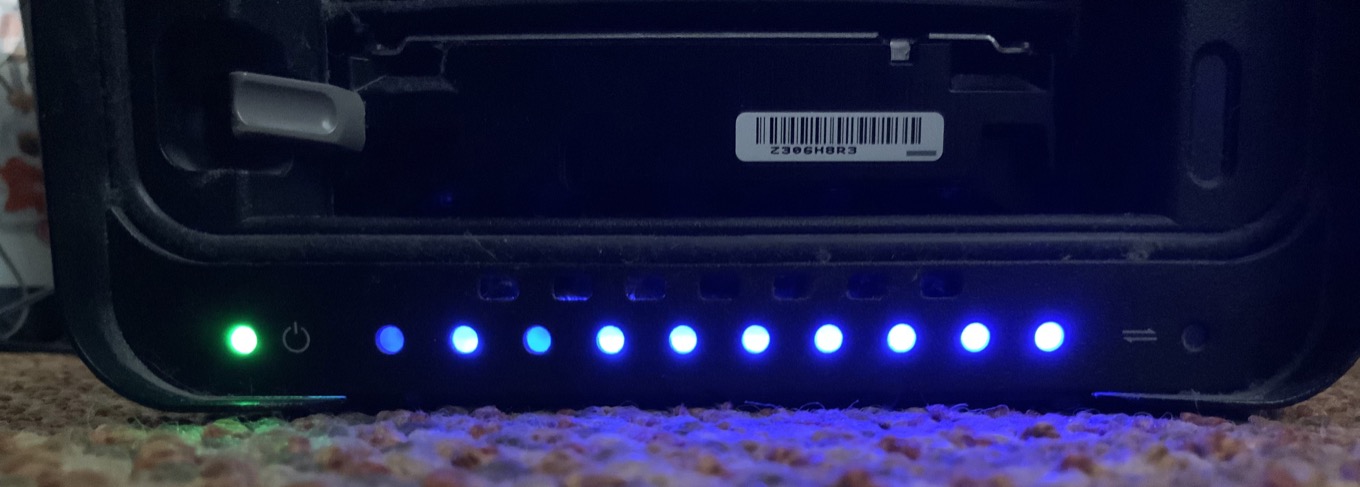
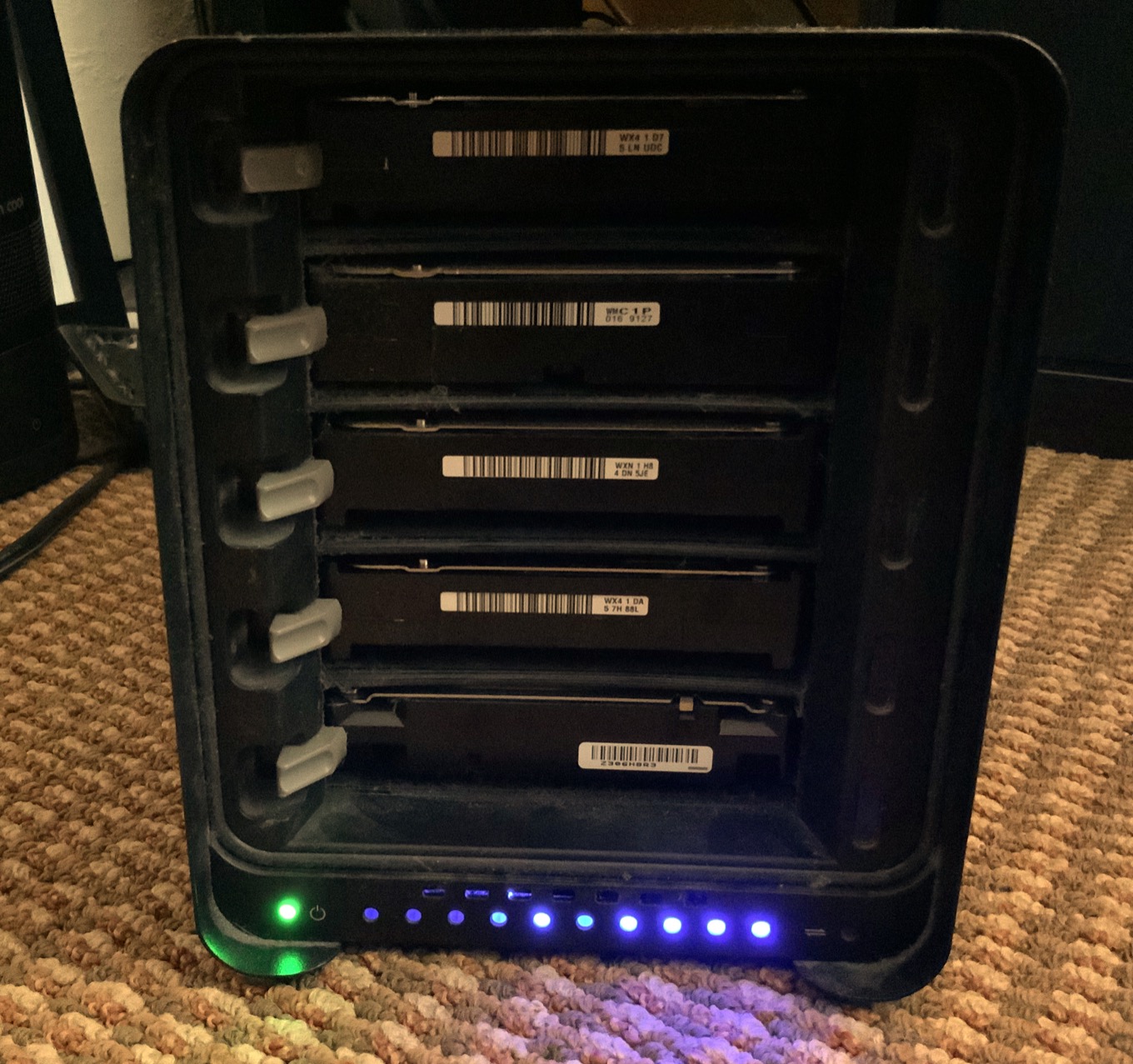
The Thunderbay 4 RAID holds all the data now.
SoftRAID also allowed me to set up the spare 4TB portions of my two larger drives as a mirrored volume, which I use for Time Machine backups from my other Macs. Because that volume is mirrored—in other words, all the data is identical on the two separate drives—I’ve once again got some data redundancy in case one drive mechanism dies.
My Drobo 5D also included a 256GB SSD that it used as a cache; I bought a tiny enclosure to turn that into a USB hard drive. That drive is now set up to be a bootable backup to my Mac mini’s internal drive, just in case something bad happens there. Use all parts of the buffalo, I say.
Two is one and one is none
Finally, I decided to bite the bullet and finally commit to having a local backup of my enormous storage drive, something that I wasn’t willing to do before—and which almost bit me. I took the two largest drives from my old Drobo setup and installed them into a cheap older-model OWC Mercury Elite Pro Dual two-disk enclosure, and formatted those drives as a single volume. Every few weeks I plug it in, turn it on, and run SuperDuper! to make a backup.
The good news is, I didn’t lose any data. I had to buy some new hardware, though at least I made $100 on selling the Drobo I bought on eBay! And I gained a new perspective on what I’m truly willing to lose from my big server hard drive. I was more than happy to pay a few hundred dollars for the privilege of not needing to rebuild my video library. And I reconfigured my backup strategy to make it less likely that a failure at just the right time would wipe out an irreplaceable set of files.
So here’s my advice to you: Make sure your stuff is backed up to the cloud. Consider a local backup, even if it’s for an enormous server that’s supposedly redundant. And thus far, my experience with the OWC Thunderbay and SoftRAID has been great—but I won’t know for sure just how I feel about it until a drive fails and I’ve got to go through process of replacing it.
I look forward to the day when I can replace spinning disks with small and silent SSDs for large-scale storage, but I’m not there yet. I hope my new setup will last me until the day when it’s possible.
Our top-two streaming media services, our thoughts on MagSafe returning to the Mac, gadgets we think still need work, and what we use instead of Instagram, Oculus, and WhatsApp.
We’ve been doing the bulk of our editing in Descript since we were piloting in January 2020. It transcribes all your material and you can edit the audio directly from the transcript and in collaboration with others. It’s like Google Docs for sound.
I used Descript to edit 20 Macs for 2020, and it was a revelation. Shield feeds audio clips from news sources into Descript, which automatically transcribes it all and makes it almost instantly searchable and clippable—important for producing a podcast.
But wait, there’s more—they wanted to be able to cover the U.S. presidential election using reports from major TV news sources:
Three browsers playing the live streams from each of the networks – plus a radio streaming app – were recorded into Audio Hijack. (To get the TV network streams I used my colleague Matt ‘TK’ Taylor’s excellent VidGrid, which every news producer should know about.) Audio Hijack started a new chunk of those recordings every 15 mins, saving them into a Dropbox folder. I used Zapier to monitor that Dropbox folder and – using Descript’s Zapier integration – automatically import the audio into a Descript project to be transcribed and made searchable.
Which I admit sounds like overkill for a podcast. But now it’s built, we can spin it up whenever a breaking news event is unfolding, as we did on 6th January during the insurrection at the US Capitol.