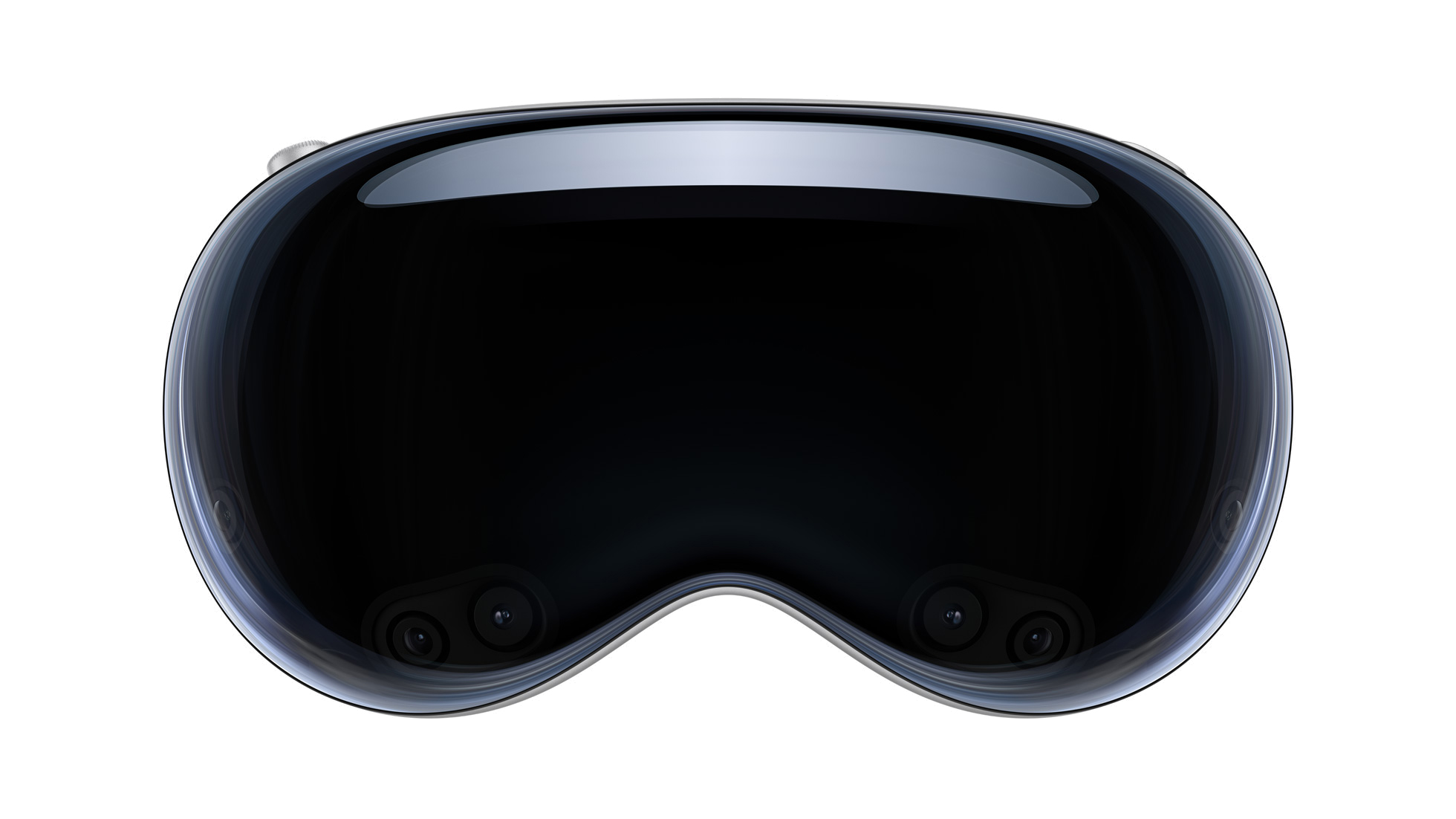
This week Apple sighs heavily every time you forget your password, YouTube puts the Vision Pro on its map, and Tim Cook gets all set for the snap.
This is why I use the same password for everything
Despite a fairly smooth launch for the Vision Pro, there were one or two signs that maybe not everything was completely ready on day one.
Shortly after the device’s introduction, reports indicated that customers who forgot their password were being required to go to an Apple Store in order to have it reset. It is unclear whether or not customers were led through the mall by a cleric ringing a bell and loudly declaring “SHAME! SHAME!” But, as a father who has many more times than once had to deal with resetting a device for a child who changed his password and promptly forgot it, I welcome this new stricter regime. It is high time we cracked down on these infractions and I hope this new practice spreads to other Apple devi-
After early drama about YouTube and Netflix not being available on the Vision Pro on day one, there was some awkward coughing and maybe at least one of them has changed their mind.
For its part, Plex has said that it’s not currently developing a dedicated app for the Vision Pro.
Great, now what am I going to use to immersively watch all these 720p rips I did of my DVD collection 15 years ago?
Plex probably doesn’t have the time to make a Vision Pro app because it’s too busy running away from its core business of being the go-to software for sharing ill-gotten media.
Look, if I wanted to rent movies, I wouldn’t have a Plex account. Duh. Do you even hear yourself?
The Tim Cook Cinematic Universe
This week Apple teased the upcoming Apple Music Super Bowl Halftime Show (AMSBHS) featuring Usher, first with a short clip and then a 7-minute long skit featuring Ludacris, Lil Jon, and Taraji P. Henson being commanded by Apple CEO Tim Cook to find Usher, who has gone missing, in time for the big show.
In the long-standing tradition of the ads surrounding this uniquely American event, the skit is not terribly funny but it does include Ludacris delivering the line “Tim, I’m sorry, bro.” Which is, of course, a famous callback to what Scott Forstall said to Cook during the Maps fiasco.
If you are anything like me (older and out of touch), after seeing this ad you will laugh heartily and say to yourself “I have no idea what that was all about or who half these people are!”
Still, we are seeing a pattern here. After last year’s skit that placed Tim in a meeting with Mother Nature, it seems clear that Apple has created what amounts to a Cook Cinematic Universe (CCU) revolving around the award-eligible CEO.
Sadly, despite the small number of productions in the CCU, there are already signs that its quality is degrading. Perhaps people are simply tired of super Tim stories or maybe the productions just aren’t as good anymore. For example, the plot device of a missing key element for an event was already used in the September 2018 iPhone XS keynote event, which featured a missing presentation clicker.
And don’t get me started on “Secret Timvasion”. What a stinker.
What’s next, viewers are left to wonder? Lazy stories invoking such overused sci-fi tropes as Tim travel? Or a multimverse?
Actually, you know what? I would watch those.
[John Moltz is a Six Colors contributor. You can find him on Mastodon at Mastodon.social/@moltz and he sells items with references you might get on Cotton Bureau.]
My thanks to Kolide for sponsoring Six Colors this week. Kolide helps its customers keep their devices in compliance, which keeps their company data safe.
Kolide has seen a rise in cyber liability insurance issues recently. Companies are investing more in security insurance and less in actual security. The result has been a tidal wave of data breaches that have driven up the cost of premiums to the point that they are rapidly becoming unaffordable.
Kolide has seen its cyber insurance premiums go up by 40% in just the last two years. It turns out that insurance companies themselves can help get us out of this crisis, by mandating some (pretty basic) security requirements for their customers–things like MFA, endpoint security, and retiring end-of-life software. Read Kolide’s full blog post to learn more about their findings.
Vision Pro reactions and potential
The Vision Pro as both a product and future potential; our reactions to the reactions to the device.
It’s been a very long time since Apple released a product as speculative and impractical as the Vision Pro, its $3499 first-generation “spatial computing” headset. Led by Apple, today’s technology industry sells billions and billions of dollars worth of technology to a grateful public that uses our smartphones, laptops, and other devices in nearly every aspect of our lives.
It wasn’t always this way. When I was a kid, personal computers were just beginning to arrive in homes and schools. As I anticipated the arrival of the Vision Pro, I kept remembering the earliest days of the PC, the days when Apple IIs, TRS-80s, and Commodore PETs ruled.
In those days, computer technology wasn’t practical. You’d spend the equivalent of $5000 in today’s money on a computer, bring it home, and be immediately confronted with the big question: “Well, now what?”
And yet people bought them, mostly because they got the sense that this was the first step into a new era. Being a Gen X’er means that you were probably told at some point in your young life that “computers are the future”—a meaningless statement that nonetheless turned out to be absolutely true. People didn’t know just what it all meant, but it was new and clearly where the world was headed, and for some adventurous souls (or those who broke down and listened to the begging from their kids), that was all that was required.
I first learned what buyer’s remorse felt like about 12 hours after coming home with a new computer. New computers were exciting, but then what? There was very little software available, and the suggestions your computer salesperson would give to adults were impractical things like keeping a recipe database or balancing your checkbook. As for me, I’ll just say there was a lot of 10 PRINT “JASON IS GREAT” 20 GOTO 10 in those days.
This moment very much reminds me of that moment. Like those early computers, the Vision Pro is an expensive piece of cutting-edge technology that strongly suggests a possible future. (Is it really the future? That, we don’t know.) There are very few use cases for which I can say that, yes, the Vision Pro is a smart investment at $3499. Getting a taste of the future isn’t cheap, and it’s not especially practical, but it’s such a rare opportunity that it can sometimes be worth it anyway.
Our favorite PC/Mac apps; the apps we use for photo-taking, editing, and sharing; our thoughts on Vision Pro Personas; and our interest (or lack thereof) in Bluesky amidst potential social media saturation.
By now the reviews are out, the first adopters have received their devices, and anybody who wants a demo of the future of spatial computing can walk into an Apple Store and try Apple’s headset.
But it’s worth remembering throughout all of this that the Vision Pro is—hopefully—more than just a gimmicky device; it’s a brand new platform that’s going to evolve and change as it makes contact with the real world. There are bound to be shortcomings, places where third-party apps will eventually fill in gaps, and areas where Apple will continue to innovate and improve, even before a new version of the hardware inevitably comes out.
Case in point: there are a handful of places where Apple has spent very little time talking about the Vision Pro’s capabilities—in some cases because those capabilities are limited or simply aren’t present at all. If you look closer, there’s often a very clear reason why that’s so, but it also means that there’s clearly room for Apple to make forays into new arenas as the platform develops.
After a brief bit of DMA follow-up and a recap of Apple’s quarterly financial results, the rest of the episode is all about our first few days with the Apple Vision Pro.
Like everyone else—okay, not everyone, but I’d guess a surprising percentage of the Six Colors audience—I took possession of an Apple Vision Pro on Friday. I’ve already spent many, many hours using it, but it’s a whole new Apple platform and it’s going to take me some time to digest it all.
In the meantime, I’ve gotten a bunch of questions from readers and listeners about the device, so I thought I’d make my first piece about the Vision Pro an FAQ story. You’re reading it now! (Apologies if I re-use some of these observations in my eventual full review. Recycling is good for the earth.)
How do you connect a trackpad and keyboard?
With a MacBook Air in my lap, I get a big virtual Mac screen and Universal Control over visionOS apps.
Like pretty much any Apple device, you can directly connect a Vision Pro to external pointing devices—at least, you can connect the Magic Trackpad and some Bluetooth keyboards. I was able to get a Magic Keyboard connected to it simply by opening the Bluetooth area of the Settings app and selecting the Magic Keyboard. It really couldn’t have been easier.
Once a keyboard and trackpad are connected, you can mix and match those input devices with the input from your gaze and hand gestures. If you’ve ever used a pointer on an iPad, you know how it works—there’s a little dot that will dance from window to window, and it behaves just like the pointer does on iPadOS.
If you’re using the Vision Pro with a Mac, it’s even easier to connect input devices—because your Mac’s own pointing device and keyboard will also extend into the visionOS environment via Universal Control. (I guess we need to add Universal Control to the list of Apple features that might have been secretly developed with visionOS in mind?) For example, just as I wrote this paragraph I received a new Slack message, via the Slack app running on the Vision Pro. I used my Mac’s trackpad to move the pointer off the edge of the Mac display and into Slack on the Vision Pro, where I clicked on the message and even typed a reply.
I don’t understand how you can work in a large visual environment if you’re in a tight space. Doesn’t that break your brain?
You’re going to have to trust me—this window appears behind the wall in 3-D.
With the exception of your hands, windows in visionOS occlude objects in the real world. This means you can put windows deeper than actual space. And yeah, it breaks your brain a little if you think about it. If it really freaks you out, the best answer is probably to dial in an Environment, because all of those have been artfully composed to not have any occluding objects anywhere within range.
This is hard to get across in flat screenshots, but I was able to sit a desk in my son’s room, right up against the wall, and place a window deep behind behind the posters on the wall. The discontinuity didn’t really bother me. Then again, visionOS space is so weird that my brain may have already noped out and turned itself off for the day.
Isn’t it weird that eye tracking means you can’t look at one thing while you’re doing something else?
This question refers to an interesting phenomenon that a lot of us are discovering as we start using the Vision Pro: Turns out that we cut corners! You finish one task over here while moving your eyes to the next task… only to discover that in an operating system that uses eye tracking to assume intent, you’ve potentially disrupted the first task prematurely.
I don’t know how this is going to all play out in terms of extended use, but I’d bet that it won’t take too much time for people to get used to the concept that your gaze is your pointer. It’s also quite possible that people who are committed to doing real work on a Vision Pro will want to bring a keyboard and trackpad with them, at which point the device kind of becomes a big 3-D iPad you wear on your face.
Can you really do work on this thing?
Sure. If you’ll prefer it to other devices really remains to be seen. If you connect it to a Mac, you can do anything you do on your Mac while wearing the Vision Pro. If you don’t, as long as your key iPad apps are available, you can pretty much do everything you can on an iPad. And believe it or not, people do get work done on the iPad.
For “real” work do you think you’d be using pass-through or immersive?
Look, everyone’s brains are different. I sometimes put headphones in to write articles even though there’s nobody around, because something about the isolation shifts my brain into a different gear. I can see how dropping out your normal environment and replacing it with something else might be helpful for productivity. I have tried to work in the Vision Pro in both scenarios, and I don’t think I’ve settled on an answer.
Do streaming apps do clever things with screen shape?
Yes indeed! One benefit of having windows that are unbounded by the shape of a physical screen is that they can be the shape they need to be. So I was able to call up an old 4:3 X-Men cartoon on Disney+, and the screen was indeed 4:3. Likewise, the Max app displayed Casablanca in an appropriate 1.37:1 frame.
I’m curious about the quality of the virtual screen. Like how good does it look?
A virtual Mac display laid on top of a Studio Display. (It’s not as good.)
To test this, I sat down at my Studio Display and then connected to my Mac and re-sized the resulting visionOS window to match the size of the Studio Display. Neat trick, but no—the resulting window isn’t as good as seeing your display with your own two eyes.
The Vision Pro isn’t going to be a display replacement in that way, but it doesn’t need to be. There are plenty of scenarios where you just don’t have a big screen available. I can now work on a MacBook Air screen with a vastly large amount of screen space, for example—even if the resolution is a little bit lower than if I used the native display. (And of course, in addition to the Mac screen, I’ve got several ancillary windows floating in space to the right, left, and above the Mac’s virtual display.)
If you don’t have room for a big display, or can’t bring one with you, having a virtual one can be a big benefit. But if I was just sitting at my desk working on my Mac with connected Studio Display, I’d just use my display.
Do apps persist across sessions?
Yes, but not reboots. Which, if you think of it, is kind of a bummer—if you go to the trouble of placing a bunch of Widgetsmith windows exactly where you want them throughout your house, the last thing you want to do is lose them when you reboot. Apple’s going to have to re-think the concept of geographical persistence as visionOS evolves.
Reboots aside, apps do live in physical spaces. I left my Settings app in the other room yesterday. (Relax, you can summon left behind windows if you need to.)
Can you lie down on your back and watch a movie on the ceiling like Tim Cook and have the back of your head be comfortable?
Sure. I watched 20 minutes of Moana while staring up at the blue sky and clouds above Joshua Tree and it was so tranquil and comfortable that my wife thought I was asleep.
How is the video quality compared to, say, the Meta Quest?
I have a Quest 3 and it’s not even close—it’s safe to say that the displays in the Vision Pro are the best ones available to consumers today. Movies look great, and Apple’s immersive videos are spectacular.
Could you take the Vision Pro on a trip with no iPad or MacBook?
Probably, though I doubt I would. This isn’t a device you should use around other people, so I’d probably still bring one or both depending on what kind of trip it was. Using this with a Mac so that I’ve got a big display wherever I go would be pretty awesome, actually.
If you walk behind a big window, what’s on the back?
Nothing. It’s just a featureless rectangle.
How fast can you type on the virtual keyboard, compared to gazing at letters and pinching?
The problem with taking typing tests while typing via gaze is that you can’t see what you’re supposed to type next! Text input on Vision Pro is a real problem. Apple’s floating keyboard gets in the way and I’m not sure either method really works effectively. Voice sure seems to be a better option here, but even that needs to be executed better than it currently is.
If you’re doing a lot of text input, use a bluetooth keyboard or Universal Control.
Can we take Apple at its word that this is a “spatial computer” you can do stuff with? What is it like actually to do things with the interface, and what is your sense of the power/utility/limits of this spatial interface metaphor?
This is the kind of stuff I will need to address in my full review. What I will say after a day and a half is that the Vision Pro is most definitely a computer. It feels like the most computery device Apple makes, after the Mac itself. A lot of that is the fact that it’s got a freeform multi-window interface.
Unlike most headsets in the market, the Vision Pro is not a games console. It’ll play games, and movies, and may even do well at both—but you can play games and watch movies on your Mac, too. That doesn’t change that it’s also a full-fledged computer. So is the Vision Pro, in a lot of ways. Whether people will want to take advantage of those features, that’s the real question.
Did you write this story entirely while using a Vision Pro?
Yes, all but this last bit and inserting all the images.
It’s here! It’s here! It’s like Christmas in early February! Not for me, of course, but for some of you. Apple’s response to the EU’s DMA legislation will continue to be in news until… well, morale’s not improving, so it’s hard to say. At least the company’s not going out of business.
Vision Pro is go!
It’s here! With great fanfare, the Vision Pro arrived today at stores and homes near you, depending on the wealth index in your ZIP code. Tim Cook took to Manhattan yet again to welcome the Vision Pro procurers and those who are just Vision Pro-curious (he even got a fantastic new shirt for his troubles).
Despite tepidity in some of the reviews, you will be surprised to learn that Cook is all in on the Vision Pro. So all in that he’s actually been pictured with his face all in one. Why? Glad you asked. Writing for Vanity Fair, Nick Bilton tells us:
Is it because it’s a product his company makes? Just guessing.
The first time Tim Cook experienced the Apple Vision Pro, it wasn’t called the Apple Vision Pro. It was years ago; maybe six, seven, or even eight.
Nine? Ten? Not out of the question.
Before the company built Apple Park, where we’re sitting right now, at a bleached oak table in this incredible circular edifice of a building clad in miles of curved glass. It’s been raining, and the clouds are clearing over the pine trees…
Man, I can’t wait to get to the recipe at the end of this article.
Despite some complaints that Apple got too much VR in their AR, Bilton thinks the degree to which you can be in a virtual environment but have it seem like you’re looking at reality is mind-blowing. Needless to say, not everyone shares this vision of the future. Some are even trying to have it canceled, like that Netflix show you like that only got two seasons. No, the other one. Nnno, the other other one.
Whether it’s a long-term hit or not, analysts seem to think the device is selling pretty well considering the price and limited supply of components, and the company managed to get people to line up once again for a look at a product. It’s off to a decent start.
Sleep aids
Other things did happen this week. For instance, Epic’s Tim Sweeney remained mad.
OK, that’s more “status quo” than a new thing. But here’s a new thing: developers can now request a consultation about the changes Apple’s made to comply with the EU’s DMA. That’s helpful if you’re a developer selling an app in the EU. And if you aren’t a developer, it might be a good way to lull yourself to sleep.
Apple representative: “When your app completes Notarization, your app becomes available for the marketplace to host. App Store Connect provides your Notarization-approved app in the form of…”
You: [SNORE]
And, if you’re a developer in the U.S. who gets none of these new options, it might be a good way to get your blood moving in the morning. See? It’s got a little something for everyone. Call now, operators are standing by.
Getting results
Apple also announced its quarterly results this week. The company beat expectations, scoring its second-best quarter evahhhh in terms of revenue, profit, and the number of achievements Phil Schiller has unlocked in Hello Kitty Island Adventure.
In the call with analysts, Tim Cook teased the company’s efforts in AI. (You should never tease an AI. You want Skynet? That’s how you get Skynet.)
Sadly, I already used “Modems, mo’ problems” in this column. Curse past me, he’s always ten steps ahead of me.
[John Moltz is a Six Colors contributor. You can find him on Mastodon at Mastodon.social/@moltz and he sells items with references you might get on Cotton Bureau.]
My thanks to Whisper Memos for sponsoring Six Colors this week.
Whisper Memos is a an iPhone/Apple Watch app that lets you record voice memos, and in turn sends you an email with perfect transcription. Your text is automatically divided into paragraphs so you can just start reading. Under the hood, it uses the Whisper AI model, which yields excellent results in any language.
Whisper Memos is built for convenience: You can record by pressing a button on your iPhone lock screen, or from a complication on your Apple Watch. Check out Whisper Memos today. You’ll be amazed at how fast, accurate, and reliable it is at preserving your precious thoughts.
Dan’s Vision Pro demo and Apple results
Dan finally got to try out Vision Pro and has first impressions; Jason is waiting for the UPS truck to come. (It does!) And if you didn’t catch our YouTube stream talking about Apple’s results, that audio is also attached to the end of this episode.
Apple’s fiscal first quarter of 2024 is in the books, and now we know it was the company’s second-largest and most profitable of all time. It also showed year-over-year growth for the first time in a few quarters, undoubtedly warming the money-green hearts of financial analysts everywhere.
As has been clear on the last few analyst calls, Apple is feeling a bit defensive about being left behind in the world of artificial intelligence and machine learning. While Apple has invested in AI and ML in numerous ways- the neural engine, ML features in various apps, and the OS itself- it doesn’t have a generative AI product or a large language model, the two kinds of AI that have captured the world’s imagination.
That is why, during his prepared statement on Thursday’s call, Apple CEO Tim Cook went out of his way to discuss future Apple software developments!
As we look ahead, we will continue to invest in… technologies that will shape the future. That includes artificial intelligence, where we continue to spend a tremendous amount of time and effort, and we’re excited to share the details of our ongoing work in that space later this year.
Not a product announcement, not even a feature announcement—but a tangible promise that Apple’s going to announce some big AI features later this year. (As Bloomberg’s Mark Gurman has reported, Apple’s OS updates at WWDC this summer are expected to feature heaps of new AI features.)
Responding to a question later on in the call, Cook played it again:
In terms of generative AI… we have a lot of work going on internally, as I’ve alluded to before. Our M.O., if you will, has always been to do work and then talk about work and not to get out in front of ourselves. And so we’re going to hold that to this as well. But we’ve got some things that we’re incredibly excited about that we’ll be talking about later this year.
Cook seems to acknowledge that he’s a bit out of his comfort zone in teasing anything, but clearly, he feels the need to do a little of that when it comes to AI. I think he’s right- it’s a signal that Apple knows what people are interested in and that it’s got something coming.
Tim Cook loves all his kids equally
Analyst Wamsi Mohan of Bank of America asked Cook a question that I thought was pretty sharp: Could Apple’s CEO liken the company’s expectations for the early days of the Vision Pro to any of the company’s other product lines? In other words, is this an iPhone-like thing, or an Apple Watch, or an iPad? Analysts are all about trying to figure out what the future will hold. Why not ask Tim Cook?
Tim wouldn’t have it, of course:
You know, each product has its own journey, and so I wouldn’t want to compare it to any one in particular. I would just say we couldn’t be more excited internally…. And so we’ll see and report the results of it in the wearables category that you’re familiar with.
“Each product has its own journey.” They should put that on a T-shirt.
Products that are solid
The iPhone, which accounted for nearly 60 percent of Apple’s overall revenue in the launch quarter of the iPhone 15, managed to show a little growth, improving 6% versus the year-ago quarter. That’s not exactly a rocketing growth spurt, but it’s the second-best iPhone quarter ever and a sign that the iPhone business probably has more (slow) growth in it. Given how big a part of Apple’s overall business the product is, it really is the case that as the iPhone goes, so goes Apple.
The Mac also did pretty well! It was only up 1% year over year, but four of its last six quarters have featured double-digit negative growth numbers. When you stare at the overall Mac revenue chart, though, things look pretty solid. Yes, the Mac went through a couple of years of huge growth, but it seems to be coming back to a new, higher floor of around $7 or $8 billion per quarter. Apple reported that the overall number of active Macs reached another all-time high. Not bad for a 40-year-old.
Products that are not so solid
The iPad had a quarter that actually looked okay sequentially- it was larger than the three quarters that preceded it. The problem is that the iPad is usually a seasonal product that does well in the holiday quarter, and this year’s holiday quarter was 25 percent lower. Ouch. On the other hand, Apple sold $7 billion worth of iPads, none of which were released in 2023. For a stale product line, maybe that’s not so bad?
Apple’s Wearables, Home, and Accessories category seems like it’s stuck in a hole. Once the category that piled up enormous growth, it was down 11% year over year, and that was the sixth down quarter in the last seven. It’s also two straight holiday quarters of revenue regression in a very seasonal category. Apple tried to put a brave face on it, but between AirPods and HomePods and Apple Watch, nothing is moving the needle. This is a category that needs some attention.
Oh, but you’re saying, step aside! Here comes Vision Pro! And, well, sure. But let me get this ripped-open envelope and a pencil and do some quick math. Let’s say Apple sells 150,000 Vision Pros this quarter at an average selling price of $3750. That’s $560 million, more or less. That’s a great start, but it’s a drop in the bucket of the $12 billion that the category did last quarter. Vision Pro may end up being a big part of this category, but in the short term, it’ll need to be compelling upgrades to Apple Watch and AirPods Pro, and maybe something—anything—interesting in the home category.
The quintessentially Apple moment
I know that most of this stuff is scripted, and in fact, on Thursday, it even sounded like Tim Cook’s opening statement was pre-recorded?! But still, these calls are an opportunity for Apple executives to express themselves in ways that might not fit as well in a press release. And this bit from Cook struck me:
We are announcing these results on the eve of what is sure to be an historic day as we enter the era of spatial computing. Starting tomorrow, Apple Vision Pro, the most advanced personal electronics device ever, will be available in Apple stores… Apple Vision Pro is a revolutionary device built on decades of Apple innovation, and it’s years ahead of anything else. Apple Vision Pro has a groundbreaking new input system and thousands of innovations, and it will unlock incredible experiences for users and developers that are simply not possible on any other device….
We can’t wait for people to experience the magic for themselves…. Moments like these are what we live for at Apple. They are why we do what we do. They’re why we’re so unflinchingly dedicated to groundbreaking innovation and why we’re so focused on pushing technology to its limits as we work to enrich the lives of our users.
That’s the Apple brand promise, and the attitude of a whole lot of people who work at Apple, in a nutshell.
As always, Apple CEO Tim Cook and CFO Luca Maestri spent time with financial analysts on a scheduled phone call after reporting the company’s quarterly results. Here’s our complete transcript.
Apple reported its first fiscal quarter results on Thursday, with revenue of $119.6 billion, up 2% versus the same quarter a year ago. Overall, it was the company’s second best quarter ever in terms of revenue and profit, behind only the first quarter of fiscal 2022. Mac sales ended a string of down quarters to nudge up slightly; iPhone sales were also up. iPad sales were down double digits, as were wearables. Services growth slowed somewhat, but was still up double digits.
As you’re probably aware, there was a big anniversary last week. But the Mac wasn’t the only venerable Apple-related institution to hit the big four-oh on January 24. Once Steve Jobs wowed the 1984 Apple Investor Meeting at the Flint Center in Cupertino with his introduction of the original Macintosh, attendees emerged from the auditorium to be greeted by people handing out the first issue of the world’s newest computer magazine: Macworld.
Yes, it’s Macworld’s 40th as well. As you might expect from the relative health of the technology and media industries, the story of Macworld does not quite follow the same trajectory as the story of the Mac. (In the earliest days, Macworld was more successful than the Mac!)
As the person who has probably been associated with Macworld for two-thirds of its existence—I joined the staff in the fall of 1997, and I’m writing this in 2024—it’s only appropriate that I take you on a little trip down memory lane.