Six Colors
Six Colors

Apple, technology, and other stuff

Support this Site

Become a Six Colors member to read exclusive posts, get our weekly podcast, join our community, and more!

iOS malware introduced through hacked Xcode

Last week Palo Alto Networks reported on a diabolically clever method of introducing malware to the iOS App Store: Uploading a hacked version of Xcode to servers, one that contains a modified file that is automatically inserted into app packages.

XcodeGhost implemented malicious code in its own CoreServices object file, and copies this file to a specific position that is one of Xcode’s default framework search paths. Hence, the code in the malicious CoreServices file will be added into any iOS app compiled with the infected Xcode without the developers’ knowledge.

Why download a version of Xcode from someone other than Apple? It turns out that in China, downloading large files from Apple’s servers can take a very long time, so often installers such as Xcode are passed around from person to person or placed on local file-sharing services for (unauthorized) redistribution.

In total, at least 39 apps were infected, including popular apps such as Wechat. Apple says the apps have been removed.


By Jason Snell

New Colors

Note: This story has not been updated for several years.

When I started Six Colors a year ago, I did it with a design I slapped together myself. Though I have been building websites since the early days of the web, I am not a designer. So I decided to go for a “not designed” look, and to follow the features and functionality of sites such as The Loop, MacStories, and Daring Fireball.

From the very beginning, the plan was to eventually hire a real designer to create a version of the site that was a little more carefully constructed than the one I made last September, and one that reflected the mix of story types that Dan Moren and I post here most days.

My Gmail archive informs me that I asked Glenn Fleishman for Christa Mrgan’s contact information last August, weeks before the site originally launched. In mid-January I asked Christa if she’d be interested in the project, and she said she would, but that she wasn’t available until later in the year. At the Yosemite conference I talked to her more about the project, and we managed to fit it in between her leaving Rogue Amoeba and starting work at her new startup.

In any event, the work is now (largely) done, and what you’re seeing now (RSS readers, this is your cue to open a web browser for once) is the result. Christa refined the wordmark, brought all six colors into the palette of the site, and late in the game took an idea from Jay Fanelli of Cotton Bureau and turned it into a new “6C” logo shape.

In March, Jay and I were going back and forth on a Six Colors t-shirt design—turns out it’s expensive to screenprint six separate colors!—when he suggested a new logo that was a combination of a 6 and a C. I didn’t want to sell a shirt with a logo nobody had ever seen before, so we decided to table it for a while. But this summer, while working on the site design, I realized that we might have a perfect use for a version of Jay’s 6C logo, which Christa provided.

Anyway, the goal of the design—other than, perhaps, to better reflect the site’s name—was to differentiate between the different kinds of posts we have on this site. There are regular posts, sure, but we found ourselves also posting off-site links, links to work we’ve written on other sites, links to podcasts, and posts from sponsors. Now those are all more clearly defined, and I think the site’s better for it.1

In any event, the site’s got a much nicer wrapper now2, but of course what’s going to matter in terms of long-term success is the content that goes inside that wrapper. I’m spending roughly three days a week working on the site right now, with Dan covering two days.

I’m doing more freelance writing than I expected when I launched that site, and it’s reduced the amount of time I have spent writing here. To compensate, I brought Dan on. But in the long run, I’d like to find other ways to reduce that outside writing and focus even more on serving Six Colors readers.

For months now I’ve been thinking through the best way to ask for money directly from readers, to augment what we bring in from our weekly sponsors. I’m still working on that—it was encouraging to see the launch of Club MacStories this week, since that’s very much the sort of thing I’ve been thinking of doing—and hope to have something ready to go pretty soon. I have heard from many readers that they would like to support me and Six Colors, and I can’t tell you how much I appreciate that sentiment. I will try to create something that will let you support the site and also give you something of value in return. Stay tuned!

—Jason


  1. Also, the nav bar changes color. You can watch it change. I think John Siracusa hates it, but I kind of love it. 
  2. We are still fixing bugs, a few every day. If you see something, let us know at @bleedsixcolors on Twitter. 

By Dan Moren for Macworld

The Apple TV’s all grown up

For years, Apple CEO Tim Cook—and his predecessor, the late Steve Jobs—emphasized that the Apple TV simply was just a hobby, and not one of the main “legs of the stool,” the product lines that supported Apple as a company. But that all changed last week, when the Apple TV found itself sandwiched between two of Apple’s biggest products, the iPhone and the iPad, during the company’s latest keynote presentation.

So the Apple TV’s big time now, but what exactly does that mean for our favorite little black box?

Continue reading on Macworld ↦


By Jason Snell

iOS 9 in review: Low Power Mode and lowering battery anxiety

Note: This story has not been updated for several years.

When you think of operating-system updates, of course you think about whizzy new features. In iOS 9, that means dramatic improvements to iPad productivity, new proactive search features, improvements to Maps, Safari content blockers, and a whole lot more.

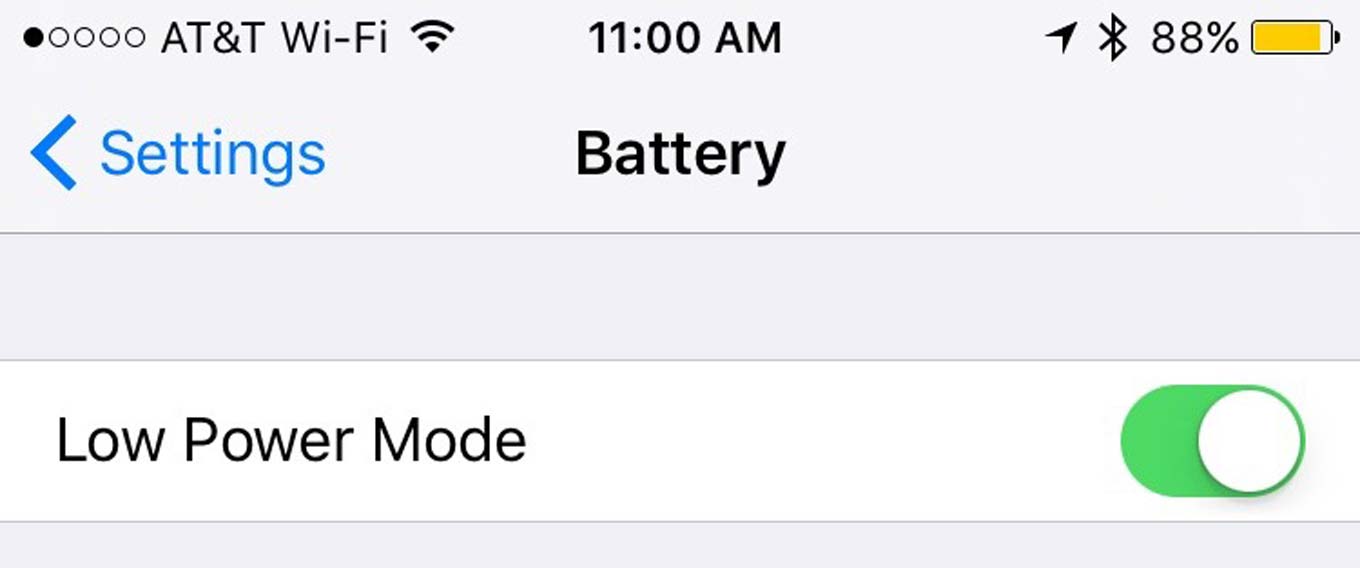
But lurking behind the scenes in iOS 9 is an update that may have more impact on your life as a iPhone user than any one of these in-your-face features—improvements that allow you to extend the battery life of your device.

Overall, if you do nothing, Apple claims that “across the entire operating system” battery usage has been optimized in iOS 9. I haven’t tested these claims methodically, and beta versions of operating systems are infamous for being all over the place when it comes to battery life. There are times when it feels like iOS 9 has improved the battery life of my iPhone 6, and other times when I appear to be draining the battery at an alarming rate. But then, that’s how I felt when I was running iOS 8, too.

If iOS 9 does really extend battery life in normal use, Apple deserves a medal. Improving battery life by optimizing software is a huge improvement for users, even if it’s all imperceptible to them. There’s probably not an iPhone user alive who would not say they wish their battery just had a little more juice in it. Apple can’t retroactively upgrade our iPhone batteries, but it can tweak its software to use that juice more judiciously.

Continue reading “iOS 9 in review: Low Power Mode and lowering battery anxiety”…


Marco Arment ends the war on Peace

On Friday Marco Arment decided to pull his top-selling ad-blocking app, Peace, from the App Store because it made him deeply uncomfortable:

Peace required that all ads be treated the same — all-or-nothing enforcement for decisions that aren’t black and white. This approach is too blunt, and Ghostery and I have both decided that it doesn’t serve our goals or beliefs well enough. If we’re going to effect positive change overall, a more nuanced, complex approach is required than what I can bring in a simple iOS app…

Even though I’m “winning”, I’ve enjoyed none of it. That’s why I’m withdrawing from the market. It’s simply not worth it. I’m incredibly fortunate to be able to turn away an opportunity like this, and I don’t begrudge anyone else who wants to try it. I’m just not built for this business.

People who bought it can request a refund if they like, but Marco says that the app will keep working “for a long time,” just with no updates.


By Jason Snell for SuperSite

5 new iOS 9 features to get excited about

After a few months in beta, Apple’s iOS 9 update is here. Any iPhone, iPad, or iPod touch capable of running iOS 8 can run the new version, and Apple users are famous for upgrading their operating systems at a rapid pace. So if you’re supporting users with iPhones, you’ll be seeing iOS 9 everywhere shortly, if you haven’t already seen it.

The release is packed with features, though it’s much less jarring a transition than either iOS 7 or iOS 8 were. iOS 9 focuses on speed and stability, and in my months of beta testing it I’ve found it to be a just-push-the-button sort of upgrade. Go through the steps and upgrade your devices—they’ll be better for running on iOS 9.

That blanket endorsement out of the way, here are the five iOS 9 features I think you’ll appreciate the most.

Continue reading on SuperSite ↦


By Dan Moren

Cheaper iCloud storage plans launch

Note: This story has not been updated for several years.

Hey, if you’re subscribed to an iCloud storage plan, you might very well now be paying less than before. Apple announced said lower prices at its event last week; in addition to the free 5GB of storage it hands out, you can get extra storage to the tune of 50GB for $1 a month, 200GB for $3 a month, or 1TB for $10 a month.

Those prices are definitely better than what came before, and Apple is now matching the industry standard on a terabyte of storage, which is great. I’m particularly pleased since I just last month upgraded to the 200GB plan (which was previously $4 per month), but I’d still like to see Apple up that base 5GB.

Over at Amazon, you can get unlimited free cloud photo storage for free, and $5 per month will get you unlimited storage for everything. Microsoft’s OneDrive starts at 15GB free, as does Google Drive. Only Dropbox’s meager 2GB is less, but there are a few ways to get more space for free, and Dropbox isn’t necessarily asking for you to backup your devices there.

Here’s a look at overall cloud storage rates, just for comparison’s sake.

Cloud storage rates

[Dan Moren is the East Coast Bureau Chief of Six Colors, as well as an author, podcaster, and two-time Jeopardy! champion. You can find him on Mastodon at @dmoren@zeppelin.flights or reach him by email at dan@sixcolors.com. His next novel, the sci-fi adventure Eternity's Tomb, will be released in November 2026.]


By Dan Moren

iOS 9 in review: Getting from point A to point B

Note: This story has not been updated for several years.

Nearby
The new Nearby feature lets you find nearby (surprise!) places of a certain type.

Apple’s been trying to build its Maps app back up ever since it ditched Google Maps back in iOS 6, but iOS 9 marks perhaps the most substantial update in the intervening years, bringing features that are more about function than form.

Nearer to thee

Used to be, in days of yore, that if you wanted to find a coffee shop or restaurant, you wandered around until you saw one—like an animal. Thanks to the smartphone, we’re all so much more civilized now. And in iOS 9, Apple’s trying to make that process a little more friendly with a new feature called Nearby.1

When you tap the search box in the Maps app, you’ll be presented with a colorful set of icons for categories like Food, Drinks, Shopping, and more. Tapping any of those will present you with a list of sub-categories—for example, tap Food and you’ll get options like Popular, Restaurants, Groceries, Fast Food, Coffee Shops, Bakeries, and Desserts. Selecting one of those will show you all the matches—yes, you guessed it—nearby. (I particularly appreciated the granularity of the sub-category options, such as “Gluten-free.”)

Continue reading “iOS 9 in review: Getting from point A to point B”…


Which iOS 9 features are available where

I’ve seen a lot of people on Twitter and in emails mentioning certain features in iOS 9 that aren’t available where they are geographically. That’s true for a lot of Apple’s programs, which roll out slowly–or often not at all–around the world.

If you’re curious what features do or don’t make the cut where you live, Apple’s got a handy support document that lays it all out in black and white (and a little bit of blue). Apple will also likely update this document as it rolls out features to new areas, so it might be a good thing to bookmark.


Amazon Fire TV

By Dan Moren

FireTV not going quietly into the night

Note: This story has not been updated for several years.

I’ve been pretty vocal about my use of the Amazon Fire TV over the past several months—a feeling that was reinforced the other night when I tried to watch HBO GO on my second-generation Apple TV and it crashed three times in the first 2 minutes of an episode. That said, I’ve been casting amorous glances at Apple’s new set-top box, and I think it likely to dethrone the Fire TV in my living room.

But Amazon’s hardly rolling over. The retail giant announced today a new version of the Fire TV, which brings a few new features, among them two heavy hitters: 4K video support and Alexa integration.

With all the improvements to the Apple TV, one thing that didn’t get added was support for 4K video: Apple’s box still maxes out at 1080p. Granted, there’s not a huge amount of streaming 4K video yet, but that’s likely to change rapidly.1 Amazon lists support for 4K on its Prime Video and Amazon Video2 services, as well on Netflix.

The Alexa integration comes right on the heels of the newly-announced Apple TV’s Siri features. Alexa, Amazon’s intelligent assistant, has only thus far lived inside the Amazon Echo, and the voice features of the Fire TV were limited to doing a simple voice search. Now, however, you’ll be able to do some of the same things that Siri on the Apple TV allows for: “Show me movies with Benedict Cumberbatch”3 for example. That’s in addition to many of Alexa’s basic features, like sports and weather; however it doesn’t appear to support timers and alarms, according to The Verge. And I doubt it supports clever features like the “What did he say?” feature demoed at last week’s event, which jumps back 10 seconds and turns on captions. (The Fire TV Stick also got the software updates, including Alexa, though I don’t believe it will support 4K.)

Even better, since Alexa is part of the latest update to Fire OS, existing Fire TV and Fire TV Stick owners get it for free, so I’ll be putting it through its paces when I get the chance.

The intelligent assistant integration is a major strategic advantage for Apple and Amazon. As much as the Roku might succeed as a video player, I simply don’t think it has the resources to devote to creating a similar feature. It might be able to roll out some simple voice search, à la Fire TV version 1, but consider that Apple and Amazon have devoted a ton of time and energy into developing Siri and Alexa for other projects, before transitioning them to their TV platforms. Roku, on the other hand, only really builds set-top boxes; building an intelligent assistant from scratch would be challenging.


  1. I wouldn’t be shocked to see a 4K-compatible version of the Apple TV within a year or two max. 
  2. Those are its Netflix and iTunes competitors, respectively. So many video services. 
  3. I believe that actually just shows you all movies. 

[Dan Moren is the East Coast Bureau Chief of Six Colors, as well as an author, podcaster, and two-time Jeopardy! champion. You can find him on Mastodon at @dmoren@zeppelin.flights or reach him by email at dan@sixcolors.com. His next novel, the sci-fi adventure Eternity's Tomb, will be released in November 2026.]


By Dan Moren

iOS 9 in review: Search and ye shall find

Note: This story has not been updated for several years.

search-screen
Swipe to the right for Siri suggestions aplenty.

After years and years of trying to make iOS more and more capable, iOS 9 feels like Apple has taken a step back and concentrated on brains over brawn.

That’s nowhere more apparent in one iOS’s most prominent new features, which Apple has dubbed “proactive suggestions.” As the name suggests, the goal is for your iPhone or iPad to provide you with exactly what you want, when you want it, without you having to do anything. Though it’s actually a suite of features spread throughout the OS, it mainly manifests in a new search screen that you see when you swipe right on the home screen, back where Spotlight used to be1.

(Searching is also available by swiping down on the home screen, as in iOS 8.)

Continue reading “iOS 9 in review: Search and ye shall find”…


By Jason Snell

Picture in Picture: Hulu, MLB join the party

Note: This story has not been updated for several years.

Watching the Padres, reading Baseball Prospectus.

In my iOS 9 iPad productivity review I mentioned that I was salivating over the ability to watch MLB At Bat, Hulu, Netflix, Amazon—all the great shows!—in iOS 9’s awesome new Picture in Picture mode, which lets you play one app’s video in a floating window as you use another app.

Unlike the Split View mode, which requires an iPad Air 2, iPad mini 4, or iPad Pro, Picture in Picture is available on any iPad Air or iPad mini model except the original iPad mini—in other words, a whole lot of iPads.

On day one of iOS 9, there are already two app updates that are making my dream of little floating video windows everywhere into reality: MLB At Bat (pictured above) and Hulu (pictured below).

“Doctor Who” plays from Hulu as I use Safari.

Now, who knows if Netflix will ever support this feature? I’ve learned to never make assumptions given its refusal to allow offline browsing. But maybe Amazon Video will get in on the action next.


Marco Arment releases Peace, an iOS 9 content blocker

Joining the parade of iOS 9 content blockers today is Peace, a $2.99 app from Marco Arment. Never to be outdone, Federico Viticci’s already got his review up at MacStories.

In an interesting development, Peace uses the same database as the Ghostery desktop ad-blocker. The app makes use of iOS sharing extensions to give you the ability to open a URL in other apps.

I’ve been using both Peace and Crystal, a content blocker from Murphy Apps, and found that both of them do the job of blocking ads and trackers. The ad blocking is much more noticeable on the iPad, but on the iPhone pages load faster and the interstitial ads that can make browsing on the phone so frustrating are nowhere to be found.

My feelings about the ethics of blocking ads on sites that rely on ad revenue are complicated. If you run one of these blockers, the Deck ad on this very site—which is neither obnoxious nor a tracker—will also vanish, and that will hurt my bottom line1. And I know a lot of talented people who work for media companies that are largely funded by advertising. Some of them pay me to write freelance articles for them.

Yet all the privacy-invading trackers and annoying ads that prevent us from getting to the content we want to read make it hard to argue that publishers haven’t been abusing their relationship with readers. There’s no denying that using a product like Peace or Crystal will make your web experience better; there’s also no denying that it’s got the potential to cause some serious damage to web publishers’ businesses.


  1. Please consider adding Six Colors to your content blocker’s “Unrestricted” list. 

By Dan Moren

Tip: Excise old email addresses from Mail

Note: This story has not been updated for several years.

Previous Recipients

While on a freelance assignment for an old colleague of mine the other day, I forwarded him a relevant email. The next day, not having heard back, I checked to see if he’d received it: nope. So I revisited my Sent box and found the email, sure enough with his name in the To field…and then I checked the address.

As you may remember, last year around this time a bunch of my former co-workers were looking for new jobs. And while I’ve since updated most of their contact information, Mail’s dirty little secret is that its handy autocomplete database—which suggests email addresses as you enter recipients in the To, CC, or BCC fields—is only partially drawn from your contacts.

So what to do when your colleague’s old, non-functioning work address still pops up as the top suggestion for them?

Here’s what.

In Mail go to the Window menu and choose Previous Recipients. Search for your contact’s name (or part of the address)1, and you should be presented with a list of matches. Choose the address(es) you want to axe and click Remove From List. Voilà! Next time you type their name into the To field, all those old addresses should be a thing of the past.


  1. The search algorithm is a little weird. It appears to match against any part of a name, but only against the beginning of an address. So I can search for “Dan Moren” but in searching for “dmoren@macworld.com” I can search for “dmoren”, but not “macworld”. Odd. 

[Dan Moren is the East Coast Bureau Chief of Six Colors, as well as an author, podcaster, and two-time Jeopardy! champion. You can find him on Mastodon at @dmoren@zeppelin.flights or reach him by email at dan@sixcolors.com. His next novel, the sci-fi adventure Eternity's Tomb, will be released in November 2026.]


By Jason Snell for Macworld

How Apple got 3D Touch right

Since the Apple event last week, I’ve been thinking a lot about 3D Touch on the iPhone 6s and how features alone don’t make a product.

In advance of the event, we all read the reports that the new iPhone would offer a pressure-sensitive features that would trigger pop-up menus and previews and the like. And as I read stories and listened to podcasts speculating about the new iPhone, it was clear that everyone was struggling with how a feature like pressure-sensitivity (or the Force Touch from the MacBook trackpad) would really make sense.

Then Apple introduced 3D Touch, and it started to make sense. And once I got a chance to spend some time with 3D Touch, it really made sense.

Continue reading on Macworld ↦


AirDrop vulnerability partially patched in iOS 9

Another good reason to upgrade to iOS 9 when it arrives: it improves—though doesn’t yet patch entirely—handling of a security vulnerability related to AirDrop:

[Security researcher Mark] Dowd reported the vulnerability to Apple, which released a mitigation, but not a full patch, for it in iOS 9, which is due out Wednesday. He said that while the user will see a notification when she receives a malicious package via AirDrop, it doesn’t matter whether she accepts or denies the AirDrop request.

More importantly, a good reason to keep AirDrop set to “Contacts Only,” which you can do from Control Center on iOS.


watchOS 2 not arriving today

Although watchOS 2 was supposed to be released today, there’s apparently a bug that prevents it from shipping. Rene Ritchie has the details at iMore.


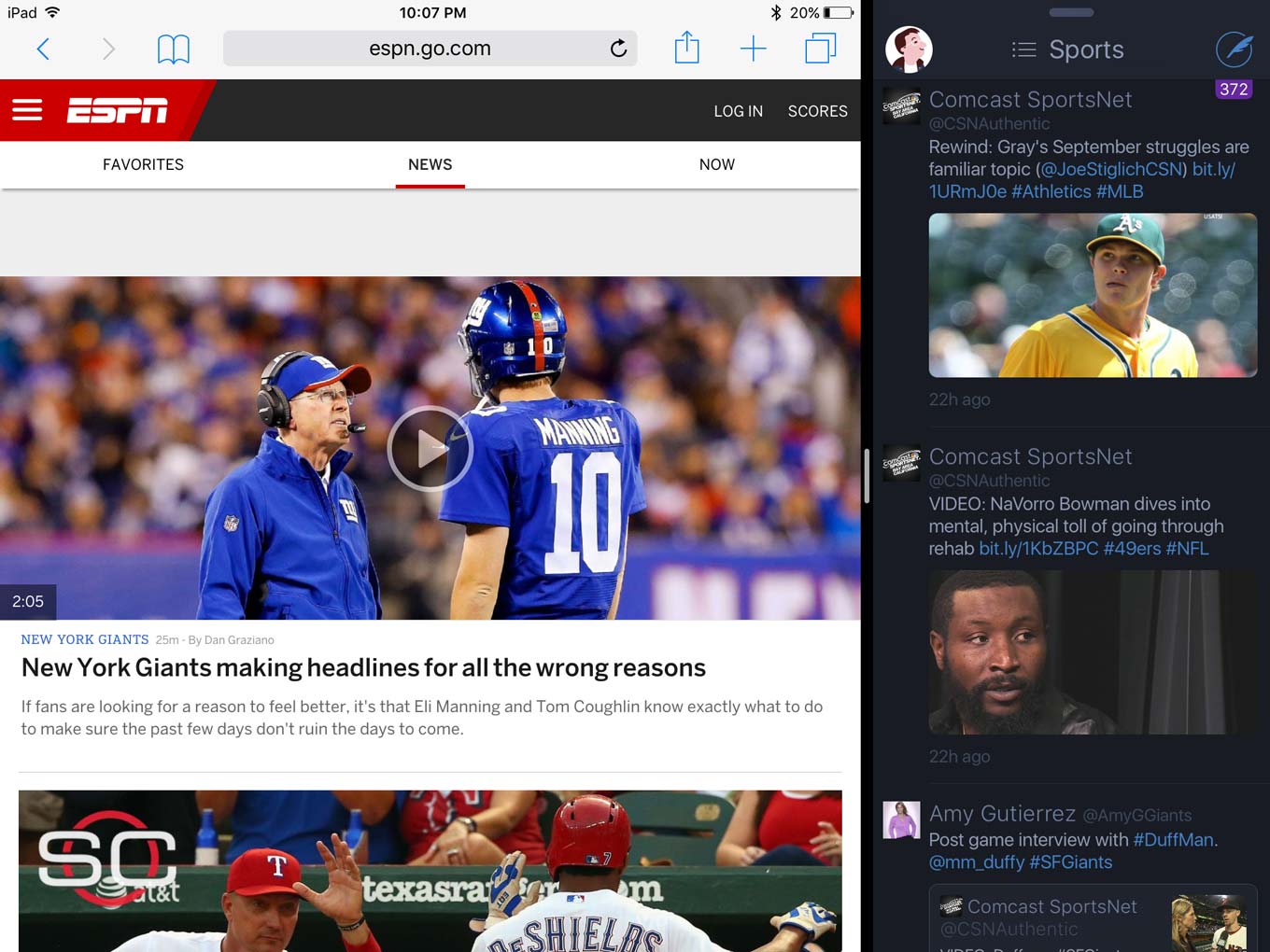
Safari (left) and Twitterrific running side by side on iOS 9.

By Jason Snell

iOS 9 in review: iPad productivity

Note: This story has not been updated for several years.

Most iOS updates have been focused primarily on features that work on the iPhone, or equally across the iPhone and iPad. It only makes sense: The iPhone is vastly more popular than the iPad.

But a side-effect of this reasonable business decision is the sense that the iPad has stagnated. After an initial burst of enthusiasm by both iPad buyers and iOS developers, the iPad has just sort of… sat there.

With iPad sales flagging, Apple has finally brought a bunch of iPad-only features to iOS 9, focusing mostly on accessing multiple apps and making better use of keyboards (of both the off-screen and on-screen variety.)

Continue reading “iOS 9 in review: iPad productivity”…


Tim Cook on Colbert

Here’s a nice summary by Dawn Chmielewski of Tim Cook’s appearance on “The Late Show with Stephen Colbert.”


Search Six Colors