Mountain View is home to WhatsApp, an online messaging service now owned by tech giant Facebook, that has grown into one of the world’s most important applications. More than a billion people trade messages, make phone calls, send photos, and swap videos using the service. This means that only Facebook itself runs a larger self-contained communications network. And today, the enigmatic founders of WhatsApp, Brian Acton and Jan Koum, together with a high-minded coder and cryptographer who goes by the pseudonym Moxie Marlinspike, revealed that the company has added end-to-end encryption to every form of communication on its service.
As the article points out, WhatsApp isn’t super prominent in the U.S., but it has a huge adoption overseas. A large part of its appeal is that it works on pretty much any phone platform.
It’s not hard to follow the trend line on encryption. More and more of our digital communications and data are going to be secured in this way–and they should be–which is going to be more and more frustrating for governments, including in the U.S. But frankly, tough noogies: it’s not the responsibility of citizens or private corporations to make things easy for the government, especially at the cost of everybody else’s security.
Starz has joined HBO and Showtime in going over the top with the launch today of a standalone streaming app that also allows users to download most of the available programs.
Starz is offering the app in partnership with Apple and Google. The service costs $8.99 a month, $2 less than Showtime’s $10.99 offering and six dollars below HBO’s monthly pricetag of $14.99.
This is how we slowly descend into madness. The downside is that all the various networks each want a piece of the streaming pie; the upside is that now you have a choice of exactly which pieces of the pie you want…though you may end up paying more than if you’d just bought the pie outright. Mmmm, pie. Where was this metaphor going again?
I’m not particularly sanguine about that choice lasting: no doubt the larger companies will be interested in bundling their various networks together.
Amazon and Hulu both seem to be banking on being the next-generation equivalent of cable companies, since they each offer options to bundle some of these over-the-top services along with their basic subscriptions. (You can add Showtime to either for an additional fee; Starz is also available on Amazon as an add-on.)
Granted, there are still other shoes to drop: neither Microsoft nor Apple have made a serious move in this direction. There have been plenty of rumors about Apple’s interest in a TV streaming service, but the content providers don’t seem to be buying what Apple’s selling–and why should they, when they can go direct to the consumers themselves?
… at just 10.4mm thick – it’s supposed to be the thinnest any major laptop manufacturer has ever made. That’s thinner than both Apple’s MacBook (13.2mm thick) and Dell’s XPS 13 (15.2mm thick). And while you might wonder how much difference a few millimeters can make, seeing the Spectre 13 in person makes it pretty clear: it’s the difference between looking really thin and looking uniquely eye catching.
The Spectre 13 is in many ways HP’s attempt at a modern MacBook Air. There are no gimmicks: no 4K display, no touchscreen, no detachable or twisting body. It’s just trying to be a really solid, stylish laptop.
To its credit, HP has managed to pack a Core i chip in there, instead of the slower Core M used in the MacBook, and hasn’t skimped on the ports–there are three USB-C ports plus a headphone jack.
But the gold styling on the model showed off in The Verge’s story just makes me think of the late ’90s, when every PC vendor figured that the way to capitalize on the success of the iMac was to make their computer blue, too. Ask eMachines how well that worked out for them.
Note: This story has not been updated for several years.
Ever seen one of those collapsible camping cups? They smush flat for packing, and then expand into a full-size cup when it’s time for a meal. That’s kind of what the Amazon Echo Dot makes me think of: it’s like someone took the full-size Echo from each end and just compressed it.
In some ways, the Dot reminds me of the iPhone SE. From the outside, it’s a smaller device, but the inside packs pretty much all of the technology of the full-size Echo, with one obvious exception: the speaker.
Speaker aficionados have never been overly kind to the full-size Echo, though I’ve found it perfectly satisfactory for listening to the radio, podcasts, and the occasional musical accompaniment to dish-washing. It will never match a really nice speaker system, but as a Bluetooth speaker, it’s not too shabby.
The Dot’s is worse than that: muddy and lacking in pretty much any bass, it’s not terribly loud in the volume department either. Think somewhere between your smartphone’s speakers and a clock radio. You’re probably not going to want to listen to much music on it, but it’s sufficient for voice, even though on some occasions you might find yourself muttering “What’s that?”
Get the sound out
To compensate for the lackluster internal speaker, Amazon has added two features not present on the original Echo, one hardware and another software. On the back of the Dot, next to the micro-USB power connector, you’ll find a standard 3.5mm audio out. Plug that into an existing set of speakers1 and all of the Dot’s output will issue through those instead. (The Dot, of course, still handles all the audio input via its own microphones, of which it has the same seven as the original Echo.)
If you’ve already got some nice speakers, hooking them up to the Dot can definitely bring it up to snuff, though the one downside is that you then have to either leave those speakers on all the time, or remember to turn them on when you want to use the Dot–if the speaker is off, the Dot won’t default back to its internal speaker.
While the Dot, like the Echo before it, can play back audio from a connected Bluetooth source like your smartphone, the Dot also adds the ability to use a Bluetooth speaker as output. Once you pair a speaker for the first time using the Alexa app, you can subsequently manage it by voice by telling the Dot to connect or disconnect your speaker.
In my brief tests, the Bluetooth speaker worked just fine. One benefit is portability: the Dot has to be plugged in, but you can move its speaker anywhere within Bluetooth range. Like the Echo, the Dot’s mic setup is pretty good at picking up your voice at a distance, though you may need to speak up.
The Dot also doesn’t include a voice remote, though you can pair one you might already have. (The Echo and Fire TV voice remotes are basically the same device.)
The more things stay the same
Other than its audio output options, the Dot is for all intents and purposes exactly what it appears to be: a smaller version of the Echo. At a fraction of the size, and half the price, you get all the software features of the Echo in a more compact package.
The hardware design is just as good as on the Echo, with the twisting, light-up volume ring and pleasant mute/action buttons. There’s a rubber base that’s slightly tacky, which is a bit more necessary given its lack of weight, otherwise it might slide around.
Best of all, since many of the Alexa features are associated with your profile, those who already own an Echo will find most of the same features work on the Dot right out of the box. For example, my IFTTT workflows for controlling my TV and smart plugs required no setup; my flash briefing was already configured for the correct news services; and all my connected audio services were available. I did have to set my home location for the Dot to get certain geographic-related information, though.
Double trouble
So, is adding a Dot to a house with an Echo like bringing home a new puppy to play with the more mature dog? Not quite. But the two do work together about as much as you’d expect, which is to say not very much.
With the Dot in my office and the full-size Echo in my kitchen, I could say “Alexa, what time is it?” and be serenaded from both devices at once. For the first few queries I gave, they were perfectly, eerily in sync, but then they started to drift and respond at an offset, which was distracting and not very useful.
Fortunately, there exists a solution: just change the wake word on one of the units. Disappointingly, the options are still limited, though Amazon did of late add “Echo” to the existing choices of “Alexa” and “Amazon.” So now I address the Dot by saying “Echo” and the full-size model by saying “Alexa” and oh my god personalized wake words can’t come soon enough.
It would be nice if the two Echo units could somehow work together to improve the microphone coverage in my house and then route replies to a chosen device–kind of like running multiple Wi-Fi base stations on the same network–but that’s probably a ways off. I have a pretty small apartment, which makes it feasible to have just one Echo, but for those who have a house, the Dot could be a nice ancillary device if there’s someplace outside of your existing Echo’s coverage.
On the software side, you can manage both using the Alexa app already on your iOS (or Android) devices, though you’ll probably want to give them separate names.
Tea, Earl Grey, hot
If you’ve been interested in trying the Echo but haven’t wanted to fork over the $180 for the full-size unit, the $90 Dot is a perfectly acceptable substitute–especially if you’ve got some existing speakers to connect it to. And getting more people into the Echo-system, as it were, is no doubt exactly what Amazon has in mind.
But the Dot makes me curious about the future of the Echo and Alexa. It’s certainly convinced me that voice interactions are the way things are going; we’re still not quite at the computers of Star Trek2, but we’ve definitely never been closer.
Update: An earlier version of this article mentioned that the full-size Echo comes with a voice remote, which apparently it no longer does. Thanks to Lex Friedman for the catch.
Or headphones. Or pretty much anything with an audio input jack. ↩
Yes, the header sort of works with the Echo, though Earl Grey is not my preferred tea. Sorry, Jean-Luc! ↩
[Dan Moren is the East Coast Bureau Chief of Six Colors, as well as an author, podcaster, and two-time Jeopardy! champion. You can find him on Mastodon at @dmoren@zeppelin.flights or reach him by email at dan@sixcolors.com. His next novel, the sci-fi adventure Eternity's Tomb, will be released in November 2026.]
To succeed, the Echo and its built-in Alexa virtual assistant would need to be very responsive and conversational. It really had to feel like talking to a human being.
That’s where the Wizard of Oz experiment came in.
The test involved a human “wizard” sitting in a separate room and responding in real-time to any voice query a human testing subject would make to the Echo, often without telling the tester in advance. For example, if the subject asked Echo, “What’s the weather like in New York?” the wizard in the other room would quickly type and send out an answer through Echo’s voice.
The advantage of Amazon’s try-everything product philosophy is that while sometimes you get a Fire Phone, other times you get an Echo.
Everybody knows the world’s worst people are the ones who never miss an opportunity to explain the difference between who and whom. Those “friends” who are pretending to be policing spelling and grammar for the sake of posterity are probably just flexing for attention, or so it seems to everyone they’re interrupting.
As a study from the University of Michigan recently found, those people aren’t just annoying, they’re also apparently huge jerks.
I offer a special dispensation1 to copy editors, who risk being seen as jerks because of their profession.
I left this misspelled all day. I am so proud of you all. ↩
The same general lie has been around forever. The story of the girlfriend or boyfriend your friends can never meet, because they go to another school”Š—”Šit’s basically the same thing. (“I was living in Colorado and actually had a Canadian girlfriend, and nobody believed me,” claims Campo Santo’s Nels Anderson.)
There has never actually been a real Uncle from Nintendo. Or has there?
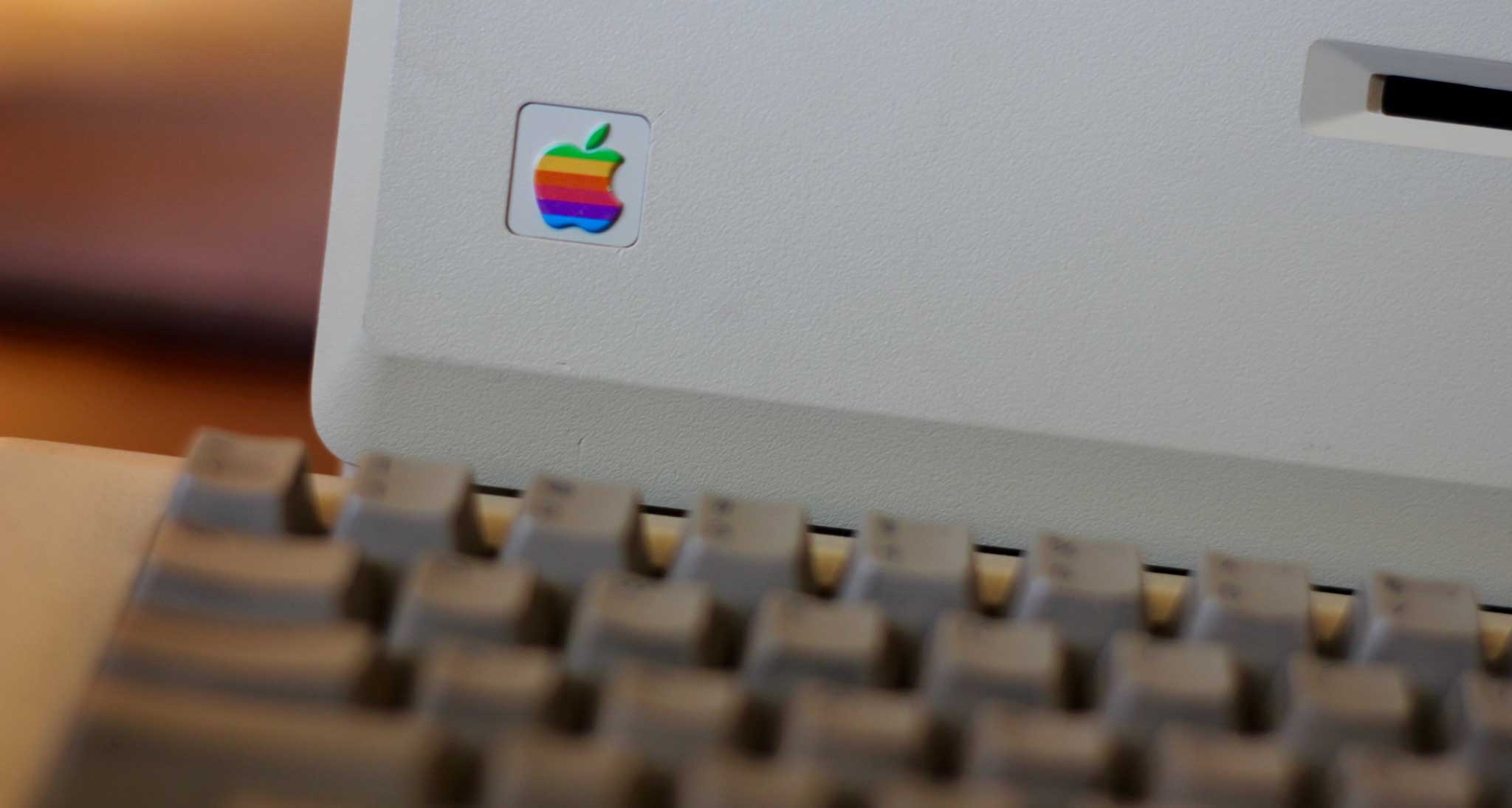
I first touched an Apple product in the early 1980s. The father of my best friend in elementary school was a technology enthusiast, and when I visited their house, I got to lay hands on their Apple II+. What I remember most about it was that you could play video games on it that were more sophisticated than anything you’d find on the Atari console I had at home.
The other oddity about the Apple II+ was that it couldn’t display lowercase letters. Throughout the 1980s, we could identify Apple II+ users on message boards BECAUSE THEY ALWAYS TYPED LIKE THEY WERE SHOUTING. It wasn’t them; it was their computer.
The Apple II captured my attention and started a lifelong connection with Apple products. We had them at school, of course, and my friends and I spent hours of recess and lunch and after school playing Ultima and SSI Computer Baseball and countless other games on the school computers. In early 1984 my parents allowed me to dip into the money they were saving for me to go to college-a bold move since I wasn’t yet in high school!-and buy an Apple IIe.
The IIe was a big update from the II+, with support for both upper and lower case characters, and it could fit 80 characters per line. Or to put it another way,
LIFE WITH AN APPLE II+ MEANT THAT LINES WERE SHORT AND
LOUD, LIKE A SHOUTING PERSON WITH A BREATHING PROBLEM.
Life with an Apple IIe was more elegant. Both kinds of letters, and long lines.
It’s 2016 and I still can’t buy Kindle books from my phone.
Okay, maybe that’s a bit of a first-world problem: it’s not like I can’t buy those ebooks on Amazon’s website and have them near-magically appear on my Kindle, iPhone, iPad, and even my Mac. But given how simple it’s become to buy pretty much anything else from my smartphone—music, movies, apps, dish soap, HDTVs—it feels weird that certain digital goods, namely those from purveyors whose names don’t rhyme with Snapple, have been left out in the cold.
Perhaps it’s time that status quo was, to use a word that I hate myself for even typing, disrupted. The good news is that this is one situation where Apple can potentially disrupt itself.
It’s hard to believe it now, but in the early days of Steve Jobs’ return to Apple, nobody was paying attention. Well, almost nobody.
These days, when Apple announces a media event, the world’s press descends on the Bay Area to cover every last product announcement. But when I was at Macworld, we only sent one person to the announcement of the iMac in 1998 — and that was really as a courtesy, since we expected nothing particularly interesting. (Nobody made that mistake again.)
Note: This story has not been updated for several years.
40 years ago, Apple Computer was incorporated. A whole lot has happened since. I’ve spent 32 of those years as a user of Apple products, and my entire career writing about them. Apple has changed the world more than once in those 40 years. And it will probably do so again in the future. Here’s to the next 40.
The FBI has dropped its case against Apple: http://recode.net/2016/03/28/fbi-drops-iphone-case-against-apple-after-outside-hack-succeeds/
Moltz is getting the iPhone SE: https://sixcolors.com/post/2016/03/iphonesereview/
We also discuss the 9/7-inch iPad Pro, naturally: http://www.imore.com/97-ipad-pro
OS X turns 15: http://512pixels.net/2016/03/mac-os-x-turns-15/
iOS 9.3 has a deep linking bug: http://9to5mac.com/2016/03/29/apple-ios-9-crashing-bugs-when-tapping-links-fix-software-update/
Apple has fixed the iOS 9.3 activation bug: http://www.macrumors.com/2016/03/28/apple-releases-updated-ios-9-3/
Our thanks to Upsie (http://upsie.com), the new way to warranty. Don’t get those overpriced in-store warranties, go to Upsie.com and use the coupon code “REBOUND” to get 10 percent off your first two purchases.
Our thanks also go to Harry’s (harrys.com). Harry’s sells premium shaving products for much less than those crappy blades that you have to get someone to unlock from a cabinet. Get $5 off your first order with coupon code “REBOUND”. Don’t wait, get the shave you deserve.
Apple’s 40th anniversary is tomorrow, April 1st, so earlier this week Rivet Radio’s George Drake, Jr. interviewed me about the biggest moves in Apple’s history, as broken down by each of the decades of its existence.
Sure, you might think Apple events are all glamor and glitz, but let me tell you: there’s a dark side to them.
If you live far enough away, it starts with a whirlwind trip of hundreds, if not thousands of miles. Because Apple doesn’t give a lot of notice for its events, that means expensive plane tickets, scurrying to find somewhere to stay, and logistical planning for how you’ll get to the event.
The day of, you wake up early—often before the sun, if you’re coming from the east coast—and make your way to the venue; if you’re lucky, you’ll have time to fortify yourself with a hot beverage before you make your way into the media crush.
It’s great to be able to catch up with friends and partake of the free snacks and drinks Apple provides, but remember: there’s no such thing as a free breakfast. Because this is more like a cattle call: you’re herded into a pen with dozens of other journalists, also sleep-deprived and caffeine-addled, where you make small talk about what you think will get announced today.
Hemmed in, with nowhere to go, you wait until the signal comes that the auditorium is now available, at which point you best be careful to keep your belongings close about you, lest you find yourself caught underfoot in a stampede of one-part fashionable sneakers, one-part brown wingtips, and let’s be honest, at least one person wearing sandals. Frankly, it’s enough to make even a normally non-claustrophobic person search the wall for a maximum occupancy placard.
Once you’re into the auditorium itself, you’re shoehorned into a cramped row of seats, where the fight over power strips resembles a gladiatorial match of ancient Rome. If you happen to suffer from the condition known as “being over six feet tall,” you should bid goodbye to your knees, because it’s been nice knowing them.
Now you can get out your equipment—if you can manage to squeeze it from the square foot of space wedged beneath your legs. You wonder why so many Apple writers favor the 11-inch MacBook Air? It’s not just because it’s adorable, but because it’s so easy to fit on your lap when you’ve got your knees up to your chin.
And now for the main event. If you’re lucky, you’re close enough to the stage that you’ll be able to tell which of its many white male executives the company has rolled out for the presentation. (Key tip: If it has fabulous hair, it’s Craig Federighi; if it dances, it’s Eddy Cue.) But that’s about all the attention you get to pay, because then you’re furiously typing down what they say about the six million nine hundred thousand seven hundred and thirty-four new products Apple is releasing today. Now you have become Deaf, destroyer of words—nothing more than a conduit, turning speech into text. Like a glorified closed caption machine. You begin to wonder how much caption typers actually make? Perhaps that would be an alternative job for you if you were ever to… oh, and the show’s over, and you’re hustled into a reverse version of the cattle call as everybody floods out to try and muscle their way into the hands-on area.
If you thought the auditorium was crowded, you ain’t seen nothing yet. Apple has taken to constructing miniature Apple Stores in its events, complete with uniformed employees to walk you through each new product. But because the areas are so small, you’ll sometimes find yourself in a queue to get in, manned by a friendly, but firm bouncer—not unlike waiting for a trendy nightclub, except the bouncer is wearing an Apple t-shirt.
Once you actually get into the area, it’s time to put those holiday shopping techniques to use, because finding an open spot at one of the tables is kind of like navigating the mall parking lot on Christmas Eve. You’ll spy an open stretch of table from across the room, deftly weave through the crowd only to find that it’s been taken by a TV reporter who’s going to record a ten minute hands-on segment walking their viewers through every single new feature of the device. Pro tip: avoid getting whacked by the cameraperson—it hurts like hell.
Maybe you finally manage to wedge your way into the throng and get some hands-on time, maybe even get a few of your burning questions answered. But the end comes all too soon, as Apple employees chivvy you out reminding you that you don’t have to go back to work, but you sure can’t stay here. Because they are literally going to start disassembling the building and there will be no “here” left.
So you head back to your office, only to find that your colleagues, who have been poring over Apple’s website for the last three hours, know far more about the products you just handled than you do. And that every other site seems to have already scooped you on that one key feature that you thought you found and nobody else did.
Them’s the breaks. So you hop back onto your flight home—hopefully not a red eye, because lines must be drawn somewhere—and try to construct a think piece about what it all means before downing a package of airplane pretzels and trying to sleep for the rest of the trip. And in the moment that you drift off, right before you hit a pocket of turbulence that jolts you awake and makes you wonder if you’ve seen your last Apple product unveiling, you think to yourself “Maybe next time…I’ll just stay home.”
Despite all of that—the cramped seats and the madding crowds, the waiting and the long flights—there’s nothing quite like experiencing an Apple event firsthand. Much as you might be tempted to just stay home and watch the stream with everyone else, that doesn’t quell that little glimmer of hope, the one that keeps you checking your inbox for an invitation.
Just in case.
[Dan Moren is the East Coast Bureau Chief of Six Colors, as well as an author, podcaster, and two-time Jeopardy! champion. You can find him on Mastodon at @dmoren@zeppelin.flights or reach him by email at dan@sixcolors.com. His next novel, the sci-fi adventure Eternity's Tomb, will be released in November 2026.]
One Six Colors member benefit is the Six Colors Secret Subscriber Podcast, a mostly weekly discussion in which Dan and I discuss what we’re working on and the issues of the day. Subscriber Joe referred to it as “like a little writer’s room about technology topics that are percolating,” and that seems about right. If you don’t know the secret feed URL or need help in setting up a subscription, drop us a line at subscriber@sixcolors.com and we’ll help you out.
We don’t do a lot of follow-up on the podcast based on listener feedback, so I thought I’d do some of that here. In a recent episode, Dan and I discussed the Apple/FBI encryption issue a lot, and we got a thoughtful note back from Subscriber Kieran, who wrote a blog post about why Apple is at the center of this controversy.
But more funny was Kieran’s comment about our discussion of typography, about not being a font nerd in a community full of them, and about cheating on term papers by changing the font and size. “As an academic who assigns a lot of papers to students,” he wrote, “the discussion about changing the margins and picking the big fonts to pad out assignments made my eye twitch just a bit! We see you, slackers! Your tricks will fail! No you may not have an extension! Sorry. Perhaps I should make myself a nice cup of tea.”
Speaking of which, last month we received a complaint about our article about tea. We promise we won’t fill every issue of Six Colors Magazine with silly things that aren’t quite about Apple and tech, but we also can’t promise we won’t go off topic from time to time. We hope that subscribers enjoy those occasional digressions that let you know more about who we are as people, but if you aren’t interested, our feelings will not be hurt if you skip right over to the next bit about computers.
Dan, as a user of the Amazon Echo, how do you deal with having something in your house that “records” everything you say all the time? Doesn’t that bother you?”
This comes up a lot when I talk about the Echo; it seems to be one of people’s primary concerns with the device. And it should be: the recent battle over encryption and privacy has put a spotlight on the information that all of our devices have on us. People have a reasonable expectation that the conversations and things they say in their homes will remain private.
That said, this isn’t a concern unique to Amazon: if you have an iPhone 6s (or a plugged-in iPhone or iPad running iOS 9), those devices are listening to you as well—that’s how the “Hey Siri” feature works.
What I think this actually comes down to is that people who ask this question generally trust Apple and are skeptical of Amazon. Again, that’s not surprising: rigjht now, Apple is literally making a federal case out of the privacy of your information. The company states on its Siri knowledge base document that “Information about your voice isn’t tracked or stored outside of your iOS device and that you can remove this information by turning off ‘Hey Siri.’” (That said, the words you say need to eventually be sent somewhere in order to turn into the resulting query.)
Amazon, on the other hand, doesn’t seem to have any statement quite as clear and forthright as Apple’s. The Echo and Alexa are governed by a slew of documents, including the Echo’s Device Terms of Use, the Alexa Terms of Service, and Amazon’s blanket Privacy Policy. You can delete your voice recordings from the device though, as with turning off Siri, it may degrade the experience. In general, though, the only time your voice seems to actively be recorded is when you trigger it by saying “Alexa” and issue a query; the blue ring on the top of the device lights up to let you know it’s listening. (If you respond to that assertion with “Well, that’s what they tell you” then you have entered the realm of conspiracy theory and nothing I say is going to convince you.)
As to how I personally feel about it: No, it doesn’t bother me. Yes, I value my privacy, and no I wouldn’t want all my personal conversations to be recorded and stored. But I don’t believe that the Echo is doing that any more than I believe that my iPhone is, and until I see evidence to the contrary showing that Amazon is using my voice recordings for shady purposes, I’m content with this situation.
Voice-based computing is just getting started, and until we all have computing hardware in our houses with enough power to do the kind of processing now done by Amazon and Apple’s servers, this is the state of the art. So it remains, as always, a question of trade-offs. Right now, the Echo is a piece of technology that makes my life easier, and I don’t see any concrete indications that I’m severely compromising my privacy or security with its use. (Other people may decide they’re not comfortable with the perceived trade-off, and that’s their decision.) Should the situation change, I’d reevaluate it according to the facts available.
[Dan Moren is the East Coast Bureau Chief of Six Colors, as well as an author, podcaster, and two-time Jeopardy! champion. You can find him on Mastodon at @dmoren@zeppelin.flights or reach him by email at dan@sixcolors.com. His next novel, the sci-fi adventure Eternity's Tomb, will be released in November 2026.]
What I Use is a recurring column where we detail the tools we use to get something done, whether it’s make tea or write novels. This month, we cover writing tools.
Dan’s writing tools
Given that my primary job is as a writer, you probably won’t be surprised to find that I spend most of my days editing podcasts—whoops, I meant writing, of course.
But because I do so many different types of writing, I have a slew of different tools depending on the task at hand. When it comes to writing apps, we’re spoiled for choice on OS X (which remains where I do most of my work; I’ve yet to become an iOS convert in this regard).
For Six Colors, I actually write most of my posts in Red Sweater Software’s MarsEdit. (Full disclosure: developer Daniel Jalkut is a longtime friend.) I’ve used MarsEdit on and off for many years; back in my early days at the MacUser blog, it was our app of choice, but thanks to being incompatible with our content management system at Macworld, I drifted away from it for many years. But it works superbly with the Movable Type system that we use at Six Colors, and its handling of Markdown, the ability to easily preview what I’m writing, and support for the custom fields that we use make it an invaluable tool.
When it comes to my weekly Macworld column, I turn to trusty old BBEdit, which is the app in which I’ve written most of my work for Macworld over my long association with the publication. There’s probably no other tool that deserves the epithet “venerable” as much as Bare Bones Software’s text editor, which has been in continuous development since we had our first Bush administration. I’m sure Jason will wax rhapsodic about BBEdit’s many features, so I’ll leave it at the fact that I appreciate the app doesn’t get in my way when I just want to start putting down words.
Finally, there’s fiction writing. For a long time I wrote everything in big AppleWorks documents—ah, those were the days…sort of—but many years ago I switched to Literature & Latte’s Scrivener and I’ve never looked back. Scrivener’s one of those programs that seems to have bells upon whistles upon bells, and yet I scrape only a fraction of the surface. I like being able to organize my various chapters into separate documents, add easy inline comments, and occasionally set daily word count goals. My favorite feature has always been the ease with which Scrivener lets me export my work into any format, whether it be Microsoft Word, PDF, ePub, or even a Kindle-compatible ebook. An iOS version of Scrivener has long been in development, and when it eventually appears, it might be enough to convince me to do more writing on my iPad.
I also use a variety of ancillary apps for note-taking and planning. I’ve long jotted down my ideas in Simplenote, but more recently with the changes to Apple’s built-in Notes app, I’ve found myself relying on that instead. (I tried to become an Evernote convert for a while, but it just never really took.) I’ve done some plotting and diagramming in, weirdly enough, Keynote, which has just the right balance of great-looking tools and the kind of obsessive attention to detail that I enjoy fiddling around with when I should be working.
Honestly, I’ll write in pretty much any app I can find. (I still remember the white-on-blue aesthetic of the DOS word processor I used to type away in when I had to go to my dad’s work with him.) The important part isn’t the tools that you use, but getting the words down in the first place.
Jason’s writing tools
As Dan wrote, I’ve used BBEdit so long that I’ve probably waxed rhapsodically about it a dozen times. I use BBEdit for the bulk of the words I write, whether it’s for Six Colors or Macworld or iMore. It feels like home to me. I write using the Markdown mark-up language, and BBEdit’s got some tools that make that better, but I don’t use them too often. What I love most about BBEdit is its support for grep, or pattern-matching search and replace features. It takes some time to learn the syntax, though BBEdit’s manual contains a great primer, but my investment of learning grep has been paid back a hundredfold in saved time in massaging the text in documents.
When I write longer pieces, most notably novels (which I have fallen down on in recent years—I’m currently grinding slowly away at rewriting the third novel manuscript I wrote), I also rely on Scrivener. I tried a lot of different long-form writing apps back in the day, and Scrivener is the only one I didn’t abandon after a day or two. What I like most about it is that it’s both an outlining tool and a writing tool. Every item of my novel outline is itself a sub-document that contains the text of that chapter. Previously I was using BBEdit and OmniOutliner, and while that worked fine, Scrivener is better all around.
As I’ve written and discussed numerous times, I’m using the iPad for writing a whole lot more. Right now my writing tool of choice on iOS is 1Writer, a Markdown editor with support for Dropbox and iCloud Drive, HTML preview and export, and a JavaScript-based macro language. I will also occasionally write in Microsoft Word—gasp!—which is excellent on iOS. Right now I’m writing in Google Docs for iOS, because Dan and I collaborate on this newsletter. It was recently updated to support the iPad Pro, which is good, but it still doesn’t support Split View or enough keyboard shortcuts for me to enjoy using it. I use it only when absolutely necessary.
Finally, an admission. Sometimes I write short pieces for Six Colors in the web browser window. This is usually a mistake, because browsers aren’t very reliable and if you write in the browser you risk a catastrophic loss of your text. I obsessively type command-A, command-C when I’m writing in the browser, selecting all my text and copying it to the clipboard just in case of disaster. I really should stop. Don’t try this at home, kids.
I’m writing this from the second CocoaConf conference in Yosemite National Park. The conference is here because Apple’s code name for OS X 10.10 inspired the organizers, and when version 10.11 was just named for a huge granite cliff within the park (El Capitan), it seemed inevitable that we’d come back here.
I grew up not too far from Yosemite (pronounced yo-SEM-uh-tee, more or less), so coming here is a bit like coming home. I take the same route to Yosemite that I’d take to my hometown of Sonora—you just have to take a hard right at Yosemite Junction or you’ll end up in my hometown by mistake (as Yosemite-bound travelers would often do every summer).
If you only know Yosemite National Park from the Apple code names, you’re missing out. Unlike Mavericks, which is apparently a surf break I had never heard of even as a lifelong Californian, Yosemite is a place that should be known worldwide. It’s a vast wilderness area with a small valley at its center, surrounded on all sides by granite monoliths a thousand or more feet high. We’re having springlike weather down here in the valley this week, but it’s still snowy winter up on the top of the granite.
I’m here for a conference, but it also feels like I’m cocooning or nesting a little bit, seeking rest and comfort in advance of a major event. In my case, it’s the Apple event that’s taking place on Monday in San Francisco. I’ll be there, and Dan and I will be collaborating on coverage on Six Colors.
Earlier this week someone asked me on Twitter, “After attending so many Apple events are they still fun for you? Is there a sense of wonder?” It’s a tough question to answer, because the perspective of someone covering the event is very different from an excited fan watching it from afar. I’m not going to pretend to be an entirely disinterested observer—I have made covering Apple my professional specialty for 20 years, after all—but when I go to an Apple event, I’m there to do my job. I’ve been at every Apple event since 1998, but in every case, I was there to cover it.
Consider the difference between someone watching a baseball game from the stands, or from the press box. I’m in the press box for these Apple events. The events themselves have become much more tense over time, because back in the day you’d have time to ponder what you’d seen before you started writing. Now there’s an expectation of live coverage, instant analysis, and a whole lot more. (Follow the @sixcolorsevent Twitter account if you want a live blow-by-blow commentary, by the way.)
But they were always stressful before and after the event. I get the typical anticipatory stress before an Apple event: What’s coming, are we prepared, what do I need to bring, where are we meeting afterward, when do I need to leave the house, where will I park… These events are vitally important for our sphere—it’s not something you want to screw up.
And then after the event is over, it’s a madhouse. Things happen fast. Usually Apple provides a hands-on area after an event, where you can go to see the products they’ve introduced, each one attached to an Apple employee who will present you with very specific talking points and keep a close eye to make sure you don’t do something they don’t want. It’s important to snap pictures and take video here, because you may not actually get your hands on these products for a few weeks.
An Apple event
Then if you’re very, very lucky, you’ll hang around and get called away for a personal briefing with a couple of Apple representatives. If you make this list, you’ll get a briefing and review units of the announced products in advance, usually under an embargo. (In other words, “Here are these products, but you can’t post a review until next Tuesday at 9 p.m. Pacific.”)
Whether or not you a briefing, though, the aftermath of one of these events is extremely busy if you’re covering it. This is the high season for writing about Apple, so you have to make hay while the sun shines. These are the days where I end up going home and working until late into the night, coming to bed when the house is dark and everyone else is asleep. The next morning, you get up and start again. Throw in some podcast appearances and the like, all of which take more time than you might expect.
So what I’m saying is, in an abstract way, it’s exciting and fun. But it’s hard work, too. And so this week I find myself not feeling too guilty about fleeing to the Sierra Nevada mountains, because I know next week is going to be one of the busiest weeks of the year, no matter what Apple announces on Monday.
Apple just released an update for iOS 9.3 that fixes the issue that “caused apps to be unresponsive after tapping on links in Safari and other apps.” If you’re running iOS 9.3, go update.
Note: This story has not been updated for several years.
Hello from accessory central! We’ve got a kitchen scale and a bunch of cases and nothing but time. So here are some facts about how the 9.7-inch iPad Pro interacts with accessories:
There’s a reason Apple is selling an iPad Pro Smart Cover separate from the iPad Air Smart Cover. They’re not compatible. I was able to get the magnets on an iPad Air Smart Cover to attach to the edge of an iPad Pro, but the latching magnet would not connect. (In fact, it repelled the connection from the cover.) Do not attempt.
I couldn’t find any weight information about the accessories on Apple’s web site, so I weighed them all myself. The 12.9-inch Smart Keyboard weights 340g (.75 pounds); the new 9.7-inch Smart Keyboard weighs 225g (.5 pounds). The 9.7-inch iPad Pro Smart Cover weighs 110g (.24 pounds). For completion’s sake, the 12.9-inch iPad Pro Smart Cover weighs 164g (.36 pounds). The Apple silicone case for the 9.7-inch iPad Pro weighs 84g (.19 pounds).
So if you’re planning on toting around a 9.7-inch iPad Pro with a Smart Keyboard, that will weigh about 665g or 1.5 pounds. That’s a half a pound lighter than a MacBook. (The 12.9-inch iPad Pro, similarly loaded, weighs roughly a kilogram, or 2.3 pounds—heavier than a MacBook.