Six Colors
Six Colors

Apple, technology, and other stuff

Support this Site

Become a Six Colors member to read exclusive posts, get our weekly podcast, join our community, and more!

64: June 2, 2017

WWDC prep and speculation! Also Jason gets a weird phone call.


By Dan Moren for Macworld

WWDC 2017: One more big thing

When watching this year’s keynote at Apple’s Worldwide Developers Conference, I implore you to do one thing: think big.

I don’t mean big as in a new 12.9-inch iPad Pro, or big as in the number of features packed into this year’s annual iOS or macOS software updates. I don’t even mean big news, like the rumored Siri Speaker the company might announce.

No, I mean think big picture. After all, while Apple may be a huge company made up of disparate units, products, and platforms, it has always promulgated the idea that it brings all of these resources to bear towards one unified goal. And I think that if you look at the big picture of what Apple ends up announcing next week, you’ll come away noticing a couple major themes in that overall strategy.

Continue reading on Macworld ↦


By Jason Snell

WWDC 2017: Here’s hoping

Note: This story has not been updated for several years.
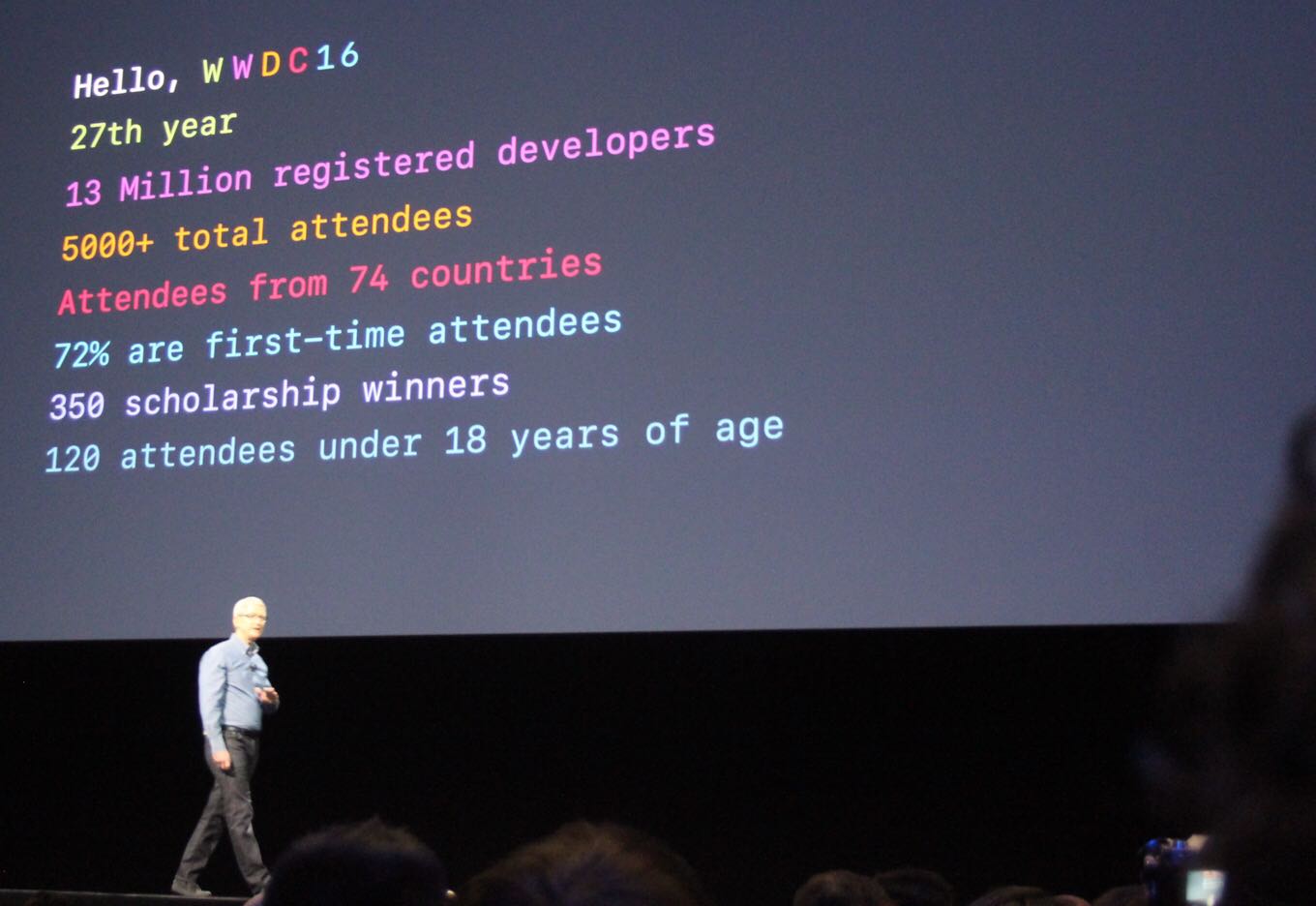
Tim Cook welcomed everyone to last year’s WWDC.

There are so many angles to take with the run-up to an Apple event. You can handicap rumors, stick to the most likely scenarios, or even hope your wildest dreams come true. For this article, though, I’m going to focus on what I most want to see—with the caveat that I’m only listing things that I think are within the realm of possibility.

iOS: Professional features

All of my desired features on iOS are about more advanced features, especially on iPad Pro. To me, Apple’s decision to not take the Mac in the same direction that Microsoft is taking Windows—all-in on touch interfaces—is a signal that the company believes the future of computing lies on iOS, not macOS. Fair enough—but if iOS is ever going to become a destination for all of those people who depend on the Mac to do their jobs, it’s going to need to add a lot of functionality it doesn’t currently offer. iOS 9 offered us some hints that Apple was headed in that direction, but iOS 10 delivered almost nothing in that vein. With iOS 11, hopes are high.

The multitasking features introduced in iOS 9, while a major boost to productivity—I’m writing this article on my iPad while looking up links in Safari via Slide Over—are first steps. It’s time for more: an improved multitasking app picker, drag-and-drop support, and other improvements that reduce the overhead in managing apps when in Split View.

Now let’s talk filesystems. No, the iPad and iPhone aren’t Macs. But when Apple introduced the iCloud Drive app in iOS 9, the jig was up—Apple was admitting that sometimes, you want to store a file someplace in one app and then open it via a different app. In iOS 11, I’d like to see Apple turn the iCloud Drive app into a more expansive Files app that lets you browse iCloud, other storage services such as Dropbox and OneDrive, and even—gasp—USB or networked storage devices.

iOS could also do audio a lot better. On the playback side, devices should be able to play two different audio streams without pausing one and playing the next. On my Mac, my web browser can play some audio while I’m listening to music, but on my iPad, any sound playing in Safari and my music is gone. On the recording side, I’d like apps to be able to record system and microphone audio in the background, so that musicians and podcasters can have more power in using iOS devices for audio production.

Finally, yes, I’d love to see new iPad Pro hardware, most specifically that rumored 10.5-inch iPad Pro—a device that packs the full resolution of the 12.9-inch iPad Pro into roughly the same size as the “classic” 9.7-inch iPad. And if iOS 11 supports pointing devices or there’s a Smart Keyboard with a trackpad attached, all the better.

Mac: A grab bag of old and new

Top of my list on the Mac side is something that seemed unlikely to happen until Apple got a bunch of writers together to explain that it really was committed to the professional market. What I want to see—and, I suspect, what the developer audience in attendance wants to cheer for—is an on-stage restatement of that commitment, with actions to back it up.

Ways Apple could demonstrate this commitment include shipping new MacBook Pro models with refreshed Intel processors, shipping new professional-level iMacs, and teasing the forthcoming Mac Pro. The act of updating the eight-month-old MacBook Pro with fresh processors alone would suggest that Apple realizes it needs to do better when it comes to turning around processor updates.

So many WWDC attendees are iOS developers these days. The iOS App Store thrives while the Mac App Store withers. I’d like to see Apple formalize a way for those iOS developers to easily create Mac versions of their apps. I’m not talking about running iOS apps on the Mac, necessarily, but if Apple made it easier for developers to take UIKit (the building block of iOS apps) and similar features and move them to an equivalent on the Mac, that could be a huge boost for the platform. (Apple’s Photos app, for example, uses a private “UXKit” framework that suggests the company has built some of these migration tools for itself. Maybe this could be the year everyone else gets them, too?)

I expect that Siri will be front and center at this year’s conference—across all of Apple’s existing hardware platforms, and perhaps new ones if the Siri Speaker stops being a tech unicorn and starts being a real product—and I’ll remind you that the Mac just got Siri last fall. It’s not a full-blown implementation, however, and I’d like to see Siri become consistent across all Apple’s platforms, especially the Mac. Support for HomeKit, the “Hey Siri” voice trigger, and SiriKit extensions would be a good start.

I’d also like to see Apple show signs of its commitment to the Touch Bar. If Apple truly thinks the Touch Bar is the future, it would be good to see Touch Bar improvements right away—including support for third-party apps to pop items into the Control Strip at all times. More reasons for third-party apps to adopt the Control Strip—and for users to use it more—would also be welcome. A Magic Keyboard with Touch Bar would hammer the message home. Without a sense of forward movement, I’m going to start to suspect that Apple’s not really committed to the Touch Bar, and it’s not good enough to be left to languish for another year.

Finally, I want Apple to release a new MacBook with faster processors and a second USB-C or Thunderbolt 3 port. I have a hard time seeing how this is part of a WWDC announcement, but I want it bad enough that I’m asking for it anyway, Santa.

Other stuff

Look, I’ve been asking for a Siri Speaker for more than a year1 I like my Amazon Echo a lot and would love to see Apple’s take on this product category. More generally, though, I want to see Siri become more capable—integrating with more apps on iOS, as well as with web services.

Finally, as someone who has spent an awful lot of time using (and writing about) Apple’s Photos apps, I want to see some great new features—and improvement of a bunch of old features. Machine-learning metadata should sync across devices. Families should be able to share full-quality photos easily and automatically. Search should allow you to find more than one metadata tag at a time. Memories should be more intelligent. Books and Calendars should pick up the auto-selection and layout features already deployed in Memories.

Maybe this is all too much to ask. But on Monday morning when I’m sitting in my seat at the convention center in San Jose, these are the features that will make me the most happy to see. I don’t need to see them all—but for the next few days, I’ll live in hope.


  1. I can’t have been the first person to use that fake product name, can I? 

ALL HAIL THE ESSENTIAL PHONE: https://www.theverge.com/2017/5/30/15711170/essential-phone-announcement-price-android-andy-rubin
LIKEWISE HAIL THEIR HOME THINGY: https://www.theverge.com/circuitbreaker/2017/5/30/15711162/ambient-os-essential-home-andy-rubin
TechCrunch’s coverage is a little more staid: https://techcrunch.com/2017/05/30/nice-phone-essential-but-why-is-there-a-hole-in-the-screen/
There may indeed be updated MacBook Pros at WWDC: https://www.macrumors.com/2017/05/29/15-inch-macbook-pro-delivery-estimates-slip/
Mashable’s complaints about the Apple Watch: http://mashable.com/2017/05/30/apple-watch-fitness-fail/
Our thanks also to Omaha Steaks. Go to OmahaSteaks.com (http://omahasteaks.com) and type “REBOUND” in the search bar, add the Family Gift Pack to your cart and get an 80% savings! Great meat at a great price.
Our thanks to Indochino (https://www.Indochino.com) where you’ll find the best made to measure shirts and suits at a great price. Use the promo code “REBOUND” and get any premium suit for just $389.


By Jason Snell for Macworld

Apple’s WWDC Announcements: What are the chances?

It’s the week before the kick-off of Apple’s product year at WWDC in San Jose. This is a week full of wish lists, rumors, speculation, and wild ideas. Next week all of that will collapse into one single truth: the reality of what’s unveiled on stage in San Jose.

Gamblers know this feeling. Once the result is known, all of the probabilities collapse to the cold, hard truth of winners and losers.

With that theme in mind, this is not another WWDC Wish List. Rather, consider this a report on the current odds of various WWDC predictions coming true. This is all in fun, ladies and gentlemen, so please: no wagering!

Continue reading on Macworld ↦


Swift Playgrounds 1.5 brings robotics support

I’ve only scratched the surface of Swift Playgrounds, the programming learning tool that was announced at last year’s WWDC, though I’ve enjoyed what I’ve tried. Today’s version 1.5 update goes outside the iPad to allow people to program robots, drones, and musical instruments with the software, including devices like Sphero’s SPRK+, Parrot’s Mambo MiniDrone, and LEGO Mindstorms. It’s a nice addition, because it offers results that are tangible and easy to show off. “Look, I made this drone fly around in a loop!”

Apple says the feature will be available next Monday, June 5. Not much else going on that day, huh? (It also hints at a pretty full keynote, if it’s announcing this in advance.)


Brent Simmons’s new feed reader is Evergreen

Brent Simmons is perhaps best known as the creator of NetNewsWire, the venerable RSS reader, and he’s back in the feed reader business with Evergreen. The app is in extremely early stages–Simmons points out that it doesn’t even have an icon yet–but is available for download if you want to give it a whirl. Simmons says there won’t be an iOS version and that the app is written out of love, so it won’t be a paid offering.

NetNewsWire was an indispensable part of my workflow back when I first started writing about tech, and I used it for many, many years. These days I’m primarily a Reeder guy, and I’ve definitely trimmed back my feeds, but I welcome a new entrant in the category, especially from somebody as sharp as Brent.

Also worth noting: Simmons is on this week’s episode of John Gruber’s The Talk Show along with Manton Reece–Simmons and Reece co-created JSON Feed, the hot new syndication format that everybody’s talking about.


By Dan Moren

The Back Page: WWDC 2017: Welcome to Apple Reality

INT. SAN JOSE MCENERY CONVENTION CENTER - DAY

TIM COOK takes the stage.

Good morning! Welcome to San Jose and WWDC 2017. It’s great to be here. We have a lot of things to talk about this morning, and we couldn’t be more excited to share them with you. We’ve got a lot to cover today, so let’s get started.

I want to begin today by talking about tvOS. The Apple TV is the world’s most advanced set-top box, and customers love it. The innovative Siri Remote makes it a breeze to search for apps, TV shows, and movies from our expanding catalog of partners. Last fall we introduced new features like the TV app, to bring all of your shows into a single, convenient place, and Single Sign-On. And today we’re going to make the Apple TV even better by introducing Watch For Me. There are so many great TV shows out there that nobody has the time to consume them all. But thanks to advances in dark data and machine learning, we can train the Apple TV to figure out which shows are the most important for you to have seen—then it can go ahead and watch them for you, identifying the most important parts, the funniest jokes, and the best quotes. It’ll distill those into an easily-digestible two-minute highlight, which you can watch at your convenience, as well as generating relevant tweets and Facebook posts for you, so that nobody will know you haven’t seen it yet.

On to Apple Watch. In the year and a half since we announced it, Apple Watch has become the world’s most popular wearable device. Customers are loving the ability to get notifications on their wrist, the ease of tracking their fitness, and, of course, the customizable bands. Today we’re announcing watchOS 4, and we really think you’re going to love it. I’d like to turn it over to Kevin Lynch to tell you more.

KEVIN LYNCH comes on stage.

Millions of people are enjoying their Apple Watch for staying fit. Every day I see tweets and posts about people priding themselves on completing their activity rings. But with watchOS 4, we wanted to take that a step further. So we’re introducing the new Life Clock feature, which gives you a precise reading of how much time you have left to live, if you continue in your current behavior. For example, if I sit down for more than two minutes, Life Clock will begin lopping years off my life expectancy. If I eat an ice cream cone, Life Clock will know, and send me a notification that I need to go to the gym immediately to run off those calories. And Life Clock can even lock me out of my house if it determines that I need to take a walk around the block. Of course, you can never really satisfy Life Clock, but the best any of us can hope for is to keep running. Oh, look, Life Clock is telling me that if I don’t get off this stage, Tim is going to let me have it.

Laughter.

KEVIN runs off stage, and TIM reappears.

Thanks, Kevin. Stay healthy! Now I’d like to talk a little about macOS. The Mac turned 33 years old this year, and we here at Apple see it as an integral part of our company’s future for the next 33 years. We’ve got some exciting updates in store and here to tell you about them is Craig Federighi.

CRAIG lopes on to stage, shakes his mane of gray hair, and grins for the crowd.

Hey everybody, you having fun out there?

Cheers.

Great. I’m here today to tell you about the exciting new features coming to you in our latest macOS update. In keeping with our theme of naming things after California landmarks, we’re calling this release macOS Bakersfield. That’s because, not unlike its namesake, there’s not a lot going on here.

Sporadic laughter.

Really, there’s nothing new in here. Just this new default desktop picture.

A picture of Bakersfield appears.

We hope you’ll enjoy macOS Bakersfield as much as we do when it arrives later this fall.

CRAIG gives a winsome smile, then strolls back offstage again. TIM’s back.

Thanks, Craig. I’d like to move on to iOS. Here to tell you more about the latest developments in iOS is Craig Federighi.

CRAIG comes back out, waving and smiling at everyone.

Hard to believe it’s been 10 years since the iPhone came out. We’re very excited to announce the latest release of our revolutionary mobile operating system, iOS 11. iOS 11 is jam-packed with features like protective pre-emptive multi-memorying, real-time dispatch polarity reversing, and, my favorite, thread coordination via priority collusion. It’s the most powerful version of iOS we’ve ever released, so let’s go to a quick demo of the top feat—

CRAIG glitches, jumping back and forth instantaneously, his famous coif pixelating. His voice becomes staticky, garbled. The whole thing then freezes and a multi-lingual message appears on the screen, superimposed over a power icon.

INT. APPLE PARK - DAY

TIM COOK removes a pair of goggles and tosses them across a conference table at a collection of engineers. Their hopeful faces droop. Tim shakes his head.

We’re going to have to cut VR from the keynote. Anybody got anything else?

He spots something in front of one of them: a monochrome white disc about the size of the plate, with a few perforations.

That. That’s the new Siri Speaker, right? It’s ready to go?

One engineer starts to pipe up.

Uh, sir, that’s a pi—

**The others hurriedly elbow and shush him. Tim nods and gets up from his chair. **

Make sure it’s ready for the keynote. See you Monday.

Tim leaves the room, and the engineers stare down at the disc. The one who spoke up reaches out and unclasps it, then pulls out a slice of pizza and gives it a forlorn look. One of the others shrugs.

Okay. Somebody let Jony out of his sensory deprivation sanctum. We’ve got work to do.

[Dan Moren is the East Coast Bureau Chief of Six Colors, as well as an author, podcaster, and two-time Jeopardy! champion. You can find him on Mastodon at @dmoren@zeppelin.flights or reach him by email at dan@sixcolors.com. His next novel, the sci-fi adventure Eternity's Tomb, will be released in November 2026.]


By Dan Moren

What I Use: Writing a Novel

(or, more accurately, Writing This Novel)

Well, seems like a good a week as any to talk about the tools I used to write my first novel, The Caledonian Gambit (available from fine bookstores now!). Someone asked whether the tech story behind the years long development of the book was basically “Scrivener + stuff?”

It’s certainly not far off. I’ve been through a bunch of different tools over the years, but Scrivener has been largely a constant. That’s because it lets me break down the story, creating separate documents for each chapter. (I know other writers who break down to scenes—that’s not the way I process, but in the end, it’s about whatever works for you.) My book follows two major protagonists, so in later revisions of the novel, I color-coded the various chapters to reflect which character was narrating—green for Eli, blue for Kovalic, and orange in the few cases where the chapter contained narration from both of them. This proved to be a handy tool in realizing when a chapter was written from the wrong perspective, as well as when I accidentally fell back to a more omniscient viewpoint.

I also appreciate that Scrivener’s organizational functions make it easy for me to pull material that isn’t working without deleting it entirely. I can relocate it to a separate folder of material, just in case I ever need to retrieve it (and I’m just paranoid enough to think I might need everything).

My favorite feature about Scrivener, however, is its compile features. It can export my entire book into a variety of formats: PDF and Word, which are handy when I’m sending stuff to my agent and editor, as well as both ePub and (with a little extra help) Amazon’s MOBI format, which are handy when I’m sending things out to my trusty beta readers. That way they can read on their iPad or their Kindle—whichever is most convenient for them.

Of course, the actual act of writing is only one part of creating a book. While you’re in the process of writing and revisions and so on, you need to a place to jot things down for future notice. Scrivener can work for this, but since I tend to have ideas all over the place, I prefer a lightweight tool that goes with me on all of my devices. I’ve played with a few different tools—Simplenote, Evernote—but in recent years, I’ve found the simplest solution to be Apple’s Notes app. I have a folder for each of my projects (one for The Caledonian Gambit series, one for an urban fantasy book I’m working on, another for a separate fantasy story I’ve been thinking about) as well as a general catch-all “Ideas” folder for those little thoughts that pop into my head but aren’t anchored to any particular story. As those ideas gather mass, they get consolidated into a single note, and then potentially promoted to their own folder.

When I’m in editing mode, as I am now in my next book, I can split screen Scrivener and Notes together—even on my tiny 11-inch MacBook Air—and refer to the one while I make changes in the other.

There are a couple of other tools I’ve used for various purposes: one is Flying Meat’s Acorn, which I use to mock-up title pages for my books; the other is Scapple, from Literature & Latte—the same folks that make Scrivener—in which I’ve created a simple map of the universe for The Caledonian Gambit.

One tool I used to use and was sorry to give up was Flying Meat’s personal wiki software VoodooPad. (It’s still around and sold by Plausible Labs, though seems somewhat moribund—the last update was in December 2015.) What I liked about VoodooPad was how easy it made it to keep track of certain details about the book’s universe: character appearances (you have no idea how easy it is to forget, say, a character’s eye color), information about planets, how certain organizations are set up, and so on. I suppose what I really need is an actual wiki, but maybe I’ll just wait for a fan to create one. 😉

The usual disclaimers to all of this apply: writing is about finding the tools that work for you. What I use doesn’t work for everyone, and what others use doesn’t necessarily work for me. Sometimes what works for one particular book doesn’t work for another. Your mileage, as they say, may vary.

[Dan Moren is the East Coast Bureau Chief of Six Colors, as well as an author, podcaster, and two-time Jeopardy! champion. You can find him on Mastodon at @dmoren@zeppelin.flights or reach him by email at dan@sixcolors.com. His next novel, the sci-fi adventure Eternity's Tomb, will be released in November 2026.]


By Jason Snell

By Request: My last two apps

Subscriber Gary asks: What are the last two iOS apps you bought, why, and did they do what you hoped they did?

Fun question, Gary! Here are the two most recent apps in my Purchased history:

Caseta Wireless

Caséta Wireless, free. Not much of an app, I’ll admit, but a window into a new product I bought recently that I’m excited about: Lutron’s Caseta Wireless line of smart-home accessories, most specifically HomeKit and Alexa compatible light switches.

I’ve been toying with smart light bulbs for a while now, but most of my house is full of regular bulbs of various kinds, and I don’t really want to replace them with Wi-Fi bulbs. What I really want is a light switch smart enough to do what I tell it to do, and control the bulbs already in place. The Caséta Wireless line does that, and the other day I swapped out an existing dimmer switch in my living room for one of these connected switches.

The result: I can now tell Alexa or Siri to dim the lights in the living room. I can use my iPhone. I can set a rule that turns the living-room lights off at 11:30 whether we’re out there or not (because sometimes we forget to do it). There’s even a wireless remote that lets us adjust the lights from the couch. Pretty great—and a solution to a real problem, which was my wife asking me to dim the lights just after I had sat down on the couch to watch some television in the evening.

The Lutron app itself isn’t much, but it did let me set up the switch and remote, and lets me configure groups of lights and add schedules. Once everything’s set up, I can basically control all this stuff via the Home app (or even the Home section of Control Center), so over time I don’t anticipate I’ll use it much. But we’ll use that light switch every day.

Korvpressor

Korvpressor, $8. Forgive the podcast nerdiness here, but I do actually edit podcasts on iOS from time to time, using the excellent app Ferrite Recording Studio. Earlier this month we took a family trip to Seattle and I didn’t bother to take a Mac with me—I edited The Incomparable 352 on the plane using Ferrite, and recorded and edited the Doctor Who Flashcast about “Oxygen” using only my portable recorder equipped with FlashAir card and Ferrite.

When I edit podcasts on the Mac, I use third-party plug-ins to improve the audio, most notably by using compression—basically, a method by which the volume of an audio track is smoothed out, so quieter parts get louder and louder parts get quieter. Unfortunately, I was getting frustrated with the built-in compressor offered by Ferrite. Fortunately, beginning with iOS 9, Apple now allows app developers on iOS to use the same Audio Units technology used to create audio plug-ins for macOS, and Ferrite supports Audio Units.

So I hit the App Store and found Korvpressor, an odd sausage-themed(!) bit of software that works well inside of Ferrite and offers a very simple, adjustible compression interface. There’s a standalone app, of course—that’s the only way to deploy software on iOS, really—but I don’t anticipate ever using it. Instead, I’m using the Korvpressor plug-in inside of Ferrite. It really works!

Look at you, iOS. You’re getting so big.


By Stephen Hackett

The Hackett File: Thoughts on macOS 10.13

WWDC is just around the corner, and that means it’s about to get real busy for those of covering Apple.

Back in the day, the Mac enjoyed all of WWDC’s stage time, but that’s not the case anymore. We are almost guaranteed to see new versions of macOS and iOS get unwrapped. watchOS and tvOS may enjoy stage time, too, if Apple has something big to show on those fronts this year. Throw in services like Apple Music, Siri and iMessage, possible hardware refreshes and maybe even something altogether new, and it will be a very busy week.

But I — as will surprise no one reading this — want to get back to the Mac.

macOS is an incredibly mature operating system at this point. The days of massive release notes for each major version are long behind us, but that isn’t to say that Apple should ship Sierra forever. There’s always more work to do, and I have four areas in which I think macOS 10.13 could improve upon its predecessor.

Ahoy, Macintosh. Siri showed up to the Mac with Sierra, and it can do some pretty interesting things. In addition to all the standard stuff like sending messages and playing music, Siri can search files and control items in System Preferences.

However, any time I go to invoke Siri, I either have to take a trip up to the menu bar or stare at my keyboard and try to remember the shortcut for it. It slows me down and I often just bail on the whole thing.

I would love to be able to speak to my iMac and it respond, just like my iPhone or the Amazon Echo.

The Mac has had the ability to receive audible command for years. This feature can be enabled in the Accessibility preference pane, and offers a wide variety of options and commands. I think its time Siri on the Mac learns from its more mobile cousins and keeps an ear open for me at all times. If the iPhone can do it, surely the Mac can, too.

HomeKit. I have a growing number of smart lights around my house, and being able to control them with Control Center or Siri on my iPhone is great, but there are times my iPhone isn’t handy and I need to do something.

Currently, if you ask Siri on the Mac to turn off a light, she replies “Sorry, I can’t help you with HomeKit here,” and offers to search the web with the phrase you said.

This is far from ideal, and frankly, a little embarrassing. It’s time for Siri on the Mac to know about my HomeKit-enabled devices. They are synced between my iPad and iPhone via iCloud already, so it’s not like adding the Mac would require users to change anything about their setups.

In addition to Siri support on the Mac, I would really like to see a Today widget for HomeKit devices come macOS 10.13. Control Center on iOS puts these devices just a swipe away, and they should be just as convenient to reach on the Mac.

Dark Mode. Yosemite brought a dark theme to parts of the Mac’s interface, including menus, the Dock, App Switcher and Spotlight, but like iOS, the system lacks a true dark mode that replaces the sea of white Finder windows with something darker and easier on the eyes.

Apple’s pro apps — including Logic, Final Cut and the long-gone Aperture — ship with a dark user interface that makes creating content in them much more comfortable. Bouncing between Logic and Finder while podcast editing drives me crazy, especially if I’m working at night on my 27-inch iMac. Having the option to tone down Finder, Mail and other system apps would be great.

Photos improvements. Last year, Photos on the Mac got a big update to match the iOS version. Facial recognition improved, searching for objects or people within photos made finding images easier, and the Memories features put together slideshows and collections based on events and dates in the past.

The problem is that too much of this stuff is handled on-device. If I sort through my 33,000 photos on my iPad and tag every face I see, those changes aren’t reflected on my iMac. It is thought that this decision was based on privacy, but that feels a little thin to me when the product the feature is for is already syncing thousands and thousands of personal photos and videos with a cloud service.

In addition to syncing more metadata, Photos on the Mac could benefit from more editing tools, faster launch times and more clear language around its iCloud settings, and a better system for indicating what is stored locally vs. in the cloud.

All in all, I expect macOS 10.13 to be a pretty sleepy release. That’s fine, but I hope it doesn’t get lost in the noise of newer, shinier operating systems.

[Stephen Hackett is the author of 512 Pixels and co-founder of Relay FM.]


By Jason Snell

These kids today

I honestly don’t feel any older.

Sure, in my mid-40s I’ve got aches and pains in my body that weren’t there when I was 20. But mentally, I don’t feel any different than I did when I was in my 20s. I’d like to think I’m not a stick-in-the mud. That I’m always open to new and different ways of thinking. That I’m always chasing the next cool bit of technology, learning something new about the universe, discovering some perspective I’ve never had before.

This makes the realization that I’m perilously close to turning 50 years old (relax, it won’t happen until that far-off year of 2020) mind boggling. How can it be? I don’t feel old. I’m not yelling at kids to get off my lawn, am I?

Still, the older you get, the more you realize why older people have a reputation for rejecting new things. It’s so easy to get comfortable. If your brain was wired a half-century ago, it can be very hard to adapt to ways of working or living that were introduced even five or ten years ago. And at a certain point, I’m sure, most people decide that they are who they are and there’s no point in changing that just to embrace something new.

This may seem weird, but I often find it a useful exercise consider just what sort of thing would utterly repel me. What would turn me into a grumpy old man demanding that whippersnappers vacate the front yard? What technology would cross a line I didn’t know existed, a place I’d be unwilling to go?

I keep coming back to interfaces. It’s hard for me to imagine that big screens (like the 27-inch iMac in front of me right now and the flat screen TV in my living room) are going to be replaced by augmented or virtual reality glasses. I can’t imagine wearing a headset in order to watch a movie or write an article, but wouldn’t it be better if you could take your workspace with you anywhere you went? Wouldn’t it be better if offices weren’t designed around the placement of big computer screens and living rooms weren’t designed around television sets?

Yeah, there are issues. Does family movie night become an evening where everyone agrees to share the same virtual screen in their AR glasses? It could work—but it seems wrong to me. Maybe that’s a meaningful repulsion.

Direct brain interface stuff also bothers me. The idea of creating tech that interfaces not just to our external inputs—our senses—but right into our brains itself is a natural one. It offers the greatest potential to merge humanity and technology into a more advanced sort of being. Imagine having unlimited perfect memory, a brain-speed connection to the Internet, control over remote devices and appendages with just a thought.

It may well be the future, but it grosses me out all the same. Drilling into your head and applying electrodes? Or worse, allowing nanobots to colonize your brain cells and make additional connections? I enjoyed Ramez Naam’s novel on the subject, Nexus, an awful lot—but I don’t think I’d want to take Nexus and worry about hackers breaking into my mind.

Typing on a virtual keyboard is another one for me. I’m actually pretty adept at typing on glass—I can manage 96 words per minute on the 12.9-inch iPad Pro—but I hate hate hate it for longform writing. Give me physical keys any day. Give me big, clicky mechanical keys and I’ll be in heaven. But it’s hard for me not to look at software keyboards and accept that, with some haptics blended in, having a completely configurable input space for typing, cursor movement, and other information is a whole lot more sensible than a set of pushbuttons with letters and symbols written on them.

What I’m saying is, sometimes in envisioning the parts of the future that we most expect to dislike, we can open the door on what the future might actually be like. It’s an interesting exercise, at the very least. Where do you draw the line? Compose a brainmail on your virtual keyboard and send it to my virtual-reality headset. I won’t be listening.


by Jason Snell

iPad pointing devices

A trackpad on the Smart Keyboard for iPad? John Gruber’s on board:

I fully admit this is not a perfect idea. But I do think it would greatly improve the efficiency of text editing on an iPad, and if text editing isn’t an essential task for iPad users, I don’t understand why Apple bothered making the Smart Keyboard in the first place. And, unlike adding touchscreen support to MacOS, adding trackpad support to iOS would not harm anything that is good about the way things already are.

As this site has been saying for a while now, iOS can gain pointing-device support without becoming macOS. And the moment that Apple added a text-editing cursor to iOS, the genie was kind of out of the bottle. Using a cursor makes editing and selecting text far more efficient, and to John’s point, if the Smart Keyboard isn’t designed to make writing and editing text on an iPad more efficient, why does it exist?

I don’t want a floating arrow cursor on my iPad so I can click on icons and UI elements. But some sort of Smart Keyboard with trackpad, for text editing? Absolutely. I’d love it. I’d also love Apple to support Bluetooth pointing devices on iOS for the same reason. Apple doesn’t need to add more cursors and things into the iOS interface—but the ones already in there would be greatly enhanced by hardware support.


by Jason Snell

Bloomberg: Apple’s making the Siri Speaker

A new report from Mark Gurman and Alex Webb at Bloomberg says that Apple is already starting to manufacture the “Siri Speaker”:

The iPhone-maker has started manufacturing a long-in-the-works Siri-controlled smart speaker, according to people familiar with the matter. Apple could debut the speaker as soon as its annual developer conference in June, but the device will not be ready to ship until later in the year, the people said.

I’ve been promoting the Siri Speaker concept (by name!) since March 2016, so I’m excited to think that it may really be on its way.


by Jason Snell

‘Apple’s short term memory’

Dr. Drang, riffing off a piece by David Sparks about Messages, talks about the phenomenon of abandoned Apple features:

Apple introduces so many things with great fanfare and then forgets to follow up. The obvious example of this is the Mac Pro, [but] there are more: The iPad features introduced in iOS 9… the Apple TV… the MacBook Pro…

This week on Upgrade Myke and I did our “keynote draft,” where we tried to predict things we think are likely to happen on stage next week. I looked at a lot of last year’s features and imagined places where Apple could take them forward. And it’s true, sometimes Apple does take one of those new features and iterate on it a year later.

But other times, Apple introduces a feature, we all deem it a good first step with the expectation that next year’s update to it will make it really great… and then nothing happens. The iPad multitasking app switcher being the most painful example for me. It was clearly a compromised feature to get it out the door… and has been untouched ever since.

Here’s hoping this year’s Apple announcements are a bit more iterative, and improve the products and features that are already here.


Carpool Karaoke will debut August 8th

As per Apple’s press release, the delayed Carpool Karaoke will show up on August 8th on Apple Music. That’s well enough after WWDC to suggest that Apple might give us a better idea of how video content is going to work with Apple Music, but seems a bit soon for iOS 11 and macOS whatever-the-next-version-is-going-to-be to ship. New episodes will apparently arrive every Tuesday.


by Jason Snell

Castro podcast app adds Enhanced Audio

castro24

Supertop’s excellent app Castro just got an update that adds a great new feature: Enhanced Audio.

This is a feature that’s similar to the Voice Boost feature in other apps1—it dynamically compresses the audio, which is a fancy audio term for making the volume of your podcast more consistently loud. This is helpful in noisy environments such as cars, as well as with podcasts that are of less consistent audio quality.

The Enhanced Audio feature is now a prominent button on Castro’s player controls screen, and the existing Continuous Play feature is also now available from that same screen (rather than being hidden away in the settings section).


  1. The feature apparently originated in the RSSRadio app back in April 2013

By Jason Snell

TripMode 2: Control your Mac’s data usage

Note: This story has not been updated for several years.

tripmode2

One of my favorite Mac utilities is TripMode, which lets you control which apps have access to your network and alert you to how much data they’re using. I use it primarily to keep bandwidth use low during podcasting sessions so I can prioritize my podcast data, but its most broad use is probably controlling data when you’re using a Mac tethered to a cellular device or other metered data connection.

TripMode 2 was just released, and it’s an upgrade that addresses several of the original version’s shortcomings. Most exciting to me is support for profiles, allowing you to change between different sets of blocks depending on what kind of work you’re doing or the particular network you’re connected to. My settings for doing work on my MacBook Air tethered to my iPhone are quite a bit different for my settings when I’m podcasting, for instance—and with TripMode 2, I can create different profiles for both situations and switch between them.

TripMode 2 also adds a new data-limiting feature that will turn off the spigot of data when you reach a predefined limit, letting you pace yourself and not swamp your data plan. There’s a raft of other features, too, including accessibility and localization support and much more optimized processor and memory usage.

TripMode 2 costs $8, and the upgrade is free for existing TripMode users like me. If you’ve ever been frustrated by your Mac destroying your data plan while tethered to your iPhone, you need to get TripMode.

(And yes, it’s still incredibly frustrating that the Mac is unable to change its behavior when it’s tethered to a cellular data network, a feature that’s been a part of iOS since the beginning. I’m dubious about whether Apple will ever bother to introduce this concept to macOS, but since WWDC is just around the corner, we can at least hope. It would certainly open the door to MacBooks with built-in cellular radios.)


by Jason Snell

Bloomberg: Apple designing AI processor

Following in the footsteps of Google, which has been designing “Tensor Processing Units” specializing in machine learning and AI, Apple’s working on similar AI-focused chips, according to Mark Gurman of Bloomberg:

Apple is working on a processor devoted specifically to AI-related tasks, according to a person familiar with the matter. The chip, known internally as the Apple Neural Engine, would improve the way the company’s devices handle tasks that would otherwise require human intelligence — such as facial recognition and speech recognition, said the person, who requested anonymity discussing a product that hasn’t been made public. Apple declined to comment.

There’s no doubt that Apple is investing in AI tech—and needs to, due to the massive arms race in this area among tech giants. Because of the company’s commitment to privacy and refusal to decrypt user data on its servers, processing data on devices themselves is Apple’s only real recourse.


Search Six Colors