John Voorhees at MacStories has come up with a clever way to generate a bunch of AppleScript files that just run Shortcuts as a way to open up Shortcuts to apps that support running scripts, but not Shortcuts. Fittingly enough, he uses Shortcuts itself to do the job:
The advantage of using a .scpt file is it can be used by multiple apps. You can drag the file into an ‘Open’ action in the Stream Deck app and run it with the press of a button. Then, you can point Keyboard Maestro at the same file and trigger your shortcut from that app too. It’s a more flexible solution than locking the script in a plug-in.
However, it didn’t take long before building one-off scripts felt like a chore, which is why I created Script Builder. Now, as I go through my library of shortcuts and think about how I can use them on the Mac, I can batch process them into .scpt files.
Should everyone support Shortcuts? Sure. Should Apple make this easier? Probably!
In any event, this is an elegant approach. It occurred to me that a brute-force version of this same approach might also be helpful—basically, a script that could run every few minutes or hours, filling a directory full of AppleScript scripts that simply run whatever shortcuts you’ve got on your Mac, ready to be indexed by LaunchBar and referenced by Keyboard Maestro and Stream Deck and anything else.
Turns out, you can do this as a one-line Terminal command. Here it is:
shortcuts list | xargs -I % sh -c "echo 'tell application \"Shortcuts Events\" to run the shortcut named \"%\"' > '/Users/username/Shortcuts/%.scpt'"
It works—mostly. Shortcuts with a slash character in their name fail, because they’re interpreted as paths. Oh well! There’s always room for tinkering, but I wanted to keep this to a single line. And yes, you need to edit the path to set the output folder correctly, and create that Shortcuts folder.
(Thanks to Greg Knauss for pointing me to the xargs command that turned this into a one-liner.)
Diving into Netflix’s brand new global and regional top 10 lists, and all the things they tell us about the global streaming giant. Also, ViacomCBS corrects its Star Trek mistake, and why Netflix is bad at movies.
The older tech that we can’t justify replacing, what we’d change about Twitter in the wake of Jack Dorsey’s exit, the health tech we’d like to see next, and which retro video games we’d remake.
I was reminded by Simon Støvring, maker of the excellent Mac and iOS utility Data Jar (which is a persistent data store that’s accessible via Shortcuts), that people may not be aware of just how well integrated Shortcuts is into macOS.
For example, if you’re someone who works in the Terminal a lot, you may not realize that you can integrate Shortcuts (including accessing data from apps like Data Jar) directly into your shell scripts and commands via the shortcuts command-line app.
I created a small example shortcut called songtitle that outputs the title of the currently playing song.
Now from Terminal, I can use that output in any way you would normally process data. If I want to open the result in BBEdit, for example, I’d type:
shortcuts run songtitle | bbedit
If I wanted to output the result to a file, I can use the -o flag to direct the output:
shortcuts run songtitle -o ~/songtitle.txt
And if I just want to see the output, I can pipe the result to cat:
shortcuts run songtitle | cat
By the way, shortcuts will also provide command-line access to the names of all your available shortcuts by typing shortcuts list.
And yes, if you’re writing AppleScript scripts, you can use the do shell script command to gain access to shortcuts, though the proper way to do this1 is to instead use the new Shortcuts Events helper app:
tell application "Shortcuts Events"
    set theResult to run shortcut "songtitle"
end tell
In the current macOS Monterey 12.1 beta, no result is returned! Betas. ↩
A few weeks ago I started working on a new weekend project. I wanted to build a mini-computer that could sit on my desk and display what I was currently listening to. A simple idea. After completing it, I figured I should write up the entire process, because if I don’t blog about it … did it really happen?
In about three weeks it’ll be winter in Cupertino, and while the turn of seasons in the Bay Area usually doesn’t amount to much beyond wearing a slightly heavier hoodie, the turning of the seasons also represents an expiration date for one of Apple’s most springtime promises.
Sure, three weeks is a long time… until you consider that Apple has yet to even ship a beta version of macOS and iOS that supports this new feature. If the feature isn’t even ready to be previewed by brave souls, how will it be ready for us all by mid-December? It’s tricky.
Nobody likes waiting until Christmas morning to unwrap the presents under the tree, especially the one that’s literally shaped like the outline of a new bike. But we don’t get to choose. Apple’s gifts, Apple’s rules.
The holiday season is upon us, and what do you get for the man who has literally everything?1
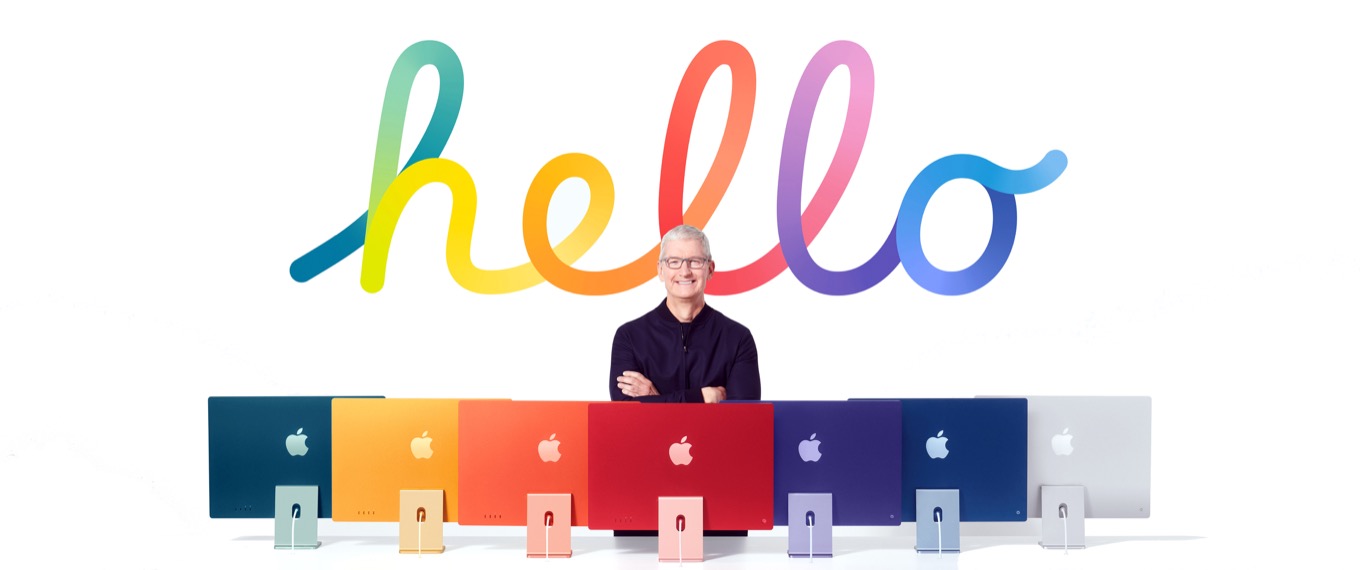
Tim Cook has got to be a hard man to shop for. From outward appearances, all he seems to do is work and work (out). Truly, he seems to be a man of few luxuries, excusing the occasional hobnobbing with celebrities and expensive home purchase. But with his zip-up sweaters and sensible slacks, his lifestyle doesn’t exactly scream creature comforts.
So, in order to help all those people with Not So Tiny Tim on their holiday list—especially those who are doing a little last-minute shopping2—we’ve compiled this helpful resource of a few things that the CEO of one of the world’s most valuable companies might be excited to unwrap.
A stay of execution. Court orders aren’t anybody’s best friend, but with the clock still ticking down on Apple dealing with its one loss in the trial versus Epic, Tim (Cook, that is, not the other one) would certainly breathe easier knowing that the App Store wouldn’t undergo any upheavals—no matter how minor they might end up being—during the holiday season.
A steering wheel. By all accounts, Apple’s secretive not-so-secret car project has hit more than a few bumps in the road.3 The company’s recent revealed vision of a car with no steering wheel or pedals certainly sounds ambitious, but perhaps what’s really needed here is some non-machine vision. Direction, if you will. An eye on the destination, more than the journey.
I’m saying they need a better plan.
I don’t know if that’s the kind of thing that you can wrap up with a bow, but aren’t miracles what the holiday season is all about?
A visit from three ghosts. Far be it from me to suggest that Tim needs a come-to-Marley moment, but perhaps there’s some insight to be gained from the examples of Apple past, present, and future. Naturally Steve Jobs could pop in to tell his old protege about he wished he’d been a more kind and sensitive boss, and maybe letting folks work at home wouldn’t be the end of the world, especially during, you know, the end of the world. Then Craig Federighi would appear, impeccably coiffed as always, and Tim might get a chance to apologize for making him hold forth like a fire-and-brimstone preacher about the evils of sideloading. And finally, the Apple CEO of 2045 would arrive—in meta avatar form, naturally—and suggest that a pivot into life preservers, sandbags, and inflatable rubber dinghies might be a really smart move for the company right about now.
Legacy nodes. Because if there’s anything the man really needs, it’s a pile of Bluetooth chips pouring over him like all those letters in Miracle on 34th Street4. Yes, Vir-tim-ia, there is a Santa Claus!
And, if all else fails, surely there’s at least one room in Tim’s house that still needs a Peloton.
And I mean literally. The latest iPhone? Check. The best iPad? You got it. A Bengal tiger with whom he goes on magical adventures? I mean, he doesn’t brag about it, but totally. ↩
[Dan Moren is the East Coast Bureau Chief of Six Colors, as well as an author, podcaster, and two-time Jeopardy! champion. You can find him on Mastodon at @dmoren@zeppelin.flights or reach him by email at dan@sixcolors.com. His next novel, the sci-fi adventure Eternity's Tomb, will be released in November 2026.]
Myke checks in from mid-vacation to discuss his visit with Jason, and shares some observations from his first extended travel in a couple of years. Then Jason takes a deep dive into his adventures Shortcuts on the Mac. And there’s still time to discuss Mac AirPlay quirks and Apple lawsuits!
How we charge our devices, the travel tech we’re taking with us this year, our thoughts on Apple’s plans for digital IDs, and an examination of Apple’s newly announced Self Repair Program.
I certainly was wondering that, so I’ve written a small SwiftBar plugin (requires python3) to run networkQuality and report the results in the menu bar every 20 minutes. You can see it here if you’re interested.
An Apple Pencil, a Kobo Libra 2, and some creamed corn.
This time of year leads to a few inevitable kinds of stories. Giving thanks, and… deals? Thanksgiving is one of my favorite holidays, and Black Friday one of my least favorite “holidays”, and yet they’re placed back to back on the (U.S.) calendar.
I’ve written the occasional tech-I’m-thankful-for column over the years, and even drafted Thanksgiving dinner one year. And while I’ve witnessed many of my friends in the tech press being forced to spend their holiday week digging up Black Friday Deals, I’ve generally been able to stay out of it.
But in the spirit of the season, I thought I’d spread several familiar dishes across the table this week.
So let me give thanks to one of the most remarkable pieces of technology I’ve ever used. Unlike most appealing tech products, the second-generation Apple Pencil does not offer shiny buttons and blinking lights and the promise of more power. Its greatness comes in its subtlety.
It’s blank. It doesn’t have those buttons or lights, or a battery compartment, or an interface to speak of. A flat surface keeps it from rolling off a table and lets it attach to iPads to charge and pair, automatically. Jony Ive’s less-is-more aesthetic may have been taken to some unfortunate extremes by 2010s Apple, but the Apple Pencil feels like the perfect example of that aesthetic done right. Using it feels natural and simple and never like fussing with a tech product. It’s magical—a word Apple throws around a bit too much, if you ask me.
This is not to say that the Apple Pencil is perfect. It’s not. While it contains an accelerometer that theoretically lets you double-tap it to send a gesture to change modes or execute a shortcut of some sort, I have never been able to get it to work reliably. What’s worse, I frequently inadvertently trigger the double-tap gesture. Put them both together and what do you get? A person who has turned off all gestures on the Apple Pencil, thank you very much.
When Apple create a third-generation pencil, I hope that it finds a way to make that gesture more reliable, or replaces it with something else. (Yes, I’d even take a physical button, even if it does drain away some of the magic.) My podcast compatriot Myke Hurley also suggests that the Pencil might benefit from a second touch surface on the other end, to use as an eraser (or any other function an app would want to use it for). That would work for me.
But let’s not perfect be the enemy of good. I’m thankful, very thankful, for the second-generation Apple Pencil.
If you or a loved one are a big book reader, I highly recommend buying a dedicated e-reader. The screens are great for text, the batteries last forever, and they don’t have the distractions that you’ll get reading on an iPhone or iPad. Most of them are waterproof, so they’re great for reading in the bathtub or at the pool.
My e-reader of choice right now is the $180 Kobo Libra 2, which offers physical page-turn buttons and a great seven-inch diagonal screen. But if you don’t care about using buttons to turn pages—it’s way better than tapping a screen, I promise!—or are already deep in Amazon’s ecosystem, the $160 ($140 with ads) Kindle Paperwhite remains a favorite.
In terms of the best Mac out there right now, I’m going to echo my 2021 advice: The go-to Mac for most people is the M1 MacBook Air. Yes, there are rumors of a new MacBook Air design coming in 2022, but look—there’s always another new computer around the corner. The M1 MacBook Air is great now, and will be great a few years from now. The $999 starting price gets you a fantastic computer, and I have a sneaking suspicion that there will be some good deals available on the MacBook Air, from Apple, Amazon, and others, during the holiday season.
Yes, the new MacBook Pro laptops are amazing. If you want one, you know. But for the average student or just a regular home user, the MacBook Air is plenty—and at a great price. (The new M1 iMac is also pretty great, if you’re in the market for a desktop Mac. Please, I beg you, buy it in a fun color!)
The gratitude part
This is the part of the post where I express my gratitude to all of you, the Six Colors members, for allowing me to do this as my job. Last night as I was falling asleep, I recalled how some of my most formative job experiences were relatively brief in hindsight. I worked on my college newspaper for three years, yet this week I found myself browsing merchandise that references the name. I only worked at MacUser magazine for four years. That was all followed, of course, by Macworld, where I worked for 17 years. A long time, yet strangely, it seems shorter!
My point is, I have now been at this Six Colors thing for an unbelievable seven years. As much time as my college paper and MacUser stints put together. Forty percent of the length of time I spent at Macworld. This still feels like my “new job,” while simultaneously feeling like I’ve been doing it forever.
In any event, in 2014 I went out on my own and decided I didn’t want to get another corporate media job, but do my own thing. Six Colors is the center of that thing, and it’s thanks to all of you that I am still out here writing this stuff seven years later. (And Dan Moren would certainly say the same.)
So, in the spirit of the season: Thank you. I am grateful for your support and interest all year round, but it gets all embarrassing and awkward to talk about it every week, so I save it all up and let it out in late November. Thank you.
Apple today filed a lawsuit against NSO Group and its parent company to hold it accountable for the surveillance and targeting of Apple users. The complaint provides new information on how NSO Group infected victims’ devices with its Pegasus spyware. To prevent further abuse and harm to its users, Apple is also seeking a permanent injunction to ban NSO Group from using any Apple software, services, or devices.
Say what you will about Apple’s policies regarding bug bounties and other security issues—the company is capable of spending a nearly infinite amount of money on lawyers who will try to make NSO Group’s existence painful for a very long time.
Rich Woods reports about Windows on ARM and where it may be headed in the future:
Qualcomm actually has an exclusivity deal with Microsoft for Windows on ARM, and speaking with people familiar with it, we’ve learned that the deal is set to expire soon.
Other than the fact that Microsoft has publicly said that anyone who wants to can build a Windows on ARM chip, this really shouldn’t come as a surprise. Qualcomm didn’t just start building PC chips hoping that Microsoft would compile Windows to support it. No, these two companies worked together to make it happen. Because of that, Qualcomm gets to enjoy a bit of exclusivity… This is also presumably why Apple Silicon Macs aren’t officially supported for running Windows 11, so hopefully that will change as well.
When this exclusivity window expires, I would be shocked if there weren’t an official way to run Windows on Macs with Apple silicon soon thereafter.
This week I’m traveling for Thanksgiving, and I’m using this MacBook Pro review unit before I have to send it back to Apple1.
One of the things I had forgotten in the years where I largely traveled only with an iPad is the frustration of having my home Mac and travel Mac out of sync. These days, it’s less of an issue thanks to syncing services—for instance, all my podcast templates are in Dropbox, and all my BBEdit preferences are in iCloud.
But as I’ve written about here repeatedly, I also rely on a bunch of Automator workflows, saved as Services, to get work done. And those don’t sync, so every time I opened my MacBook Air or this MacBook Pro, I’d find myself running into some Service or other that I didn’t have access to. I could do the work manually, or see if I had archived a copy on a cloud service, or if I was really desperate I could dig into my Time Machine backups on my server at home and see if I could pull the files out.
So when I went to look for my classic Template Gun applet on this Mac and discovered that I never copied it over, I didn’t despair. Instead, I clicked on the Shortcuts menu bar item—and there it was. Since Template Gun uses source files that I store in Dropbox, those files were also already on this Mac. It worked like a charm.
Similarly, I wanted to select some text in Safari and use it to write a post on Six Colors—and when I selected the text and control-clicked to bring up the Service I built to do just that… there it was!2
Yes, Apple could have added iCloud syncing for things like Services years ago, but with the future of Mac automation up in the air for so many years, it wasn’t a priority. Now thanks to Shortcuts, my Mac (and iOS) automations travel with me. It’s just another reason to keep working on getting all my Automator workflows converted to Shortcuts format.
Repeat to myself: I will not buy one, I will not buy one, I will not buy one… ↩
Unfortunately, it relied on a third-party app I didn’t have installed, so I had to download and install that, at which point it worked. ↩
Apple’s car project is back in the news, but is the company’s ambition in this area unrealistic? Also: Qualcomm spoils Apple’s modem move, Apple employees get a new date to return to work, and there’s some good news about the repairability of Apple products.
What gives me some excitement about this experience is that it seems clear that an Apple Watch can already make a solid companion for a long backpacking trip. When I set off I was expecting to have to charge it completely every day, but in reality it is more like every third day. Which gets it under my threshold for consideration for use. Especially since bringing it means that I now have a fully programmable computer on my wrist.
Turns out that putting the watch in Theater mode, thereby deactivating the always-on screen, saves a lot of power. Add in Airplane Mode and he was able to keep the watch running for three days, with fitness tracking still running to log his hikes.
Perhaps most importantly, the Apple Watch was able to display live UK Ordnance Survey maps overlaid with a GPS location. (This is similar to a feature I use here in the U.S. via the iPhone app Maplets, which unfortunately doesn’t seem to offer an Apple Watch equivalent.)
Apple gets a lot of flak for its “my way or the highway” approach to, well, pretty much everything: App Store terms, product design, colors, and so on. While that’s an approach that definitely has its benefits—you can tell when committees start getting involved in design, and the end result is rarely good—it also lends itself to a degree of obduracy that can be frustrating for any other parties that have to deal with the company.
But that philosophy doesn’t mean that Apple isn’t willing to make changes when it needs to. Innovation is, after all, another one of the company’s hallmarks, and sitting on one’s laurels in the technology market is rarely a path to success. It’s just that sometimes that change doesn’t from people inside the company, but from external forces.
Lately, the company’s made a number of surprising backtracks against previous policies, and while they might not always be done out of the goodness of its heart—as much as a corporation can be said to have one—it does prove that Apple can learn and perhaps improve&even if it sometimes has to be dragged, kicking and screaming.
This week, thanks to an article by John Voorhees at MacStories about integrating Shortcuts with the Elgato Stream Deck, I discovered an incredibly useful tip about Shortcuts integration on the Mac.
Shortcuts show up in a few places in macOS Monterey: in the menu bar, in the Services menu, and in Finder Quick Actions. Strangely, while on iOS you can save a shortcut as a home-screen icon, there’s no option on the Mac to save a shortcut into the file system… or is there?
As John wrote (and then expanded on in the latest MacStories Weekly), Shortcuts on Mac also lets you add any shortcut to the Dock. It’s a bit hidden—you need to select or open a shortcut and then choose Add to Dock from the File menu. At that point, not only will the shortcut appear in your Dock, but it will also be saved to ~/Applications.
Now, what most Mac users think of as the Applications folder lives at the top level of your Mac’s boot drive. While there’s also an Applications folder inside your user folder—and in the early days of Mac OS X there was a real debate about where best to install software on a Mac—it’s largely unused.
But that’s where Shortcuts saves a link to your shortcut. (Unlike AppleScript scripts or Automator actions, the actual code of shortcuts doesn’t reside in the file—it’s safe in your Mac’s Shortcuts database.) If you use any app launcher that is capable of indexing ~/Applications, you can save shortcuts there and they’ll be available for quick launching. John’s example uses Alfred, but I was able to add that path to LaunchBar, and it worked too.
(Yes, there’s also a LaunchBar Action by Christian Bender that will automatically add a Run Shortcut action to LaunchBar—and it automatically indexes your list of shortcuts, so every single one is available without needing to add it to the Dock.)
Bit by bit, it’s exciting to see ways that Shortcuts is starting to reach out into how I use my Mac. It’s still early days, but the progress so far has been impressive.
My thanks to BZG Apps for sponsoring Six Colors this week. BZG makes Unite 4, which allows you to turn any Website into a Mac app. Using a lightweight, WebKit powered browser as a backend, you can easily create isolated, customizable apps from any site.
Unite 4 includes dozens of new features, including support for native notifications, new customization options, and M1 support. Unite apps also serve as a great alternative for resource-hogging Electron apps or half-baked Catalyst apps.
Six Colors readers get 20% off this week when you purchase Unite 4 at bzgapps.com/sixcolors or when using the promo code SixColors at checkout. There’s also a 14 day free trial, and the app is included in Setapp for subscribers.