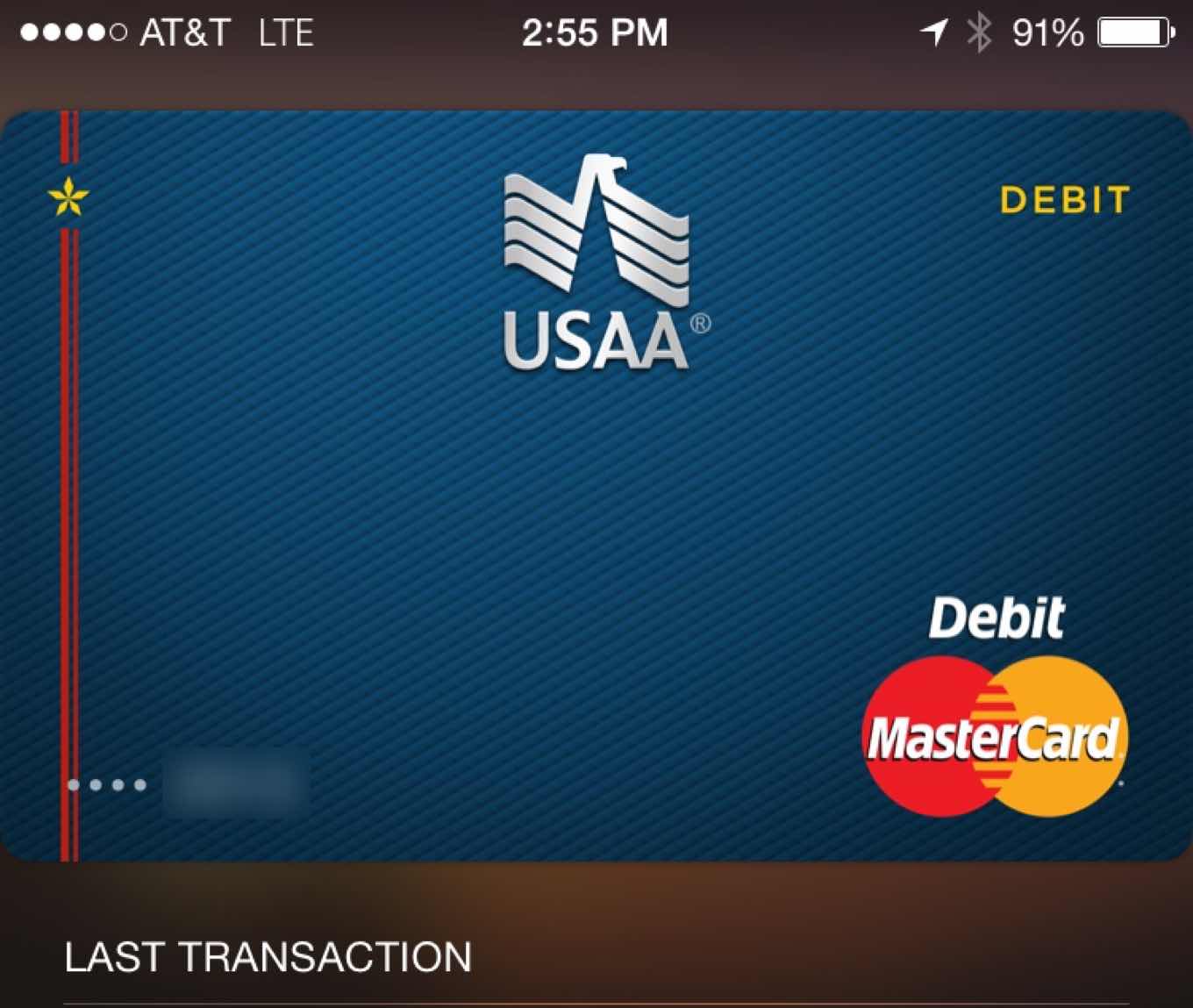
At Apple’s request, we had to remove the ability to “Send” files to other services, including iCloud Drive. In short, we’re told that while Transmit iOS can download content from iCloud Drive, we cannot upload content to iCloud Drive unless the content was created in the app itself. Apple says this use would violate 2.23 — “Apps must follow the iOS Data Storage Guidelines or they will be rejected” — but oddly that page says nothing about iCloud Drive or appropriate uses for iCloud Drive.
The issue is that nobody (except perhaps someone at Apple) seems to understand what the rules are regarding what apps can and can’t do. Maybe it’s time for a clear rewrite of the App Store guidelines, or even—dare I suggest it?—a blog where Apple can communicate with its developers about where it’s drawing the rules for new technologies such as iCloud Drive and Notification Center widgets?
Because right now, developers are reluctant to work to support new Apple features, because of the high risk of rejection. That’s bad for Apple, the platform, and the users, too.
Note: This story has not been updated for several years.
I spend a lot of time at my Mac. I love my iPad and iPhone, but my Mac is still where I spend most of my time. Between writing and making podcasts, this is the place where my tools of choice reside. Since it’s the end of the year, I figured, why not mention a bunch of Mac apps that I use every day? If there were a gift-giving holiday coming up, you could even use that as an excuse to buy them.
Boom 2: a powerful system-wide volume booster and equalizer for the Mac. Louder, Clearer, Better.
PDFPen Scan+, from Smile. The power of your office in your pocket! Scan contracts, invoices, or receipts as PDFs with your iPhone or iPad.
Mailroute: a secure, hosted email service for protection from viruses and spam. Go to mailroute.net/upgrade for a free trial and 10% off, for the lifetime of your account.
This week on my pop-culture podcast The Incomparable, we talk about the classic 1999 sci-fi comedy “Galaxy Quest.” My guests are Glenn Fleishman, Erika Ensign, David J. Loehr, Scott McNulty, and Joe Rosensteel. There’s also some bonus material.
This week The Incomparable is sponsored by:
Lynda.com – Great video training, from the experts. Visit lynda.com/incomparable for a free 10-day full-access trial.
My thanks to Twelve South for sponsoring Six Colors this week.
For six years, Twelve South has been making stands and other accessories for Apple devices. They’ve got a huge selection, with more than 10 different stands to chose from. I bought one of the original BookArcs for my MacBook and there are now two of them in my house. Twelve South also makes stands for iOS devices and the Apple Watch, and even makes stands and accessories that work with desktop Macs.
To celebrate the sixth anniversary of Twelve South, the company has released a set of dual-screen wallpapers that can really tie your two-display setup together. Makes me wish I had a bigger desk, so I could fit a second display on it.
This 5-inch Android smartphone comes with a 4.7-inch e-paper display on its back, which seems like an obvious gimmick until you start using it. I approached the YotaPhone 2 from a position of skepticism, but have been quickly converted: the rear screen can be an effective e-reader, an always-on weather and notification display, a battery-saving gaming screen, and just a really attractive back cover for the phone. I didn’t expect to see any exciting new phones until CES in Las Vegas next month, but the YotaPhone has snuck up with perfect pre-Christmas timing and is now one of the most intriguing devices on the market.
Sticking an E Ink screen on the back of a smartphone is an interesting idea. Having not used one in person, I’m a little skeptical about the execution—Savov says it’s “surprisingly well thought out, though it’s quite unintuitive at first,” which is a perplexing statement. Still, one of the things Android does well is let hardware makers try crazy stuff. This is definitely crazy stuff, but I kind of like it. Or at least the idea of it.
Apple’s getting its lunch eaten by competitors, and the hits just keep on coming. The most recent numbers have Google’s Chromecast and Amazon’s Fire TV pulling ahead of Apple’s set-top box, and you know what? They should be. Right now, they’re better products: they have support for more services, they have more flexibility, and they’re cheaper.
The Apple TV, on the other hand, hasn’t gotten a meaningful upgrade since 2010. (The third-generation model, which appeared in 2012 and was revved slightly in 2013, added support for 1080p and some small, under the hood improvements.)
That older second-generation model, which I have, doesn’t even merit the latest software upgrade (which, thankfully, only brings the easier peer-to-peer AirPlay functionality and some more iOS 7-style icons). I was more than a little surprised to hear from multiple people, however, that it’s in demand on eBay and elsewhere, because you can apparently jailbreak them and add a bunch of other functionality.
The only thing the Apple TV has going for it right now—again, to agree with my illustrious colleague Mr. Snell—is the Apple ecosystem. If you want to watch iTunes content on a big screen, it’s your only option. If you want to use AirPlay, same deal. (Yes, you can use a Mac hooked up to an HDTV for both of these things, with some additional software. But it’s not nearly as elegant or couch-friendly.)
The good news is that getting back into the game shouldn’t be much of a problem for Apple—if it’s interested. And though the company’s always been a little bit cagey about its plans for the living room—the Apple TV was a “hobby” and then “an area of intense interest”—there’s little doubt in my mind that Apple wants a foothold there just as much as it does in your car or on your wrist.
So, at the risk of telling the company its business, here are a few areas where its competitors currently have a leg up.
Note: This story has not been updated for several years.
It’s hard to write about web services in a holiday gift guide. They’re intangible, for the most part. Who likes giving the gift of intangibility? “Merry Christmas, Grandma, I got you a year’s subscription to Amazon Prime! This empty box is a representation of all the boxes you’ll be getting via free two-day shipping!”
So it’s settled, then. Only a dummy would write a gift guide entry about favorite services and stuff you order over the Internet.
Note: This story has not been updated for several years.
Okay, paying for things with your smartphone may not be revolutionary, but let’s all agree that it is pretty cool. I’ve been using Apple Pay for a month or so now, and my main complaint is that it should work in more places. (Get on that, vendors!)
Still, the seamless nature of the Apple Pay experience has me wondering if Apple might not be able to–yes, I’m going to use the dreaded ‘d’ word–disrupt another stale process: person-to-person payments.
It’s long seemed ridiculous to me that it’s not easier to transfer funds between people electronically. After all, your bank account and my bank account are little more than entries in a ledger somewhere, represented by 1s and 0s. Why should it be any harder for me to send you some bits that turn into money than it is for me to send you an email?
Note: This story has not been updated for several years.
I can’t get me enough spy movies. In recent years, I’ve gravitated to more serious fare—I will make an argument that The Sandbaggers is the greatest spy TV series ever—but I’ve always held a special place in my heart for the ol’ super spy himself, James Bond. I first cracked a copy of Casino Royale as a fourteen year old and then plowed my way through all of Ian Fleming’s novels, so I have to admit I’m pretty excited for the next Bond film, which we now know is titled Spectre.
There’s only a brief synopsis of the plot on Wikipedia so far, but the new cast includes Christoph Waltz (the best part of both Inglourious Basterds and Django Unchained), Dave Bautista (Guardians of the Galaxy‘s Drax—not to be confused with the Bondverse’s Hugo Drax), Léa Seydoux (who already has some spy experience in the campy, fun Mission Impossible: Ghost Protocol), Monica Bellucci (The Matrix sequels), and Andrew Scott (Sherlock‘s Moriarty). That’s along with returning actors Naomie Harris, Ben Whishaw, Rory Kinnear, Ralph Fiennes, and, of course, blond Bond himself, Daniel Craig.
This year I was thinking about how we’ve done a bunch of great holiday-related stuff over the last four years on The Incomparable, and there’s no really good way of surfacing it. I could make a page on the web site that links to a bunch of episodes, but most people don’t listen to podcasts on the Web, they listen to podcasts inside apps.
Then it struck me: Podcast feeds can be anything. I already run something called The @jsnell Anthology which is a feed of my appearances on other people’s podcasts. So why not set up a feed and fill it with the fun holiday stuff we’ve done in past years?
I thought of this on the morning of Dec. 1, and realized it was basically an advent calendar in podcast form. And so I created The Incomparable Holiday Box, which is available via RSS and iTunes.
It will contain episodes about childhood toys, holiday TV and movies, and maybe even a few surprises. Check it out if you’d like to be a part of the experiment.
In this week’s episode, my co-host Dan Moren and I chat with guests Anže Tomić and Scholle McFarland. We talk about automating boring tasks, holiday shopping lists, favorite subscription services, and buying cheap tech accessories.
Clockwise is sponsored this week by:
Boom 2 – Giving you the power to fine-tune every single element of audio coming out of your Mac. Try it for 7 days free and save 20% off when you buy using the coupon code clockwise.
Considered by many (including me) to be one of the great TV series ever, “The Wire” is finally being remastered in HD, despite never being intentionally made for that format. HitFix’s Alan Sepinwall:
I’ve been asked about this process for a long time, well before HBO began hinting it might actually happen. And I get it. I’m an HD snob who’s reluctant to watch almost anything in standard-def anymore. In this case, though, I understood that the old look was the way “The Wire” was designed to be seen, even at the dawn of the HDTV age, and was fine watching it that way. But if Simon’s on board with this version, I’m at a minimum very curious to see what the show looks like. Will Herc and Carver constantly be goofing off on the edge of every frame now? Will Bubbles put the red hat on twice as many men? How many more beer cans will we be able to see on the Western District roof?
The opening credits for Alien are nothing short of a typographic masterpiece. You can watch them in their entirety on the Art Of The Title web site, but here’s the general gist: a slow, progressive disclosure of a disjointed, customized Futura reveals the movie’s central theme over 90 seconds of beautifully-spaced angular lettering.
I got to see Dave Addey give a presentation about future type at Cingleton this year and it was just amazing. So much so that when I took my kids to their pediatrician the other week to get their flu shots, I couldn’t help notice that the building feels like it belongs in a sci-fi movie because it’s labeled with Eurostile Bold Extended.
Steve Jobs always liked the intersection of liberal arts and technology. As for me, looks like I’m sitting on a cardboard box on the corner of font nerd and sci-fi nerd.
This week on the tech podcast that eats at American restaurants, Myke Hurley and I revisit internet comments and Thanksgiving, do a little podcasting about podcasting, and then answer a raft of listener questions.
This week, Upgrade is sponsored by:
Hover: Simplified Domain Management. Use code ‘BRAINBALL’ for 10% off your first purchase.
Mailroute: a secure, hosted email service for protection from viruses and spam. Go to mailroute.net/upgrade for a free trial and 10% off, for the lifetime of your account.
Dash: Create beautiful dashboards with a few clicks. Sign up now to get one free private dashboard.
Note: This story has not been updated for several years.
As a newly minted independent content creator or whatever, I am no longer required by my employer to brainstorm shameless ways to mention products in conjunction with an upcoming set of gift-giving holidays. Fortunately, I’m not barred from it, either.
That being said, on the site I’m going to write a few articles about things I like, so that if they sound good, you might try them out or even give them as a gift. If it was the sort of season when one would do that sort of thing.
27-inch iMac with Retina 5K Display
As I was reviewing Apple’s new Retina iMac I went out and bought one for myself. Yes, I was in the market for a new computer and had some money I needed to spend, but using the new iMac for even a few days was enough to convince me that I needed to get one.
Yes, the display is gorgeous, but the iMac packs processing and graphics power too. Outside of a high-end Mac Pro you will not find a faster Mac. No, it’s not cheap, but $2499 for one of the fastest Macs around attached to a screen so big that even 4K video plays with room to spare… that seems like a pretty good deal.
I love the 11-inch MacBook Air. It’s Apple’s cheapest laptop, but it’s still fast and versatile. Yes, there may be Retina MacBook Air models appearing in 2015, but will they start at $899? All signs point to no. As a travel Mac the 11-inch is a perfect size. Until I got my iMac, I also hooked my MacBook Air up to an external display and used it as my desktop Mac too. The Intel i5 processor and the fast flash storage meant I rarely felt any slowdowns.
Yes, Apple came out with the iPad mini 3 this year. I think the iPad mini 2’s the better buy. The iPad mini 3 is $100 more expensive than the iPad mini 2, but all that’s really changed is the addition of Touch ID. I like Touch ID on my iPhone, but it seems less necessary on an iPad, especially if that addition is going to cost you $100.
Unfortunately, the existence of the iPad mini 3 means that the iPad mini 2 isn’t available in as many variations as it used to be. There are only 16GB and 32GB models, so if you need to max out on storage, you can’t choose this path. Even the $349 32GB iPad mini 2 is a pretty good deal, compared to the $499 64GB iPad mini 3.
I wish Apple had upgraded the iPad mini 3 with the same tech as the iPad Air 2, but that didn’t happen. Instead, by keeping the iPad mini 2 on the price list, Apple’s providing an awfully nice price for a great little iPad. This is the iPad I use every day, happily.
The question of the fall was iPhone 6 or iPhone 6 Plus? I’m firmly on the side of the iPhone 6. I’ve been loving my iPhone 6 since the day I got it. Though the iPhone 6 Plus has its fans, I don’t think it’s an iPad replacement and it’s just too large for my taste. It’s not a bad product, especially for basketball players and similarly giant people, but it’s not what I would choose. Or recommend.
I bought a Tivo Roamio a year ago and I’m still loving it. I haven’t used the latest iterations of every cable and satellite company’s DVRs, obviously, but after several years with DirecTV’s serviceable DVR technology, moving back to TiVo was a pleasure. I can offload recorded shows to watch on the TiVo app, and the two other TVs in my house have a TiVo Mini attached, so they’ve got access to live TV and all the recordings on the main DVR.
The Roamio does more than just TV, too. We also use it to watch Netflix, YouTube, Amazon Prime Video, Comcast On Demand, MLB TV, and Vudu. I love it.
I’m still wearing the Pebble, and still liking it. It’s a basic smartwatch with some good hardware, improving software, and very long battery life. I get the distinct feeling that next year will be an Apple Watch kind of year for me, but at $99 the regular Pebble is priced right. It’s the watch I wear most days. I’m wearing it right now.
[$99 for base model. Pebble Steel, which I don’t like as much, costs more.]
Avantree Roxa
This is a weird one, but I use it all the time: The Avantree Roxa is a tiny Bluetooth receiver. I have it plugged in next to my (long-discontinued) Squeezebox Boom music player. The Boom’s a great music player and it’s got a line-in jack for auxiliary input, but no support for Bluetooth. That’s where the Roxa comes in: I connect my iPhone to it via Bluetooth, and it plays the audio through the Boom’s aux jack. It’s even got a USB port for device charging. I picked this up at CES and I honestly haven’t compared it to other, similar devices. But I highly recommend devices like these to retrofit older speakers with line-in jacks into Bluetooth-capable devices.
One of the least heralded additions to OS X Yosemite was JavaScript for Automation. You can now write in JavaScript within the Script Editor application in order to script OS X, when previously you needed to learn AppleScript. This is great for people well versed in JavaScript who want to take more control over their Macs.
Over at MacStories, Alex Guyot has an amazing overview of how to get started with JavaScript for Automation in Yosemite. If you know JavaScript and are a Mac user, you should check it out—I use scripts every day to help connect the different Mac apps I use and simplify my workflows.
Note: This story has not been updated for several years.
Last week I recommended Marvel Comics’s Marvel Unlimited service, which is sort of a Netflix for Marvel comics: You subscribe for one price and can read as many digital comics as you like.
It’s worth noting that for the next few days, you can try out the service for a month for 75 cents. So if you’re considering the service—and you totally should—now would be a good time to try it out on the cheap. (You’ll need to give Marvel your credit card to pay for the trial month, and if you don’t cancel they will start charging you $10/month unless you cancel.)