Back in the depths of time, newsletters were a big business. Printed inexpensively in small quantities for investors or people in specialized industries, like lumber or printing, subscriptions could run hundreds to thousands of dollars a year. A few hundred subscribers made them profitable; a few thousand, lucrative, allowing for staff writers and researchers.
These newsletters had timely information that wasn’t found in daily newspapers or weekly magazines. There was no cable news network, and radio was local with generally directed nationally syndicated programs.
Even when cable TV started to add channels, news radio proliferated, and early dial-up services added news features, focused information important for someone’s profession was difficult to find. Newsletters were exceedingly lucrative and appreciated. Some newsletters included or offered cassette tapes — proto-podcasts! — or omitted the paper part entirely and were just audio tapes. I knew of one on desktop publishing that was mass-faxed, and if I recall right, cost $495 per year for weekly dispatches. (MacPrePress, produced by the late Kathleen Tinkel and Steve Hannaford, for those with long memories.)
The Internet’s emergence derailed a lot of these newsletters, because scarce data became easily available, and specialized information sites rose quickly. Often some data previously acquired with scarcity justifying its high expense was suddenly or within a few years available freely, ubiquitously, and instantaneously. In some cases, the dollars shifted: the money paid on postal-dispatched paper shifted to online subscriptions to Web sites, email newsletters, and access to databases. The excellent credit-card industry newsletter, the Nilson Report, now delivers 23 issues in PDF form and snail mail each year for $1,495, for instance, plus the past fives years as an electronic archive. In others, they evaporated entirely.
Blogs were certainly part of the reason. Once easy-to-use blogging software appeared in the early 2000s, a hundred million blogs bloomed, and a tiny portion were dedicated to reporting and analysis, including my own Wi-Fi Networking News (WNN) blog. In a previous era, WNN would have been a newsletter that, based on the interest I saw on the site, would have grossed hundreds of thousands of dollars a year. (The blog brought in $30,000 to $40,000 a year in the mid 2000s.)
Many of the most prolific and focused bloggers who covered tech and finance turned those blogs into businesses, were acquired by larger media companies, or were hired by publications to write for them and often start in-house blogs.
At the time [of the Title IX ruling in 1972], the major sports for girls at my school were track, gymnastics, swimming, and tennis. I remember thinking, “How will they spend the same amount of money on girls’ sports as they do on boys’ sports? Girls don’t even want to play basketball or soccer.” It didn’t even occur to me that the demand might be there if girls were encouraged or supported to the same extent as their male counterparts….
Discrimination still exists in this field and likely will exist for some time. But I don’t get discouraged by the terrible stories circulating in the news on harassment and workplace discrimination. I don’t get frustrated with well-meaning but clueless commenters who think the status quo reflects innate gender differences. Instead, I’m spurred on to redouble my own efforts to make the future better.
Once again, my huge thanks to Automatic for sponsoring Six Colors this week (and for most of June).
Automatic is a small “connected car adapter” that you plug into your car’s diagnostic port. (Automatic works with most gas and hybrid cars released since 1996.) We took a long car trip this week, and my wife and I enjoyed looking through the Automatic data on our trip, the stops, the cost of the gasoline we used on the trip, and even information about when we used our brakes a bit too hard or drove a bit too fast.
Automatic does a bunch more, too, including integrating with other smart devices. Automatic normally costs $99.95, but readers of Six Colors get 20 percent off. Automatic ships in two business days for free, and there’s a 45-day return policy.
He’s not exactly J.D. Salinger, but “Calvin and Hobbes” creator Bill Watterson is not one to speak publicly. He makes an audio appearance in the documentary “Stripped,” and apparently there’s a new interview with him in the forthcoming “Exploring Calvin and Hobbes” exhibition catalog.
Mike was our editorial cartoonist at the UCSD Guardian back in the day, and even drew a “Calvin and Hobbes” parody strip for our April Fool’s issue. It featured comic banter between philosophers John Calvin and Thomas Hobbes. In a bizarre twist of happenstance, Mike actually grew up in the neighborhood I live in now. Strange world. ↩
Over on the SuperSite, where I play the role of “trying to talk about Apple to an audience that doesn’t particularly like Apple,” I wrote this week about the USB-C transition and how it means we are all going to be carrying more adapters with us wherever we go.
Writing the piece also gave me a chance to name-drop SCSI, ADB, Mac Serial, and a host of other old Apple connection technologies from the days when Apple never saw a weird, proprietary technology it didn’t like. As well as the bizarre micro-DVI adapter I had to buy for the original MacBook Air.
When we add the rest of the product line to the mix, it becomes clear that Apple’s supply chain is one of the largest scale production organizations in the world… In the manufacturing world, we hear rumors of entire German CNC mill factories being built to supply Apple exclusively, or even occasionally hear that one of our supplier’s process experts has been “disappeared” to move to Cupertino or Shenzhen. While we all are massively impressed with the scale of Apple’s operations, there is constant intrigue as to exactly how they pull it all off with the level of fit, finish and precision obvious to anyone who has examined their hardware.
Koenig knows a lot about manufacturing, and it’s fascinating to read about where he thinks Apple is ahead of the rest of the world, and where it’s rapidly catching up. Also, I say that any piece that contains the phrase “the most stunning video of the smelting process ever committed to film” is worth reading.
Apple showed two of them, on alumin(i)um and stainless steel, on stage. The third, on gold, is only on the web—a sign, perhaps, of how Apple was soft-pedaling the Apple Watch Edition during Monday’s event. ↩
Note: This story has not been updated for several years.
After almost eight months of OS X public betas, Apple’s decided to take the plunge and, for the first time, offer the same for iOS. You can enroll your device in the iOS beta program on Apple’s site, and a pre-release version of iOS 8.3 is available now.1
To me, this says something about the state of iOS development: it’s a mature product on par with OS X, not one that’s still in its nascent stages. Almost eight years in, that sounds about right.
It’s hard to imagine the Apple of just a few years ago taking this step. Betas have, in the past, been closely guarded, only available to those with a paid developer membership, the thinking being that programmers need to test their software against the version Apple will ship next in order to find bugs. There were always those non-developers who downloaded beta versions—both aboveboard and via more questionable means—to check out unreleased features, but never were the doors thrown open to the masses.
There’s an upside and a downside to allowing John Q. Public to test beta software. Let’s talk about downsides first: this is pre-release software, and pre-release software means bugs. Possibly very nasty bugs. Like wipe-your-iPhone bugs. I’m sure Apple’s trying to minimize the amount of instability in the builds it’s providing to the public2—which typically are not quite the same as those provided to developers—but that doesn’t mean that issues don’t slip through the cracks. After all, that’s part of why they’re releasing it to the public.
Which brings us to the upside. Apple’s taken plenty of flak recently for what some believe is its declining record of quality assurance. By distributing public betas, Apple’s mobilizing a whole new army of potential testers. Hopefully, that means that more bugs get caught before the full releases appear. Apple already says that feedback on the Yosemite public betas “continues to help [it] shape OS X.”
That, of course, depends on how vigilant users of the public beta are at submitting feedback. Apple’s providing a Feedback Assistant app as part of the public beta to encourage users to chime in.
Whether or not you believe the bugginess of Apple software in recent versions is an institutional problem, more eyes on potential problem areas seems like a net positive. So chalk up another one for the new, open Apple.
The site appears to be rolling out gradually, with some people already having access and others—yours truly included—not so much. ↩
Apple does mention recommend backing up your device, which is paramount when it comes to beta software. ↩
[Dan Moren is the East Coast Bureau Chief of Six Colors, as well as an author, podcaster, and two-time Jeopardy! champion. You can find him on Mastodon at @dmoren@zeppelin.flights or reach him by email at dan@sixcolors.com. His next novel, the sci-fi adventure Eternity's Tomb, will be released in November 2026.]
Note: This story has not been updated for several years.
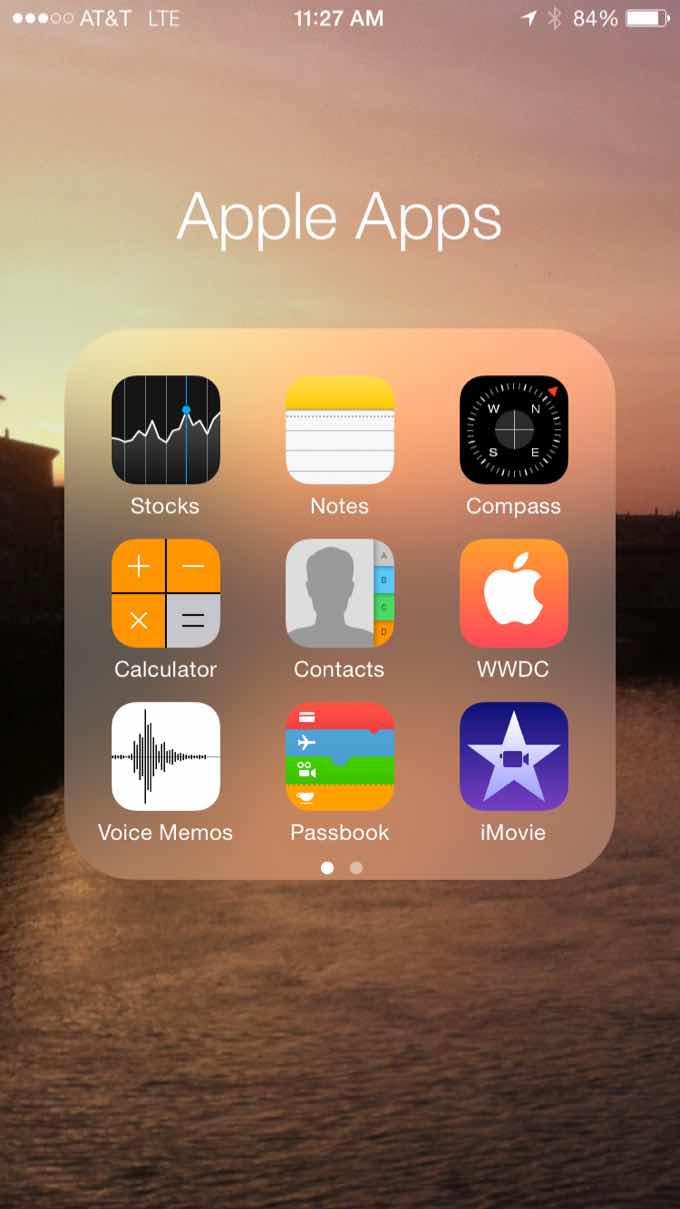
The Island of Misfit Apple Apps
Oooookay, this is going to be a contentious one. Me, I don’t get too annoyed about those unremovable Apple apps: Stocks, Weather, Notes, and so on. But I understand that they raise many people’s hackles–especially, say, when an update adds a new app you can’t delete.
My guess is that there are a combination of factors at play here. One’s technical: for example, Weather and Stocks, probably the two most common offenders, also provide functionality for other features in the OS, including Siri, Notification Center’s Today view, and so on.
On the other hand, the iPad doesn’t have either Stocks or Weather and can still provide that information via Siri, as well as a forecast in the Today view. (Stocks, notably, is absent from it, perhaps suggesting that iPad users are less likely to be interested in the vagaries of the financial markets.)
The bigger issue on Apple’s part is, no doubt, philosophical. The company wants to provide a uniform experience, and that means dictating which default apps appear on the iPhone. Even if you don’t use them. To users who want to feel like their phone is their phone, that seems heretical.
So, here’s a suggested compromise. Having talked to people who’d like to remove Apple apps from their devices, it’s generally an aesthetic decision, not a functional one like the app taking up too much storage space. After all the apps themselves probably don’t take up very much room1; it’s more a matter of those pesky icons constantly taunting you. Most people, myself included, relegate them to a folder, but even that’s a bit annoying to manage.
Instead, what if iOS simply provided an interface for hiding those apps? Somewhere in Settings, there’d be a list of default Apple apps and an ability to simply turn off whether or not they show up on the Home screen. Sounds crazy, maybe, but Apple already does something similar on the Apple TV.2 Heck, you could even still have them show up in Spotlight, letting you access them without the icons being visible.3
Such a feature might be confusing to some, but it still might be easier than actually allowing the deletion of those apps (and then having to deal with whether or not they’re present when there’s an OS update, or providing a way for people to re-download them from the App Store). And it would go a long way to making users feel like they can really and truly control what’s on their iPhone home screens.
The Weather app only measures in at 7.7MB, plus (on my iPhone) 2.2MB for documents and data. I couldn’t seem to find Stocks on storage space list in Settings, but that may just be because I have hundreds of apps. ↩
Parental restrictions on iOS can make Safari, FaceTime, and the Camera app disappear from the Home screen, so it’s hard for me to believe that there isn’t a way Apple could let you hide other apps. ↩
Of course, if you could hide Mail, it would still pop up when you used a Mail feature from some other app. Unless Apple were to allow you to change the default apps for particular tasks…but that’s an item for another week. ↩
[Dan Moren is the East Coast Bureau Chief of Six Colors, as well as an author, podcaster, and two-time Jeopardy! champion. You can find him on Mastodon at @dmoren@zeppelin.flights or reach him by email at dan@sixcolors.com. His next novel, the sci-fi adventure Eternity's Tomb, will be released in November 2026.]
After grabbing coffee at Blue Bottle with Matthew Panzarino, we headed to the Yerba Buena Center, which at 8 AM was already packed. Having covered Apple events over the Internet for years, my first reaction was that I had been catapulted into a bizarre Real Life Twitter where profile pictures moved and talked and interacted with each other. I met people I’ve considered online friends for years such as Rene, Serenity, Jim, Jason, Dan, and so many others. This probably sounds obvious and trite, but seeing someone in person after years of online interactions is completely different, in a fantastic way….
After the event, I went to have lunch with Jason, Rene, and Serenity. I had pasta and Oasis started playing on the radio1, which seemed like a fitting conclusion to a wonderful morning.
It was great to meet Federico in person, but more amazing to see his delight in being with all of us and experiencing the Apple event. Plus, y’know, selfies with Tim.
It was “Morning Glory,” and I couldn’t believe my ears. I looked over at Federico, knowing that he’s a huge Oasis fan, and his eyes were pretty wide. ↩
This week in my new Macworld column, More Color, I go on at length about the new MacBook keyboard and trackpad and whether they suggest a new Mac standard for input devices:
Welp. Here comes the MacBook, shaking things up. That’s not necessarily a bad thing, but unless the MacBook remains a strange outlier, we may be witnessing an end to this era of stability and the beginning of a shake-up in everything we take for granted on the Mac. (Start packing those video adapters again, friends.)
You should read the whole article and ponder it deeply, so as a teaser I’ll say that I’m sold on one of these technologies and still up in the air on the other.
A jerk from a cable could accelerate a laptop so rapidly that the initial coefficient factor of rubber on a glass table could be as high as 5–meaning you’d need force on the order of five earth gravities (50N) to get the MacBook moving. But recall that force involves mass and acceleration: an abrupt yank by a heavy weight (like a human’s leg intersecting with a cable) could briefly produce force on that order of magnitude!
I’m with those folks who’d rather have seen a MagSafe connector (even if it were a thinner MagSafe 3) alongside the USB-C port on the new MacBooks. But Apple’s fixation on thinness probably makes that impractical–at least for now. Who’s to say there won’t be another MagSafe connector on MacBooks down the road–perhaps à la the inductive charger on the Apple Watch. I’m sure we’re all looking forward to buying yet another new set of cables.
More of a compromise is the pathway by which users can attach peripherals to the MacBook Air: a single USB 2.0 port. First let’s address that port on its own merits: if you want to attach more than a single USB device to the MacBook Air, you’ll need to invest in a USB 2.0 hub. In a desk-bound configuration, this can actually work quite well. I tested the MacBook Air attached to the USB port of the aforementioned 23-inch Apple Cinema Display, and then on to a Belkin-powered four-port USB 2.0 hub. I managed to attach an external hard drive, an iPod, an iPhone, an Apple keyboard, a Kensington trackball, and the MacBook Air’s own USB Ethernet adapter all at once, without any trouble.
That was the original MacBook Air model. I used the word “compromise” ten times. The more things change, the more they stay the same. As I wrote in January:
In other words, would Apple release a laptop with no dedicated power cable, ditch a bunch of traditional ports, and funnel every bit of power and wired connectivity through a connector that it has never before used, all in the name of creating a thinner and lighter laptop? Are you kidding? Of course it would.
By my count, Apple will be shipping 38 separate models of watches. There’s a gallery page at Apple’s site where you can page through all of the watches, and get the details on each specific model. You can also view the watches in the store, where you can find pricing info. Both of these solutions, though, require lots of paging and scrolling to get all the details. I was curious as to how all the watches compared, so I pulled data from those sources and made one massive spreadsheet.
Rob’s time spent researching led him to a few interesting quirks about the different Apple Watch offerings, too, including weights of different watches and bands.
The device, the physical hardware, has remained virtually unchanged for several years. The last revision changed some components but didn’t add any hardware features, and that was in January of 2013. Two years of … basically nothing happening….
The biggest news was, of course, that Apple is bringing HBO NOW (an over-the-top service, and shouty name) to the Apple TV. Oh, except it’s only getting that exclusive for 3 months… That is not a very long time. I’ve been around for several three-month periods so I feel pretty confident in making that assessment. That is approximately the current window of time between a movie being shown in theaters, and the movie being available to consumers in their home. Think back to the last movie you saw available for home purchase, you know, when you said, “I thought that was just in theaters.” That’s how short this window of exclusivity is. It’s not even as long as most video game exclusives for different game consoles which can typically last a year. Once the exclusivity is over with, will there be any differentiating factor between the Apple TV and the other devices that this is available on other than access to the iTunes Store?
The optimist in me says this is a sign of life for Apple TV, so maybe the actual update we’ve all been waiting for is just around the corner?
Our pal David Sparks summarizes Monday’s event with an interesting collection of bullet points, including:
One port. In the future we will look back on one port as a bold step (like USB in the iMac) or the 2015 equivalent of the round mouse. They didn’t mention that getting to VGA or HDMI requires a $79 adapter.
If you missed it, Apple announced a mess o’ stuff on Monday, including new 12-inch MacBooks (http://www.apple.com/macbook/) and a lot more Watch information (http://www.apple.com/watch/) on pricing, bands and more.
Our thanks to WealthFront, the automated investment service that makes it easy to invest your money the right way. It automatically rebalances your portfolio and re-invests your dividends, all commission-free. Visit https://www.wealthfront.com/rebound to get your first $10,000 for free.
Our thanks also to FreshVu2Go (https://freshvu2go.com/podcasts/). Discover how easy online inventory management can be with their intuitive software on your iPad, tablet, laptop or PC. Start your free trial today and view your current inventory status from anywhere in the world, whenever you want, with FreshVu2Go. An easier-to-remember URL is tinyurl.com/freshpods.
Note: This story has not been updated for several years.
Tim Cook describing an Apple Store opening in China.
As an attendee, these Apple media events are peculiar. The waiting area beforehand is like a reunion of former colleagues and media pals, where you catch up and meet a few new faces and generally say “hello” to people you almost never see anywhere but at Apple events. The event itself is pretty much what you see on the video stream1. Afterward we get to go to a hands-on area and play with the products, which can be incredibly productive, given that those products won’t reach the world’s hands for a few weeks.
After a few hours you emerge, blinking, into the California sun. And while your hands-on experience gives you something unique to go on, the rest of the Internet has been scouring Apple’s press releases and web pages and has learned five hundred little tidbits that went unmentioned in the keynote. You find yourself, an eyewitness, strangely behind the curve. Then you play catch-up.
I haven’t caught up yet. I recorded a podcast and am writing this story and when all that’s done, I’ll get caught up. But here, at least, are my first impressions of the “Spring Forward” event.
The adjectiveless MacBook
I feel like I covered a lot of the reasons for the new MacBook in this post from January, back when we were calling it “the new MacBook Air.” To summarize, this is not meant as a laptop for everyone, but it is meant to point the way to the future and create some differentiation between the MacBook Pro and the rest of the MacBook line. It’s priced higher than the MacBook Air, because it’s got a retina display! The MacBook Air suddenly looks like the bargain-bin Apple laptop. How things change.
I was really impressed with the build quality of the MacBook. This is most definitely the iPad of laptops—and while it won’t appeal to people who want a lot of ports on their laptops, it will appeal to people who love their iPads and want a thin, light laptop that’s got the same design sensibility.
As a user of the 11-inch MacBook Air, even I was impressed with how thin and light the MacBook felt. The construction is solid, and the new colors—look, it’s our old friends, gold and Space Gray—looked great in person. My wife commented tonight that the idea of a gold laptop sounded ridiculous, but the idea of a gold iPad or iPhone sounded ridiculous too, once. This is the same gold. It’s not garish. It’s just gold, instead of the old silver.
This keyboard is… different!
The new keyboard is going to take some getting used to. Apple’s proud of its butterfly switches and stainless steel thingies, but the truth is that this keyboard exists because Apple wanted to reduce key travel (the amount of downward movement available when you press a key) in order to make the device as thin as possible. There’s a whole lot less key travel, it’s true, but this doesn’t feel like a cheap keyboard. I’m not sure whether I like it—that’s going to take a lot more than a few minutes of typing in a demo area.
But using the keyboard for a few minutes did make me realize that my current typing style, honed over years using Apple’s current keyboard designs, includes a lot of force (and even a flourish after my fingertip initially strikes a key) in every stroke. With the MacBook keyboard, all I needed was to tap the key—no extra flourish or force—for the keystroke to register. It actually felt like a cross between typing on my MacBook Air’s keyboard and typing on an iPad screen. If I can unlearn my keystroke muscle memory, I might come to accept it. But it’s definitely going to take some adaptation.
The new trackpad can really get inside your head.
The real highlight of trying the MacBook was the trackpad. When the first reports about a non-moving trackpad arrived, I wasn’t happy. I’ve never liked the tap-to-click gesture on trackpads, and always turn it off. But what’s been implemented in the MacBook trackpad is not remotely like tap-to-click or anything else you’ve ever experienced on a trackpad. In fact, it’s more like a magic trick—or an optical illusion.
The first time I clicked on the MacBook trackpad, I was just moving the cursor around to get my bearings and wasn’t thinking of the fact that I was using a new trackpad. I pressed, the trackpad clicked, and suddenly my train of thought screeched to a halt. Wait, I thought, wasn’t this thing supposed to have a new trackpad? It had felt like nothing had changed.
That’s just what Apple wants you to think. What had really happened was that the trackpad’s force sensors registered the force of my finger pushing on the trackpad and activated the Taptic Engine, which briefly vibrated the trackpad. The trackpad surface didn’t move down at all, but my brain combined my finger press and the vibration and interpreted it as if it had. It was a strange experience to be sure, but if I hadn’t known the trackpad was any different, I wouldn’t have suspected a thing.
Where you notice the difference is in apps that support the force-touch trackpad in interesting ways. Now that a click isn’t mechanical, the entire experience can be controlled by software—the Trackpad control panel lets you set how much force is necessary to register each click. QuickTime Player has been modified to allow you to increase fast-forward speed by pressing harder on the control, which has the effect of feeling that as you increase the pressure from your finger, you are clicking through different tabs on the trackpad. QuickTime Player is probably not the best place for this feature, but it will be interesting to see what other Mac developers come up with.
Apple’s new Force Click gesture—also known as clicking with more force—is an addition to the gestural toolbox of Mac laptop users. The Force Click isn’t a control-click, it’s a new thing that, at least for now, does things like bring up dictionary definitions in Safari and using Apple’s Data Detectors technology to bring up contextual information in other apps. A Force Click on a file in the Finder kicks off a Quick Look. Again, developers will have to figure out how to support this gesture, but it could bring an added dimension to trackpad-based interfaces2.
Everything goes through here, folks.
The single USB-C port on the MacBook gave me flashbacks to the original MacBook Air, with its one USB port. But at least the original Air had a separate power connector! I have no idea if this is the death knell of the MagSafe connector or Thunderbolt or if the port configurations on this first-generation Retina MacBook will be re-thought when it’s updated in a year’s time. The single port certainly limits the laptop’s appeal to people who tend not to plug cables into their computer. (Or trip over their power cords.)
I don’t have a lot to say about the screen. It looked good. I’ve been using a Retina display every day for the last few months, and there was nothing about the MacBook’s screen that didn’t make me think that it wasn’t Yet Another Mac Retina Screen. Have I become so jaded about amazing high-resolution displays? I guess so.
The new MacBook is the spiritual successor to the original MacBook Air, and it once again shows that Apple is always striving to push product categories forward. Some users will welcome it today, while others will wait… a bit. But do you think it’s likely that most of the laptops we’ll buy in five years will look a lot like this? I think it probably is.
The Apple Watch, redux
Six months ago we met the Apple Watch. Six months is a long time—I left Macworld six months ago and started this site—and so it was worth Apple spending time re-introducing the Apple Watch to the world before it goes on sale next month. And there have definitely been some software refinements in the intervening time. But still, this is the Apple Watch we knew. Close observers will glean some new information, but the most interesting news of the day were battery life, the ship date (April 24), and the range of prices for the various models.
The details about battery life just reinforced the goal that Apple clearly set with itself back in September. During that event, the company didn’t discuss battery life other than to say that you’d charge the Apple Watch at night. The implication was day-long battery life, and Apple confirmed that today, rating the watch as 18 hours of life—based on 90 time checks, 90 notifications, 45 minutes of app use, and a 30-minute workout with music playback. One would hope that Apple chose those numbers based on how its own employees have been using the Apple Watch, and that it’s a realistic model. If the Apple Watch dies at 4 p.m. most days, it will be a major embarrassment for Apple.
While I can quibble with Tim Cook’s referring to the creation of the three Apple Watch product lines as “curation,” it’s good to know what we can get in each model line and what each line costs. Personally, I find myself torn between the $399 Sport with a $149 leather band as an add-on, or the $699 stainless steel model. I think I actually prefer the soft look of the anodized aluminum on the sport to the super-shiny stainless steel. But I’m also sure I’ll change my mind on this 20 times before I finally decide.
Miscellany
The HBO NOW announcement was big news, more for the TV industry than for the tech industry. HBO NOW has the potential to be a big deal, and it’s interesting to see Apple strike such a major exclusivity agreement—even if it’s just for a few months. Cord-cutters who want to get HBO NOW to watch “Game of Thrones”3 will need to get an Apple TV.
Speaking of the Apple TV, it really felt like we might be getting a new model, didn’t it? Instead, the old model got a price cut to a $69 price that we all should hope is of the everything-must-go variety. It’s smart to try to use the HBO deal and the existence of older, presumably low-cost hardware to spur sales of Apple TV. But I sure hope this is also a sign that a new Apple TV is waiting in the wings4.
I was impressed with the time taken to talk about ResearchKit. Cynical people on Twitter might just have kept pressing the feeder bar and hoping for more new products, but I think it fits well with Apple’s self image to discuss a way that its products can change the world beyond how they change individual lives. The scope of the announcement is broad; I’ve got a friend who’s an oncologist at UC San Francisco and I’m interested to hear his take on it, to get some sense of how people in the medical profession view stuff like this. But was it cool that Apple spent a few minutes in its big event to show off how iPhones can be used to aid in medical research? Sure it was. I hope Apple keeps throwing curveballs like ResearchKit into the rundown of its media events.
I get what they were trying to do with Christy Turlington’s appearance on stage. A lot of the ingredients were there: She’s got philanthropic endeavors, she went to Africa, she’s running marathons, there’s a tie-in to the Apple Watch… but the whole segment kind of fell flat. I was hoping Turlington was going to prove to be a perfect explanation of a use case for the Apple Watch as an athletic training assistant, but it never really seemed to come together. Instead, we discovered that she’s writing a blog on Apple.com (!) about her Apple Watch journey. A celebrity, writing a weekly blog on Apple’s web site. That’s an interesting wrinkle.
That’s all that my brain has managed to bubble out tonight. I’ll keep thinking and writing and be back throughout the week with more.
I almost wrote “what you see on TV” there. I’m old. ↩
It makes me wonder if we’ll see a Magic Trackpad with Force Touch technology in the near future… ↩
When Tim Cook mentioned that Apple TV users must have noticed that channels keep getting added to the device, I was waiting for him to play a video that pointed out how ridiculous the giant list of Apple TV channels has gotten. Alas. ↩
I’m home from the Apple event and working on stuff, but if you’d like to hear me talk for 111 minutes about what Apple announced today, listen to Upgrade 26, just posted! Myke Hurley and I are joined by a very special international traveler to discuss Apple’s ‘Spring Forward’ event, including the new MacBook, HBO on Apple TV, and more on the Apple Watch.