Every week I do a TV podcast with Tim Goodman, the chief TV critic at The Hollywood Reporter. This week, Tim turned the tables and asked me a bunch of questions about Apple’s hiring of two Sony TV executives to run its original-video efforts. If you want to hear me talk about Apple’s future as an original-content player, this week’s TV Talk Machine is the place.
Dan has a keyboard he’s been holding out about: https://twitter.com/dmoren/status/875367583654039556
It’s for sale on Amazon for $33: https://www.amazon.com/iClever-Bluetooth-Rechargeable-Universal-Smartphone/dp/B01JA6HG88
Submitted for your approval (or not), the Apple Pocket Watch: https://twitter.com/MatthewSchneier/status/610396428444131328
Tim Cook spills small beans about Apple’s car project: https://www.bloomberg.com/news/articles/2017-06-13/cook-says-apple-is-focusing-on-making-an-autonomous-car-system
The reviews of the 10.5-inch iPad Pro are pretty good: https://daringfireball.net/2017/06/ipad_pro_review_roundup
The Verge has excerpts from a book that are not flattering about Schiller: https://www.theverge.com/2017/6/13/15782200/one-device-secret-history-iphone-brian-merchant-book-excerpt
Lex likes the game Ballz: https://itunes.apple.com/us/app/ballz/id1139609950?mt=8
Our thanks to Indochino (https://www.Indochino.com) where you’ll find the best made to measure shirts and suits at a great price. Use the promo code “REBOUND” and get any premium suit for just $389.
And our thanks to Couchbase (https://www.couchbase.com/therebound). Get exceptional customer experience at any scale on the Couchbase engagement database. Always on, always fast. To find out more, go to Couchbase.com/TheRebound.
Note: This story has not been updated for several years.
The 10.5-inch iPad Pro (top) and the iPad Air 2 (bottom).
These days I replace my iPhone pretty much every year, thanks to Apple’s iPhone Upgrade Program. But my iPad gets swapped out much less frequently—perhaps every couple years. A major reason for that is that over the past few years, it’s seemed like the pace of iPad improvement had slowed a bit, along with the sales. But when the company unveiled the 10.5-inch model at this year’s WWDC, I found myself once again subject to the upgrade siren song.
My previous model was a refurbished iPad Air 2, and it remains a very capable machine. There’s not a lot that you can throw at the Air 2 that it won’t handle, and the initial improvements in the Pro line—the Smart Connector, the display colors, the louder speakers—hadn’t been enough to persuade me to upgrade. But add in the larger screen in the 10.5-inch model, ProMotion, better support for Apple Pencil, processor improvements, well, yeah, you had a machine that was a substantial bump over what I was using.
So after a few days using the 10.5-inch, where am I at?
I love it. Unqualifiedly. Let’s break down a few of the reasons why:
The form factor Rumor had it that Apple would try to fit the 10.5-inch display in the 9.7-inch iPad’s chassis. That’s not what ended up happening here: the 10.5-inch model is taller and wider than its predecessor, though, in truest of Apple fashions, no thicker. It’s also a little bit heavier as well—to the tune of 0.07lbs—and it remains not the most comfortable iPad to hold in one hand for long periods of time. (The mini still holds that crown, undisputed.)
The thinner side bezels look great and if it’s not as big a difference as between the original iPad’s form factor (last seen in the fourth-generation iPad) and the iPad Air, it’s still a nice improvement. There is an unsightly camera bump on the back now, but it’s a fair trade off for a much better camera and I’ve gotten plenty used to it on the iPhone.
The display As Jason said elsewhere, the new ProMotion feature, which brings a 120Hz refresh rate to the display, isn’t a jump on the order of Retina displays, but combined with TrueTone, wide color gamut, and the larger display? Yeah, this is a huge jump. For the first time in years, I had to change up my wallpaper because the old one—a picture shot with a digital camera back in 2005—just didn’t do it justice.
I’m not a particularly color sensitive person, but the new display definitely pops when it comes to colors; I don’t know how else to describe it. The fact there’s more of it, even if it’s not a huge jump from 9.7-inch iPad, certainly doesn’t hurt.
There’s been a lot of discussion of ProMotion, and there’s no question that it takes some getting used to. But after a couple days, my overriding impression is that this is the way iOS is meant to be seen. Animations and scrolling are smooth and zippy and they look and feel natural—it doesn’t even feel like you’re using a device.
Overall, when it comes to a bigger screen on an iOS device, that’s not only important because it’s more room to display content. Unlike on a Mac, the iOS display is also the control surface, which means more room for user interfaces. With multitouch (and especially multi-hand) being something that Apple stressed in iOS 11, a larger screen is certainly a benefit. Add in more real estate for using the Apple Pencil, and there’s little argument that the bigger screen is all upside.
Better speakers One of those things that I probably wouldn’t have put on a wishlist for my iPad, so used am I to listening on my headphones or a Bluetooth speaker, but the Pro’s speakers are impressively loud—almost too much so at max volume. I feel like I’d have little problem doing a Netflix binge without connecting my speakers. (It’s not about to become my go-to device for listening to music, though.)1
Better cameras I haven’t had much of an opportunity to play around with the cameras yet—I don’t take a lot of pictures with my iPad—but even at a glance it’s clear how much sharper and less grainy the Pro’s new camera is. No surprise, given that it’s the exact same camera in the iPhone 7 and 7 Plus (without the Plus’s second lens), complete with flash and support for Live Photos. Same goes for the FaceTime HD Camera. No longer do I have to switch over to my iPhone to get the best picture.
Faster Touch ID sensor One of the upgrades of the last few iPhone models that sometimes goes overlooked is the new Touch ID sensor. It’s marvelously fast and accurate, and it’s a great addition to the iPad as well. It seems to fail for me way less than the original Touch ID sensor.
I’m sure there’s much more to love in the new iPad, but a lot of the test will be when iOS 11 comes down the pike later this year, bringing new multitasking features and more. I have full faith that the iPad Pro will prove to be more than up to the task, and I look forward to waiting a few more years before my next new iPad.
[Dan Moren is the East Coast Bureau Chief of Six Colors, as well as an author, podcaster, and two-time Jeopardy! champion. You can find him on Mastodon at @dmoren@zeppelin.flights or reach him by email at dan@sixcolors.com. His next novel, the sci-fi adventure Eternity's Tomb, will be released in November 2026.]
Apple has hired two well-regarded executives who shared the job of running Sony’s TV studio. As Peter Kafka reports at Recode:
Both men are longtime Sony veterans, who have helped make some of TV’s best-known and most popular shows, including AMC’s “Breaking Bad” and ABC’s “Shark Tank.” At Sony, they jointly held the title of president; at Apple, they’ll report to media boss Eddy Cue.
Their hiring is the best indicator yet that Apple has real ambitions about making TV and other video content, and that it has plans for that stuff beyond using it to market its Apple Music service.
It’s hard not to look at this as ironclad proof that Apple’s getting into the original video content game… big time. And they’ll have two talented TV industry experts leading the charge.
Over the past few years, rumors of a self-driving car have swirled around Apple with more intensity than almost any putative product since the iPhone. It remains unclear whether or not the company will build an entire car, but the fact that the company is interested in technologies that support a self-driving car is no longer under dispute.
In a Bloomberg TV interview posted this week, Apple CEO Tim Cook confirmed that the company views autonomous systems as a major area of interest, describing it as a “core technology.”
If in fact any such product does surface, it will likely be more than a few years from now. But looking at the announcements out of last week’s Worldwide Developers Conference, it’s not hard to point to a few seeds that might eventually blossom into such a project.
Note: This story has not been updated for several years.
I hadn’t previously given too much attention to the Apple Pencil, largely because Apple’s initial messaging around the product had really pushed it towards artists—and if there’s one thing that’s pretty clear, it’s that I am not much of an artist.
In recent months, though, I’d started to cave a bit. People showing off note-taking apps and PDF annotations made me wonder if maybe there weren’t use cases even for the artistically-challenged among us. But it was Apple’s demo at WWDC of the new Pencil-related features in iOS 11 that tipped me over the edge. So when I ordered a new 10.5-inch iPad Pro just hours after the keynote, I thought “what the hell?” and threw an Apple Pencil into my cart as well.
I may be a johnny-come-lately to Pencil fandom, but now that I’ve been using it for a few days, I’ve really been digging it. It hasn’t magically turned me into an artist or even really improved my atrocious handwriting, but there is something delightful about putting it to the iPad screen and seeing lines appear with all the fidelity of a physical pen and paper. There’s something very natural about holding the Pencil, perhaps because I’m of a generation that came to computing only part way through my youth, so all those habits with writing implements are still ingrained in me. It’s also just a pleasing piece of hardware in the hand, and I’ve taken to just twiddling it in idle moments.1
If anything, my limited time with the Pencil has left me wanting even more from it. So I’ve compiled a quick list of three things that I think would make the Pencil even better.
Handwriting to text
One of the features Apple showed off in its preview of iOS 11 was the ability to write in the Notes app and have iOS turn it into searchable text. That’s pretty cool, and third-party apps like Good Notes have already implemented similar features. But, to my mind, it doesn’t go far enough.
What I’d really love to see is the ability for that handwriting to be turned into actual typed text. And I’d like to see it everywhere across iOS. So, for example, when somebody sends me an iMessage and I’m already holding the Pencil, I could quickly scrawl a response and have that interpreted, turned into text, and sent back.
There’s plenty of precedent here. Remember the Newton? Yes, its handwriting interpretation abilities were famously mocked in the early days, but as Apple continued to develop the tech, it got more and more impressive.2 Apple later started building some of this technology into the Mac with the Inkwell system, a “hidden” feature that only showed up for those who were using graphics tablets.3
I envision this feature working in a similar fashion as Siri Dictation, with the interpreted text showing up in blue underlines and the ability to quickly tap a word to correct it. (Finding a way to markup existing text with the Pencil might be more challenging, but you can get by with using the onscreen keyboard for that at least initially.)
One major reason I think this would be a welcome feature is that if you’re already holding the Pencil and navigating the iPad, as I’ve found myself doing and as I’ve seen other Pencil aficionados doing, it’s a pain to have to put it down and type on the keyboard to answer a message or write a quick email. The other alternative is to peck out a message by tapping the onscreen keyboard with the Pencil, and that’s frankly not much better. You’ve already got a writing implement in your hand—why not just use that?
Pencil storage
That leads into my next point, one that I can’t believe hasn’t been addressed yet. Why, oh why, is there not an easy place to store the Pencil? It seems like a missed opportunity not to have a way to magnet or clip the Pencil to your iPad when not in use. Even just a loop on the hinge side of the Smart Cover would be a welcome addition. As it is, I’ve ended up simply carrying the Pencil around loose, and that seems like a recipe for losing or dropping it.
At WWDC, Apple did announce two Pencil-related accessories: the first is a leather sleeve with a little pocket for the Pencil, which looks very chic—but I don’t particularly want to carry my iPad around in a sleeve, and leather isn’t really my aesthetic. The second is a leather Pencil case…which looks to be just a sleeve that you can slip it in. That’s it. I assumed at first that it would have magnets in it that would let you attach the sleeve to your iPad or Smart Cover, and apparently I was not alone in that. But nope: it’s just a sleeve.
Fortunately, third parties have apparently taken advantage of this void. I’ve already ordered a magnetic holder for the Pencil; I’ll report back when I’ve had a little more time to test it out.
iPhone support
As with so many features that differ between the iPhone and the iPad, it’s weird jumping between the two devices and having a feature on one that doesn’t work on the other.4 I’ve found myself tapping on my phone with the Pencil a number of times in the past few days, and I’m disappointed every time that it doesn’t at least function as a basic stylus.
Frankly, I’d like to see full-fledged Apple Pencil support for the iPhone in an upcoming model. To me, the iPhone 7 feels perfectly natural to hold in one hand while writing on it—it’s about the size of a reporter’s notebook. Yes, I’m sure that Apple would take some guff for building stylus support into its smartphone, but the company’s never been one to shy away from self-contradiction.
I’m sure adding Pencil support to the iPhone isn’t at the top of the list for Apple, but given that there are many more iPhone owners than iPad owners (and specifically of the Apple Pencil-compatible models of the iPad), it might be an opportunity to broaden the appeal of the accessory, and perhaps encourage third-party developers to create even more interesting applications for it.
Smorgasbord
As I said up top, I’ve only been using the Pencil for a few days now, and those are the things that have jumped out to me in that time. There are a few other smaller ones as well: for example, I think it’d be awesome if you could flip over the Apple Pencil and use the back end to erase. But that would require relocating the Lightning connector and finding a different way of pairing/charging, so I doubt Apple’s likely to do it anytime soon.5
And, speaking of charging, while I admire the Pencil’s sleek lines, it would be handy to have some sort of visual indication when it needs charging. Currently you need to rely on checking the Battery widget on your iPad, which isn’t always at hand. Fortunately, the fast charging means that even just a few seconds of plugging it in can generally let you finish whatever you were doing.
(I’m also a little bummed that the Apple Pencil is just slightly too heavy and long to fit behind my ear, as a traditional pen or pencil would. It’ll stay there for a few seconds, but then I’m always worried it’s going to slide off, so, oh well.)
All in, I’ve been very impressed with the Apple Pencil. It’s exactly the kind of device that we’ve come to expect from Apple—I haven’t spent any time with the much-beloved AirPods, but I imagine that they evoke a very similar feeling. It certainly isn’t a cheap piece of hardware in construction or price, and I imagine that it’s a splurge for most iPad users—especially non-artists like me. But if you’ve been curious about it and you’re in the market for a new iPad Pro, I have to recommend indulging that curiosity, especially with iOS 11 coming down the road. You may find yourself as delighted as I’ve been.
Not that the current “sticking out like a vestigial tail” charging method is particularly elegant. Some sort of wireless charging would seem ideal, but it’s still early days in that department. ↩
[Dan Moren is the East Coast Bureau Chief of Six Colors, as well as an author, podcaster, and two-time Jeopardy! champion. You can find him on Mastodon at @dmoren@zeppelin.flights or reach him by email at dan@sixcolors.com. His next novel, the sci-fi adventure Eternity's Tomb, will be released in November 2026.]
Note: This story has not been updated for several years.
The new 12.9-inch iPad Pro (upper portion of image) features an LED flash, changed cellular cut-out, and relocated microphones.
I’ve been a believer in the 12.9-inch iPad Pro from the very beginning. Before 2015 was over, I had bought one of my own and it has been my constant companion ever since. My MacBook Air, once my primary computer, rarely gets used. When the 9.7-inch iPad Pro arrived on the scene, I liked it a lot, but preferred the extra screen size of the larger model.
I’ve got both new iPad Pro models here and I’m planning on writing a more comprehensive review after I’ve spent more time with them, but for fans of the 12.9-inch iPad Pro in particular, here’s what I’ve noticed so far:
Improved cameras. The 2015-model iPad Pro had a 8MP camera with 1080p HD video, and a 1.2MP FaceTime camera. The new one’s gotten a huge upgrade to iPhone 7-level specs: a 12MP camera with support for 4K video, and a 7MP FaceTime camera. The 12.9-inch iPad Pro also now has a LED flash, which it lacked before. (So finally you can use your gigantic iPad as a gigantic flashlight, if you need to.)
With the better camera also comes a bump. Unlike the old camera, which sat flush to the back of the iPad, this one joins most recent iPhones (and the 9.7- and 10.5-inch iPad Pros) in having a small camera bump.
Improved display. The old 12.9-inch iPad just missed out on Apple’s wide color gamut revolution. This new model rectifies it: Its display supports the P3 color gamut and has a True Tone sensor, which means the display can automatically adjust the white point of the display to match the color of light in your current location.
Just this morning I was looking at a friend’s Instagram stream and marveling at the vibrancy of colors on the new display. I’m a person who has a problematic relationship with color, but the difference in the displays is obvious. And last night, as I read a bunch on the iPad, I was struck by how pleasing it was to have True Tone match my room light as I moved around my house and as daylight was replaced by our interior lighting.
The screen’s brighter, too, and with an improved anti-glare coating. Using an iPad in direct sunlight may not be ideal, but you can do it. I’m writing this sentence in direct sunlight, and I can see my screen clearly (turned up to full brightness)… but I can also see every single finger smudge. (Summer tip: Maybe bring a cloth with you if you’re going to be working in direct sunlight?)
Finally, there’s the new 120Hz refresh rate on these displays, which (combined, presumably, with a major upgrade to the graphics power via the A10X Fusion processor) creates ridiculously smooth scrolling and animation effects. I don’t want to overstate it: This isn’t as revolutionary a change to your device’s display as the leap to Retina was. But it’s still a clearly noticeable improvement. This is no placebo effect: The very first time I used one of these new iPad Pros, I was shocked by how smooth all the animation effects were.
Faster processors. It sort of goes without saying, doesn’t it? But let’s just marvel at what a year and a half of Apple processor advancement can provide. Powered by three cores (instead of the two-core A9X on the old model), the new model was 33 percent faster (1.3×) in single-core performance and 89 percent faster (1.89×) in multi-core performance, as measured by GeekBench 4 speed-testing software.
Now, will you use this processing power? Do you use the processing power of your existing iPad Pro? It’s a good question. I rarely ever feel that my iPad Pro is grinding away on a difficult bit of computing work, though when I’m exporting audio from Ferrite Recording Studio, it does happen. The more you stress your iPad, the more you’ll appreciate the power. But I suspect that for most users, making the iPad Pro faster will simply prevent them from ever running into the feeling that the device isn’t fast enough. If there was a performance barrier out there, beyond which the device would begin to struggle, it’s been pushed back substantially by this update.
Faster radios and an Apple SIM. The new iPad Pro has a faster Wi-Fi radio inside it, and support for faster cellular bands. I am nowhere near an expert on this topic, but the previous 12.9-inch model didn’t support LTE Advanced, which gives this new model the ability to connect to faster LTE networks in certain countries. This is also the first 12.9-inch iPad Pro to feature an embedded Apple SIM, the “virtual SIM card” technology that lets you switch carriers without needing to swap in a physical SIM card. (Except on networks like AT&T, which will lock your Apple SIM to their network.) There’s still a physical nano-SIM slot as well, if you’re using a carrier that really wants to give you a SIM card.
Very little physical changes. If you’ve invested in 12.9-inch iPad Pro accessories, I’ve got good news: You’re fine. The new iPad Pro’s only real physical changes involved the LED flash—it’s just below the camera on the back—and a repositioning of the microphones along the top and back edges. My old Apple-branded silicone case for the 12.9-inch iPad Pro fits the new model fine, but it does cover up the microphone and the flash. All my other external keyboards and cases fit just fine. In other words, if you’re upgrading, you shouldn’t need to replace any of your accessories.
Oh, there’s one more cosmetic change: On cellular models, the cellular cut-outs are no longer monochrome strips that somewhat mar the back shell of the iPad. Now they’re thin color-matched antenna lines, with the bulk of the case retaining its existing color (space gray, gold, or silver).
Better Touch ID. Both old iPad Pro models used the first-generation Touch ID sensor, but both new models use the second-generation sensor introduced with the iPhone 6S. This sensor is faster and more capable of working even when your finger’s got a little moisture on it.
“Hey Siri” when unplugged. Little-known fact: The original large iPad Pro didn’t support “Hey Siri” activation unless it was connected to a power source. The new model doesn’t have that issue—it’ll wake up when you call it, even when it’s unplugged.
More accessories. Even if you don’t upgrade to a new iPad Pro, you might want to take advantage of the new accessories Apple is making for the 12.9-inch model. Back in 2015 I complained about the fact that Apple seems to think 12.9-inch iPad Pro users are dull gray drones, owing to the fact that the only case colors they made for the iPad Pro were white and gray. Boring.
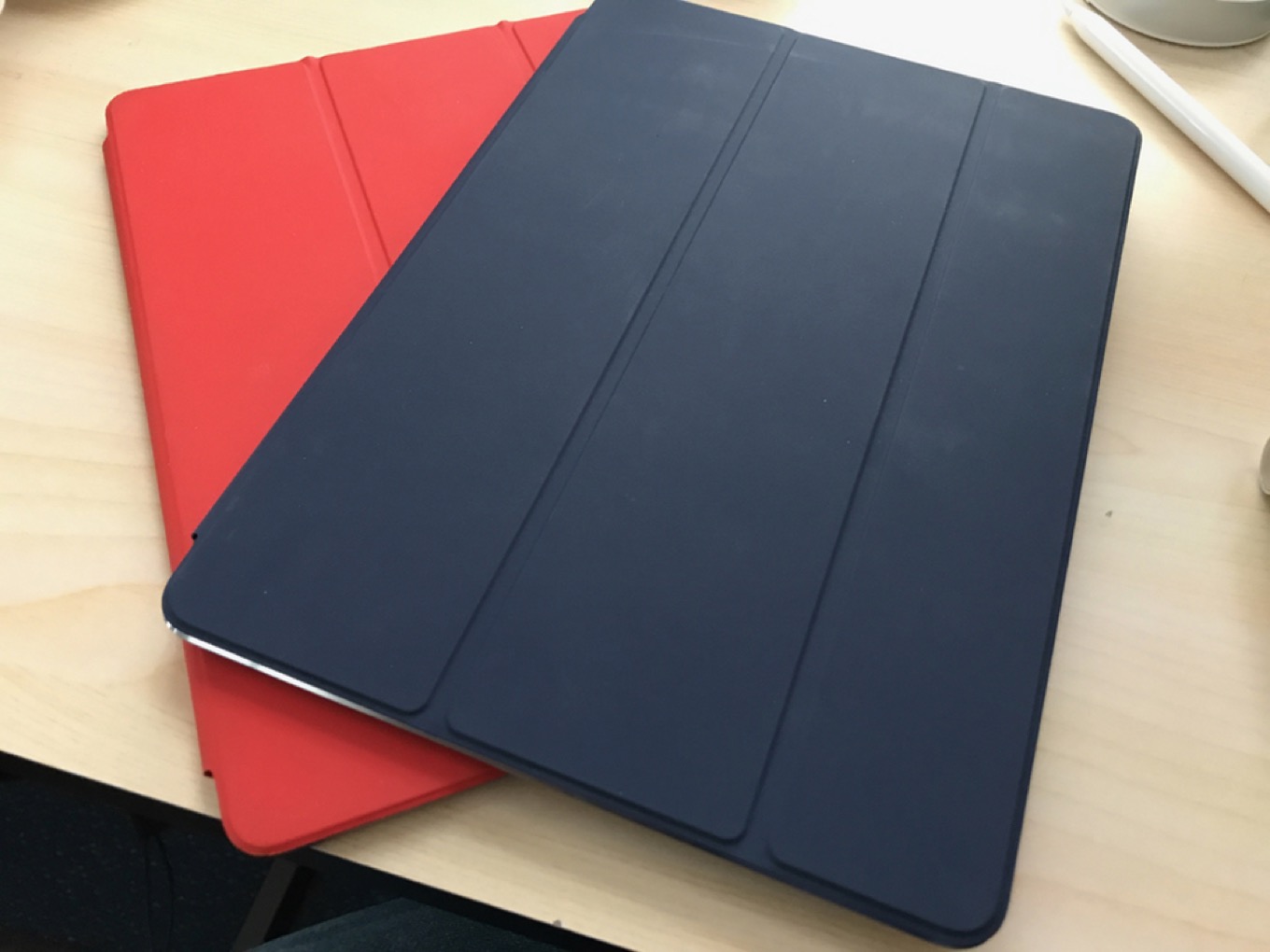
But now there are some new options. The $149 leather iPad sleeve is a bit of an odd product—again, I’ll write more about it later—but it’s available in brown and dark blue. Likewise, the new $79 leather Smart Cover is available in those colors. I bought a Midnight Blue leather Smart Cover the moment it was announced. Color, at last! (Unfortunately, if you don’t like leather, you’re out of luck—the $59 standard Smart Cover still only comes in white and gray. Double boring.)
And now, we wait. Apple’s Worldwide Developer Conference is over, and with all the announcements comes a broad understanding about where Apple is taking iOS and macOS over the next year. But there are still a few lingering questions that Apple didn’t, or couldn’t, address at WWDC.
Kudos to Microsoft: the company’s upcoming overhaul of its avatar system for Xbox opens up a ton of new customization options to ensure that you can really reflect yourself in your avatar. That means adding options like wheelchairs, prosthetics, and gender-neutral clothing.
Also in the mix are new body types, a ton of new clothing options, and even more props. Basically, it seems like if you can imagine it, you can make it happen.
What will the productivity computers of the future look like? Assuming that we’re all not going to be working on spreadsheets on our smartphones in 10 years, it’s a real question, and it’s one that Microsoft and Apple are approaching in strikingly different ways. Last week at its Worldwide Developers Conference, Apple gave us a clearer indication about which way it’s heading — and the choice is a bit of a gamble.
In a rare move, Apple CEO Tim Cook dished–albeit vaguely–about Apple’s plans in the self-driving car space during an interview on Bloomberg TV:
“We’re focusing on autonomous systems,” Cook said in an interview on Bloomberg Television on June 5. “It’s a core technology that we view as very important.”
“We sort of see it as the mother of all AI projects,” Cook said in his most detailed comments to date on Apple’s plans in the car space. “It’s probably one of the most difficult A.I. projects actually to work on.”
Cook specifically says that autonomy is a “core technology” but is also careful to point out that he’s not confirming any sort of product direction at the present. Which prompted this sort of response from Apple analyst Neil Cybart:
Cook won't say it, but I will.
Apple is working on core technologies for self-driving cars because they want their own self-driving car.
Strategically, I can see where Cybart is coming from. Apple is a company that doesn’t invest a lot of money and effort–and from all indications, Project Titan is not short on either–into anything that it can’t turn around into some sort of product. And in general that means something that it creates and sells directly to the consumer, not something that it licenses to other companies. But that doesn’t mean it won’t be working on building the underlying technologies first.
Note: This story has not been updated for several years.
I am here for this, as the kids say.
I’ve read a bunch of the Christopher Priest run of Black Panther and very much enjoyed it; have yet to really dive into Ta-Nehisi Coates’s more recent stories, but they’re high on my Marvel Unlimited list. Chadwick Boseman was really great in Captain America: Civil War, and I think this will be a fantastic dive into the character for those who aren’t familiar with him–which is probably a lot of people. Plus, such a fantastic cast: Michael B. Jordan, Lupita Nyong’o, Angela Bassett, Forest Whitaker, Sterling K. Brown, and so many more. Looking forward to this immensely.
Moreover, with the recent success of Wonder Woman, here’s hoping that Black Panther will confirm to studios that big blockbusters featuring women and people of color are worth making, in the only language that those big businesses seem to understand: profit.
[Dan Moren is the East Coast Bureau Chief of Six Colors, as well as an author, podcaster, and two-time Jeopardy! champion. You can find him on Mastodon at @dmoren@zeppelin.flights or reach him by email at dan@sixcolors.com. His next novel, the sci-fi adventure Eternity's Tomb, will be released in November 2026.]
Six Colors is sponsored this week by Linode. But in a real way, it’s brought to you every week by Linode. The server that runs this site (as well as The Incomparable) is in Linode’s Dallas data center, one of nine spread around the world.
Linode lets you get up and running with a hosted Linux server in seconds. The tools are easy to understand, and you get to choose your resources and your Linux distro. There are charts to tell you what’s going on with your server, from CPU to network transfer, so you can make sure nothing is out of hand. And if you’re worried that having a dedicated server on the Internet is going to be pricey, don’t be—Linode plans start at just $5 per month.
Linode guarantees 99.9% server uptime, so my server is reliable and available. It’s great for hosting databases, running a mail or Git server, operating apps… or even running a tech blog and podcast network.
Great piece by Johnny Lin about scam iOS apps, including an amazing “VPN app” that’s full of misspelled words and outrageous “free trials” that actually lead to exorbitant charges:
Buried on the third line in a paragraph of text in small font, iOS casually tells me that laying my finger on the home button means I agree to start a $100 subscription. And not only that, but it’s $100 PER WEEK? I was one Touch ID away from a $400 A MONTH subscription to reroute all my internet traffic to a scammer?
The App Store is huge. There are always going to be people trying to rip off users. It’s up to Apple to police its store and root this stuff out before its customers are bilked.
Note: This story has not been updated for several years.
Today at the Worldwide Developer Conference, Apple made some major announcements about improvements to its offerings to the podcast world.
As mentioned in Monday’s keynote, the Apple Podcasts app—which is almost certainly the most popular method of listening to podcasts in the world—is getting an overhaul in iOS 11, including a new interface as well as some changes to how podcasts can be structured. This comes in the way of extensions to the feed format podcasts use to list their available episodes.
New extensions to Apple’s podcast feed specification will allow podcasts to define individual seasons and explain whether an episode is a teaser, a full episode, or bonus content. These extensions will be read by the Podcast app and used to present a podcast in a richer way than the current, more linear, approach. (Since podcast feeds are just text, other podcast apps will be free to follow Apple’s lead and also alter how they display podcasts based on these tags.)
Users will be able to download full seasons, and the Podcasts app will know if a podcast is intended to be listened to in chronological order—”start at the first episode!”—or if it’s more timely, where the most recent episode is the most important.
I’m excited by these changes because, yes, some of my podcasts are seasonal and are best consumed from the first episode onward. I’ll be adjusting my own podcast feeds to take advantage of Apple’s extensions as soon as it makes sense to do so.
The other big news out of today’s session is for podcasters (and presumably for podcast advertisers): Apple is opening up in-episode analytics of podcasts. For the most part, podcasters only really know when an episode’s MP3 file is downloaded. Beyond that, we can’t really tell if anyone listens to an episode, or how long they listen—only the apps know for sure.
Ooh, podcast analytics coming for Apple Podcasts. And a new podcast feed spec with seasons and better title handling. ðŸ‘ðŸ‘
Apple said today that it will be using (anonymized) data from the app to show podcasters how many people are listening and where in the app people are stopping or skipping. This has the potential to dramatically change our perception of how many people really listen to a show, and how many people skip ads, as well as how long a podcast can run before people just give up.
While Apple’s Podcasts app is the most popular one around, it’s not the entire market—so statistics from Apple can’t be used as the source of truth for how all podcast listeners behave. But I suspect it will be used as a proxy for the larger podcast world, since it will be the largest source of listener data around.
That was one of the more subtle messages coming out of Apple’s annual WWDC keynote this year. The company had plenty of eye-catching announcements, like the new HomePod speaker and a space gray iMac Pro, but buried among the myriad capabilities of the upcoming iOS 11 and MacOS High Sierra updates are a collection of features aimed at protecting users’ privacy by targeting annoying web ads.