The thousands of employees at Apple Park will need to bend slightly to Ive’s vision of the workplace. Many will be seated in open space, not the small offices they’re used to. Coders and programmers are concerned that their work surroundings will be too noisy and distracting. Whiteboards—synonymous with Silicon Valley brainstorming—are built into floor-to-ceiling sliding doors in the central area of each pod, but “some of the engineers are freaking out” that it isn’t enough, says Whisenhunt.
No battle plan survives contact with the enemy. Some of the initial resistance will be the natural human response to any change, of course. But beyond that, there will almost certainly be real issues with moving productive Apple employees out of their offices and into big white open-plan workspaces. It’s going to be a period of adaptation for everyone who works at Apple.
We moved to an aggressively open plan, with almost no offices, when I was at IDG. I think it worked for some people, but it definitely didn’t work for others. Sometimes I think people who work in fields where an open collaborative environment makes sense don’t understand that people in other fields (writers, editors, programmers) might not share the same priorities when it comes to workspaces.
Anyway, I’m looking forward to the day when we see a picture of an occupied Apple Park workspace, with people and desks and the assorted clutter of getting work done. The new, empty spaces sure look beautiful—now let’s see how people feel about using them. Design is how it works, after all.
As open standards like HTML5, WebGL and WebAssembly have matured over the past several years, most now provide many of the capabilities and functionalities that plugins pioneered and have become a viable alternative for content on the web. Over time, we’ve seen helper apps evolve to become plugins, and more recently, have seen many of these plugin capabilities get incorporated into open web standards. Today, most browser vendors are integrating capabilities once provided by plugins directly into browsers and deprecating plugins.
Given this progress, and in collaboration with several of our technology partners – including Apple, Facebook, Google, Microsoft and Mozilla – Adobe is planning to end-of-life Flash. Specifically, we will stop updating and distributing the Flash Player at the end of 2020 and encourage content creators to migrate any existing Flash content to these new open formats.
Note: This story has not been updated for several years.
Apple’s advertising game is usually pretty on point, but the company usually brings it to bear in the service of a substantial new product. So it’s a little odd to find, with almost no fanfare, a new ad that’s entirely about Siri–a feature that debuted six years ago and has gotten almost sporadic attention since.
Then again, given that Apple also recently announced a product that boasts Siri as a marquee feature–the HomePod–it’s perhaps not shocking that it would want to spend some time rehabilitating the image of its virtual assistant. And, really, what better person to aid in that quest than the human emodiment of charm and overachievement that is Dwayne Johnson?
This isn’t the first time that Siri and celebrities have mixed; Samuel L. Jackson, Zooey Deschanel, Neil Patrick Harris, and John Malkovich have all advertised the intelligent assistant over the years, with mixed reactions.
And really, this ad is only marginally about Siri–it’s mostly about The Rock being The Rock: driving his own Lyft, flying a plane, working on his bonsai, cooking, and, of course, taking selfies in space. But, hey, it’s a fun ad, and it certainly helps remind people that Siri is there. Then again, encouraging people to give it another try might be a recipe for disappointment if Siri doesn’t quite live up to their expectations.
But this ad raises one much more important question: How come there’s no Dwayne Johnson voice for Siri, Apple? Answer me that.
[Dan Moren is the East Coast Bureau Chief of Six Colors, as well as an author, podcaster, and two-time Jeopardy! champion. You can find him on Mastodon at @dmoren@zeppelin.flights or reach him by email at dan@sixcolors.com. His next novel, the sci-fi adventure Eternity's Tomb, will be released in November 2026.]
Note: This story has not been updated for several years.
Last week I wrote about the best Mac laptop to buy for a student, based on the fact that I’m often asked by friends to recommend a laptop for their kids who are off to college or high school or just need something of their own instead of completely taking over the family computer (or one of their parents’ laptops).
I got a lot of feedback asking me why I hadn’t recommended the MacBook Air, which remains Apple’s most affordable laptop at $999. And they make a good point. The MacBook Air has long been a huge seller and is a light, capable laptop at a great price.
So I searched my feelings about why I didn’t recommend the MacBook Air, and what I found is a nagging, unpleasant feeling about the fact that the MacBook Air isn’t Apple’s latest and greatest, but a holdover from a past era that’s only hanging around because it’s cheap. While I was quick to recommend searching Apple’s refurbished Mac page, I was really pointing toward refurbished versions of the current MacBook and MacBook Pro (without Touch Bar) models, not the Air.
So here are the facts about the MacBook Air: It was basically last updated two years ago—a “refresh” this June brought an imperceptibly faster processor, but it’s still part of Intel’s fifth-generation “Broadwell” series, two full generations behind the processors in the MacBook and MacBook Pro. That’s not great in terms of envisioning how the Air will fare in three or four years—even a “new” Air bought today is really two years out of date, and in four years it’ll be six years out of date. The Air will age more rapidly, in the sense of becoming more incompatible with software and accessories, than the MacBook or MacBook Pro.
Then again: That processor is perfectly capable of doing all but the most challenging work. I have used my 2015-vintage 11-inch MacBook Air to write countless articles, edit graphics in Photoshop, and edit podcasts with a half-dozen tracks of uncompressed audio. I might not want to edit video on a MacBook Air, but beyond that, I feel like I could do about anything.
Then there’s the screen. When it comes to sharp-eyed teenagers who are used to streaming videos on Netflix and YouTube, I think the Air’s screen is actually its biggest liability. Its 13-inch screen is only 1440 by 900 pixels, so forget watching video at HD resolution. If the student in question is going to use their laptop to watch video—and I can’t speak for every teenager, but my daughter uses her laptop as her personal television all the time—they will absolutely be disappointed with the screen on the Air.
One of the Air’s assets is that it doesn’t mess around with these newfangled USB-C ports. It’s standard USB-A all the way, plus a Thunderbolt port, SD card reader, and a MagSafe power connector to avoid power-cord accidents. Today the MacBook Air requires fewer adapters and dongles than Apple’s other laptops. That’s an asset, but in three or four years it will probably be a liability, assuming that we are in the middle of a transition to USB-C. Still, for a student laptop, maybe it won’t matter.
Finally, there’s the keyboard: I’m a fan. Your student’s mileage may vary. Some people seem to really love the keyboards on the MacBook and MacBook Pro, which offer more stable keycaps but much less key travel than on the Air. I’ve written hundreds of thousands of words on the MacBook Air keyboard and I still love it. It’s my favorite laptop keyboard, bar none. I’m a bit dubious that a teenager is going to care that much about keyboard design, but if yours does, it’s worth finding out if the MacBook Air’s keyboard might end up being an advantage. It’s probably the last computer Apple will ever make with that keyboard.
So is the MacBook Air the right computer to buy a student? I’m going to stand by my previous suggestions, but of course, budget is a huge factor. If you can find a deal on a used or refurbished modern MacBook or MacBook Pro, it might be a better long-term deal than buying an Air, because they’re built with the latest and greatest tech, not stuff that’s already a couple of years out of date. But the fact is, unless your student really cares about watching HD video (and doesn’t have a different device to use to watch that) or editing video, even the $999 MacBook Air will provide enough power to do almost anything they throw at it.
Or to put it a little more succinctly: The MacBook Air is a classic, in every sense of the word. It’s old—but it’s also great.
That’s what I found myself wondering recently after the company’s GarageBand audio-editing software got a significant revamp. There’s a new coat of paint that brings it into line with the company’s pro-level Logic suite, as well as a few new tricks–not all of which are positive–but what I found more surprising is what’s still missing.
Apple clearly still intends GarageBand to be primarily aimed at musicians; that’s understandable, given the company’s deep roots in the music business. But I wish it would spend a little more time considering those of us who edit non-music audio, because there are some changes that would definitely improve our lives.
Jason Snell on the iPhone 8: http://www.macworld.com/article/3207552/iphone-ipad/apples-risky-balancing-act-with-the-next-iphone.html
John Gruber discusses possible iPhone 8 pricing: https://daringfireball.net/2017/07/speculation_on_new_iphone_pricing
Emojipedia shows us Apple’s upcoming emoji: http://blog.emojipedia.org/apple-reveals-new-emojis-for-world-emoji-day/
Has Microsoft ever seen a glass of whiskey? https://scotchwhisky.com/magazine/latest-news/12153/the-whisky-glass-emoji-is-finally-here/
Dan likes the Race for the Galaxy card game: https://itunes.apple.com/us/app/race-for-the-galaxy/id1190675052?mt=8
The Boy Genius Report takes a look at the face recognition technology Apple bought a few months back: http://bgr.com/2017/07/17/iphone-8-features-facial-recognition-touch-id-replace/
We discuss the Mira Prism: https://9to5mac.com/2017/07/18/mira-prism-ar-headset-iphone-7/
Our thanks to Shutterstock (http://shutterstock.com/rebound) for sponsoring this episode. Whether you’re making ads or brochures, you need high quality images to attract and keep customers. Go to Shutterstock.com/Rebound and get started today with a 20% discount.
Our thanks also to Zip Recruiter. Are you hiring? With ZipRecruiter.com, you can get your posting on all the major sites and social media. Go to ZipRecruiter.com/FreeTrial (http://ziprecruiter.com/freetrial) to try it out for free!
And our thanks to Couchbase (https://www.couchbase.com/therebound). Get exceptional customer experience at any scale on the Couchbase engagement database. Always on, always fast. To find out more, go to Couchbase.com/TheRebound.
A funny thing happened to the Mac mini last week. The single Mac model that’s the most long in the tooth surpassed 1,000 days without an update. But this shouldn’t be too surprising to Mac mini fans: that update, in October 2014, was 723 days after the previous Mac mini update, in October 2012. The quad-core Mac mini released in 2012 (and discontinued in 2014) still stands as the fastest Mac mini ever made, since the 2014 models maxed out at two processor cores.
What I’m saying is, the Mac mini hasn’t been loved by Apple for a long time. And yet it lingers as an active Apple product, with no promise of a future update like the one Apple gave the Mac pro in April. (“The Mac mini remains a product in our lineup,” said Apple SVP Phil Schiller that day, thereby confirming its existence.)
So why does the Mac mini remain a product in Apple’s lineup?
Apple’s launched a “journal”1 about its machine learning research:
Welcome to the Apple Machine Learning Journal. Here, you can read posts written by Apple engineers about their work using machine learning technologies to help build innovative products for millions of people around the world. If you’re a machine learning researcher or student, an engineer or developer, we’d love to hear your questions and feedback.
This illustrates two things to me: first, as we’ve realized from this year’s WWDC keynote and before, machine learning is a major topic of interest for Apple. Not just in outwardly obvious places like Siri, but across all its products in a variety of ways that are often totally transparent to users. The first post here is Improving the Realism of Synthetic Images, and it’s interesting, though it’s definitely aimed at a technical audience.
Secondly, launching a blog–even one that is unattributed–is a big deal for Apple, and kind of reinforces point one. The company’s communication strategy has definitely become more open in the past few years, even engaging on Twitter.
Note: This story has not been updated for several years.
Transmit 5, the new version of Panic’s venerable file-transfer client for Mac, has arrived at last. It’s $35 this week, up to $45 after that. There are no upgrade prices (it’s been seven years since the last version) and it’s not available in the Mac App Store, just direct from Panic.
I’ve been testing this one a while (Transmit is my primary tool for moving files back and forth to my remote web servers) and I really like the integration with Panic’s cloud-sync service, because I also use Transmit on iOS and now the two apps can keep their favorites in sync. What else is new? Cabel Sasser has the quick overview:
With one massive update we’ve brought everyone’s favorite file-transferring truck into the future with more speed, more servers, more features, more fixes, a better UI, and even Panic Sync. Everything from the core file transfer engine to the “Get Info” experience was rethought, overhauled, and improved.
As a parent of a college student and a recent college graduate who writes and talks about technology all day, I find myself being asked all the time by fellow parents for advice about buying laptops for their kids.
Parents are often apologetic about asking me, which is sweet. “This is what I do for a living,” I say. I’m happy to help friends out.1
Apple currently makes three different excellent and affordable laptops that are perfect for college students. Which one is best depends on your budget and your student’s preferences.
For the budget-conscious: M1 MacBook Air
Perhaps the best deal in Apple’s entire line-up is the M1 MacBook Air, which lists for for $999 but is frequently discounted. (As I write this, it’s available on Amazon for $749.)
Yes, it’s been around for nearly three years now, so I can see how you might be worried about investing in older hardware. But as the first generation of Macs running on Apple’s own processors, it was actually way ahead of its time, and its M1 processor is more than powerful enough to run anything most students will throw at it.
For friends who are excited about buying their kids a MacBook but who are put off by the price tags, I will often point them to the Apple Refurbished Mac page, which features deals on refurbished Mac models. You can save $150 or more with a refurbished machine, and they all come with a one-year warranty.
The safe pick: 13-inch M2 MacBook Air
The 13-inch M2 MacBook Air is clearly a better computer than the M1 model. It starts at $1099 (only $999 on Apple’s education store, which is available to anyone who is a higher-education student or parent—and yes, admitted students who haven’t yet enrolled count).
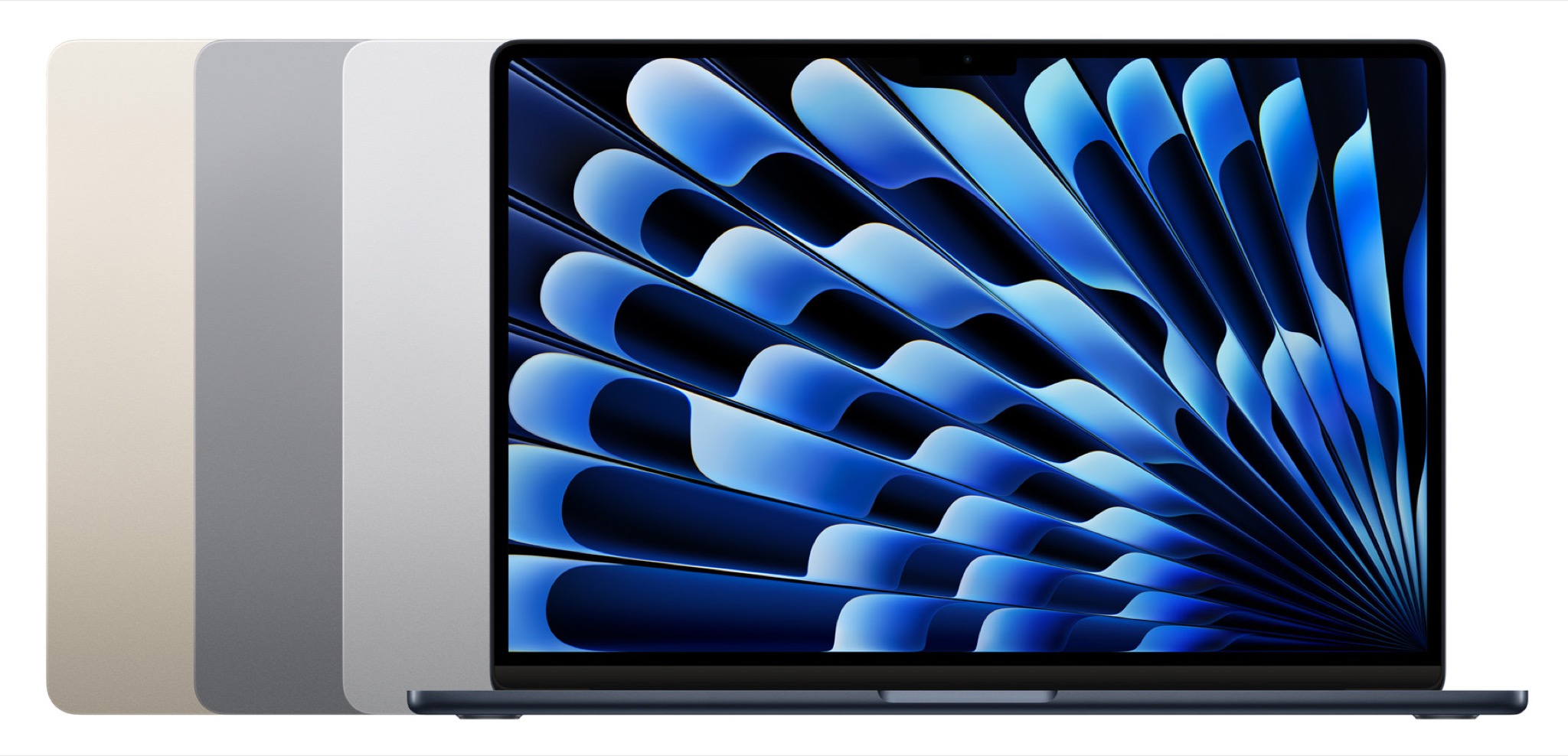
The M2 Air offers an updated design and a dedicated MagSafe charging port, as well as a slightly larger screen. It feels very much like the smaller cousin of Apple’s top-of-the-line laptops. The M2 processor is even faster than the M1, which was itself easily able to handle anything most people will ever want to do on their laptops.
Supersize me: 15-inch MacBook Air
If your student would prefer a bigger screen, even if it makes the laptop they’re carrying bigger and heavier (ask them!), there’s now an even better option: the 15-inch M2 MacBook Air. It’s exactly the same computer as the 13-inch M2 Air, but with a bigger screen. That’s it. You’ll pay an extra $200 for the privilege of the larger screen—and actually, if you’re not buying the base model but choosing to upgrade some of the specs, the 15-inch Air ends up being only a $100 premium to the 13-inch model.
It’s really down to choice. A little more money for a larger (and heavier) laptop. What does your student prioritize? If they’re not planning to carry their laptop around campus, a larger screen might tip the balance.
Final notes
What about accessories? Your kids might need some adapters and dongles, though it’s not a sure thing. We grown-ups are more likely to be obsessed with connecting all of our old peripherals via an assortment of adapters, but your kids may not care, especially if they’re footloose and fancy free and living out of a handful of boxes while eating dorm food. I know you might feel better sending your kid off to school with a bag full of Apple adapters, but they might be better off buying them as they need them.
Finally, does any kid need a new laptop for school? Certainly not. I tend to roll my technology down through the family, which extends the life of our laptops and iPads for several years. If you’ve got a family laptop, that might do the trick.
And as always, it depends on a student’s needs. If typing in Google Docs is all that’s necessary, the system requirements are awfully low. There are plenty of options out there depending on a student’s needs and your budget.
And, apparently, to use their questions as fodder for Six Colors posts. ↩
A month out, it’s pretty clear that the HomePod was one of the star attractions of this year’s WWDC. For a product that had little in the way of actual stage time (and even less in terms of what was demonstrated to journalists) and won’t ship for several months yet, it certainly grabbed a lot of the airtime directly following the event. And in that, it follows in the merry tradition of products like the original iPhone and the iPad.
But it’s hard to tell from the meager time devoted to it just how important Apple thinks the HomePod is. Its “kicker” placement at the end of the keynote would suggest that the company thinks the device is positioned to make a big splash, but the intense focus on music also seems to point to more of a niche utility for many.
So, which is it? Is the HomePod a product on the same level of importance as the iPad or Apple TV, or is it simply a souped up version of the iPod Hi-Fi?
As there always are at this time of year, there are lots of rumors out there about what the next iPhone will be. This year we’re hearing that Apple is going to release a high-priced, next-generation phone in addition to the expected iPhone 7S and iPhone 7s Plus models.
The idea that Apple might make an ultra-high-end phone with a huge price tag has rubbed many people the wrong way. Daring Fireball’s John Gruber did the math, and while this potential move makes a lot of sense, it’s also a gamble on Apple’s part. But if Apple didn’t release a next-generation phone this fall, it would also be risking the fortunes of both its brand and its most important product.
Note: This story has not been updated for several years.
When I set up my new iMac the other week, I ran into a complication: my old iMac had contained a separate 1TB internal hard drive that I’d used as, among other things, a network Time Machine backup location for my MacBook Air. But the new iMac only has a 512GB internal SSD, which I didn’t want to use for that purpose. So, how best to back up my MacBook Air and my new iMac?
I’d considered buying a NAS and using that to back up both of those Macs as well as my Mac mini, but Jason pointed me to another solution: macOS Server’s built-in Time Machine Server. I already use macOS Server for a handful of other tasks, like hosting a VPN, which meant I’d already shelled out for the $20 price tag. So, instead of spending a few hundred bucks on a NAS and the requisite drives, I instead bought The Wirecutter’s well-rated4TB Seagate backup drive for just $100.1
And, as it turns out, setting up Time Machine Server really couldn’t be easier: essentially you flip the On switch in macOS Server and pick where the backups are going to live. Then, on each computer you want to backup, select the new Time Machine backup location. That’s it. You’re done. (If you want more detailed instructions, Jeff Battersby has a walkthrough at Macworld.)
There’s just one caveat: by turning that drive into a backup location for Time Machine Server, you can’t also use it as a Time Machine drive for the server itself without partitioning it into two separate drives. So, for the moment, I’m relying on the SuperDuper! clone for my Mac mini and its CrashPlan integration. Though, given all the free space on that 4TB drive, I’ll probably partition it up at some point. Update: Reader Chris relates that this may not be the case. I can’t test presently as my Time Machine drive and Mac mini drive have different file formats, but your mileage may vary.
Update: As reader David points out, one option Time Machine Server does offer is the ability to limit each machine’s backup to a maximum size. This is a good idea, as otherwise, one of your Time Machine backups could just eat up all the available disk space. To do so, just select the backup location in Time Machine Server and hit the Edit button. Then enter a number of gigabytes for the limit. (As the dialog notes, you’ll have to be running Mavericks or later for the Macs to respect the limit.)
Among the virtues of this drive is that it’s bus-powered, which means no external power cable. It may not be quite as fast as a Thunderbolt drive, but it’s also cheaper. ↩
[Dan Moren is the East Coast Bureau Chief of Six Colors, as well as an author, podcaster, and two-time Jeopardy! champion. You can find him on Mastodon at @dmoren@zeppelin.flights or reach him by email at dan@sixcolors.com. His next novel, the sci-fi adventure Eternity's Tomb, will be released in November 2026.]
Joyous Prime Day to our readers.
We hope you availed yourself of the sweet deals, such as this 18-pack of flashlights: https://www.amazon.ca/EverBrite-Aluminum-Flashlight-Batteries-Included/dp/B01CTX742M/
Or maybe some cat-eared headphones: https://www.amazon.com/iClever-BoostCare-Headphones-Cat-inspired-Headsets/dp/B01MXXPA93/
Or a tasty treat for, uh, dogs, I think: https://www.amazon.com/dp/B01G8RXYK6
Japanese mayo is definitely for humans: https://www.amazon.com/Japanese-Kewpie-Mayonnaise-17-64-Pack/dp/B00279RYEM/
This story about a smart home device calling the local sheriff’s office originally said it was a Google Home, now it doesn’t specify which device it is: http://abcnews.go.com/US/smart-home-device-alerts-mexico-authorities-alleged-assault/story?id=48470912
Google denies it’s even possible with their device.
Our thanks to Shutterstock (http://shutterstock.com/rebound) for sponsoring this episode. Whether you’re making ads or brochures, you need high quality images to attract and keep customers. Go to Shutterstock.com/Rebound and get started today with a 20% discount.
Our thanks as well to Indochino (https://www.Indochino.com) where you’ll find the best made to measure shirts and suits at a great price. Use the promo code “REBOUND” and get any premium suit for just $379.
And our thanks to Casper (https://casper.com/therebound) for sponsoring this episode. You spend about a third of your life sleeping, make sure it’s on a good mattress. Go to casper.com/therebound to start your 100-day money-back trial. You’ll get $50 off by using the code “REBOUND”.
Note: This story has not been updated for several years.
Over the weekend it seems that there was an uproar about the future of 1Password, despite a seeming lack of new news on the subject. Lorenzo Franceschi-Bicchierai summarizes at Motherboard:
In the last few years, 1Password has become a favorite for hackers and security researchers who often recommend it above all other alternatives… Last weekend, though, several security researchers tweeted that 1Password was moving away from allowing people to pay for a one-time license and have local password vaults, in favor of its cloud-based alternative that requires a monthly subscription.
It seems to me that there’s some conflation going on here. As with so many software products that mix mobile and desktop and cloud, 1Password’s publisher decided that the way forward for the product was to create a subscription package1. When you subscribe to 1Password, you also get access to 1Password’s new cloud syncing service.
1Password believes—correctly, in my opinion—that for most users, a built-in cloud sync service designed specifically for 1Password is going to be a better option than using another cloud service like iCloud or Dropbox, which 1Password has supported for quite a while. 1Password is quite open about how its security is designed, including the fact that the decryption key for your passwords is never synced with the cloud, so even if a hacker were to penetrate 1Password’s security and get your online vaults, all they’d get access to is doubly-encrypted garbage.
Judging some of the Twitter threads I read today, what’s really happening is that some people simply hate the idea of software subscriptions and are sowing fear over 1Password’s security and local file syncing as a way of lashing out.
While Kate Sebald of AgileBits told me today that 1Password’s sync service is actually more secure that syncing a local vault via Dropbox or iCloud, it would have been a whole lot harder for AgileBits to convert users to a subscription model without a cloud-syncing service. Countless software companies have realized that offering ongoing subscription fees, integrated cloud services, and mobile-device syncing in a package is the best way to generate a sustainable revenue stream. I pay an annual fee for Office 365 and Adobe Photoshop and, quite frankly, they’re worth it. (And yes, both of those subscriptions include desktop, mobile, and cloud features.) Is 1Password worth $36/year (or $59/year for a family)? I think so, but your mileage may vary.
Still, AgileBits knows that a (loud, angry) portion of its customer base hates software subscriptions. A senior AgileBits person told me via email today that while it would have been much easier for the company to make 1Password a subscription-only product years ago, it has instead done extra work to allow both models to coexist.
As for using local storage for 1Password vaults: Sebald emphasized that the company will “go to great lengths to preserve [the] choice to use local vaults, even if we are encouraging new users to make a different choice.”
In other words: AgileBits is building a cloud service that it feels is safe, secure, and convenient for the vast majority of its users. But 1Password still supports local storage, too—and it seems like it will do so for the foreseeable future2. The app isn’t going to force you to sync your passwords via its cloud service if you don’t want to. However, in terms of what the company communicates to its user base and recommends to new users, that’s going to be focused on using the 1Password.com sync service rather than local vaults, and the company is building new features like Travel Mode around the sync service.
Windows version 6 does not support local vaults, but version 4 still works. Still, this does show that AgileBits is not prioritizing local vault features. ↩
With the iPad Pro, Apple is unabashedly making the case that the iPad is a platform that can be used for serious work. While the iPad isn’t going to work for every person’s specific needs, its successes in the enterprise and among grassroots iPad-only professionals suggests that the iPad is already being used to do a whole lot of serious work. The new iPad Pro models and this fall’s release of iOS 11 (now in public beta) are great news for anyone who wants to use an iPad to get work done.
In June, Apple updated both of its iPad Pro models. The larger one, with a 12.9-inch screen, has always been great at text input because of its expanded dimensions: Apple’s Smart Keyboard accessory offers full-sized keys, and even the on-screen keyboard is big enough to be considered full-sized. But the smaller iPad Pro model, which gained a 10.5-inch screen (up from 9.7 inches) and a few millimeters of extra width in landscape mode, is a much better device for typing than its predecessor, with the Smart Keyboard gaining full-size QWERTY keys and its software keyboard stretching to take advantage of the wider screen. With iOS 11, the typing story gets even better: Apple’s new software keyboard features a second set of symbols that can be triggers with a flicking gesture while typing; once you get used to it, text entry on the iPad speeds up a lot because toggling to the secondary keyboard for numbers and symbols becomes a rarity.
Five years later, the advice is starting to wear thin. Nearly all major web services now provide some form of two-factor authentication, but they vary greatly in how well they protect accounts. Dedicated hackers have little problem bypassing through the weaker implementations, either by intercepting codes or exploiting account-recovery systems. We talk about two-factor like aspirin – a uniform, all-purpose fix that’s straightforward to apply – but the reality is far more complex. The general framework still offers meaningful protection, but it’s time to be honest about its limits. In 2017, just having two-factor is no longer enough.
Here’s the thing: cybersecurity is an ever-evolving arms race. As our security measures get better, hackers also up their game at circumventing them. Two-factor authentication really is the bare minimum any remotely vulnerable site should offer these days and, as the article points out, ones that rely on SMS codes should really be moving away from that. As Justin Williams’s story from last week demonstrates, that’s just not secure enough.
My thanks to FlightLogger for sponsoring Six Colors this week. Since the demise of FlightTrack earlier this year I’ve been on the lookout for a replacement app. I’ve found some replacement apps that I’ve been using, but FlightLogger looks great and I’m giving it a spin on my next summer trip.
FlightLogger is an all-new app that lets you search and save flights, get up-to-date notifications on any changes, share your travel coordinates with friends and family, and much more. FlightLogger provides real-time flight tracking for updates on departure and arrival times, delays, cancellations, gate and baggage claim information, and syncs across your devices (including iPad and Apple Watch).