Last week’s “Peek Performance” event saw the company launch its latest low-cost iPhone, a revamped iPad Air, an external display and, oh yeah, the first brand new Mac model in years. Those announcements picked off a bunch of the low-hanging fruit and rumored hardware introductions, with about three months to go until the next likely gathering, Apple’s annual Worldwide Developers Conference.
Of course, the company could take a load off and put up its feet until the iPhone launch in September, leaving June for dealing with the many updates to its software platforms, but that doesn’t seem likely. This past week’s announcements may have answered some questions about the future of Apple’s product roadmap, but it definitely raised some new ones as well.
Apple’s announcement of the Mac Studio on Tuesday may have fulfilled a dream that some Mac users have been clinging to for a couple of decades. Finally, there’s a modular desktop Mac that’s more powerful than the Mac mini without carrying the Mac Pro’s high price tag.
Back in the ‘90s and early 2000s, being a Mac nerd meant using a Power Mac. The arrival of the original iMac in 1998 was greeted with enthusiasm by Mac nerds because it meant that Steve Jobs might be able to restore Apple to greatness after it foundered in the mid-’90s—but none of them would ever stoop to using one themselves.
When Jobs returned to Apple, he presided over a dramatic and necessary simplification of the product line. The desktop Power Mac, a go-to model for power users, vanished in 1998. The choices dwindled to the underpowered iMac (and later, the Mac mini) on one end, and the increasingly expensive Power Mac/Mac Pro tower on the other.
In between, at least for Mac power users, was a desert. And rising out of the desert was a glorious mirage: a mythical mid-range Mac minitower like the Power Macs of old. This legendary creature was known as the xMac.
Late in 2021, my wife and I moved to a new house, which meant packing up everything in my office of more than a decade and then setting it up all over again in my new (but somewhat smaller) office.
In some ways this was a good opportunity to revisit my setup, try to simplify some aspects of it—perhaps discovering some items I could do without, or maybe enhancing my current setup with new devices to help me do different types of things.
I’ll let you guess which one of those impulses largely won out.
Six months later, there are still some parts of my office that remain in disarray (some pesky piles of old papers that I can never quite seem to get rid of), but my work setup has at least been pretty stable for my most common tasks: writing, recording and editing podcasts, and the occasional bit of video streaming.
With that said, here’s what I’ve got powering my home office these days.
My thanks to Magic Lasso Adblock for sponsoring Six Colors this week. Magic Lasso Adblock is an efficient and high performance ad blocker for the iPhone, iPad and Mac. It runs as a native Safari content blocking extension, and blocks intrusive ads, pop ups and trackers, including best-in-class YouTube ad blocking.
Magic Lasso Adblock respects your privacy, doesn’t accept payment from advertisers and is 100% supported by its community of over 150,000 users. You can download it for free today via the Magic Lasso website, the App Store, and Mac App Store.
Mac Studio, A missing Mac, and a new iPad
Jason bought a lot of stuff this week, some of it more unexpected than others. Dan bought a new iPad—but not the one you’re thinking of. And where does the Mac Studio fit?
Consider the features of that iMac: An optional nano-texture display and a 3.6GHz 10-core Intel Core i9 processor. Macworld’s reviewed iMac configuration cost $4,499—clearly aimed at pro users. Now consider that the original iMac, when it was introduced in 1997, was underpowered and cost $1,299 for the general consumer. The evolution of the iMac took a strange turn. What happened?
One takeaway from Apple’s Peek Performance event this week: the Mac is increasingly a platform for pros.
After years of pros feeling ignored by the company, that’s a heck of an about-face. But Apple’s delivered a slew of impressively powerful Macs: the iMac Pro, the new Mac Pro, redesigned MacBook Pros, and so on.
But when the dust from this week’s event cleared, I found myself wondering about the space between the low-end consumer offerings and those computers aimed at professionals1—or rather, the lack thereof, especially on the desktop.
If you’re someone looking to pick up an affordable desktop Mac just for some basic tasks—browsing, email, light media creation—you’ve got two pretty solid options: the M1-powered Mac mini, which starts at $699, and the M1-powered iMac starting at $1299 (or, to get one with a comparable GPU as the mini, the $1499 model).
Meanwhile, those looking for more power now have the option of the $1999 or $3999 Mac Studio models, or the $5999 Intel Mac Pro—none of which, of course, include a display. The Mac Studio packs a punch with the M1 Max chip that was, until this week, the most powerful chip ever put in a Mac. (Not to mention the 13-inch, 14-inch, and 16-inch MacBook Pros on the laptop side.)
But what if you’re someone who falls in the middle, what once was called the “prosumer” market? There’s actually a surprising dearth of options on the desktop side. The Mac mini and iMac offer only the 8-core CPU/8-core GPU M1 processor—even in the top of the line iMac, starting at $1699. To get anything more than that, you’d have to jump to a $1999 Mac Studio, and then add a display like Apple’s new $1599 Studio Display.2 That’s $2000 more than that top of the line iMac.
Moreover, because of the limitations of the M1 chip, the iMac and the Mac mini offer only a maximum of 16GB of RAM and two Thunderbolt ports—the same as an M1 MacBook Air.
As someone who falls squarely in that gap—and I’ve talked to more than a few other people in the same situation over the past 24 hours—I’ve been scratching my head. What exactly is the option for someone who needs more power than an M1 Mac mini or 24-inch iMac—or for that matter, a larger display—but doesn’t have an extra couple grand in the budget?
Previously, that gap was filled by the 27-inch iMac, but as that’s now been discontinued, there’s now a gaping hole in Apple’s line-up.
It sure feels like there’s another shoe to drop here. The most obvious option would be to offer better chips in the iMac and Mac mini, and fortunately, Apple’s already got a template for that over on the laptop side: namely, the M1 Pro.
Currently, the M1 Pro exists in only two products: the 14- and 16-inch MacBook Pro. That’s a little peculiar when you think about it. The M1 has been spread through a variety of computers, the M1 Max exists on both the laptop and desktop, and the new M1 Ultra is bound to the desktop mainly because the included thermal system would be way too big and heavy for laptops.
But there doesn’t seem to be any reason that the M1 Pro, with its 10-core CPU, 16-core GPU, support for 32GB of memory, and more than two Thunderbolt ports, couldn’t make an appearance in the iMac and Mac mini. That would provide some desktop options comfortably in the $2500 range (including an M1 Pro mini paired with a Studio Display), which is a price point that Apple’s desktops don’t really hit at the moment.
I’d be shocked if those chips weren’t available as a build-to-order option3 at some point, perhaps even around WWDC, though it’s also possible that Apple is waiting to skip those models directly to the M2.
As someone who is personally looking to replace a 2017 27-inch Intel iMac, I’m a little at loose ends right now. I’ve got an M1 Air, so an M1 mini or M1 iMac is mostly just a lateral move from that. And buying a Studio Display to pair with that Air means both getting everything off of my iMac, as well as locking myself in to probably a Mac mini.
Apple’s focus on the pro markets is definitely commendable: with the Mac Studio, MacBook Pro, and forthcoming Mac Pro, it’s clear that they take that audience seriously. But I’m hoping the prosumer story has more to it than just “M1 or bust.”
On the Mac, anyway, “pro” seems to have a bit more meaning behind it than on the iOS/iPadOS side. ↩
And while, sure, you could connect a lower-cost monitor, there’s a reason Apple fans have been clamoring for a display that’s comparable to the one found in the iMac line. ↩
Not that I’d say no to an M1 Max option either, though on the mini side, that has the potential to cannibalize Studio sales. ↩
[Dan Moren is the East Coast Bureau Chief of Six Colors, as well as an author, podcaster, and two-time Jeopardy! champion. You can find him on Mastodon at @dmoren@zeppelin.flights or reach him by email at dan@sixcolors.com. His next novel, the sci-fi adventure Eternity's Tomb, will be released in November 2026.]
The iPad Air’s place in Apple tablet lineup, how we avoid succumbing to the news 24/7, our dreams of being radio DJs, and what one thing we’d change about Apple’s new display.
It’s not every day that Apple announces an entirely new Mac model, as it did Tuesday with the unveiling of the Mac Studio. And everyone knows that Apple’s track record on releasing standalone displays has been sketchy in recent years. But on Tuesday, Apple also did something it has never done before, namely announcing a wide-ranging deal with a major sports league. According to Mike Ozanian of Forbes, the deal is worth $85 million annually over 7 years ($595 million in total) with opt-outs after the first and second years.
For years, there have been rumors that Apple was building out a live-sports infrastructure. Streaming live video is not the same as streaming on-demand video; while prerecorded content can be loaded up in advance on wide-ranging content-delivery networks, live content is coming down in the moment, and must be relayed to everyone watching. And of course, even the most popular on-demand content is viewed asynchronously across hours, or days, or even weeks, while live sports are almost entirely viewed right then, meaning that streamers have to support much higher concurrent viewers.
Major League Baseball was actually a pioneer in this space, building up MLB Advanced Media, which was sold to Disney and is the bedrock of Disney’s streaming strategy (including ESPN). And now here comes Apple, with the first of what is likely to be multiple sports deals to increase the value of an Apple TV+ subscription. (The company is rumored to be bidding on the NFL Sunday Ticket out-of-market game package, and has also been named in various reports involving college conferences including the Pac-12.)
Here are my quick-hit reactions to Apple’s March 8 event, at which the company updated the iPhone SE and iPad Air, rolled out a brand-new Mac and external display, and made a few other assorted announcements.
The home button’s last hurrah
The new iPhone SE continues to be a modern take on the iPhone 8. One of these days, this design will fade into oblivion like the original iPhone SE design (based on the iPhone 5). But Tuesday was not that day.
With an A15 processor inside, I’d imagine this SE will be on sale for a couple of years at the very least. But I’m going to call it now: The next time the iPhone SE gets updated, it will be to a different design, and it will not have a home button. (The home button—and the enormous bezel around the screen that it requires—already feel old.)
I wouldn’t be surprised if the next iPhone SE, in 2024 or 2025, resembles the current iPhone minis. We’ll see. Failing that, at the very least, I’d expect Apple to repurpose the “sleep/wake button as Touch ID sensor” concept from the iPad Air into a future low-cost iPhone.
The iPad Air and the joy of re-using hardware
Tuesday’s iPad Air update was anything but surprising. Other than the iPad Air getting an M1 processor instead of an A15, it feels like it’s marching in lockstep with the iPad mini. The iPad Air got 5G cellular and support for Center Stage, which the iPad mini already had.
I’m more struck by the fact that the iPad Air’s specs show just how efficient Apple can be about standardizing hardware and re-using it across multiple devices. Its 12-megapixel wide-angle camera (with Center Stage software) is now available on every single iPad as well as the new Apple Studio Display. Its M1 processor is in every iPad Pro plus the iPad Air, the MacBook Air, the 13-inch MacBook Pro, the 24-inch iMac, and the Mac mini.
I’m not saying Apple is like Taco Bell, making many different meals out of the same ingredients. But… maybe a little? Anyway, I’m hungry. Did someone mention tacos?
The mystery of the iMac
As Dan pointed out earlier, Apple chose Tuesday to remove the 27-inch iMac from sale. It’s a curious decision since the Mac Studio doesn’t really serve as a one-to-one replacement—especially when you add in the cost of an external monitor.
There’s a lot going on here. For more than a decade, Apple has pushed up the price of the Mac Pro, driving a lot of what we used to call “power users” to instead buy specced-up versions of consumer Macs like the iMac and Mac mini. The Mac Studio could be seen as an attempt to let the iMac and Mac mini go back to what they were before, with the Mac Studio shouldering the load as the provider of computing power to people who want it.
But… the big iMac wasn’t just about power. It was also about that big, gorgeous screen. (The new Studio Display uses the same panel as the 5K iMac and iMac Pro, for what it’s worth.) I have a hard time believing that Apple thinks that the single 24-inch iMac design is all that’s required.
So, a prediction: I think we’ll see a larger iMac next year. But I don’t think it will be capable of being specced up into the equivalent of a Mac Studio. More likely, it’ll be a larger version of the 24-inch iMac running an M2 chip. And it will please a lot of people who want a bit more than the 24-inch iMac, but don’t need to spend $2000 on a Mac Studio and then find a display to use with it.
A display with Apple silicon
The Apple Studio Display comes with its very own A13 Bionic processor. Seems a little extra, doesn’t it? But here’s why: That A13 is doing the work of Center Stage, scanning the wide-angle camera image for faces and scaling and moving the view so that people are always in frame. It’s also processing the audio being sent to it, creating spatial audio effects for the Studio Display’s speakers.
While it’s true that an Apple silicon-based Mac could probably do all that work itself, it’s important to remember that the Studio Display is also compatible with Intel Macs, including models from all the way back in 2016. The onboard A13 ensures the work is done in the display before the result is sent back to a Mac.
(For the record, the Studio Display also works with the iPad—or at least, recent iPad Pro models and the new iPad Air. Unfortunately, it will still work in iPadOS’s unsatisfying mirroring mode, because that’s all the iPad is capable of right now.)
The end of the M1 era
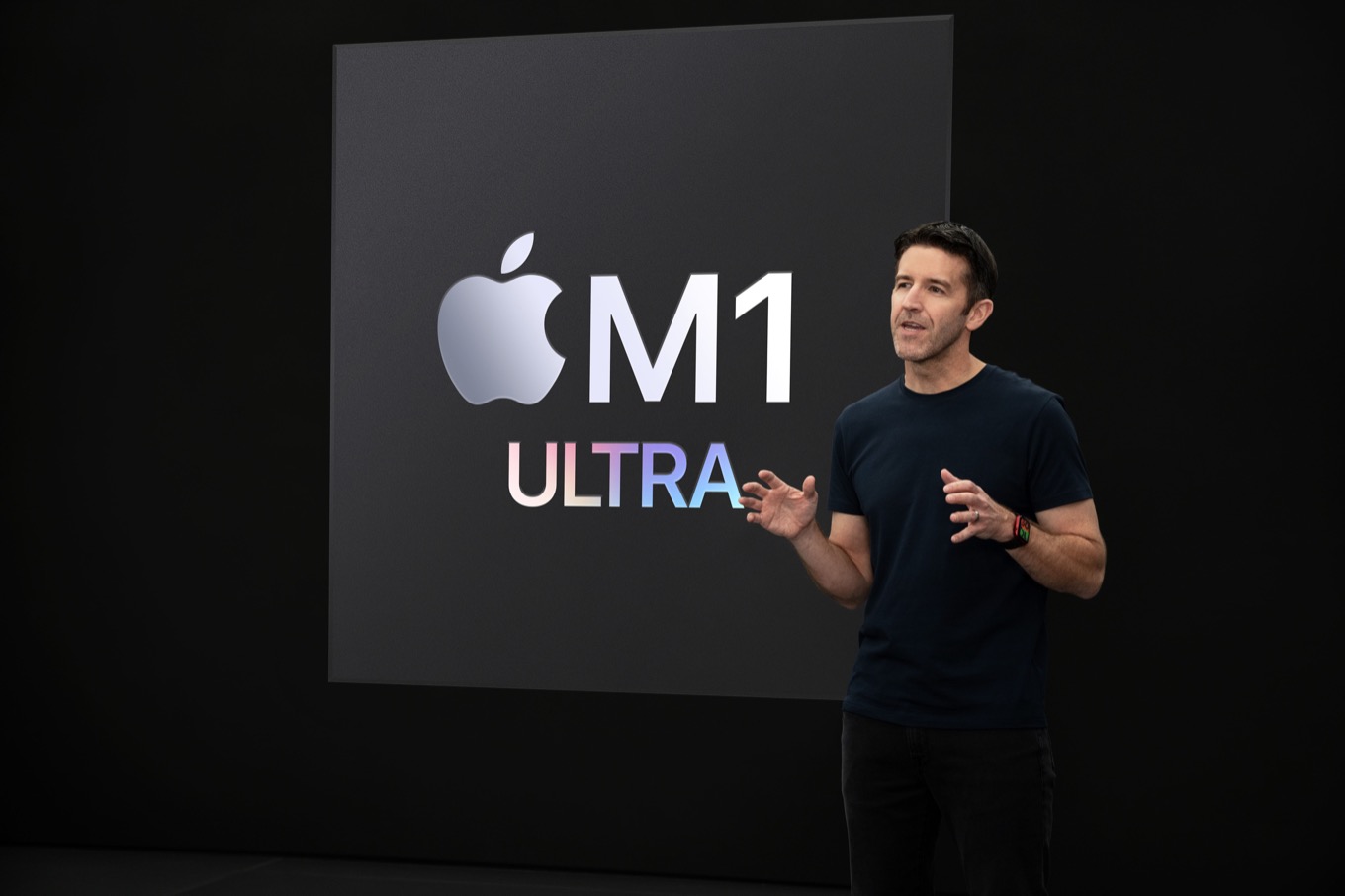
You heard Apple’s John Ternus right: The M1 Ultra is the final chip of the M1 era. No other M1 chips are waiting in the wings—this is it. And what a finale! The M1 Ultra is two M1 Max chips, the ones that wowed all of us when the 2021 MacBook Pros were released, stuck together through an ultra-high-speed interconnect.
There’s a good reason the M1 Ultra wasn’t named something like the M1 Max Duo: it’s not two chips, it’s two complete systems-on-a-chip combined into a single package. From the perspective of the system, and of the chips themselves, they aren’t two individual chips but a combined entity. Developers won’t need to modify their apps to properly take advantage of the M1 Ultra. Everything works together, from shared memory banks to processor core assignments.
Apple didn’t even need to build new scheduling intelligence into macOS to make sure that the right cores on the right chips were being used to be more efficient. The M1 Max chip itself is intelligent about saving energy by shutting off unused elements, so there doesn’t need to be a micromanager at a high level trying to spread the load.
Given that Apple’s Jon mentioned that there was a new Mac Pro on the way, but that it was a topic for “another day,” I think we’re going to have to assume that the Mac Pro will be getting a chip based on the M2 processor, not the M1. (Some reports suggest Apple is at work on a 40-core monster, essentially tying two M1 Ultras together for use in that forthcoming Mac Pro.)
Since this is the end of the era, I’d expect Apple to turn the page soon and introduce the first wave of M2-based Macs. The M2 will probably be a somewhat modest improvement—you can’t make a big leap in performance and energy efficiency like the M1 every time out. Then again, the A15 processor was more of an improvement over the A14 than most of us had expected, so I’d expect the M2 to be more than a minor update.
It’s not every day that Apple introduces an entirely new Mac line. But on March 8, that’s exactly what happened. Jason, Myke, and special guest Stephen Hackett discuss the new Mac Studio and Studio Display, along with the updated iPad air and iPhone SE.
As always, the facts come fast and furious at an Apple event, so some details about its latest products fall through the cracks. Others, the company chooses not to dish out, leaving instead for its press releases and product pages.
Here are a few things that you might not have caught in the initial barrage.
“Friday Night Baseball” will be available on Apple TV+ — and, for a limited time, without the need for a subscription.1
However, Friday Night Baseball won’t be the only baseball content Apple’s providing. There’s also a live show airing every weeknight, “MLB Big Inning”, featuring highlights and glimpses of games. Plus, there’s a 24/7 livestream with replays, classic games, and more, as well as on-demand content.
Can’t stand it
Apple’s new Studio Display looks impressive, but depending on how you want to mount it, it could cost a little bit more.
Either the standard tilt stand or a VESA mount option will be included in that base $1599 price, but if you want the fancier height-adjustable stand, it’ll boost the price $400 to $1999. (Still a fraction of the cost of the $999 Pro Stand for the Pro Display XDR, so I guess Apple’s been improving the cost-efficiency of its stand technology.)
Oh, and the nano-texture option on the glass to reduce glare will cost an additional $300 over the display’s base price.
Your Studio, your way
$1999 isn’t a bad intro-level price for the Mac Studio: for that, you get an M1 Max processor with a 10-core CPU and 24-core GPU.
Jumping to a 32-core GPU will cost you $200, and from there you’ll have to make the move to the M1 Ultra, with a 20-core CPU and 48-core GPU for $1400. The higher powered 64-core GPU M1 Ultra will really ratchet up the cost, by $2400.
RAM options aren’t for the faint of heart either. The base model has 32GB of unified memory, with an option to pay $400 for 64GB.
Going higher than that, to 128GB, requires the M1 Ultra chip and will set you back $1200 from the base model. (Obviously, it’s a little cheaper if you start with the M1 Ultra model.)
The base model also comes with a 512GB SSD, with options to upgrade to 1TB for $200, 2TB for $600, 4TB for $1200, or $2400 for 8TB.
The only other key difference between M1 Max and M1 Ultra models are that the former has only USB-C ports on the front, as opposed to the latter which features Thunderbolt 4 ports.
The $3999 model, by comparison, starts with an M1 Ultra, 64GB of memory, and 1TB SSD.
And in case you’re wondering what the most expensive model would be, maxing out the high-end model will take you to $7999—and that’s without keyboard, pointing device, or display.
27 ways to say goodbye
At the end of the event, Apple senior vice president of hardware, John Ternus, made an interesting pronouncement:
They join the rest of our incredible Mac lineup with Apple silicon, making our transition nearly complete, with just one more product to go: Mac Pro. But that is for another day.
It’s an interesting statement, given that many had expected a replacement for the 27-inch iMac to appear at some point. And Ternus’s statement doesn’t preclude it—there’s every possibility Apple could roll one out in the coming months, treating it as nothing more than an expansion of the existing iMac line. (Though it would be harder to imagine it being branded as an “iMac Pro” then, as many have predicted.)
However, as the dust of the event cleared, the existing 27-inch iMac was nowhere to be found: it’s no longer displayed on the Mac section, nor is it obviously available for purchase on Apple’s website. Putting it in the Compare tool shows no price, nor Buy button.
So is there a replacement on the way? We’ll probably have to wait until June—at least—to find out.
Updated at 4:37pm Eastern to clarify the status of Friday Night Baseball.
One has to wonder if the current contract dispute that led to a delayed season start played any part in this. ↩
[Dan Moren is the East Coast Bureau Chief of Six Colors, as well as an author, podcaster, and two-time Jeopardy! champion. You can find him on Mastodon at @dmoren@zeppelin.flights or reach him by email at dan@sixcolors.com. His next novel, the sci-fi adventure Eternity's Tomb, will be released in November 2026.]
Disney inevitably embraces advertising, NBC inevitably takes its ball and goes home, and The Batman inevitably forces a discussion about the future of theatrical releases.
This is it: Apple’s 2022 is kicking off in earnest on Tueaday at the company’s “Peek Performance” event. It’s likely to feature the first of its major product announcements for a year that, based on rumors, is jam-packed with new developments out of Cupertino.
Unlike the immense spectacle that is the company’s June Worldwide Developers Conference—in which the company rolls out its software road map for the year ahead—or the flashy iPhone-centric announcements of the fall, Apple’s spring events tend to be more of a hodgepodge, featuring whatever the company has ready to go. In the past, that’s ranged from iPads to Macs to the occasional iPhone, with plenty of other wildcards thrown in the mix.
As we look ahead to the spring event, let’s run down the most likely culprits that Apple may indeed let us peek at.
An interesting development in terms of Apple corporate governance, as reported by Levi Sumagaysay of MarketWatch:
Apple investors on Friday voted to support an audit that would examine the impact of the tech giant’s policies and practices on the civil rights of employees, customers and society, as well as an investigation into the company’s use of concealment clauses.
It’s not very often that measures opposed by Apple pass at these meetings, but two of them did. The first will prompt a third-party audit of Apple’s commitment to civil rights, and the second will very specifically probe how the company may have used non-disclosure agreements to induce former employees into silence about working conditions.
Apple, of course, said that the measures were unnecessary because Apple was already doing everything required of it in these areas. It seems like the company may have the opportunity to prove that such statements were correct, and not made in the interest of hiding questionable practices.
Soccer writer Grant Wahl went to Qatar to report a story in advance of this year’s World Cup soccer tournament. Apparently everyone in Qatar needs to install an app that tracks your location at all times in order to do anything, citing Covid safety:
The way the Qatari government explains it, Ehteraz is a Covid-19 app that’s designed for public health. But as anyone who’s seen the app can tell you, Ehteraz is also a tool that the Qatari state can use to monitor your location at any time. And that’s more than a little scary…
On the morning after my second night in quarantine, someone knocked on my door, gave me a Covid rapid test and told me I’d be free to go in 15 minutes if it came up negative. Which it did. But I still couldn’t enter any public buildings in Qatar until my Ehteraz app was working and I could show a green QR code. (A green QR means you’re negative, a yellow one means you’re in quarantine, a red one means you’re positive and a grey one means you’re a suspected positive.)
All the international tourists who are planning on going to the World Cup at the end of the year should be prepared. For the rest of us, this is a good example about how an authoritarian government can use smartphone technology to track everyone’s movements—and make it essentially impossible to opt out.
In short, MaskerAid allows you to quickly and easily add emoji to images. Plus, thanks to the magic of machine learning, MaskerAid will automatically place emoji over any faces it detects.
I got to try this app during beta testing and it’s a lot of fun to use. If you want to deface photos with emojis, or cover up faces of people who didn’t consent to have their faces shared on the Internet, it does the trick in nifty fashion.
MaskerAid (get it?) is free on the App Store with just the 🙂 smiley emoji enabled; a $3 in-app purchase unlocks every single emoji, so you can place a Japanese Ogre on the faces of your loved ones instead.