Six Colors
Six Colors

Apple, technology, and other stuff

This Week's Sponsor

Magic Lasso Adblock: Effortlessly blocks ads, trackers and annoyances on your iPhone, iPad, Mac and Apple TV

By Joe Rosensteel

You can use Clean Up with a clear conscience

Next week, the first round of Apple Intelligence will be loosed on the general public, including the Clean Up feature in Photos that lets you alter images to remove unwanted elements. This is not a new feature in photography—in fact, Photos is probably the last photo utility in the world to get a feature like this.

But that won’t stop some very loud, reactionary voices complaining about Clean Up as if it were the end of the world. And of course, as with any high-profile Apple announcement, there have been media reports that purposefully try to take features like Clean Up to extremes far beyond what anyone would reasonably do. The approach that leads to headlines like “I only ate peanut butter for a week!”

Last year, people were starting to get very existential about image editing because of the first version of Google’s Magic Editor, and everyone suddenly became concerned that Apple’s image pipeline was getting too over-engineered. People should really have not gotten so hung up on what even is a photograph, maaaaaan.

I first wrote about this last October, but this time, I feel like I need to be less philosophical about it and a lot more direct.

If it pleases the court

The photographs you take are not courtroom evidence. They’re not historical documents. Well, they could be, but mostly they’re images to remember a moment or share that moment with other people. If someone rear-ended your car and you’re taking photos for the insurance company, then that is not the time to use Clean Up to get rid of people in the background, of course. Use common sense.

Clean Up is a fairly conservative photo editing tool in comparison to what other companies offer. Sometimes, people like to apply a uniform narrative that Silicon Valley companies are all destroying reality equally in the quest for AI dominance, but that just doesn’t suit this tool that lets you remove some distractions from your image.

Clearly, companies like Meta which posted on Threads that people could use AI to fabricate their images of the northern lights so they wouldn’t feel left out, are up to entirely different shenanigans. Sure, that mushed-together image isn’t courtroom evidence either, but morally and artistically, what is even the point of a fake image of the northern lights posted to social media?

This is where everyone with a computer engineering degree starts saying, “But, but, but…” Because they are uncomfortable with any kind of ambiguity. How can removing a distraction from the background be ethical when hallucinating an image of the northern lights is not? Aren’t they all lies? Through the transitive property, doesn’t that make them both evil?

Yes and no. (Indistinct grumbling.) Ethically, what is the subject of your photo? Who is the audience for the photo? What do you want to communicate to the audience about the photo?

If the subject of the photo is my boyfriend, the audience is the people on Instagram who follow my boyfriend’s private Instagram account, and the thing that he wants to communicate is that he was in front of a famous bridge in Luzerne, then there is no moral or ethical issue with me removing the crossbody bag strap that he had on for some of the photos I shot.

I took the photo, composed with him in the center, as is the way he likes these things composed, and then he remembered he had the bag on and didn’t want the bright green strap. He did move and wanted different framing, though that I didn’t feel was as good as the first shot. I told him I thought the other one I took with him and the strap looked the best for the narrow 9:16 Instagram Story framing, and he agreed, but he wanted the strap removed.

Three side-by-side comparison images. All three images are of Joe's boyfriend, Jason, smiling in front of the wooden Chapel Bridge in Luzerne, Switzerland. The first image has wider framing and no bag strap, but the composition is weird with the deep blue sky over the clouds being distracting and the bridge appearing smaller. The second image has a better composition, but he has a green strap across his chest. The third image is the second with the strap removed.
See, that composition on the one without the strap just isn’t as good. However, he didn’t like the strap in the one with the strap. Problem solved with editing.

This was before the release of Clean Up, so I fired up Pixelmator on my iPhone, removed part of the bag with the retouching tool, and then copied and transformed the shoulder and part of the shirt collar from another image. Certainly not as easy as Clean Up, but things like his shoulder are genuine images from another slice in time instead of total reconstructions using only the image being edited as a source (I feel like this is a shortcoming of Clean Up and would like a 2.0 that can source from patterns in surrounding photos, but I digress.)

The point is that yes, the image is no longer courtroom evidence, but courtroom evidence of what? That he never wears bright green bag straps? Who would care about such a thing? Certainly not the audience of people who follow his private account on Instagram that just like to see a photo of him smiling in front of some bridge in Switzerland. That’s exactly what the photo was.

Morally, I’m totally fine with all that. He was at the bridge. He did, at one point, not have that strap on his shoulder. I wasn’t removing a tattoo. I didn’t fabricate a different background for the photo.

“But, but, but!” Yes, I know, it’s not 100% what happened all in that same sliver of time. “The bag strap is part of the moment!” Yeah, but there were all those photos where he’s holding it below the frame, off his shoulder. No one is going to argue that I should have framed the shot to include him holding the bag for truth. Why would they?

For some reason, even the most literal of literal people is fine with composing a shot to not include things. To even (gasp!) crop things out of photos. You can absolutely change meaning and context just as much through framing and cropping as you can with a tool like Clean Up. No one is suggesting that the crop tool be removed or that we should only be allowed to take the widest wide-angle photographs possible to include all context at all times, like security camera footage.

A side-by-side comparison of two photos. On the left is the unedited photo showing Joe's boyfriend, Jason, smiling at a table with a beer in hand. A copper still is behind him. There is a water bottle and a green bag strap by his screen right elbow. The second image is the edited and cropped version where the bag strap is cropped, and the water bottle has been removed.

Another example from that day in Luzerne was when we got lunch in a neat brewery by the river. He had a big copper still behind him, but he also had that dreaded green bag and my reflection in that still. I just cropped it. It was the simplest solution. However, he did have a water bottle that I removed with a retouching tool. Is that different from cropping out the bag? Again, is there some court case about water bottles or bag straps? No. No one would care. This is for the people who follow his Instagram Stories. Crop it, and use Clean Up; it’s ethically equivalent.

Artistic considerations

I will provide two counterpoints for when not to use Clean Up that has nothing to do with morality, just to show that there are other artistic considerations. If you have a photo that has a crowd of people in the distance at a landmark, then leave them alone. Those indistinct clumps of people provide scale for the landmark and a sense that you’re not traveling in some world devoid of humanity.

Not every person in the background of a photo is a candidate for removal. You don’t want to be at a haunted beach or a waterfall that could be 2 feet or 200 feet tall. If one bozo has a highlighter-yellow fanny pack, then sure, remove, or selectively desaturate that in Pixelmator or Lightroom. (Gasp! More lies!)

The other time to not use Clean Up is when you have some overlapping areas of high detail behind, or in front, of what you’re trying to remove. Tools like Clean Up, just like all other retouching tools, work best when the thing you’re removing is fairly isolated and distinct, with a very indistinct area of fill behind them. If you’re trying to remove a guy standing in front of a tapestry, then it’s probably not going to go very well. If the foreground subject matter you’re keeping has long hair blowing in the wind, then the bozos behind that hair are not going to be removed cleanly. Wait until they at least walk to the screen left or right of the hair.

People can understand these limitations and use them to make creative choices while they’re framing their shots. If there’s a bozo that’s standing in front of a wall, and they’re just not going to move any time soon, then get a shot where he’s near the edges of your foreground subject (it’s a digital camera, so take a bunch of shots) and then you can have an easier time removing them. Also, things like Portrait Mode (more lies!) can help, especially since Portrait Mode has substantially improved its image segmentation and edge detection. That blurry bozo is even easier to fill in with blurry background than detailed background.

Above all else, remember that if it’s just a bad photo, then it’s just a bad photo. You can keep it for yourself instead of sharing it or trash it if you prefer. Even with every photo-editing tool under the sun, they can’t all be winners.

Don’t get it twisted

Like I said earlier, this is about common sense, and if, upon some introspection, the thing you find alarming is that you don’t know how to ethically use this tool, then it’s totally fine if you don’t use it.

However, I don’t want to see silly, sweeping statements from people that foist their anxieties based on their ignorance onto other people. I don’t want to see all image editing tools lumped together with one another, or worse, with every other thing that has “AI” in the name. These tools are not all the same thing. These photos aren’t all the same. Use your brain and not some puritanical binary rule to lump all edited photos together. Let people have photos that they like!

[Joe Rosensteel is a VFX artist and writer based in Los Angeles.]


By Joe Rosensteel

Lost In Space

a screenshot a Messages conversation it says that it's an iMessage from Ry, and the message content is 'I'm connected via 5G' but underneath that it says 'Ry is only connected via satellite.'

Sometimes there are bugs that happen and hit wide swaths of devices causing serious problems for users, and other times a teeny tiny thing breaks and it only affects a handful of people. It doesn’t really matter, though. Bugs are still frustrating.

On October 1st my friend Ry went on a hike. He completed his hike, and I sent him the usual, terrible, canned fitness response that we send one another ironically. “Way to take a hike. 🌳” He said thanks, and then the Messages app in iOS said Ry was only available via satellite. I thought he was being a fancy lad on a hike using satellite messaging, but he was no longer on a hike, and was on 5G cellular.

A screenshot of the iOS Messages app showing a conversation with Ry. His side of the conversation is coming through as iMessage and my side of the conversation is being sent via satellite. There's a warning at the bottom that Ry is connected only via satellite

He tried force-quitting Messages, and restarting his iPhone, and reseting his network settings, but no matter what he did, my iPhone insisted Ry was only reachable via satellite. So then I restarted my iPhone, and I tried turning off and on all the various connection methods at my disposal.

That’s when I found out that everyone else having a one-on-one conversation with Ry from an iOS 18 device was also experiencing what I was experiencing. Anyone on 17.4, or using macOS Sonoma1 just had messages pop through with the usual iMessage tag.

What gives? How could only conversations with him be stuck in satellite mode and only on iOS 18 devices? This is a very annoying problem, because every time you send a message “via satellite” it bugs you about it, and you can’t do things like send images or media. Naturally, if he was really on satellite, you wouldn’t want to do that.

I did what everyone else does in this scenario and went to bed with the expectation that the passage of time would reset something.

October 2nd was the same deal. Ry was still stranded over Earth like a modern-day balloon boy.

I opened his contact info and messaged the email address tied to his Apple ID, instead of the phone number. It went through as a regular iMessage. I tried switching back to the phone number and it went back to satellite. Another friend tried the same trick, but stayed on the email address only to have it switch to satellite a few seconds after he messaged.

I was on to something, though, right? Maybe the problem was on the receiving end (our iOS 18 iPhones) instead of the sending end (Ry’s iOS 18 iPhone).

Drastic times call for drastic measures, and so I turned iMessage off and on again. Hold onto your butts.

Fortunately, no raptors were released, but the conversation thread with Ry split into two. One thread had some messages and was stuck in satellite mode. The other thread had some other messages and was in normal iMessage mode. I force-quit Messages for the zillionth time in two days, and when I relaunched it, the conversations had merged back together and the satellite mode was gone.

It was all iMessage, baby.

I relayed this information to the other friends, and they did the same thing. Messaging Ry returned to normal… but I hadn’t noticed one side effect, reported by another friend.

A screenshot of a lock screen notification on iOS 18. The notification says, 'Maybe: Ry Amidon To you & Ry Amidon' and the message content is 'Oh no'

On the lock screen of the iPhone, and only the lock screen of the iPhone, notifications from Ry were now labeled “Maybe: Ry Amidon To You & Ry Amidon”. As if Ry and I were in a group text with Ry.

For crying out loud. The Watch notifications, Mac notifications, and even the display name in iOS were all singular Ry. That’s when I remembered the email address tied to the Apple ID that I had messaged earlier.

I blew away the email address and then the “Maybe” went away. Everything was normal.

I typically don’t open Feedbacks when I can’t reproduce something (and I absolutely can’t reproduce whatever this is) but I put together one with system logs and screenshots and fired it into the void2.

If I had to guess (and it’s probably better if I don’t) it seems like Ry’s phone pushed some status to Apple’s iMessage servers which was pushed to our iOS 18 devices… and stuck. I can’t think of another reason why the satellite messaging state was preserved until we each toggled off iMessage support on our individual devices. There’s no toggle to disable sending and receiving satellite messages in Settings. In fact, if you search Settings for “satellite” it doesn’t return any results at all.

Having satellite messaging is definitely a boon to people that have experienced real emergencies and have been otherwise disconnected from the world. Ry, however, wasn’t experiencing any such issues—so we all just got some puzzling inconvenience.

I can’t even say for certain that I fixed anything, because in the grand tradition of internet problem-solving, all I can report is that it “works for me!”

If anyone does eventually run across this weirdness (hello, Google searchers!), I hope you can at least learn from what I tried. If you’ve got an easier fix, or you happen to work at Apple and can just toggle this stuff from the heavens, then drop me a line.


  1. I’m not upgrading to a .0 OS release. I have real work to do. This policy has never lead me astray. 
  2. Feedback ID FB15362065 

[Joe Rosensteel is a VFX artist and writer based in Los Angeles.]


By Joe Rosensteel

When it comes to traveling abroad, Apple Maps could use a little direction

A photo of the many above ground train tracks heading into Zurich HB, which is off screen behind the camera.

Over the past year of international travel I’ve been taking notes on the apps and services I use to get around and how they’ve changed over time. Dan and Jason have done the same. While we—as a species—have come a long way from being completely lost when we’re dropped into a new place, in my estimation we still have a ways to go.

Apple seems less convinced: the only major update to Maps in iOS 18 was the addition of US-only hiking directions. I mean, it also added thick strokes and drop-shadows to its tiny, visually busy icons, so I guess that counts for something. Google is a little ahead of Apple in a few places internationally, but not leaps and bounds. So while you might not get lost while traveling abroad, the experience is certainly rockier than it could be.

Continue reading “When it comes to traveling abroad, Apple Maps could use a little direction”…


By Joe Rosensteel

Permission to Speak Freely, Siri?

Siri: You'll need to turn on Location Services for that. Want to turn it on just this one, or while using Siri?

I know all the cool kids are on 18.0 and 18.1 for brat beta summer, but I never want to roll the dice with iOS betas on my iPhone. So imagine my surprise after a perfectly normal iOS update (17.6.1) arrived, and the Siri location permissions changed.

The first time I asked Siri for the temperature, it made me unlock my iPhone first, then prompted me with “You’ll need to turn on Location Services for that. Want to turn it on just this once or when using Siri?”

This was confusing for a number of reasons, but mostly because that’s never happened before. We’ve all been talking about the imbalance in Apple’s pervasive permissions requests over user experience, so it shouldn’t be shocking to see a completely new level of permissions inserted into the mix.

I want to dissect this specific addition, because it seems to make the least sense to me out of all of them, and it’s not a beta release, but shipping software intended for every normal person.

It’s just a sleepy summer release

Nowhere in the release notes for iOS 17.6.1 does Apple say that they’re going to do anything with changing permissions on your iOS device. Here’s what Apple says: “This update includes important bug fixes and addresses an issue that prevents enabling or disabling of Advanced Data Protection.”

Bug fixes? I love that for me.

Digging into the 17.6.0 security release notes on Apple’s web site (they do not have notes for 17.6.1), there’s no announced change for location services, and the only time “location” is mentioned is for a Family Sharing-related issue. There are other changes that do mention Siri, but none of them mention this permissions change. If there was a specific exploit related to this change it’s not spelled out anywhere, and none of the tech blogs that comb through releases even mentioned it. Which adds to the surreality where you doubt whether you changed it yourself, somehow.

Then I started to wonder if I ever had 17.6.0, or if it was 17.5.1 straight into 17.6.1. I couldn’t tell you, which adds to the feeling that someone from Apple silently entered my house and replaced my shoes with identical ones that were a half size bigger overnight.

The inability to pinpoint when something that used to work changed in the blink of an eye, or even an acknowledgement that it’s different, doesn’t make a person feel especially secure.

Let’s unlock

If your iPhone is locked and sitting on a nightstand, and you asked “Hey Siri, what’s the temperature,” it will say, “You’ll need to unlock your iPhone first.” You pick it up and stare at it and maybe it unlocks or you have to swipe it to get it to try FaceID again. Congratulations, you’re really taking advantage of having a hands-free digital assistant.

Once your iPhone is showing your unlocked lock screen, it informs you it can’t perform the action you requested. It says you need to turn on Location Services. That’s confusing, because it is on in general. You also are aware that you didn’t change any of your permissions since the last time you did this action causing further confusion.

The new default setting Apple chose for you didn’t exist before. It’s located under Settings: Privacy & Security: Location Services: Siri (Siri & Dictation in older versions of iOS). Prior versions had “Never” or “While Using the App,” with the user default being the latter. In the update, Apple has changed it from “While Using the App” to “Ask Next Time Or When I Share”.

The image shows a screen from an iPhone’s settings, specifically for controlling location access for Siri. The screen provides the following options: Never: Siri will not use your location; Ask Next Time Or When I Share (selected): Siri will ask for permission to use your location the next time it needs it or when you share something; While Using the App: Siri will use your location only when you are actively using the app. Below the options, there is an explanation: 'Siri uses your location for things like answering questions and offering suggestions about what’s nearby.'

If your iPhone is unlocked and active, you’ll get the modal location warning on top of the modal Siri dialog. I don’t know why you’d ask while you’re actively using the phone instead of just looking at your many weather widgets, but the point is that it is not consistent. This modal dialog offers clearer choices than the Siri dialog, but the two together aren’t helping.

A screenshot showing a location permission prompt on an iPhone, asking the user to allow Siri to use their location. The options available are 'Allow Once,' 'Allow While Using App,' and 'Don't Allow.'

Again, the big problem is that Apple’s update has reset the setting on your behalf, and it’s up to you to change it back without any understanding of why Apple wanted to change it, or how your privacy and security is affected if you change it back.

It can’t possibly be the new default, because Apple expects people to unlock their iPhone to ask for the weather. Apple can’t expect you to put up with a confirmation about sharing data each time you ask, despite that being the default setting. That would be ludicrous.

Apple will sometimes reset a permission to motivate developers to move away from a deprecated or unsafe system, but… this is Apple’s own Siri we’re talking about here. Sometimes Apple does this sort of thing to make it clear that personal data is being used for certain things. But if I asked for the weather at my location, then I know that.

Consider: Siri can change the setting for you, but you have to unlock your iPhone beforehand, not after you make your selection. Do we not teach people how to make flowcharts any more? Why would unlocking the phone be the first step?

Asking the user a compound question is also a terrible idea, so that’s why the boffins on the security and privacy team choose it.

  1. Want to turn it on just this once?
  2. Or while using Siri?

If you say “yes” it counts as an answer to the first part of the question and will show you the requested information without changing the setting. If you awkwardly respond, “while using Siri,” then it will change the setting to what you presumably were using before 17.6.1: “While Using the App.”

If you say “no” or “never” it’ll change the permission setting to “Never” and say that it can’t tell you your location because of your settings, then ask you to say what location you’d like to hear the weather for.

This is a poorly worded prompt with multiple possible answers and no logical, practical use case other being an obstacle for the iPhone owner.

At Least They Don’t Ask When You’re Driving

Siri location prompts in CarPlay.

If you happen to be in a car, and your iPhone is connected to CarPlay, and ask it for any directions, then it will prompt you with “Allow ‘Siri’ to use your location?” It won’t ask to unlock the iPhone to change the permission, because your iPhone has to be unlocked on a periodic basis to work with the car. That gives it the authority to change your settings.

Again, this will perplex anyone that used CarPlay prior to the permissions change, because it never used to ask this. At least the three possible options on this screen are clearly written and correspond to the three permissions, like the modal iOS dialog, and unlike the Siri dialog. Allow Once is the new, sucky permission that the interface defaults to selecting.

Is my life safer or more private?

I don’t understand why this disruptive change happened. It doesn’t seem to offer any tangible security or privacy benefit. If we assume that there was a reason, mysterious though it may be, why did the user experience have to be so bad? I don’t see an ounce of care in the execution.

If this is happening to lay the groundwork for Apple Intelligence, now seems to be the wrong time to push out such a change—when users can’t possibly make an informed decision about features that won’t ship for months. Presumably the permission I assign today will carry through, unless Apple resets my choice again.

Maybe the new policy is to reset this switch after all updates, or certain updates? I definitely didn’t expect it, but maybe that’s just the first time of many and I’ll be periodically derailed from my thought process because I have to make a choice again, all because I made the bad decision to update my phone.

This is merely one minor example—though given the size of the iPhone market, it will impact millions of Apple customers. How did it come to be? If it’s important, why was it done this way? Maybe Apple could explain itself somewhere. Like, say, the release notes.

[Joe Rosensteel is a VFX artist and writer based in Los Angeles.]


By Joe Rosensteel

My prescription for Apple: Hire some ombudspeople

Apple touts a lot of things—vertical integration, interface design, the longevity of its hardware, the direct-to-consumer retail experience, and more—as part of the reason for its success. But there’s a fractured, bureaucratic, resource-constrained version of Apple, and it’s one we’ve been seeing more and more often. One Apple-designed app will do things their way, another app or piece of hardware will be stranded for years, bug reports disappear into an uncaring void, settings and warning dialogs get out of hand, notification spam goes out of control… the list goes on.

The people with the power to move mountains and get things done are at the top, but if a matter doesn’t arise to their attention—either by being something they’ve personally experienced, or were told about by a similarly influential person—then the matter is more likely than not to remain unresolved.

We need some people who can manage from the bottom up. Who can talk to developers directly about App Store issues. Whose responsibilities are the interrelated aspects of customer experience, not just the UX of a single product.

Decades ago, Apple changed its relationship with the community with Apple Evangelists. Maybe it’s time to do so again with a team of Apple Ombudspeople?

Ombudsdev

Apple’s behavior is frequently all over the place, contradictory and confused. It needs someone to smooth all this stuff out before it becomes a problem.

Take Apple’s recent back and forth with Epic Games in the EU: Epic applied to have a developer account and create an app marketplace in the EU, and were granted that. Then an executive found out about it and killed it. But then, after some saber rattling by European regulators, Apple had to reverse course. (Chapter two, ongoing: Some ridiculous stuff about button design.) Sure, Tim Sweeney and Epic have had a contentious relationship with Apple and some Apple pundits feel like it’s worth punishing them, but it really isn’t. Apple risks further regulatory action because of poor decision-making that is going unchallenged inside the company.

AltStore developer Riley Testut—who I think we can all agree has been a peach during the entire process of setting up his marketplace in the EU—faced a protracted review process. Meanwhile, Apple cooked up new App Store policies to permit “retro game console emulators,” presumably to diminish the launch of Testut’s Delta emulator on AltStore. Resilient Riley launched it in the App Store and AltStore. Then Apple just rejected an update to his emulator in the App Store because of the whims of App Review. This will surely be reversed, eventually, but why did it happen to begin with?

Where is the person inside of Apple who can look out for someone like Riley Testut and institute policies that prevent it from happening? Will anyone inside Apple ever define why a retro game console emulator is different from a retro computer emulator, and communicate it? Who can push inside Apple to keep the notarization system from being abused, and prevent Apple from coming across as a whimsical tyrant?

It’s called self-regulation, which is the best and safest kind of regulation, because it reduces the number of times Apple must spar with governments, the press, and its own developers.

Cross-device cross-purposes

Apple famously isn’t aligned around product lines, which is part of the whole “secret sauce” of Apple product development. Except it sometimes seems that nobody is asking the big questions about how Apple’s products interoperate. Do Apple products need their own internal ombudspeople?

Take Siri, which is due for big changes later this year, or maybe sometime next year. In some devices, anyway. What happens when you ask Siri to do something on this device? That one? What improvements will be made to the current Siri that’s going to still be in use for years and years to come?

This question can go to the heart of the user experience, and reflect Apple design decisions in unexpected ways. Sometimes there are dramatic issues with syncing data between Apple devices, and then other times there are the everyday inconveniences. Apple Intelligence relies on personal information compiled in the new semantic index, but (for example) Spotlight can’t index files that aren’t stored locally. Apple recommends people let macOS manage what files are on their Mac, but the potential side effect is that your Mac’s AI features will be cursed with swiss cheese memory if you follow Apple’s instructions.

Who is clearing their throat in the conference room and making sure everyone’s on the same page? And are they able to convey these decisions to the side of Apple that’s determining the base amount of storage space available on next year’s laptops?

Who supplies the balance?

It’s easy to look at some of Apple’s interface decisions on the Mac in the last few years and imagine that the teams that focus on security and privacy have run roughshod over everyone who cares about providing good user experience.

It’s not the job of the security boffins to worry about balancing security with user experience. They’re thinking about making sure the user is safe, and that’s a fine role. But it has to be counterbalanced by larger considerations, and it’s hard to imagine that anyone is empowered to do that right now. If nobody’s got that kind of clout, maybe there’s room for an ombusperson who is empowered to pushing back on onerous features that train people to thoughtlessly approve or dismiss security warnings, thereby making things less secure.

Theoretically, executives should be concerned with these things—but I suspect they lack the bottom-up perspective required.

This ‘buds for you

Everything is complicated, which is why it helps to have people inside Apple who are empowered to think critically1 about the overall Apple product experience. High overall Customer Satisfaction scores are great, but they don’t exactly find the pain points—nor does an iPhone survey root out a frustration with something on the Apple TV. And it’s easy to miss larger trends over time.

It’s a bitter pill to swallow to have an employee of your company point out all the ways something falls short when they don’t put in the time to work on it. But if that bitter pill is good medicine and it makes you better, you swallow the pill.

I guess I’m the doctor in this metaphor. Here’s my prescription, Apple: You need more people on the inside who can see the big picture and intervene before critical mistakes are made. The more the better.


  1. The actual definition of critical, not the common usage of it as a negative. 

[Joe Rosensteel is a VFX artist and writer based in Los Angeles.]


By Joe Rosensteel

How Sandwich streamed The Talk Show Live in 3D on Vision Pro

During last week’s WWDC festivities, John Gruber interviewed Apple executives on stage for The Talk Show Live, as he’s done for years. This time it was different because people at home with a Vision Pro could watch the event live from the Theater app by Sandwich Vision, streamed by SpatialGen. (The stream is still available to watch after the fact in the Theater app.)

Sandwich is Adam Lisagor’s media empire specializing in commercial production, and Sandwich Vision is the Vision Pro development arm. I had the chance to talk to Adam, Andy Roth, and Dan Sturm. Andy is the developer for Sandwich Vision’s Television and Theater apps. Dan is the visual effects supervisor for Sandwich.

Disclosure: I am friends with Dan, and have worked for Sandwich as a freelance compositor on some projects, but I am not connected to Television, Theater, or The Talk Show Live in any capacity. The following was lightly edited for clarity and length.

For those that haven’t watched it in a Vision Pro, how would you describe the experience of viewing The Talk Show Live in the Theater app?

Adam: The experience is entirely unique. It’s a blend of different immersive styles and definitions that combine to create a unique kind of immersion that’s more than the sum of its parts.

  • The user is immersed in an immersive space within visionOS (the theater inside the app, surrounded by theater seating, with a sense of scale and perspective—and the equivalent of a 76′ screen in front of them, so it’s the feeling of a typical huge AMC style multiplex theater with few enough cues from lighting, shape, and texture to break the illusion.
  • The user sees a human-scaled “portal” to the stereoscopic capture of humans on a stage, separated forward from the big screen in z-depth about the same distance as the actual humans would be in a real theater environment. So the human scale is immersive, and the stereo capture is immersive.

  • The user hears spatialized audio of the humans on stage combined with the audience captured in a stereo image, creating a sense of immersion in sound within the environment (as well as a sense of place in the community). This is a real psychological effect that happens when a person sits within a large group that’s having a communally similar reaction—we get a sense of overwhelm from the uncommonly emergent scale of the group of which we’re now a member.

  • The user experiences the event in real time, which, in combination with the other immersion styles, is almost never experienced—we watch broadcast TV of live events all the time, but we never experience live events in real time with multiple styles of immersion.

All of this combined leads to a sense of nowness and thereness that is, as some social media users described, “magical.”

Continue reading “How Sandwich streamed The Talk Show Live in 3D on Vision Pro”…


By Joe Rosensteel

The Dos and Don’ts of AI at WWDC

Photo illustration of Craig Federighi introducing AI features at next month's WWDC
Picture this. (Photo illustration by Joe Rosensteel)

For the past year, pressure has really been ramping up on the tech industry to do stuff with AI. What “AI” actually means can vary, but usually refers to a large language model (LLM) chatbot that takes natural language input.

While Apple has tried very hard to remind everyone that all the stuff they do with machine learning and the neural engine counts too, the fact is that Apple is perceived as being behind, because it has no LLM chatbot of its own.

LLMs are artificial, but not really intelligent. They can be quite wrong, or simply malfunction. They are far better at conversational threads, and in understanding context than original-recipe voice assistants, like Siri. It was enough to spook Apple’s executives and lead them to begin a crash AI program.

OpenAI, Microsoft, Meta, Google—you name it. It’s a land grab. Everyone is trying to find a way around smartphone platforms, search monopolies, data brokers, ad sales, SEO, publishers, photographers, stock footage…. pretty much everything. The urgency, the sheer sweatiness of tech companies to show their AI relevance is palpable.

Apple doesn’t want anyone to see them sweat, but at WWDC they’re going to have to break out the AI buzzwords and show where they fit into the current zeitgeist. Here’s what Apple can learn from the mistakes other companies are making when it comes to demonstrating AI prowess.

Summaries and slop

Don’t show off summarizing a conversation. I know Mark Gurman suggests this might be a new feature, but every demo of it from other companies has gone over like a lead balloon. Summarization demos say one thing: “How can I more efficiently ignore the nuance and humanity of the people around me?” Also, demos of summaries are just plain boring.

Google I/O featured several instances of summarization that were not useful and borderline disrespectful. There was a theoretical conversation between a power couple and their prospective roofer. Google’s “helpful” summary said a quote was agreed to, but didn’t actually say what the quote actually was! The actual price—seems like a key element of a quote—didn’t appear until a follow-up question. It also omits all the nuance of the roofer’s interactions with the husband in the scenario. Who would trust that summary?

LLM summaries remove words, collapse context, kill tone, and neuter meaning. Busy technology executives eat these demos up, though!

Don’t demo things that snoop on a user’s calls or their device’s screen. At Google I/O, a demo displayed a fraud warning during a phone call. That means there was an AI model listening to the phone conversation. Even if that’s happening entirely on your device, it’s still unnerving that Google is now listening to the contents of my phone calls. The same goes for Microsoft’s Recall, another on-device feature that watches everything you do—so long as you forget Microsoft’s lousy track record securing people’s devices.

Under no circumstances should there be a chatbot in a conversation with real people that’s jumping in to offering to help coordinate times or issue reminders. Fortunately, Apple doesn’t ship a workplace chat platform, so we’re unlikely to get Google’s demo of “Chip,” the nosy virtual chat kibitzer shown at Google I/O. But I don’t want that bot in my iMessage threads, either.

No generative slop. Don’t show off AI-written poetry or book reports. If people ask for help writing a cover letter, show them an example of a cover letter. AI should point users to vetted and approved templates. (But there should be an AI story with Xcode at WWDC, or why even have it be about AI? It just needs to be respectful of developers’ needs, and actually useful in helping developers with their jobs.)

I think Apple already learned a valuable lesson about visual metaphor when they smashed instruments of human expression into a thin iPad, but just to reiterate: Don’t do that again.

Speaking of creation: Don’t show off images generated out of nothing but a prompt. Any generative elements should be augmented from source images or video. Show off altering aspect ratio on an image, object and lens flare removal, creating thumbnail images, sharpening, denoising, or focus effects.

Even then, keep it grounded to what a reasonable person would want to do with their photos. The Photos app doesn’t need to become Midjourney, or Stable Diffusion, and it certainly doesn’t need to use any models with opaque, legally questionable sources to augment a photo of you smiling at the beach. It should still be that photo at the end of the day.

As for partner demos, I would recommend against demonstrations from companies that have AI models that allow people to make a logo or icon for their company or product without using an artist. Under no circumstances should Midjourney, Dall-E, or any of the other generators that scraped art and photos off the internet be used as a demo. That sends the wrong message, even if it is absolutely a use case that can be demoed to show how the neural engine makes creating a logo 90% faster than on Intel.

Don’t demo video generators. These mostly scare people and impress weirdos. “Look, her hands are boiling!” They’re basically a substitute for artifacting stock footage, and Apple is not a purveyor of artifacting stock footage.

AI video tools that handle retiming, color grading, detail recovery, and noise reduction are all acceptable, especially if they can lean on Apple’s multifaceted imaging pipeline, or can use Apple’s depth data as part of the dataset in processing the footage.

For example: Apple is interested in customers shooting Spatial Video, but there are technical shortcomings with the different lenses. Show us how data can be transferred from one eye to the other to help reduce artifacts, and increase resolution. Do an easy-to-use version of something akin to Ocula.

It is possible to preserve AI/ML as a tool without having AI/ML take over the output. There should always be a kernel of reality in every demo to ground it. It should apply to real life, and not trying to compete in the crowded hallucination market.

Hey, Siri

Now that the lede is good and buried, let’s talk about Siri.

We’d all love a senior Apple exec to get on stage and issue a mea culpa before launching the new version, but it’s probably going to be something more like, “Millions of people use Siri every day, which is why we’re excited to announce Siri is even better than before.”

Unfortunately, Mark Gurman has kind of burst the bubble:

The big missing item here is a chatbot. Apple’s generative AI technology isn’t advanced enough for the company to release its own equivalent of ChatGPT or Gemini. Moreover, some of its top executives are allergic to the idea of Apple going in that direction. Chatbot mishaps have brought controversy to companies like Google, and they could hurt Apple’s reputation.

But the company knows consumers will demand such a feature, and so it’s teaming up with OpenAI to add the startup’s technology to iOS 18, the next version of the iPhone’s software. The companies are preparing a major announcement of their partnership at WWDC, with Sam Altman-led OpenAI now racing to ensure it has the capacity to support the influx of users later this year.

Baffling. I have no idea what that demo will look like, but I hope it isn’t “Showing results from ChatGPT on your iPhone” and there’s a big modal window of ChatGPT output.

It is worth noting that not everyone is enamored with ChatGPT, despite the enthusiasm over the features ChatGPT has.

Apple certainly won’t be demoing the imposter Scarlett Johansen voice from OpenAI at WWDC like OpenAI did at their spring event. You know, on account of them being sued, and all.

That same OpenAI spring presentation had perhaps one of the best demos of an LLM voice interface I’ve seen where one presenter spoke in English, and the other spoke in Italian, and ChatGPT 4o acted as live translator. That was a great demo, and translation is definitely one of the areas Apple is playing catch-up in already. It’s not rumored to be a feature, but it would be a good demo.

Google demoed integration with Google Workspace (Drive, Sheets, Gmail, Gchat (lol), etc.) and Apple should show that Siri can pull in information and context from Mail, Messages, Calendar, Photos, Reminders, etc. Ideally, it would be great to work with apps beyond that, but it needs to be able to plug into at least that data.

That means there needs to be a privacy interface for what apps Siri can access, especially if it is relaying it to a third party, and a privacy story about how Apple won’t be looking into every app on your device if you don’t want it to.

I fear that Apple simply won’t address anything but ChatGPT basics shoved into Siri windows. Which is possibly worse than continuing to work quietly on whatever the hell it is they’re working on. I’ll still run through some examples I’d love to see:

Show us someone asking a HomePod or Watch to do something, and instead of saying it can’t, it’ll execute it on your iPhone. Tell us the story about how Siri is secure and functional across devices under your Apple ID.

Demo someone telling Siri to play something on TV. Then asking their Apple Watch to “pause the TV”. Where Siri can know “the TV” is the one I started playing something on (and my iPhone is near based on Bluetooth), even if there are many TVs attached to my Apple ID.

Put on a little show of someone asking Siri where something is in the interface, or how they can do something. “Hey Siri, where are my saved passwords?” It whisks the person right to the Passwords section of Settings. “Hey Siri, I turned down the brightness all the way but it’s still too bright, what can I do?” and it surfaces the Reduce Whitepoint control. Conversationally, “How can I only turn on Reduce Whitepoint late at night?” and it offers a Shortcut based around the sleep and wake-up times.

Demo someone using new Siri with CarPlay, an essential application of Siri, where someone can conversationally talk to Siri to “Play ‘Mona Lisa Overdrive'” and then follow that up with “Play the rest of the album” and it’ll queue up the tracks after instead of doing something completely random like it does now.

Absolutely demo someone pausing music on their Mac, and telling their HomePod to “play what I was last listening to” and it can go resume playback on the HomePod exactly as if you had just hit play on your Mac.

Demo Siri being able to understand what’s currently on-screen when asked. “Hey Siri, who is the actor in this video?” Then conversationally follow that up with “What have I seen them in recently?” Where it could look through what was recently watched through the TV app and check that against the roles that actor has played. That’s not putting anyone out of a job (Well, except Casey. Sorry, buddy.)

Above all else, demo to the audience that when Siri doesn’t know what to do, it’ll ask. Show us a graceful failure state that reassures people how Apple can behave responsibly.

Let me illustrate what not to do with a recent interaction I had with Current Siri:

Me: “Play the soundtrack for The Last Starfighter
Siri: “Here’s The Last Starfighter
[Opens TV app on iOS and starts playing The Last Starfighter from my video library.]
Me: “Play The Last Starfighter soundtrack.”
Siri: “Here’s Dan + Shay”
[Music app starts playnig Dan + Shay “Alone Together”.]
Me: “Play The Last Starfighter Original Motion Picture Soundtrack.”
Siri: “Here’s The Last Starfighter by Craig Safan.”

It seems, however, that nothing is really rumored along these lines. Oh well, guess, I’ll listen to some more Dan + Shay!

Ethics? Anyone?

A very troubling aspect of these rumors is Apple partnering with OpenAI. They didn’t ethically buy rights to use information to train their models, just like they didn’t take Scarlett Johansen’s no for an answer. They’re in active lawsuits with various media companies.

Even companies that have struck a deal with OpenAI—like Stack Overflow, and Reddit—are getting bought off after their sites were already being scraped. Users, who generated all the value in the site, can’t even delete their posts in protest.

Is Apple going to endorse OpenAI by giving them a thumbs up and slotting them into their next operating system releases without comment? They absolutely shouldn’t show anyone from OpenAI in their WWDC presentation, especially not Sam Altman.

There’s an easy way to draw a parallel to Google. Companies sue Google all the time over rights, and Apple still includes Google.

Of course, they are taking money from Google to be the default search engine on iOS, and then trying to have Safari insert Spotlight suggestions to pretend there’s a privacy angle. That Google deal now means that the default search will go through Google’s AI Overview. So Apple is already going to endorse Google’s approach to AI too, even if they don’t strike a deal for anything more.

And let’s not forget the ethics of Apple’s climate pledge. There should be a point in the WWDC keynote where Apple communicates how they can harness AI and still stay on target for their climate goals. That probably seems like a small thing, but people are getting pretty hand-wavy about maintaining their commitments while also putting their models to use.

Regardless of what happens, I suspect there will be plenty of disappointment and outrage to go around in the aftermath of WWDC. These are the times we live in. I just hope Apple takes some lessons from that thing with the hydraulic press and the iPad and doesn’t step in it too badly, just to show that they’re keeping up with the AI hype from the bozos of the tech world.

[Joe Rosensteel is a VFX artist and writer based in Los Angeles.]


By Joe Rosensteel

Does everything need to be an ad?

Note: This story has not been updated since 2024.

YouTube screensaver
Just as majestic as Apple’s Aerial screensaver, no?

Increasingly, every pixel in front of our eyes is fought over by a pool of large technology companies that are trying to squeeze fractions of cents out of ads and promotions.

There’s a lack of care and thoughtfulness about all of these moves. Instead, there’s just an assumption that as long as they can pry someone’s eyes open, “Clockwork Orange”-style, then they’ve helped activate those reluctant viewers with brands.

Last week, YouTube rolled out a new version of its app for Apple TV. It overrides the screensaver by starting a slideshow just before the Apple TV’s screensaver is supposed to come on. If you’re watching a video, it’ll be an endless loop zooming into the video’s thumbnail and fading to black. If you were just paused somewhere in the app’s interface, it’ll be stills taken from a random assortment of YouTube videos on nature, or stills from drone footage.

The YouTube logo is burned in to the upper left as a static image in white, and a graphic for the directional pad with the “up” arrow highlighted in white appears in the bottom right corner. You can hit the up button to resume that paused video (instead of just pushing play???) or, if it’s one of the heavily compressed video stills, it’ll take you to that video of drone footage and start playing it.

Fortunately, when I complained about this on Mastodon, Rob Bhalla got in touch and told me that he fixed it by changing the Apple TV screensaver timing to start at two minutes, instead of the default five. Sure enough, that makes the screensaver start before the slideshow can, because YouTube has no idea what your Apple TV’s screensaver settings are. They just guessed that most people will leave them at the default, and hard coded that timing in for their slideshow.

YouTube’s not doing this out of concern over screen-burn-in. (Those static white graphics prove that.) And they don’t have a better screensaver. YouTube’s screensaver has no settings, because this isn’t for you to control. YouTube is undoubtedly staking out real estate so they can inject advertising and promotion into it at a later date. (No, YouTube hasn’t said that the screensaver is a future home of ads, but there’s absolutely no other reason to add this feature.)

Even if you have the ad-free YouTube Premium, like I do, you’ll see the screen stealer. It seems like it was something that’s been tested for a while, with some users reporting that they saw it months ago, not just in the most recent app release. But now everyone I’ve talked to on the current version is being subjected to it.

The pause that advertises

Roku was in the news just the other week when Janko Rottgers came across a patent that they filed to inject ads from the display device (meaning a TV with Roku software) over paused video streams from input sources, like an Apple TV.

Roku already boasts about selling ad placement in their cityscape screensaver, and offered a branded takeover of the screensaver for “Barbie” last summer.

Imagine a future where Roku injects ads over the YouTube app injecting ads. Will there be a cat-and-mouse game over who gets to sell access to the screen you paused when you went to the bathroom?

Meanwhile, those whiz kids in Redmond are testing out using the Windows Start menu to promote apps. From Tom Warren at The Verge:

Microsoft started testing ads inside the File Explorer of Windows 11 last year before disabling the experiment in beta versions of Windows 11. Microsoft has been experimenting with ads inside Windows for more than 10 years. There are already promotional spots on the Windows 10 lock screen and in the Start menu, so it’s not exactly surprising to see them appear in Windows 11, too.

Classy, classy stuff.

It’s hardly necessary to recount, but Amazon does some pretty sketchy stuff in its quest for money. Jason Snell and I have both removed the Amazon Echo Show from our lives because the things are haunted by noisy, intrusive offers that outweigh their utility.

Amazon also executed the most brazen maneuver out of all the others when they flipped the switch this year on every Prime subscriber getting ads in Prime Video unless those users paid more. A brilliant move when they have a captive audience.

Petites pommes de terre

All those companies look terrible. Not like those saints over at Apple. They certainly haven’t junked up the experience of using their devices in the pursuit of small potatoes.

Using Apple devices without Apple services is subpar, and Apple will take every opportunity to make you aware of that, on every Apple Device that you own. From their perspective this promotion is first party, and it has something that’s like truth to it. Close enough.

Let’s circle back to the Apple TV. The tvOS updates have gradually started to beef up emphasis on the TV app as place to go for your TV-watching needs. However, that’s only true if you really want to watch the Apple TV+ shows that Apple is currently promoting.

If you launch the app after an OS update, and you’re not a current subscriber, you get whisked to the Apple TV+ tab where you will get autoplaying video, and spiel about all the great Apple TV+ content you’re missing out on. This happens every time there’s a point update.

Theoretically my home. In practice, Apple’s.

If you go to the Home section of the TV app, you’ll get the same carousel sales pitch for Apple TV+ shows that you’d get if you were in the Apple TV+ section. It’s not left to stand on its own. Apple doesn’t trust you to pay enough attention to them.

TV+ isn’t playing hard to get, or trying to lure me back with mystery. It all just turns into interface noise, frustrating what I want to do. This screen real estate belongs to Apple, not to me.

Just like all these other companies shoving promotions in, Apple doesn’t think it’s a villain. It thinks it’s increasing awareness and fostering discovery! (Never mind that if you are an Apple TV+ subscriber, you’ll see shows in the carousel that you’ve already watched.)

Well, now I want to subscribe.

After all, Apple TV+ shows and movies are critically acclaimed, darlings, especially Argylle. If what you want to watch doesn’t fit into that category, that’s your problem, not Apple’s.

Apple is on the verge of launching their ad-supported Apple TV+ tier. I doubt that they’ll be as bold as Amazon when they do, but they’re not going to be quiet about how much they’d like you to subscribe to the ad-supported tier.

ads in iPhone screen shots
Left to right: A puzzling News+ ad, classy targeted ads in News, and an awfully big ad in the App Store.

Apple Music? Well, there’s not a lot to differentiate it from other music streaming services, but if you don’t sign up, good luck with the app. There don’t seem to be ad-supported plans, but promoting Music itself is the killer ad, really.

The News app that exists to promote Apple News+? That’s a harder sell, because there’s absolutely nothing critically acclaimed about News+. It might have something that’s critically acclaimed buried in the interface somewhere, but they can hardly take credit for that. They can take credit for spamming everyone about the crossword.

The only thing the News team is interested in is whether or not you’ll fork over more money. They even supplement it with really bad ads in the interface that parade around as news, like ads from The Penny Saver.

There are bad ads in the Stocks app, and Apple’s at least tested ads in Maps, but Mark Gurman’s rumor about that was from 2022, so I’m not clear if we’ll see it, or someone has been able to hold the line on keeping that out.

Speaking of bad ads, let’s not forget that the App Store needs to skim more money from developers and confound users by inserting ads into that interface as well.

Until third-party app marketplaces are really real, everyone will have to go to search for a specific app and then scroll past the bombastic ad masquerading as the first search result to get to the app they actually want. It’s a lose-lose situation for everyone, including the most valuable company in the world.

These are the tactics of companies that sell hardware at a reduced cost, like TV manufacturers, where the hardware is a commodity. Unless Apple starts arguing that they make commodity hardware that needs to be subsidized, I think they should reconsider.

Will it ever be enough?

When I complained about YouTube’s screensaver on social media, I was told to leave a one-star review on the App Store. Like that’s the leverage we have over YouTube. When I wrote about Amazon sticking ads into Prime Video, several people told me that they’d swear off Amazon. (At press time, Amazon is still doing quite well.) It’s worse than vowing you’ll never fly an airline again.

There is little in the way of taste or thoughtfulness to these things that are embedded in Apple’s shipping software. The push for pennies is inculcated into Apple’s business and culture nearly as much as the promoted apps in Microsoft’s Start Menu, Amazon’s junked-up Echo Shows, Roku’s city-for-sale, and YouTube’s screen stealer.

It’s not that advertising is evil, but taking a spot that didn’t have an ad and “innovating” by wedging an ad in there is.

I suspect that the people responsible for plastering Apple TV+ in the interface think they’re better than the people at YouTube injecting a screensaver slideshow. I’m positive everyone thinks they’re better than Amazon.

There must be people at these companies that look at this level of self-serving hackery and realize that they’ve gone too far. But for that to happen, there need to be executives who can see the value in not viewing every inch of interface as an opportunity for more revenue generation.

I’m not optimistic.

[Joe Rosensteel is a VFX artist and writer based in Los Angeles.]


By Joe Rosensteel

It’s time for a new AirPort

Note: This story has not been updated since 2024.

Jason recently reviewed the new M3 MacBook Air, and a key feature of the new models is Wi-Fi 6E support. Wi-Fi 6E is a big deal because it adds the 6GHz spectrum to the 2.4GHz and 5GHz bands we’re all used to.

The M3 Air also adds support for Wi-Fi 6E, while the older M2 models only support Wi-Fi 6. The difference is real. On my home Internet connection, I was able to get 931 Mbps down and 813 MBps up via Wi-Fi, which is more or less the same speed as my wired connection to my router. In the same spot, my M2 Air could only manage 618 up and 700 down. I wouldn’t buy a new laptop just to have faster Wi-Fi—and keep in mind that you need to upgrade your router and possibly your home internet to take advantage of these speeds—but that’s the fastest Wi-Fi connection I’ve ever experienced.

Jason didn’t get that speed boost from an Apple-made wireless router, because Apple got out of making those long ago. He didn’t get that speed from a wireless router currently for sale at the Apple Store because the only two options are the Linksys Velop AX4200 WiFi 6 Mesh System, and AmpliFi Alien Router (with optional mesh extenders). Linksys does make a version of their Velop mesh network with 6E, but it’s not for sale through Apple.

Jason used an Eero 6E router, and wasted half a day trying to change his network topology to allow for it so he could see that speed difference.1

It seems like a great time for Apple to sell a friendly 6E router.

Apple was the catalyst for consumer wireless internet with AirPort, but after a decade-plus of glory, they wound down AirPort and it quietly disappeared. Not with a bang, but with a whimper. The last new AirPort product was released in 2013. The AirPort team dispersed to other teams in Apple, like the group working on the 4th generation Apple TV in 2016. In 2018, the death was official. Having left an indelible mark on the wireless router industry in the form of plastic roundrect routers and bespoke “friendly” utility software, Apple left the field.

The thinking at the time was that Apple wasn’t really competitive in the market, just like they weren’t competitive in external displays, so why bother expending resources on such a thing? Other companies had the market covered, and most home Internet routers came with Wi-Fi, so why bother?2 Let Apple reserve its magic dust for something other than commodity hardware with thin margins.

I never agreed with that line of thinking, because networking underpins everything that Apple does care about. Every Mac, iPad, Apple TV, HomePod, Vision Pro, and most importantly every iPhone. The iPhone is a cellular device, but when you’re at home, you’re on your Wi-Fi network. If your iPhone and your wireless router aren’t playing well together than you are an unhappy person.

The performance, reliability, and ease of use of your home network really matters a lot to you, and everyone you share your home with, along with all of their devices. Just start counting everything in your home that’s on your Wi-Fi network right now.

When my AirPort Extreme died in 2019, I needed to replace it, and I didn’t need a mesh network, so I went with a terrible Wirecutter pick, the Netgear Nighthawk R7000, which would just periodically stop being on the internet until I hard-rebooted it. The Nighthawk’s design wasn’t from the Apple-aping school of rounded corners—it was presumably made by and for men who were Very Serious About The Internet, which is why it looked like something you might find in the Batcave.

When I moved to a home that needed a mesh solution, I was again disappointed in a product: the Eero, which occasionally has undiagnosable flaky moments, and always bumps one of my smart plugs off the network when it restarts after a software update.

We all love AirPort security

Let’s not forget about how your router figures into your security and privacy, which are both things Apple cares about. To get around sketchy networking, Apple has added iCloud Private Relay to operate on any network inside and outside your home. However, sometimes iCloud Private Relay doesn’t get along with a network, or a service. You have no recourse but to toggle it off, and see if the site works. Wouldn’t it be nice if there was a blessed Apple router in your home that iCloud Private Relay would always play nice with?

Apple also obfuscates your devices on a network, which is a great feature on untrusted networks. However, when I am at home, it sometimes decides to play Cold War spy games with my Eero router. Occasionally a handful of devices will simply be “Unnamed Device” and I have no idea what each one is. What if an Apple-blessed router could be consistently entrusted with my device names?

While I don’t have any little tweens getting into trouble online, I know that parental controls are a big deal for some people, and they have to set those parental controls on Apple IDs and on routers, and etc. What if that was unified?

Home is where the hub is

Putting aside the absolute mess of the software side of Home, let’s discuss the networking side of Home. Apple leans heavily on Apple TVs and HomePods to provide the networking backbone for all the connected smart home devices you have.

I’m not sure that’s a useful strategy because when there are issues with your home network, the device designated as your Home Hub loses the game of musical chairs, and a device you do not want to be Home Hub is selected. You want a device that has robust connectivity, which is usually the most modern Apple TV you have (except the $129 one they’re selling without a Thread radio, and without Ethernet).

The device that has the most robust connectivity in my home is my Eero wired to my fiber connection, and its affiliated Eeros. Eero’s Thread network is not compatible with Apple’s approach to Thread, which is just great. Some day Matter might deliver on its promise, but I’m not holding my breath.

What if Apple shipped mesh network devices? Devices that could be the backbone for a Home initiative that Apple allegedly cares about?

Bring back spinning disks!

I’m just kidding about enthusiasm for spinning disks, but one of the strengths of Apple’s AirPort line was that you could shove Time Machine backups somewhere that wasn’t wired to your Mac. Time Capsule was a slow hard drive crammed into the white plastic of your internet router. There was also an option to hook up an external drive to your AirPort Extreme over the USB cable. It was a good idea, because it took something hanging off of your Mac and moved it somewhere else where it could be quiet. Also not everyone wants to build and maintain a NAS.

Yes, backing up a Mac via Wi-Fi back then was slower than doing it over a wire, but wireless networking was also slower back then. I would be interested to see what Apple could do with a 6E router. Surely it’ll never be blistering speeds, but it could be a quiet, competent solution.

And just think of how much they could charge for that embedded solid-state storage! They’re leaving money on the table! Bleed us dry, Tim! Sell a line of them: AirPort Express mesh nodes, AirPort Extreme with ports, AirPort Ultra with Time Capsule (just skip the titanium finish).

Step 4: Profit

I know that it’s still easy to argue that Apple doesn’t need to make wireless routers. They won’t make enough money to make it worth the effort. Whatever “enough money” means is so flexible when you think about all the various things Apple does make. Those networking boffins are better allocated to other products, rather than making commodity hardware.

The return of Apple to the monitor market illustrates how effective Apple’s integration can be when it comes to supposedly superfluous product categories, especially when those products complement or support the products Apple already makes lots of money on… like the Macs it sells that use those displays. It’s called synergy, people.

Designing networking solutions in every device to work around the one component Apple doesn’t want to make is a lot of effort. The R&D can’t cost more than a self-driving, bread-loaf saloon, and the benefits of an Apple wireless router will lift all of Apple’s products. It’s time to head back to the AirPort3.


  1. [Thanks for generating more content out of this expensive and time consuming purchase, Joe.—Jason
  2. [I edited this piece minutes after installing an Eero router at my mom’s house, because her ISP-supplied router provides slow, unreliable Wi-Fi.—Jason
  3. Oh, the irony of someone near LAX saying that… 

[Joe Rosensteel is a VFX artist and writer based in Los Angeles.]


By Joe Rosensteel

Apple’s mixed-up Messages

Every discussion about money is an Apple Pay transaction waiting to happen.

Whether it’s attempts to regulate iMessage, or attempts to circumvent Apple’s hardware requirements to use iMessage, there’s sure been a lot of interest in Apple’s meager messaging platform lately. From a competition standpoint, iMessage has a grip in North America, but little penetration elsewhere where more platform agnostic messaging apps are preferred.

What is it that we like so much about iMessage and the Messages app? I use them multiple times a day, across the Mac and iPhone, and yet I’m not sure I would call the experience “good” or advocate for it in any meaningful way that didn’t invoke security and privacy concerns.

Reliability

iMessage delivery has been pretty reliable for many, many years. You send it, a little piece of gray text pops under your message a few seconds later and says, “Delivered” and you don’t have to worry about it.

Sure, there was the weird thing that would happen when you’d try to send someone a photo, but the network connection wasn’t strong enough, and then it would just hang that little blue line, and none of your following messages would get through. You’d have to wait a few minutes until the iMessage failed to send. Surely they’d make that experience better some day, instead of… never improving it?

Then there’s the weird thing that happens when you wake your Mac and it starts notifying you about old messages, and maybe a chunk of message history is missing. Oh well. Sometimes it pops up later.

Occasionally read status gets out of sync, but never anything as bad as Slack, which just celebrated 10 years of not being able to remember what I’ve read.

More often than not I’ve been told that I have Do Not Disturb enabled, when I don’t. Just toggling the little DND in control center resets it, but why does it do that without any rhyme or reason?

There still isn’t an official way to export or archive my iMessage history, which has become something I’m more concerned with these days as I’ve had two occasions, in the past two months, where my iMessage conversation history with my boyfriend of 14+ years temporarily disappeared while I was on cellular, but then just magically popped back when I was on Wi-Fi.

So do I still think of iMessage as reliable, or am I just used to the ways in which it is less than reliable?

Features

I often think that all I really expect out of Messages is the ability to send clear, legible text messages and photos. But even the simplest texts can sometimes trigger message effects that were never my intention. (Congratulations!)

The Apple Cash integration, which highlights every monetary amount with an underline so I always look like I’m trying to ask for money, is especially obnoxious. Clearly someone at Apple who is sweaty for people to use Apple Cash considered it a win-win, but I’m almost never sending money.

Sharing photos is a game of 52 pick-up.

As for sharing photos… if I send one photo, it shows up in the original aspect ratio, with some pixels shaved off to round the edges and give it that little message speech bubble tail. If I send two or more photos, then all of a sudden we’ve steered into Whimsical Stack Town where Messages has decided that the clearest way to present the photos I’m sharing is a game of 52 pick-up.

The right thing to do is to tile the photos to fit the space without overlap to maximize the use of our limited screen real estate. I want a contact sheet, not a quirky slideshow. Tapping on the “[X] Photos” to bring up the contact sheet view doesn’t help, because it appears entirely outside of the context of the conversation.

iOS 17 and macOS Sonoma also made it take more effort to share photos via Messages. In iOS 17, everything except audio messages got sucked into the new, terrible, “+” menu. Which is not a menu, but a completely modal screen that obfuscates everything to show you a handful of common message buttons, including Camera and Photos. If you don’t tap the invisible bounds of the thin font used for Camera and Photos, or the small circular icon, you’ll dismiss the dialog entirely.

(Pro tip! In a completely unintuitive and non-obvious stroke of sheer un-genius, you can long-press on the “+” to get to the Photos picker.)

In Sonoma, where even the smallest Mac screen is gigantic, the “+” icon has been replaced with a tiny app store icon button, along with a series of lines as a sort of waveform for the audio message and an emoji icon. Why are the icons different? Who could say?

What I can tell you is that I have to click on the App Store icon, then click the Photos icon, and then wait for that to spawn a floating photo picker panel that is attached to the App Store icon, and can’t be moved or resized. Oftentimes I find it easier to find a photo and copy and paste it into the conversation, which seems more than a little absurd if I stop and think about it.

Fun!

Of course a messaging service, and its apps, need to go beyond the ability to send text and photos. We want to have fun with our conversations. That’s why every chat and messaging app includes the ability to react to messages with fun emoji. Oh, I mean every platform except for Messages, which Jason Snell has been on Apple’s case about for a long time.

The emoji sticker reactions suck. I absolutely loathe the jaunty angle that Messages applies to everything. I didn’t place it at a jaunty angle because I don’t want it to be a haphazardly applied sticker. This isn’t some three-ring binder that I’m trying to jazz up with Lisa Frank stickers.

Apple’s attempt to harness the raw power of fun with the Messages App Store hasn’t died yet, so I guess that still counts as “fun”. It still seems to provide dozens of people with access to official Starbucks Messages stickers.

Probably the most “fun” Messages-only feature is exclusively available to the Apple Watch’s version of Messages, and that’s Fitness notifications. My friends and I use the feature in an almost passive-aggressive way. We send ironic congratulations over short walks, or the baffling “Can I call you later?” prompt. All the other platforms get replies to the fitness notifications, even though the Mac still can’t display the Fitness notification that was replied to! But only the Watch can see the initial Fitness notification to start that conversation.

Pump up the jam

I’m uncertain if Apple’s warmed over iterations of Messages are because they see no reason to really compete in the messaging arena, or if they would be exactly as uninspired if they were regulated out the wazoo. Personally, I would rather see Apple innovate of their own volition to provide us with things like increased reliability and support across their platforms. Give us cleaner interfaces to our most used functions, and fun that feels like actual fun, instead just knocking things slightly askew and telling us they’re fun.

Sent with lasers.

[Joe Rosensteel is a VFX artist and writer based in Los Angeles.]


By Joe Rosensteel

iPhones need to understand that their users are mobile, too

A screenshot of the iOS widget for Mercury Weather showing the 8 day forecast across the trip in Greece, Vienna, and Los Angeles.

This summer Mercury Weather added trip forecasts and it opened up my mind to a new way to think about how my iPhone could be used to help me track future events while I’m in a state of travel. I could have the same kind of glanceable 8 day forecast I was used to, but those eight days could be strewn across the globe. I wasn’t confined to my iPhone’s current location.

It works in a really dead-simple way. You hit “Add Trip” and you pick your start and end date, and your location. You can stack up as many as you want: Like London, Santorini, Naxos, Athens, and Vienna — hypothetically. As soon as there’s a day without a trip it snaps right back to showing you your home weather. Brilliant for when your trip is winding down and you want to see what you’ll be headed back to. It’s only as granular as a whole day, so on travel days you need to pick which is more important to get a heads up about.

It sure would be great if I could pipe a calendar with a trip itinerary right into the app, and maybe even get the hourly forecast based on my flight time. And it would be even better if that was something that happened at the system level instead of forking over my whole calendar for such a feature.

With apps like Flighty, or even United’s updated app with Live Activities, I could travel across time zones as smoothly as a progress bar. Instead, I’m always adding and subtracting the change in time zone and the total flight time.

Screenshot of the Live Acitivities for United and Flighty for the same United flight.
Fight!

Unfortunately, support for this level of travel detail isn’t built into iOS or watchOS. Apple devices always think that wherever they are right now and whatever timezone they’re in right now are constants. All this, even though my iPhone has emails, boarding passes, and calendar entries that indicate I’m on the move.

Any scheduling I do during the trip needs to be offset appropriately before the journey, or for once I return home. I don’t want to see what time a dinner reservation in London is in Pacific Standard Time, because that’s not how I will think about it when I’m there, and vice versa.

Add to that that any time-based modes like Sleep1, Do Not Disturb, and other Focus Modes will all trigger based on the time zone my devices were in before I switched on Airplane Mode at the start of a flight. Ironically, Airplane Mode doesn’t think the time will ever change.

Not every journey is a dramatic crossing of the international date line, hoping across the pond to Europe, or even a flight from California to the East Coast2, but you do gain and lose hours that can have an effect on when you want to sleep or start your day. Hello jet lag!

There’s an app that a friend of my swears by for jet lag, Timeshifter, which I haven’t ventured to try, but it sure seems like the kind of nagging “health” notification that Apple Watch product managers would salivate over.

Flights of fancy

Apple should add a layer of travel savvy to its devices. Sure, there’s complexity here—programmers detest time-zone programming for a reason—but this is exactly the kind of lifestyle feature that users appreciate. It’s not as if Apple doesn’t already have the components lying around: if my flight information is in Calendar, that’s everything needed for time zones and locations for weather. It’s not like I’m asking for an AI virtual travel assistant.

Beyond the basics, there’s even more Apple could do. When I arrive in Paris, instead of flashing a notification that transit directions are available, or telling me there’s a detailed map of CDG3 available, my phone should ask me if I want to switch my navigation preferences to transit or walking while I am in Paris… and then revert to my default when I leave.

My phone should allow me to designate my home-away-from-home. Let’s stick with Paris as an example: I want to have something as easy as tapping “Home” but for my hotel. You can favorite the hotel, but it gets lost in all your other favorites, recent searches, and other detritus, unlike “Home,” which Maps thinks is a helpful navigation suggestion in Paris. (This also works for when I’m visiting my mom and staying at her house.)

In addition to keeping that hotel at the ready, my device should also be able to understand things like the address of the next hotel, so if it’s check out time and there’s a trip to Strasbourg, apps won’t keep suggesting my Paris hotel as a destination for navigation. We’ve moved on. Literally.

You don’t even need to travel far to see how things might benefit you. If you live in a place with mountainous terrain and microclimates, you could even be alerted to a chance of rain or snow a short distance from you just when you’ve got an event on your calendar there. Or imagine being given a heads-up when you’re headed to an office in a nearby region that’s ten degrees warmer, so you can dress appropriately.

From the simple to the more complex, there are plenty of ways Apple could make its devices better at anticipating our movements. This goes for Apple’s own apps, but also allowing third-party apps—like Mercury and Flighty—to tie into the same information. That would be the real ticket to success.


  1. Fun Fact: The face-mask unlock that uses the Watch for an assist doesn’t work when your Watch is in Sleep Mode. If you travel with a face mask on a plane, like I’m doing, you need to turn off Sleep if you want to use that. 
  2. Definitely not the “one true time zone.” 
  3. The new, detailed map for CDG is not very useful. It has no walking directions inside the airport, and it doesn’t understand that the airport has multiple levels. It’s definitely not ready for the Spatial era. 

[Joe Rosensteel is a VFX artist and writer based in Los Angeles.]
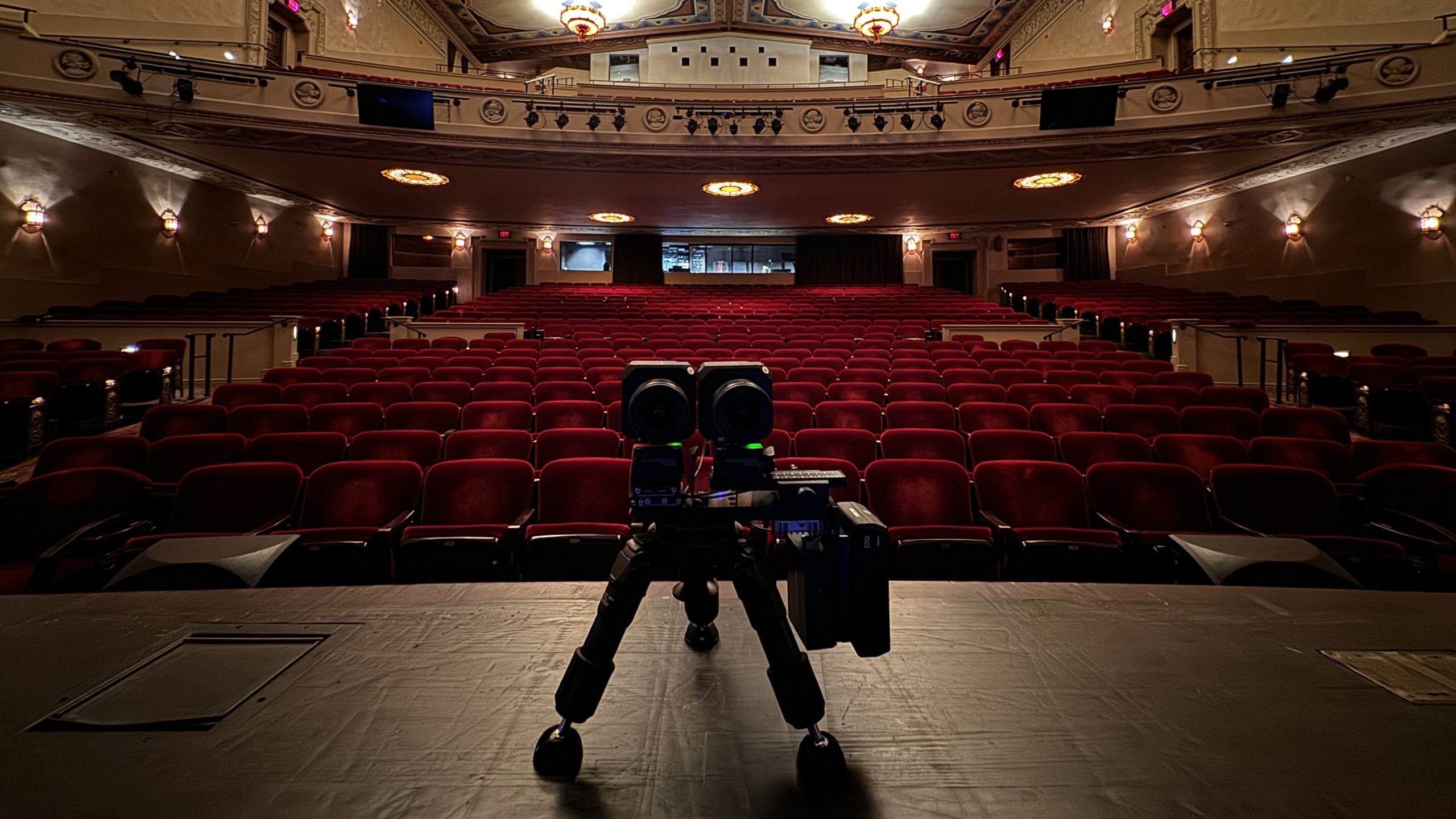

By Joe Rosensteel

Add to Dock: Safari’s sweet solution

These websites are all “apps.”

The Mac Community generally loathes web views and Electron apps. We all want perfect, native Mac apps—even when an interface could be entirely native, and still not be very good. Pragmatically, we ought to recognize that we just aren’t going to get bespoke SwiftUI versions of every little thing we use in our lives. There certainly isn’t a financial incentive to do it on the Mac App Store, and the scary OMG SECURITY warnings deter a lot of non-App-Store use of smaller apps.

This is where Safari’s new Add to Dock command comes in.

You may remember Steve Jobs suggesting we add web pages to our iPhone home screens as a “sweet solution” to not having an App Store, but back then we didn’t have the rich mix of web technologies we have today—they were really just glorified bookmarks. Progressive Web Apps (PWAs) aren’t new either, and in a lot of cases they might be overkill. Making a little container for a site is more than enough, in some cases.

There have been utilities that make apps out of a site, including Fluid, Coherence X, and Unite. Chrome has had the feature for years. But in Sonoma, Apple finally introduced Add to Dock in Safari, building into macOS the ability to package up any site. Here’s how a web app differs from a web page:

When you use a webpage as a web app, it looks and behaves just like it does in Safari. Yet the experience of using a web app differs in several ways.

  • A web app functions independently of Safari. It shares no browsing history, cookies, website data, or settings with Safari. In this way, it keeps your browsing separate, similar to using a Safari profile. What you do in a web app stays in the web app.
  • A web app has a streamlined toolbar, with only a back button, forward button, and Share button. If you need Safari features such as bookmarks, tabs, or extensions, you can easily switch to Safari: Click the Share button, then choose Open in Safari. Or choose File > Open in Safari.
  • A web app can have any name or icon that you want.
  • For websites that send notifications, the web app’s icon in the Dock can show the number of unread notifications.

In all other ways, a web app works like any other app. You can even add it as a login item so that it opens automatically when you log in.

While the feature is called Add to Dock, that’s not quite what’s happening. The ‘app’ lives in /Users/your-user-name/Applications, or if you prefer, ~/Applications. If you remove the app’s icon from your Dock, macOS still leaves the ‘app’ in your user folder’s Applications folder.

Break out of tabs

I love tabs as much as everyone else, but sometimes you have a specific site you visit often, and it can get lost in the shifting tabs, bookmarks, etc. You might have a specific window size you want to use for that web site, but not all of your other sites.

This isn’t for every site, just some, and what people find useful will vary, but that’s the beauty of it. Like you wouldn’t want to have an ‘app’ for Six Colors. That would be goofy.

Personally, I wouldn’t try to do this for Discord or Slack, which can be accessed in Safari, but have a lot of AV infrastructure inside of their bloated Electron apps that might not work well in a little Safari container.

Here are some examples I’ve been using:

Fastmail. The first ‘Add to Dock’ for me was Fastmail, which hosts one of my many email accounts. I like to keep all my emails siloed by app, not a unified inbox with work and personal stuff intermingled. Different strokes for different folks. I don’t like Mail on the Mac, even though I use the iOS client, and I’m not going to hop on the latest email client du jour. I also want access to the features Fastmail has on the website, like generating custom email addresses, that I can’t access any other way. Now it’s an app sitting right there in my dock.

Gmail. I’ve historically used Chrome to check my Gmail, and leave Safari signed out of my Google account. Because I prefer siloed email experiences, this wasn’t a huge deal, but sometimes you get those confirmation emails that you have to click on but you really want to keep doing what you were doing in Safari and it’s a whole back and forth that’s not any fun. Also there are all the settings and blah blah blah. It’s why third-party email clients that handle Gmail don’t really do it for me, either. Just like with Fastmail’s web site, the Gmail web site works with all of its own features in an expected way.

Gmail is a little less friendly to set up, if you want to have Safari logged out of your Google account, because you need to log in in Safari, add Gmail to your Dock, then log out in Safari, and then log in to the ‘app’. If you don’t care about where your profile is logged in then this doesn’t matter.

Now you have a Gmail window that can be as big or as small as you want. Any links you click on in these emails will open in your default web browser (Safari, for example). That also means any other Google services you use will open in your default web browser and if it’s not logged into your profile you will be asked to log in. If you’re going back and forth between your Gmail, Calendar, Sheets in Drive, etc. then it’s best to just leave all of this in Chrome where you won’t get the nagging pop-ups to install Chrome, and log in.

Thanks for the warning!

The icon Safari uses for Gmail is just the favicon, and it’s hideous. I’d recommend replacing it with your own image. For some reason the Safari team doesn’t let you drag and drop images into the icon field when you’re in the ‘Add to Dock’ dialog, but there is a button where you can select a file. If you want to change the icon later, you can’t do it from the Get Info dialog either. You open the ‘app’ and go to the Settings dialog under the application name, and then click on the icon to bring up a file browser. No drag and drop there, either. Any image you put in will stretch to fit, so stick with square-ish icons. It will pad it out to a squircle shape with white behind it.

Even if I stick to using Gmail in Chrome, on the occasion I need to click on a confirmation link in an email I can always get to it from here with less fuss.

Spotify. I’ve been disenchanted with Apple Music (was I ever enchanted by it? No, no I wasn’t.) People are always so jazzed about Spotify so I figured I would give it a try. I didn’t want to install their Mac app, which people complain about, so I just did it in the browser at first, but I didn’t want to always have Safari open. It’s in my Dock now and it works just fine.

Of course, that also works well because Spotify saves my playback progress of what I was doing so every time I open and close the “app” I can resume exactly where I left off. A feature that Apple, with all the native software, iCloud backends, and trillions of dollars can’t pull off in the Music app.

Mastodon. I love Ivory and use it as my Mastodon client. But sometimes there are some non-Ivory settings I want to get at. If you’re reluctant to pay for Ivory, I whole-heartedly suggest saving your Mastodon page as an app rather than keeping it in a browser tab. Despite Mastodon’s general ugliness, the site is responsive and can be resized down to a little phone-like app, or sized to fit all the columns in the advanced layout.

Single Serving Success

I’d definitely be interested in hearing more examples of sites that work well as an ‘app’, and maybe some web site developers have some ideas to polish up their app to work well in this format. No code signing, no App Store headaches, and no Electron update mechanisms.

The web, and web apps, aren’t going anywhere, so let’s find ways to make useful, less bloated, apps. Sally forth, and Add to Dock.

[Joe Rosensteel is a VFX artist and writer based in Los Angeles.]


By Joe Rosensteel

Going in-depth on iPhone Spatial Video

The iOS 17.2 beta has brought the ability to shoot in Spatial Video for the forthcoming Vision Pro, and a handful of press participated in a demo where they could view Spatial Video on the Vision Pro headset. While the stuff recorded by Apple with the cameras in the Vision Pro headset naturally had better stereo separation than the iPhone, most members of the press seemed impressed by the content taken from a device that’s far more likely to be available to capture memories. (I’m more than a little curious to see a demo like that myself, but I’d settle for some good sushi.)

Earlier this summer I gave a quick overview of stereoscopic terms and filmmaking. Part of that post had to do with guessing at what Spatial Video was. In Apple’s marketing materials, they show third-person vantages of people experiencing perfectly separated, holographic experiences of things, but the reality is that it has a lot more in common with the left-eye/right-eye combo of traditional stereoscopic video.

In my piece this summer I linked to Chris Flick’s WWDC video, which covers general stereo terms and how Apple is handling streaming stereo content. The file container has a left-eye video stream and then metadata covering the differences between the two eyes in order to reconstruct the right-eye view. When Apple unveiled the iPhone 15 Pro and Pro Max, they touted that a beta update would bring the ability to shoot that spatial video, but they didn’t get into details, and showed another sci-fi hologram thing.

Computer, arch.

The iPhone 15’s Wide and Ultra Wide cameras were arranged so that when the iPhone was held horizontally, the software could crop in on them and get two similar-ish views. A reminder on the tech specs for the iPhone 15 Pro lenses and sensors that are being combined for Spatial Video:

  • 48MP Main: 24 mm, ƒ/1.78 aperture, second‑generation sensor‑shift optical image stabilization, 100% Focus Pixels, support for super‑high‑resolution photos (24MP and 48MP)
  • 12MP Ultra Wide: 13 mm, ƒ/2.2 aperture and 120° field of view, 100% Focus Pixels

I wondered what Apple would do to augment the left and right eye video capture to match them better, as anyone with an iPhone knows that there is a perceptible quality difference between these 0.5x and 1.0x lenses, but as my friend Dan Sturm pointed out on Mastodon, it doesn’t seem to be doing a whole heck of a lot:

First things first, I have to admit, I’ve been obsessing over trying to pull this stuff apart since the beta came out. It’s so easy to get caught up in the excitement around these types of things because it’s a new, magical experience. But there is no magic. This is exactly what you would expect Stereo3D footage from an iPhone to look like.

It’s very interesting to me how many [Stereo3D] “rules” they’re just ignoring here. The [depth of field] on the lenses does not match. The detail, color, compression, stabilization (or lack there of) does not match. The final image is not what one would call “good”, but it does work. It is [Stereo3D] footage from an iPhone.

Admittedly, for many people, it will feel like magic.

Dan’s referring to the slight differences between the two vantage points, which was one of the problems with iPhone video capture that I described back in June. Stu Maschwitz, and others found similar results, so it’s pretty safe to say it’s not a fluke.

To capture good 3D video, you ideally want identical lenses, and sensors, synchronously capturing what’s happening so that the only difference is the horizontal offset. Any differences in color, value, softness, will all seem to shimmer as your brain combines the two images. It’ll still have the illusion of being 3D, but it would be fatiguing, or uncomfortable to watch.

Without personally having access to a Vision Pro, I can only tell you things based on these videos we pulled apart using Spatialify, a iOS app that’s available only via a TestFlight beta. It is possible that visionOS is doing some additional processing of these videos as it decodes them, though my hunch is that it will continue to be exactly what it appears to be: two images from two very different cameras, put together.

There is also the matter of the fact that these videos are limited to 1080p30. I understand that the different focal ranges require substantial cropping on the Ultra Wide camera and produce a substantial drop in quality, but I’m less certain why the crop is exactly 1920×1080, since that’s not even the sensor’s aspect ratio. This video isn’t going into a 2000s-era TV, it’s meant to be viewed in an infinite canvas.

This limitation, more than anything else, really hampers why someone might want to capture Spatial Video right now. No, resolution isn’t everything—but it’s also not nothing. People also tend to shoot vertical videos because of how we hold our phones for both recording and viewing. This feature is asking people to choose between sharing a video optimized for phone viewing, or recording something that’s going to be part of a personal viewing experience.

Also consider the fact that Apple isn’t letting the iPhone 15 capture Spatial Photos. Stereoscopic photography has been around longer than motion picture film. That there’s no function to take a photo suggests something about the quality of the imagery. After all, it’s very easy to scrutinize a single still frame, while it’s a lot easier to forgive flaws in a constantly moving image.

I’m not saying that Apple’s Spatial Video implementation is bad. But I would be hesitant to recommend anyone switch their Camera app over to Spatial Video and shoot all of their videos with it right now. For the time being, I think people generally would be happier if they continued to shoot and share video as they do right now. You can always watch a video floating on a card in space with a Vision Pro headset, and at 4K resolution you can make it fill as much of your field of view as you might like.

So you still want to do it, huh?

If someone really does want to shoot Spatial Video, I’d recommend considering the subject matter first. In the demos Apple provided, they had a sushi chef making sushi for the journalists to record. The chef was near enough to camera that the chef would have internal depth, and also depth relative to the environment. Apple’s other videos also centered on people in environments.

From CNet’s Scott Stein:

The camera app makes recommendations on turning the camera sideways, and staying a certain distance from a subject. I was told to stay within 3 to 8 feet of what I was shooting for a good spatial video, but when I shot my test recording of someone making sushi at a table I got up closer and it looked perfectly fine. I also recorded in a well-lit room, but apparently the spatial video recording mode prevents adjustments on brightness and contrast, which means low-light recording may end up grainier than normal videos.

Shooting things like a wide-open space, with nothing in the foreground or mid ground, is not going to look or feel like much of anything. Please, I beg you, don’t shoot Spatial Video of fireworks—there will be no depth at all. Just because you think, “it’ll be in 3D” doesn’t mean it has any internal depth at that distance. You want that? Then record someone holding a sparkler.

Jason Snell took his iPhone 15 Pro to a Cal game for a couple of to shoot some Spatial Video. (See my video breaking it down.) Being in a stadium might feel big and grand, because you’re immersed in a large space that surrounds you—but it’s not something the iPhone can really capture. Spatial Video doesn’t surround you at all. You’re looking into a window at a stadium, and are very much separated from it instead of immersed. It will feel pretty flat without someone in the foreground as a subject. So definitely keep that window metaphor in mind.

Shooting something extremely close would likely cause an issue with things potentially breaking frame, so you could get close to something, provided it was “sticking out” at camera and not crossing the entire field of view.

Apple tries to mitigate issues with things breaking frame by having that fuzzy falloff at the edges instead of a hard termination where you’d be seeing something that’s exiting the frame in only one eye potentially causing strain. So be mindful of that, because you’re not going to see a soft-matte edge as you’re recording in the Camera app.

Try to always record Spatial Video in well-lit areas. There are still going to be subtle shifts in everything, because the lenses and sensors will match better when they don’t have to compensate for high ISO sensor noise and differences in aperture.

Eyes toward the future

I might sound pessimistic, but I’m not—I’m only skeptical of what’s currently on offer. It’s early days for Spatial Video. The first pass at Portrait Mode was really, really bad, but it’s now refined enough to where it can be executed as a post-processing option. Improvements over many years in hardware and software got us to this point, and if it’s a focus for Apple, I’m sure it’ll get there too.

I would caution that I’m only making that comparison to Portrait Mode in terms of the march of progress, not because I ever envision Apple shipping an entirely post-processed Spatial Video mode. As I mentioned in my previous post, when you offset something in post you’re cutting it up into layers, and every place where there’s something in front of something else is an occlusion. Where there are occlusions, there’s no data—and that has to be filled in. Could Apple do that with generative fill that’s stable across a frame range? Maybe, but that seems like more of a Google thing.

Maybe in a future iPhone we’ll have a better Ultra Wide camera sensor, lens, and optical stabilization? Perhaps we’ll see more advanced machine learning to transform the more detailed Wide camera data to cover over the inconsistencies in the Ultra Wide’s view? Maybe there will be the option to record 4K and Spatial Video with a later iPhone so you feel like you have the best of both worlds?

When Apple lets you take a still Spatial Photo, then that’s the signal that they’re confident in the image quality and not just the emotional content.

There’s no FOMO here, not right now, for Spatial Video. If the primary reason you shoot video is to remember moments with people, then make sure you keep that in mind. The people are more important than whether or not the video is 2D or 3D.

[Joe Rosensteel is a VFX artist and writer based in Los Angeles.]


By Joe Rosensteel

Is there in communication no beauty?

The Louvre's iconic glass pyramid at night. Green dots from the lens are right above the top of the pyramid.
Oh no! By removing the green dots above the Louvre (left), the very fabric of reality has been rent asunder! (right)

With the new iteration of flagship smartphone cameras comes the new iteration of arguments about reality—and not the “fun” kind that you strap to your face. Google’s Pixel 8 and Pixel 8 Pro offer a new generation of AI editing tools, and Apple’s iPhone 15 and 15 Pro integrate the latest round of Apple’s Photonic Engine1 and Deep Fusion to process every last detail.

What we should really be talking about when we talk about these cameras isn’t some representation of “reality,” but communication. What a person shoots with any camera is not truth, but a timed amount of light from a selected angle shining through a lens focused onto a recording medium. Even without any editing tools, you can produce a photo that is real but isn’t true entirely in camera at the time it was shot.

Take a selfie outside the entrance gates to Disneyland, posted to Instagram. The image communicates the narrative that the subject spent the day at Disneyland—but that’s not what the photo shows, it’s an inference communicated by the context. There are no fancy generative AI tools changing the background. It was all recorded in camera. But whether or not the inference is true isn’t recorded in the photo at all—it’s one viewers make based on trust.

A person at a landmark wants their picture taken, they hand the phone to someone and the person takes two photos with slightly different framing. One has just the person with the landmark, and the other has the person and a rando with the landmark. The rando isn’t what anyone wanted to communicate to the viewer, and choosing the photo without the rando isn’t deceit. The two photos, one framed with the rando, and one without, are both real, and both true, but only one of them clearly communicates what the person wanted. If they only had the one photo with the rando, is it deceit to crop, or use a generative fill tool to remove the stranger?

The ultimate computer

Now that we’ve established that we can have real photos that aren’t true, let’s discuss fancy computer-assisted editing tools.

A group of three friends is taking selfies with their smartphones. They take three shots. A different friend is blinking in each shot. Each of those photos is true, in that the light was recorded, and that person blinked, but it is also true that there were moments that the friends were there with the camera and none of them were blinking, but it just wasn’t recorded by a camera. Is it a lie to combine two of the photos to communicate something true that simply wasn’t recorded?

A person with an iPhone takes a shot of city lights at night. Green dots from the internal reflections of the lens elements dance across the image. It is true that the camera recorded those green dots, and they physically happened in the lens elements, but is that what this photo should communicate? Are the internal reflections what the photo is about?

Google swapping heads in a group photo isn’t quite the problem that people seem to think it is. Apple having no proper retouching tools at all in Photos on the iPhone is a problem. If it’s based on a philosophical argument about the nature of things “looking real,” then it’s misguided as iPhone photos are an idealized result of heavy computational work anyway.

Apple’s goal should be to help people communicate clearly.

Even when we’re not making some big artistic statement with our iPhones, we might want to retouch something. I’ve taken photos of things on my desk that, after Photonic Engine and Deep Fusion did their work, showed dramatic contrast and detail… of the specks of dust on the table I hadn’t noticed before taking the shot.

Me carefully wiping off all the dust and retaking the photo won’t communicate something more pure about that photo, but the dust is a weird distraction. I’ve used third-party apps on iOS for many years just to remove those specks of dust, or those green dots. It’s silly that there’s no tool in the iOS Photos app to do it.

We’ll always have Paris

My issue with Google is that they have gone so far into generative editing tools that can produce strange technical artifacts in the final image which distract from what the image is supposed to be communicating. In Marques Brownlee’s video on the Pixel 8 and 8 Pro, he does some very unconvincing sky replacements and other edits with the Magic Editor. The same sorts of artifacts are present in DPReview’s article, where pieces of hair get chewed up, and in one case where a woman’s shoulder is replaced/caved in.

This is very similar to the problems introduced by Google and Apple’s first forays into post-processed blur, like floating liquid in wine glasses, or chunks of ears or eyeglasses missing. Those errors have become less glaring over time, but there are still errors. The problem here isn’t that people can alter their images, but that the alterations are sloppy. The photographer doesn’t have the skill or the eye to know there’s a problem in the final result they’re sharing.

The ones who will really be able to take advantage of the tools are the ones that will understand the situations in which the tools do and don’t work. Like framing a shot so a green dot from a bright light is over a solid-colored area of the frame, and not in someone’s hair, or an intricate pattern or edge. Framing a portrait mode shot to minimize any tangents with background objects and foreground objects. Then it really is an editing tool, and not just generative mush.

There is a concern that the general public will heavily edit all of their photos if the tools are easy enough to access. This is perhaps the least concerning part. People want to remember things that actually happened in their lives, and the desire to heavily edit everything is unappealing. They want to remember the ups and downs of their vacation to Paris. They want to remember loved ones as they were, or a night time stroll by the Louvre.

Context is for kings

There is a long, long history of altering photos and videos that goes back to the beginning of celluloid, even before we get to computers, digital cameras, or smartphones. Democratizing these tools, and making it so that technical errors are less obvious, consistently scares people that wish to assume everything they see is some kind of legal promise. We need to consider the context: the sources of the photos we see, and who’s sharing them with us.

Not all deception is malicious, either. As a visual effects artist, I’m a professional deceiver for entertainment purposes (which is a completely acceptable form of communication). The context is that you’re watching something categorized as entertainment. We don’t treat TV and films like historical documents, and we shouldn’t treat social media posts that way either.

The flood of malicious misinformation, with real consequences, is perpetrated by people that don’t need to use a Pixel 8 Pro, and aren’t stymied by the iPhone 15 Pro’s lack of retouching tools. If people are more aware of the tools that can edit photos, because they have them in their own hands, perhaps they will also be less likely to fall victim to deception.

We should all be receptive to what someone wants to communicate while knowing the context for that person, that medium, etc. This is especially true when something is inflammatory, and not just “look how great my life is” posts on Instagram. Not everyone is lying, but if you’re getting very emotional about something, seek out more information from trusted sources. Sharing something because of an emotional reaction to a photo without understanding if it’s true isn’t the fault of the image—that’s on the person sharing it. The sharer’s act of communication is spreading a lie. The editing tools didn’t lie.

A photo can communicate something that really happened, but the context for deciding whether or not it does exists beyond the photograph itself.


  1. The Photonic Engine always makes me think of the purposefully absurd photonic cannon from the excellent Stark Trek: Voyager episode “Tinker, Tenor, Doctor, Spy”. Coincidentally, an alien spy gains access to The Doctor’s daydreams and believes everything he sees is real. 

[Joe Rosensteel is a VFX artist and writer based in Los Angeles.]


By Joe Rosensteel

iPhone delivery anxiety

Apple retail pickup window

Apple works very hard to try and manage the massive preorder demand for day-one iPhone deliveries every year.1 Apple originally allowed members of the iPhone Upgrade Program customers to set their orders up in advance, but eventually allowed everyone to pre-configure their phones before the official order time, leaving only the matter of the financial transaction to that Friday. Pre-approvals from financial institutions were started earlier than the Friday to try and prevent the rejections that happen when servers start melting down.

And yet, there’s still always some drama.

Some people live for that adrenaline rush of not knowing what will go wrong. Whether or not their orders for themselves, and family members, will all make it across that finish line. Oh, the stories they can tell about how they had the perfect Apple Store app force-quit workflow! Those people are living on the chamfered edge.

There are also people who were never in that group, or phased out of that group. The urgency isn’t there. A desire for a new phone still exists, but it doesn’t have to be the first day. Those people still might want their phone before December, though.

Both groups have to contend with the decision between shipping and in-store pickup. Here, Apple hasn’t been able to make the strides that it has with the ordering process. When purchasing an iPhone, the options are to preorder for delivery within a certain estimated window, or in-store pickup on a certain day at an appointed time. Both can wreak havoc on a person’s schedule, and have actually made me put off ordering an iPhone (and other Apple hardware) before, because I just couldn’t figure out if I would be able to receive the item.

What’s in store for you?

Being forced to pick your delivery method in your initial order can also lead to some regrets, since availability changes over time. For example, you might initially see a late October delivery window, but with in-store pickup happening on day one. Easy choice, or so you think! But once that initial pool of store iPhones is depleted, you won’t be able to select in-store pickup at all until that local store gets more iPhones in stock.

Store appointment pickup times also seem to suffer from cascading delays, especially during the first launch weekend. Apple will tell you that you have a 15-minute appointment window, which is laughably precise given how busy the stores can be. Your pickup could be prompt, or it could take three hours, which is what happened to a friend of mine.2 You just have no idea if you’re going to get to the store and find an Apple employee that just hands you the phone and lets you leave, or if you’re going to wait in multiple lines and eventually check in at the door to the store only to be told that they’re running behind schedule.

However, if you wait until after launch because you want to reduce the chance of being stuck in the invisible DMV of an Apple Store’s overloaded appointment system, then you’ll be checking the inventory of every Apple Store near you every morning to see which models (and colors and storage options) have in-store pickup available. Then you’ll weigh that day’s schedule and guess how smoothly things will go. You might even avoid some stores based on past bad experiences. But you’ll never know until you get to the door and that Apple Store employee checks their iPad and reveals your fate.

Mail privilege

But Delivery is a bummer, too! Even though the majority of my time is spent at home, I truly have no ability to guarantee I will be able to reach my door for a delivery. When I worked in an office, there was still the off chance that the iPhone would be out for delivery on a Saturday. When I’ve needed to travel, I couldn’t redirect the order to a new location. And sometimes the delivery window slips back—or moves up—rendering your plan useless.

I wish Apple could offer something more like an Amazon Locker. Or at the very least, let customers ship to the store after the initial launch-palooza, and allow the customer to set an appointment time once the store had the device. Even Best Buy lets you do that! (But I don’t want to buy my iPhone from Best Buy. I want to buy my iPhone from Apple.)

Shipping to the store gives the safety and security of knowing that your phone is safe and nearby, but removes the pressure to bolt to the store when they’re going to be swamped.

Apple could even contact you if there was a delay with appointments at the store, so things could be rescheduled. And if a delivery window moves up, or slips back, Apple could ask the customer if they want to hold the original date… or change to in-store pick-up.

Many happy returns

The one really positive thing about this entire process is that trading in a device is mercifully easy to do. You can send your expensive, old iPhone into Apple for a undervalued discount on your new expensive iPhone without really feeling rushed, or that you’re putting your investment at great risk. I’ve heard a few stories of people having bad experiences with trade-ins, but not many.

The last time I did this, I had even missed the return window because of travel, and they… just sent a second return kit. No financial penalty incurred. Everything was smooth.

Getting a new iPhone causes me anxiety, when it should be a source of great joy. I’d love to see some creative retail solutions to smooth that out. Apple, please take my money—but don’t stress me out. I’ve got enough going on.


  1. Alas, iPhone orders used to be at a reasonable time for people in California, but then the time was changed to be more friendly to lesser time zones. 
  2. That’s way outside the norm, but my friend’s horror story will forever hang in the back of my mind. 

[Joe Rosensteel is a VFX artist and writer based in Los Angeles.]


By Joe Rosensteel

Shake it off: Remembering Apple’s Academy Award–winning failure

People are reminiscing about 25 years of the iMac, which is fine and all, but I’m doing to do something a little different. I’m reminiscing about 21 years of Apple’s Shake.

What’s that? You have no idea what I’m talking about? You just want candy-colored computers? Too bad. You’re going to learn something you’ll never need to know, whether you like it or not.

In February of 2002 Apple acquired Nothing Real, a software company based in Venice, California that made the industry-leading Shake compositing software. It was in that weird period where Apple was picking up steam, and trying to convert PC users to Mac users. There was no Shake version for the Mac, but there was for Linux, Windows, and Irix (RIP).

Just a few months after that acquisition, Apple released Shake 2.5 for the Mac (along with the existing supported platforms). Shake 2.5 would be the final version for Windows. Apple’s goal was pretty clear just from the press release—Shake cost half as much on Mac as it would on another platforms. (And this is a product that cost $10,000 per seat.) By Grabthar’s hammer, what a savings!

Apple was trying to convert high-end professionals, who would theoretically buy high-end Macs. As with Apple’s acquisitions of Final Cut Pro and Logic Pro, here was another pool of potential Mac buyers. (For context, this is the same year Apple released the second-generation iPod that added Windows support in an effort to get people to use Apple products in their personal lives.)

There were some problems with Apple’s strategy, though. While Apple managed to kill Shake for Windows, it could never do the same to the Linux version. That’s because all the big VFX houses were doing their work using Linux. It was easier to convert an editor or a small group of editors to Final Cut Pro than it was to pitch a corporation on converting hundreds of desks, and their render farms, to Power Macs or Mac Pros—even with the steep software discounts. (Not even Pixar!)

Yep, this is a Mac app. From Apple.

For Mac users, Shake never made any effort to fit in. It was born of an era where professional software tended to have its own custom interfaces so that the apps could run on a variety of platforms and work more or less the same. It never even adopted the Mac’s file open and save dialogs, buttons, or anything. It had bevels out the wazoo, which was the style at the time. It had some 3D-effect turquoise slider elements, but I wouldn’t call the interface “lickable.” Don’t lick the bevels, kids.

This custom UI was part of the reason it could be quickly ported to Apple’s Mac OS X Unix-compatible system from Linux and Irix, because no one needed to worry about how interface elements would be placed. It was literally the same interface.

Nodes and noodles

While Shake was not the first piece of software with a node-graph interface, it was arguably the most widely available at the time of its initial release.1

The benefits of a node-based approach might not be clear at first glance. After all, when most people think of image editing, they think about it linearly: You open a file, you change some colors, add a blur, and save your file. (Or, alternately, consider a bunch of vertically stacked Photoshop layers.)

When it comes to video compositing, things get a lot more complicated. You might need to re-use the same element twice, or combine many elements instead of just editing one. And what if all your work needs to be done over a thousand frames of moving footage? A linear workflow just won’t do. You need to have the ability to branch and merge your work.

The node graph allows for the visual representation of complex, interconnected assets and adjustments. It allows for multiple inputs and outputs. It allows for reusing work, where the file being operated on can be swapped out for some other file while still applying the same edits.

This interface also helps you evaluate the output at any point along the line, including walking up or down the tree to see which node is causing a certain effect. This comes in handy when you’re working on version 100 and your client has decided that the thing you added 80 versions ago is something they want to take out. You can’t just keep pressing Command-Z—you need to alter just that one choice.

This was real non-destructive editing. And it was powerful.

It’s also important to note that this interface wasn’t a stack (like Apple’s Shortcuts, or Photoshop’s History palette) that runs from top to bottom. It was a web of nodes, all connected to one another. Shake visualized these connections between nodes with noodles—not straight lines, but a curving piece of spaghetti. (This is whimsy, as manifested by the developers of high-end professional software.) If you preferred straight lines, and you could straighten out those noodles by adjusting a preference called Noodle Tension. (I’m not making that up.) As for me, I’m a monster. I love my curvy noodles.

Everything flowed logically. Nodes that generated images didn’t have a little input bump on the top of the node, because they didn’t accept input, only generated output. Nodes that did operations had at least one input and one output. Any time there was more than one input or output, there would be a discreet and separate connection point for each so that things didn’t all collide in one spot. Each of these nodes also had a mask input, where any kind of alpha could be connected to limit the area that the node was editing. It was sort of like a Clipping Mask in Photoshop, but way easier to reuse and adjust for multiple nodes at once.

Shake even had a pretty comprehensive set of paint tools, where paint strokes were all saved nondestructively. There were warping tools that were used to create talking animals. All those things were there, editable, non-destructive, and portable.

And if you ever got a collection of nodes that you used a lot, you could group them and save them as a macro, which would appear as a single node. This was a great way to save time and reduce visual complexity.

The namesake feature of Shake was that if you wanted to remove a node and take it somewhere else, instead of disconnecting every noodle going in and out of it, and reconnecting those up and downstream, you could just hold down on the mouse button, and shake the node around until it until it was released. It wasn’t something you needed to do a lot of the time, but when you did do it, it was charming (and you were very relieved you didn’t need to reconnect things).

Multiple endings for Shake

From Apple’s March 2004 press release on Lord of the Rings: The Return of the King winning the Academy Award for Best Visual Effects in a Motion Picture:

“We’re thrilled that for seven years in a row, movies created with Shake have won the Oscar for best visual effects,” said Steve Jobs, Apple’s CEO. “Shake is helping Hollywood film editors communicate their vision and deliver their art at an Academy Award winning level. We couldn’t be happier.”

It’s always been weird to me that Steve Jobs referred to them as editors, but maybe that’s because of how Shake was often positioned as a companion to Final Cut. (It didn’t work anything like Final Cut, but whatever!) If you were a small shop that had Final Cut Pro and needed to do a few effects, than it was great to have this class-leading software available to you, even if you weren’t making a “Lord of the Rings” movie.

But Shake just didn’t pan out the same way Apple’s purchases of Final Cut Pro and Logic Pro did. While it was wildly popular, award-winning software, it was only ever wildly popular and award-winning on other platforms. The last major version of Shake was released in 2006, with a minor update was released in 2008. Shake’s price was slashed and slashed again over its lifetime, with the final offer being a $50,000 site license so a VFX house could intall it on as many Linux boxes as they could muster. (That would have been five Linux workstation licenses under the original Shake pricing.)

This meant that I got to use Shake once again at Imageworks on Watchmen, including a wild day and night where I was working in a Shake script on Dr. Manhattan, and then copying and saving those changes to the main comp script where the plate photography was being stitched together for a bunch of mobsters exploding. The other compositor would tell me when he was done, and I’d copy more nodes and adjustments to the file. Back and forth. The workflow was still powerful, even if it hadn’t seen active development in three years.

Shake was unceremoniously discontinued in 2009. Apple wasn’t the company trying to convert visual effects houses to buy cheese graters any longer. It had become a company printing money from selling iPhones. Shake’s developers were moved on to other projects, or departed the company altogether.

I know there was never a financial case for Apple to have continued development of Shake. But it’s sad to see that misguided acquisition kill a product that was formative for me, and others. (Christa Mrgan mentioned it as an influence on Audio Hijack 3’s redesign.

Fortunately, node-based compositing didn’t die with Shake—far from it. Foundry helped “productize” Digital Domain’s Nuke just as Shake died, and that’s now the industry standard.

Apple was the wrong company to acquire Shake and the wrong company to attempt to be an industry leader in tools for visual effects artists. Sadly, Shake’s legacy isn’t about those smart nodes and fun noodles—it’s as a cautionary tale about misguided acquisitions.


  1. The original Shake design sketches have been uploaded to Flickr by Nothing Real co-founder Ron Brinkmann. 

[Joe Rosensteel is a VFX artist and writer based in Los Angeles.]


By Joe Rosensteel

57 app icons and nothing good on

Apple TV interface

Every year I start my annual ritual of installing the tvOS beta on the secondary Apple TV. Not the one in the living room—I’m not crazy—but the one in my office.

This year brings on the biggest, boldest change in tvOS since the release of dark mode in 2017… and that change is scaling down the Home Screen icons so there’s one more app icon per row.

They said it couldn’t be done, but they did it. They increased information density in an Apple product.

The other big changes in tvOS 17 feel like they’ll have more limited appeal. VPN support will help people “visiting” other countries to watch their “local” TV. Adding FaceTime support through continuity camera is something that benefits parent-grandparent conversations on comfortable sofas and people in the one conference room connecting to the people in the other conference room. That kind of stuff.

The high-traffic navigation areas of the Apple TV interface are the Home Screen and the TV app. But why do we still have a Home Screen and a TV app? One is for browsing services, and the other is ostensibly for quick access to media and media discovery that’s relevant to you. On other platforms these things can be combined, so you have a row of favorite apps next to your watch next queue.

But other than icon size, tvOS 17 hasn’t improved anything about the most vital part of the OS: the part that lets us watch TV.

In the beta, the Apple TV app behaves exactly like it has since Apple’s ill-conceived sales-bro-esque revamp of the TV app last October. Since it’s much maligned introduction, it has been slightly tweaked 16 to keep the Up Next row at the bottom of the screen, instead of pushing it off to require a swipe-scroll down.

Apple has also made tweaks to the editorial content of that top carousel of recommendations: It’s still random stuff, including seasons of shows Apple knows I have already watched in their entirety—but now the first 23 items in the carousel are from Apple TV, when previously they were more of a 50/50 split between Apple’s own stuff and the rest of the content on the platform.

While using this beta, I realized that I hadn’t used the TV app in a while. It turns out that Apple’s changes — adding autoplaying video and requiring all those extra swipes — have driven me away entirely. I’ve gone back to just using the Home Screen to launch the app I need, like an animal. (Maybe developers at Apple have changed their behavior too and that’s why we have more Home Screen icons?)

Here’s a pro tip for people on tvOS 16 or 17: Go into Settings: Apps: TV and change “Top Shelf” from “What to Watch” to “Up Next.” Then the top shelf row of the Home Screen will show you your shows without having to open the TV app at all.

Impersonal personalization

Apple’s personalization features are still largely useless if you live in a household with two adult human beings. We watch TV together, and share accounts that are registered to him or me. Apps don’t seem to have done anything with the feature. There’s a new ability for Siri to recognize “up to six” family members voices and recommend content for them, but how relevant can that feature ever be if most viewing is a shared experience or through shared apps that don’t use Apple’s profiles? And wouldn’t it be better to personalize those ridiculous content carousels in the TV app rather than forcing us to than ask Siri what to watch?

My “What should I watch” yielded Alone, Avatar: The Way of Water, Shoresy, Guardians of the Galaxy Vol. 3, The Orville, John Wick: Chapter 4, Yellowjackets, Raiders of the Lost Ark, Schitt’s Creek, Patriot Games, Blue Bloods, Fantastic Beasts: The Rise of Dumbledore, Survivor, Black Adam, Modern Family, Fringe, Men in Black, The Golden Girls, Pirates of the Caribbean: The Curse of the Black Pearl, The Marvelous Mrs. Maisel, Total Recall (the bad one), NCIS, The Suicide Squad, Bob’s Burgers, The Untouchables, So Help Me Todd, Cloverfield, Justified, Alien Code, It’s Always Sunny in Philadelphia, and Saving Private Ryan. None of those are Apple TV+ titles because—unlike the TV app—Siri seems to know what services I’m subscribed to, and I’m not a current Apple TV+ subscriber. Again, why the inconsistency?

That list doesn’t actually seem personalized, either. I have watched several of those movies, and I’ve also watched an episode of some of them and then stopped watching because it wasn’t for me. It just seems like these results are matched to a generic cis-hetero dad who’s open-minded about progressive issues. Not that there’s anything wrong with that, but that is not me.

Also, this list is not the same as the very, very, very buried “For You” row in the TV app. It has overlap, with dad energy, but it’s not identical, and still doesn’t have an understanding of things I’ve watched before. In neither system can I long-press to express that I’ve already watched something, or don’t like the suggestion.

I’m smart, not like everybody says

Apple has no outward facing improvements to smart home stuff via the Apple TV, which is weird, because it’s one of the two types of devices that operate as a hub for all the smart home devices you have. The Matter future that we were promised just hasn’t materialized. Perhaps the silence means that Apple is regrouping on how to handle this, but in the meantime, what it mostly means is that the smart devices connected to my office Apple TV stopped working the other day.

The tvOS Control Center has been refreshed, mostly to shrink it down. The previous version hid smart home stuff behind a tap—but now it’s hidden behind a swipe. I don’t get it. This isn’t a Casio watch—the whole TV is right there, offering plenty of space for buttons. Apple is, in fact, using that space to cram more buttons on the Home Screen. Yet home stuff is buried.

Also, why doesn’t tvOS have widgets? Why can’t I put a smart home widget, or a weather widget, on my Home Screen or in Control Center? Apple has put widgets just about everywhere else—including Stand By on the iPhone, which is all about ambient information on a display in a household.

Beta Luck Next Year

We’re not likely to see new features announced for Apple TV between now and next June, which is a bummer. tvOS 17 avoids a lot of obvious areas for improvement, especially in regard to it as a connected home TV viewing platform.

The thing that should absolutely be tweaked—on all of Apple’s platforms—is the content displayed by the TV app. (Given how much emphasis has been given to Apple TV+ promotion, that seems increasingly unlikely.)

Apple also can’t keep kicking the can on addressing the conflict between the Home Screen and the TV app. (It can’t, right?) So I hope we’ll see something sooner rather than later. But in this case, “sooner” still probably means a year from now.

[Joe Rosensteel is a VFX artist and writer based in Los Angeles.]


By Joe Rosensteel

Vision Pro and the challenge of 3D movies

stereoscopic plane example
(Apple)

No matter what you think of the Vision Pro headset or 3D movies, it’s become apparent over the last few weeks that a lot of people need a primer on 3D, stereoscopic movies. Love them or hate them, there’s no escaping that they’re going to be a subject of conversation again, just as they were more than a decade ago.

Captive audience

Back in the 2000s there was a push to increase movie ticket prices without making major alterations to seating. Stereoscopic movies were an interesting possibility. Sure, they were more difficult and expensive to make, but the advent of digital projectors meant that theaters could be adapted to show them relatively easily. And of course, a 3D blockbuster with impressive visual effects that would give audiences a reason to pay a bit more.

Most 3D theaters are set up with a digital projector and a polarizer set up in front of the projector from a company called RealD. Left and right images would be projected onto the screen at the same time, and special glasses worn by the audience would filter the polarized light to display separate images in both eyes. It’s the same principle as polarized sunglasses or circular polarizer filters for cameras. (Extremely bright or contrasty parts of the image might bleed through from one eye to the other, creating “ghosting.”)

The problem with this approach is that the single projector can still only output an image at its maximum brightness, which is then cut in half by the polarizing glasses. The result is that 3D movies often seem dim. There are also the gross plastic glasses, which would also have to fit over any prescription lenses you might need to wear.

So to recap: They wanted you to pay more in order to see a movie that wasn’t as bright or clear, and you’d need to wear some weird glasses for the privilege.

Continue reading “Vision Pro and the challenge of 3D movies”…


By Joe Rosensteel

Software subscriptions feel weird, but they work

Creative Cloud isn’t going to win any awards, but the service works.

With the recent announcement of Final Cut Pro and Logic Pro for the iPad we have renewed the same, silly argument about subscription pricing that happens far too often. Without having the apps in hand (literally) there’s very little to say in the way of assessing the value offered by the subscriptions at this time, but there’s plenty to say in favor of recurring payments from behind the safety of this paywalled post (thanks for subscribing).

When Adobe switched to Creative Cloud pricing, there was a lot of sturm and drang, and while it hasn’t been all rainbows and puppies it’s largely worked out for all involved. Yes, Adobe executives have probably bought themselves a nice vacation home, but Creative Cloud has been a success for me, personally. I use Lightroom for my photo hobby, I use Premiere for cutting my demo reel every so often, and I use Audition for editing podcasts.

Let’s unpack why I’m satisfied paying Adobe every month:

  1. The barrier to pay Adobe’s monthly rate was far lower than paying the the upfront cost for Logic Pro and Final Cut Pro in a time where I was uncertain how many months, let alone years of use, I would get out of the apps.
  2. Adobe releases predictable updates. I felt particularly burned by Apple as a loyal Aperture customer, and as someone who used Shake for my jobby-job. Without much warning, someone at Apple decided it wasn’t worth it to make these apps. Would they do that again, to their flagship pro software? Maybe. Aperture and Shake won prestigious awards. Prestige isn’t the whole story.
  3. Familiarity was also important, and I had experience with Premiere from college, so for cutting demo reels it was easier than having to learn Final Cut Pro. Likewise, Audition’s sort-of similarity to Premiere meant it was a more natural fit with my existing experience.

My credit card was put on file, software was downloaded, and Adobe drops in some new stuff every now and then. There’s no major concern about upgrading to a version of macOS and losing my software. (Although Adobe is not always timely with addressing some compatibility issues, they do get there eventually—and I know better than to download a new release of macOS on day one.)

Compatibility? No problem. Adobe lets you install old versions (right now all the way back to version 22.2).

The Creative Cloud a desktop app that pesters me about Adobe stuff is bad, but the underlying service itself? It works as expected. I can turn off auto-updates, or download old versions if I need something for compatibility.

I could have spent less money by knowing ahead of time how wildly successful podcasting would be for me, or by cutting that occasional reel update with a single purchase of Final Cut Pro, but no one really knew how many years of free updates Logic Pro and Final Cut Pro would receive. (I’m not even sure Apple has ever had a clear picture. It mostly just seemed like they didn’t want to add paid upgrades to the App Store so they sheepishly just kept updating the one they sold.) It is an aberration in the world of selling software that Apple has kept investing in these two pro apps with no income from the existing user base.

My point about familiarity might not seem that important when it comes to talking about subscriptions but it absolutely is. Kids generally can’t afford to pay for their own pro software. Back in the day, they might have used cracked codes for downloaded software, but generally their access to pro software would be through the world of higher education. A five-dollar expense makes sure little Braden or Madison is predisposed to consider Apple’s pro software.

The only weird thing is that the iPad announcements didn’t come with any Mac announcements about pricing. Surely, at some point they will need subscription pricing too. It’s been over a decade of free updates for these apps. Deeply unserious people might continue to argue in favor of free updates for apps for eternity, subsidized by RAM and SSD prices from pro Mac sales, but this is an unhealthy business model. It also suppresses competition in the pro app market.

Ideally we should live in a world where if you’re unhappy with your pro software you can cancel your monthly subscription and subscribe to another pro software solution. If you need a specific piece of software for a project as a freelancer, you’re just paying for the timeframe you’re working on that project.

It’s far more predictable to have a monthly recurring fee to estimate your expenses than it is to try and figure out when large sums of money should be plunked down and if you’ve timed your purchase with this year’s NAB conference, and out-of-cycle updates. Particularly if you’re an institution purchasing volume licenses.

Now, one fear that even some sensible people have is this: We might one day find ourselves in a situation where the subscription prices just keep ticking up, or that the software you rely on will be placed inside an expensive bundle of software you don’t need. But those are all fears that could be true in a world of software license purchases, too! Which is exactly why it’s important to have a variety of software vendors with sustainable revenue streams, instead of just Adobe which has the pro bundle of all pro bundles, or Apple which hasn’t seemed all that motivated by drops or gains in app sales.

Perhaps the presence of Apple’s pro apps on the iPad will nudge Adobe to compete for dollars there as well. Other than Lightroom, and now Photoshop, Adobe has only made overly simplified apps for iPad. There’s an Adobe Premiere Rush app, but it’s not Premiere, and there’s not even a toy version of Audition. If Apple just offered their Pro apps for free on the iPad, I doubt Adobe would ever even consider trying harder.

One final point: The App Store is not a free market. Adobe is big enough that it gets to sidestep the App Store with a Creative Cloud login that you acquire on adobe.com, but not a lot of developers get that benefit. If someone has to compete with Apple in the App Store, they do so at an extreme disadvantage for either sales or subs. That dramatic imbalance is really why we should rise up and overthrow our pro app oppressors.

But until then, I’ll just let Adobe charge my credit card so I can focus on getting work done.

[Joe Rosensteel is a VFX artist and writer based in Los Angeles.]


By Joe Rosensteel

Have you considered using a camera?

A hedge of jasmine in bloom.

Look, there’s no interesting Apple news. We’re all waiting on tenterhooks for the big hardware announcement so we can find out the only thing anyone cares about: Will the 15″ MacBook Air come in a chip configuration that supports two external displays? While we wait for that—and only that—to happen, we might as well take advantage of this spring weather and go outside to shoot some photos. Snap some pics. Record those photons.

I’ve been on a little bit of a camera hardware kick, as you could tell from my last, thrilling post about tracking camera information with spreadsheets. But something also seems to be in the air (along with the pollen), because the fellas over at the Accidental Tech Podcast have been talking about cameras for a few weeks. Additionally, there’s a simmering dissatisfaction that people seem to have about the over-processed nature of their iPhone photos, and some hand wringing about iPhone camera modules for this September.

Perhaps it’s a good time to take a step back. Rather than just thinking about photos, what about taking a bunch of ’em? Open that closet and get out that neglected SLR, DSLR, or point-and-shoot from yesteryear. This isn’t just some sort of luddite “it used to be better” thing. This is also to make you appreciate what a magical little device your iPhone is. I am deeply uninterested in pitting the iPhone against other cameras, but feel the need to remind people that they’ve got some options in their life, and there are no wrong answers. (The images I’ve included in this story are unlabeled, resized to typical social media resolution, and stripped of metadata.1)

For the purposes of this post, I’m just going to talk about cameras that take SD cards, as that is basically 20 years worth of cameras, and SD cards are the easiest things for most people to deal with. You can spend $100 to buy and develop a single roll of Kodak Gold if you want that warmth two to three weeks from now, but let’s try for some immediate gratification first.

Charge the battery, pop in a SD card, and have an SD card slot or adapter ready to receive your photos. Personally, I recommend making the investment in Apple’s Lightning to SD Card Camera Reader. You can, of course, use any other SD card reader you’re comfortable with, but I find that having the reader at my side is easiest. Don’t waste your time with Wi-Fi apps—they’re always a terrible experience, and making the attempt will ruin your fun photo adventure.

But Joe, you say, won’t an old camera have—gasp—a low resolution? Yes. However, you’re not using these images to print a large-format photo mural, and up until the iPhone 14 you were only working with a 12 MP sensor, anyway. Chances are good that you’ll uploading the end result to a failing social-media company to data mine details of your life from, and they’ll show the images at much lower resolutions. Even early six megapixel cameras can get good images—you just can’t crop in a lot. Lower than six is a little iffy, but gen Z would say it’s very aesthetic. Some people really lean into what are generally considered to be defects.

Prime time to kit zoom

If you’re taking a camera out with you, odds are it either has a built-in zoom lens, or an interchangeable lens mount that came with at least a kit zoom lens. Maybe you also picked up some other lenses once upon a time. I find, personally, that it’s helpful to at least have a zoom lens with you. Just bring two lenses at most. You’re not trying to take up juggling.

Another reason I recommend bringing a zoom is to do a little back and forth comparison with your iPhone, and it’s the fastest way to hop around a range of focal lengths. It can also help you get an idea of what you do and don’t like about your lens(es). You can quickly google your iPhone model, and “35mm equivalent” to get the answers you seek (or divide the 35mm equivalent number by the crop factor for your sensor, such as 1.5 for APS-C), but here’s the info for the iPhone 13 and 14:

  • iPhone 13 “wide” lens: 26mm on a full frame (35mm) camera, 17mm lens on an APS-C sensor camera
  • iPhone 14 “wide” lens: 24mm on full frame, 16mm on an APS-C sensor camera.
  • iPhone 13 Pro and 14 Pro “telephoto” lens: 77mm for full frame, 51mm for APS-C
  • iPhone 13 Pro and 14 Pro “ultra-wide”: 13mm on full frame, 8mm2 on APS-C.

Again, this isn’t about generating an A/B comparison library to quiz your friends with. It’s just to build an personal understanding of how things translate.

On a later date, move on to the lenses that can do things your iPhone can’t do. Like the 70-350mm lens for my Sony that is equivalent to a 105-525mm zoom on a 35mm camera. Great to take photos of birds, or the moon with. Eat your heart out, Samsung.

Get in the zone

Photo of an Auto Zone sign with high contrast highlights

Get in the zone Auto Zone by walking around with your hand holding the camera grip, not just letting it dangle from your neck and bounce off your stomach every time you take a step. Head somewhere with some flowers, interesting shadows, varied textures, something that makes you think “what if I drew a little rectangle around that and it was a photo?” This might trigger some muscle memory from the last time you used that old camera.3 There’s no shame in auto modes, either, if you’re a little rusty—but try and go back and see what settings the camera picked and whether you agree with it.

This is where plugging in the SD card to your phone can come in handy in 2023, because you can more accurately assess the image the camera took on an iPhone screen. All camera screens are garbage, even new ones, when compared to the iPhone’s display. Your iPhone will give you the most accurate view of what you shot. When you get used to a camera, you can use the bad display to make relative judgments, but don’t assume that your photo will exactly look like that. This is very true when it comes to evaluating lens glare/flaring which might not look like much on the crappy display.

The mascarpone coffee drink from Loquat Coffee in a glass with a stainless steel spoon on top on a bright yellow table.

Shoot a couple shots with your iPhone too. Any photo you take will have metadata, and you can apply that to your older camera’s shots that might not have location data or accurate time. Also, while shooting, consider using one of the many third-party camera apps (like Halide or Obscura) to make the same kinds of shooting adjustments you were doing on your camera.

The aperture stuff, as it relates to bokeh, is going to be different, but it’s going to be the same as it relates to light hitting the sensor. The blur is based on distance of the object to the sensor, and sensor size, not just the amount of light coming in. This is why Apple invented Portrait Mode. Feel free to shoot with that too. Don’t take photos of wine glasses, and while it’s gotten better at handling some subjects, it’ll still cut off an ear or do weird stuff with drinking straws, even though it’s not as bad as before.

Photo of an iced matcha latte in a clear plastic cup with a black straw. The drink is on a wooden table, and a hedge is behind.

You’ll also notice, after being in the zone, that even at relatively similar exposures your images will have different dynamic ranges and tonality. The iPhone does some tricks to boost certain subjects, and drop those blown-out skies… and your old-school camera is probably not doing any of that. Also, your camera might have a larger sensor than the iPhone, but that sensor might be very old, limiting the potential range between the brightest brights and darkest darks it can record. Images may wind up looking more like slide positive film, but with an unpleasant highlight roll-off. Try shooting RAW and exposing for the highlights in your image (or using exposure compensation to force it down a notch), then take up the darkest parts of your scene in post if you want. Camera companies also added adjustment features to help boost the darkest areas too in-camera. Look up things like Nikon’s Active D-Lighting, Canon’s ALO, or Sony’s DRO, etc.

Lower range can also be something you can lean into in creative ways, like purposefully silhouetting subjects, or letting shadows completely fall away. Your iPhone will try to make everything a bright, even tone with some contrasty edges and highlight pops. Sometimes it looks a lot like what your own eyes are seeing, and other times it can appear a little boosted. But maybe what you really want is just to direct the viewer’s eye with your exposure—in which case, you’ll have to use a third-party app to control that exposure. I do wish the default camera app had exposure compensation.

Backlit street light on the right hand side of the screen in daylight. Record store facade with rough stucco on the left.

Working for your work of art

The big thing that you’ve probably noticed from shooting stuff back and forth between the camera and the iPhone is just how much more effort and thought needs to go into your camera shots. Even if you’re using a third party iOS camera app, it’s still doing a lot of the heavy lifting for you. Your camera, mostly as a product of its age, is going to be hella slow.

It also means having to manage a lot of settings that you weren’t previously thinking about, and dealing with files you didn’t have to bother with before.

Ask yourself if any of it would be improved if you changed something about that camera, like a different lens, or getting more familiar with settings and modes. Maybe it’s the circumstances you used it under. Was it daylight or night? Is it a crappy underwater camera that you should only use at the beach? Do you like everything about the lens and shooting experience but wish autofocus was snappier? There are solutions to these problems, sometimes even with relatively inexpensive used equipment from KEH, MPB, or the riskier eBay. Maybe just rent something from Lens Rentals.

Even if you put the camera back in the closet, I hope this experience has reminded you why the iPhone is such a popular camera, and why every year people clamor for even incremental advances in the ever-deepening camera module. Despite objections about “over-processing” images, it’s doing a lot of work you’d manually have to do. For being a camera for everyone, and every situation, it has to put on one hell of a show.

But sometimes it can just be a little fun to shoot with something else on the side.


  1. Cameras used in this post include an iPhone 13 Pro using both “wide” and “telephoto” cameras, a godawful underwater camera from Panasonic called the DMC-TS25 with a 16 MP type 1 CCD sensor that only shoots JPEG released in 2013, a Nikon D3200 DSLR with a 24.2 MP APS-C CMOS sensor shooting RAW released in 2012 with the 18-55mm kit zoom lens, a Nikon D40 DSLR with a 6 MP APS-C CCD sensor and even worse 18-55mm kit zoom lens, and a Sony a6400 mirrorless camera with a 24.2 MP APS-C CMOS released in 2019 with the 18-135mm kit zoom lens. 
  2. LOL. 
  3. I’m sure a large majority of the people reading this bought the cameras to take photos of their newborn babies and gave up, but pretend you used to be artsy. 

[Joe Rosensteel is a VFX artist and writer based in Los Angeles.]


Search Six Colors