The desktop is very strategic for us. It’s unique compared to the notebook because you can pack a lot more performance in a desktop — the largest screens, the most memory and storage, a greater variety of I/O, and fastest performance. So there are many different reasons why desktops are really important, and in some cases critical, to people.
The current generation iMac is the best desktop we have ever made and its beautiful Retina 5K display is the best desktop display in the world.
Some folks in the media have raised the question about whether we’re committed to desktops. If there’s any doubt about that with our teams, let me be very clear: we have great desktops in our roadmap. Nobody should worry about that.
I think people are still worried, but bring on 2017 and, with any luck, some of the stuff on the road map will become reality.
Lex and Dan are away this week so Moltz chats with guest host Jon Armstrong from Turning This Car Around.
Naturally, we start by talking about Rogue One: http://trailers.apple.com/trailers/lucasfilm/rogueoneastarwarsstory/
Apple pulled watchOS 3.1.1 after it bricked some Watches: http://www.macrumors.com/2016/12/13/watchos-3-1-1-pulled-bricking-complaints/
macOS Sierra 10.12.2 brings kind of a lot: https://support.apple.com/en-us/HT207307
Jon brings up the documentary Game Over about the Atari E.T. game: http://www.imdb.com/title/tt3715406/
Tech CEOs met with Trump and his kids: http://www.wsj.com/articles/transcript-trumps-introductory-remarks-with-tech-executives-1481754651
We harken back to the Mike Daisey fiasco (Moltz was wrong, it was in 2012 after Jobs died): http://www.npr.org/sections/thetwo-way/2012/03/16/148761812/this-american-life-retracts-mike-daiseys-apple-factory-story
Thanks to our sponsors:
Mack Weldon — save 20% with promo code REBOUND — http://mackweldon.com
Omaha Steaks — search for REBOUND and get a boatload of meat for less than $50 — http://omahasteaks.com
Video Blocks — http://videoblocks.com/rebound2016 — a yearly subscription, including audioblocks.com access, for $100 off!
Note: This story has not been updated for several years.
I’ve written about using Ferrite to edit podcasts on iOS, but sometimes a video does a better job of demonstrating how software works. So with that in mind, I edited (or to be more accurate, re-edited) this week’s episode of Clockwise in Ferrite on my iPad Pro and captured the audio and video while I was doing it. The full edit took about 25 minutes, but I’ve compressed it substantially in this annotated video of the process.
At the end of the video, you’ll see me encoding an MP3 via TwistedWave, though sometimes I use Auphonic instead. Finally, I upload the result with Transmit for iOS.
Note: This story has not been updated for several years.
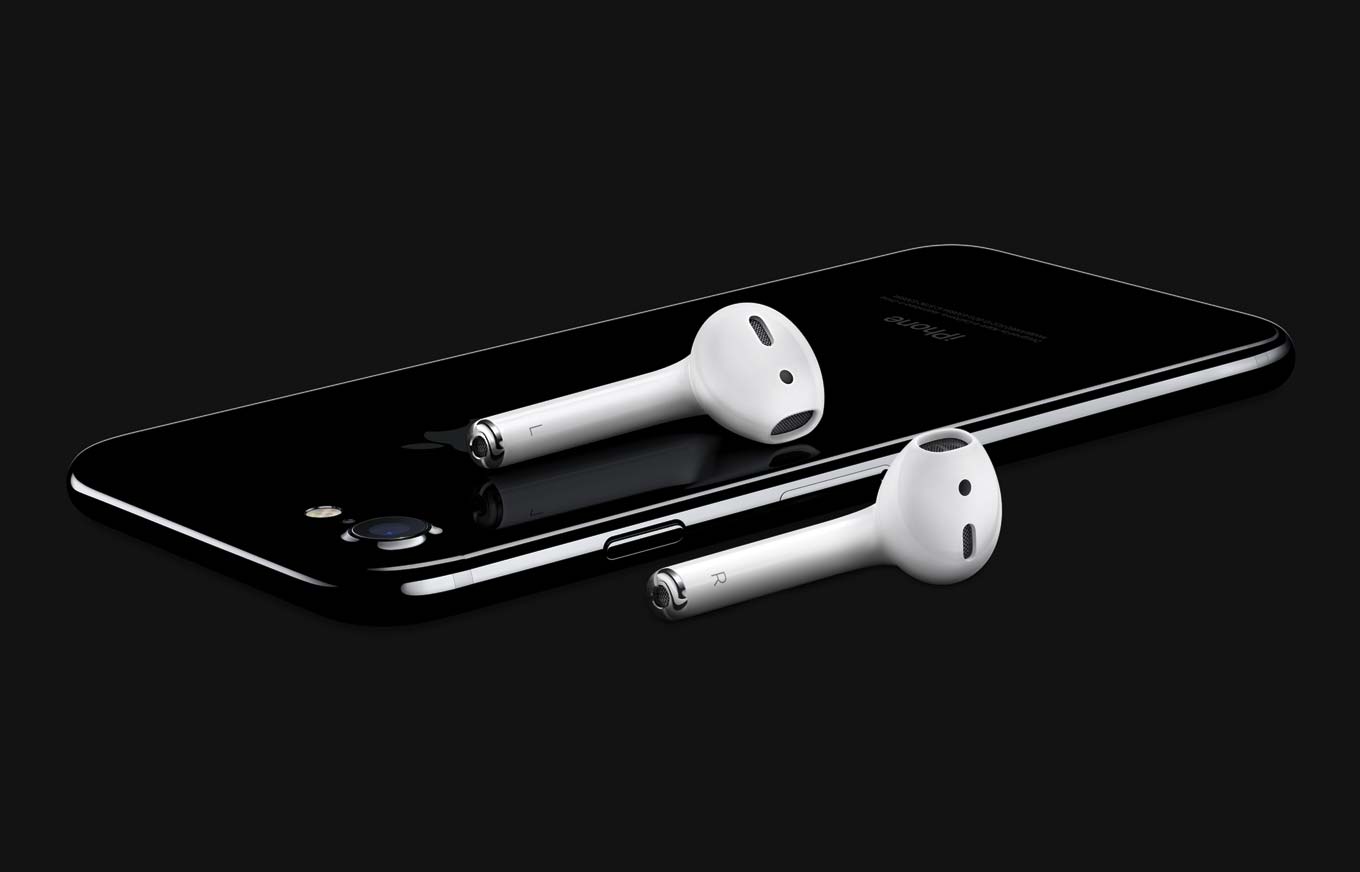
Apple’s AirPods are up for pre-order and arriving in Apple Stores next week. I’ve got a set in hand, and rather than jumping straight to the review, I thought I’d answer some of the most common questions I’m seeing about Apple’s new wireless earbuds.
Do they fit the same as Apple’s standard EarPods? Because those keep falling out of my ears.
The main earbud portion of the AirPods seems to be identical in shape and size to the existing wired Apple EarPods. (The stem is bigger and thicker, owing to all the electronics that are packed within.) So they’ll probably fit your ears more or less the same as EarPods do.
The big difference is in the lack of wires coming out of the bottom of the stems. You may not notice the force that wires exert, constantly pulling against your ears and trying to coax those earbuds out of position, but compare the feeling of wearing EarPods to AirPods and you will realize that those wires really do have an impact. I never felt that EarPods were reliably seated in my ears, and they would often fall out; the AirPods stay in my ears even if I simulateenthusiasticheadbanging. The only time I’ve had an AirPod fall out so far is when I took off my hoodie and the hood snagged on one of the AirPods, popping it out. The rest of the time, they’ve felt solid and secure in my ears without feeling weighty.
Is there any way to stop it automatically playing music when you put it in your ear?
This is actually a misunderstanding of how the AirPods work. When you connect and disconnect them, they’re basically emulating how wired headphones work with iOS devices. If you’re already playing audio when you connect them, that audio will start playing out of the AirPods. If you’re not playing audio, nothing happens. Likewise, when you take the AirPods out of your ears or connect them to a different device, the audio stops playing just as sure as if you unplugged a set of headphones.
The one exception is how the AirPods handle a situation where you take an AirPod out of your ear momentarily. When you do this, your device audio pauses temporarily. When you put the AirPod back in your ear, your device audio resumes. In this way, taking one AirPod out of an ear is an interface command—it’s literally the equivalent of tapping the play/pause button.
Can you use them one at a time, with full functionality?
I heard this question from several runners who are expecting to need to conserve battery power on long runs. (The battery life is five hours, how long are you people running?!) The answer is yes: If you use a single AirPod, it will work just fine, and your iPhone will switch over to a mono mixdown so that you hear both sides of any stereo audio. It also means, as my pal Adam Engst pointed out, that you can run with one AirPod in and your other ear uncovered—which is smart if you’re running on roads and need to listen for traffic.
Can you wear them a long time before your ears start to hurt?
I got a lot of questions about the comfort of the AirPods, and there’s no good way to answer this question because everyone’s ears are shaped differently. The first time I went out with the AirPods, my right ear started to hurt after about half an hour. I readjusted the earbud and it was more comfortable, and since then I’ve had no problems because I discovered the “right” way for the AirPods to sit in my ears. But I can make no promises — if you hate earbuds you may hate AirPods. They may be wireless marvels, but they’re still earbuds.
What happens when you double-tap an AirPod?
By default, this brings up Siri—on iOS and the Mac. But you can change your iOS settings to make this gesture instead equate to the play/pause button. To do so, go to the Bluetooth menu in Settings, tap the Info button next to your AirPods, and choose Play/Pause from the Double Tap On AirPods menu. From this menu you can also turn off the “ear detection” feature if you’d rather your device not react when you’re taking your AirPods in and out of your ears.
If you pair AirPods with a Bluetooth-compatible device that hasn’t been designed to work specifically with the AirPods—I used an Android phone for my testing—they’ll still work, and the double-tap gesture generates a Play/Pause command.
Can you voice-control AirPods when you don’t have an Internet connection?
Nope, and this seems like a real oversight. Before there was Siri, there was Voice Control, which let you perform basic on-device functions like media playback without the use of the Internet. Maybe Siri should be able to perform basic playback functions like volume control without an Internet connection?
Can I have them?
Sure. Get out your credit card and stop by your local Apple Store. But no, you can’t have mine.
More questions? Tweet them @jsnell and I’ll try to answer, here or there.
Note: This story has not been updated for several years.
Roll20 is great for playing D&D and other board games on the Internet.
‘Tis the season when we list a bunch of our favorite stuff of the year. But some stuff doesn’t fit in a tidy category. And so, I present to you: My favorite uncategorizable stuff!
Codenames
For that sweet spot of a party game that’s easy to learn, fast to play, and still a challenge, Codenames is exactly what you’re looking for. The premise involves a thin veneer of spying, but the game is really about trying to clue your partner into identifying which words in a 5×5 grid of cards are “your” words, without having them guess those of your opponent. It’s a bit Taboo, a bit Pictionary, and a bit Guess Who, but I’ve found that everybody I’ve played with has enjoyed it, and you can generally find it for under $15.
Star Wars: Rebellion
Fair warning: I’ve only played once, and it’s not for the faint of heart, but if you have a friend who’s a die-hard Star Wars fan, Star Wars: Rebellion is a heck of a lot of fun. The expansive one-on-one game (which has a two-on-two variant) sees one player in the role of the Rebel Alliance, challenging the other player’s Galactic Empire. The Empire is trying to find the Rebels’ hidden base while the Alliance is attempting to sway the galaxy to its side. Settle in, because this $70 game takes a few hours to play—and you’ll probably want to blast some Star Wars soundtracks while you do so.
Pandemic Legacy: Season 1
I enjoy most cooperative games—there’s something refreshing about battling a common enemy with your friends—and Pandemic Legacy takes that formula to the next level, by creating a “year”-long campaign where you and your team of CDC battle the outbreaks of disease around the globe. The game starts off much like the traditional Pandemic, but an ongoing narrative throws in some twists and turns. (I won’t spoil them.) Much like its predecessor, Risk Legacy, decisions you make as you progress affect the ultimate outcome of the story, and the very board and game mechanics change as you go. It’s a fun ride, even if it can be finicky about rules and proper procedures at times.
Cloak
If you travel a lot, or if you simply end up using random Wi-Fi networks a lot, you might be concerned—rightfully so—about the security of your network connection. That’s a good reason to turn to the security of a VPN like Cloak. The service, which offers both monthly/yearly subscription plans for $10/$99 and time-limited passes starting at $4 for a week, offers both iOS and Mac apps that you can use on all your devices. Whenever you connect to network that you haven’t designated as trustworthy, Cloak will automatically log into the VPN, encrypting all the data from your device. You can also choose from a variety of different locations for the VPN you’re connecting to, which may help deal with some geographic restrictions.
Doodle
I’m not sure how we could accomplish anything over at The Incomparable without the help of Doodle. The free service lets you find the time that works the best for any meeting, whether it be a podcast, party, D&D session, or, I don’t know, a work meeting I guess. Choose a handful of dates, send an invitation to everybody on your list, and everybody can pick the times that they’re available, making it easy to pick the one that works for the most people. The iOS app even lets you know if you have conflicts on your calendar. There are paid private and business plans, but the free option is probably sufficient for most people.
Roll20
As fun as it is to play role playing games like Dungeons & Dragons or board games like Trivial Pursuit in person, sometimes you just can’t get everybody into the same place. For The Incomparable’s Total Party Kill and Game Night podcasts, we’ve managed to span the vast abyss of space and time zones by using Roll 20. It’s an online gaming service that incorprates video and voice chat as well as a shared map where you can move gaming tokens, roll virtual dice, and even create complicated macros and scripts, if you’re so inclined. The basic model is free, but pony up a little bit and you can add more storage space for your game assets, tablet support, or even access to the API if you’re feeling ambitious.
[Dan Moren is the East Coast Bureau Chief of Six Colors, as well as an author, podcaster, and two-time Jeopardy! champion. You can find him on Mastodon at @dmoren@zeppelin.flights or reach him by email at dan@sixcolors.com. His next novel, the sci-fi adventure Eternity's Tomb, will be released in November 2026.]
My thanks to Journaly for sponsoring Six Colors this week.
Journaly is a customizable and automatic Journal app, available for both macOS and iOS, with support for sync. Journaly is currently 30 percent off as an introductory special.
Journaly lets you journal just about anything, from notes to mood to places, and is customizable. There’s also an auto-journaling mode that can automatically create entries when you can’t.
Note: This story has not been updated for several years.
The iPhone may be approaching its tenth birthday, but it often seems as though the iOS app scene is doing anything but slowing down. That said, the huge preponderance of apps has made it trickier to separate the wheat from the chaff. Still, we soldier on, testing new apps as they arrive, and where necessary, pitting them against old favorites. We’ve combed through both recent and more longstanding apps for the ones that have stood out for us.
I’ve been using the iPad Pro for a year now, too, but not like Federico Viticci. It’s his primary computing device, and he’s done amazing things with it. If you’ve ever been curious about what Federico uses—his apps, accessories, and workflows—to do his entire job on an iPad Pro, now you can find out.
In a press release today Apple announced that AirPods are now available to order online. Demand has already outpaced supply; when I checked about an hour after the press release was dropped, Apple was quoting four weeks for shipping.
According to the PR, AirPods will also be in Apple Stores and other outlets “next week”:
AirPods will be shipping in limited quantities at launch and customers are encouraged to check online for updates on availability and estimated delivery dates. Stores will receive regular AirPod shipments.
Note: This story has not been updated for several years.
I’ve detailed my very favorite apps here in 2014 and Dan and I praised more apps last year. I’m not going to restate the stuff mentioned in those stories—yep, still writing this in BBEdit—but here are a few Mac apps that I’ve come to appreciate this past year.
Apple’s products are saddled with astronomical expectations, but in recent years perhaps none was so anticipated as the Apple Watch, Apple’s first go at tapping into the budding wearables market. It may not be fair to say that the Watch didn’t live up to those expectations, but early versions of the device, and especially its software, received a lukewarm reception.
Since its initial launch, Apple has taken steps to change not only the Watch and its operating system, but also its overall perception and marketing message. They’re ditching something that didn’t quite work in the first version—the high-end fashion angle—and focusing on what did work: Health and fitness tracking. In the long term, this arguably more important shift in focus has the potential to make the Apple Watch much more attractive and compelling to potential customers—including the fashion forward.
Note: This story has not been updated for several years.
All work and no play make all of us more than a little bit dull. Great games abound on Apple’s platforms, and you shouldn’t feel the least bit guilty about indulging in them. After all, sometimes the brain does its best work when it’s distracted. At least, that’s totally what we keep telling ourselves.
The one upside however, was that since @names no longer applied to the character count, some users created a massive “Twitter canoe” mentioning everyone they could.
Whoops. Well, the good news is that Twitter users made their displeasure known. So here’s hoping the company rethinks this particular Island of Doctor Moreau abomination.
Hulu will let you have up to six profiles for the same account. Unsurprisingly, the service also wants to use this as an opportunity to serve you up more programming, so when you create a new profile, it’ll ask you about the shows you like so that it can build recommendations and so on. Profiles will contain their own watchlists, viewing history, names, recommendations, and so on. Like Netflix, there’s also a Kids specific option that filters out mature content.
While Hulu users on the web can start creating profiles today (nominally, anyway–it wasn’t there when I looked), the feature will be rolling out to other devices in the coming weeks.
I’m glad to see Hulu embrace this. I share my account not only with my girlfriend, but also with my parents, and I’m sure they don’t want to be reminded that there’s a new episode of Arrow every week. I am curious to see how something like Apple’s new TV app will take this into account, though: since it doesn’t have multiple users, will it just recommend whatever the primary account holder is watching? Unlike our phones or even many people’s tablets, a TV is often a multi-person experience, and catering to each of those people can definitely be a challenge.
Not that I’d ever call it a problem! Were it to be anything beyond a hypothetical. ↩
[Dan Moren is the East Coast Bureau Chief of Six Colors, as well as an author, podcaster, and two-time Jeopardy! champion. You can find him on Mastodon at @dmoren@zeppelin.flights or reach him by email at dan@sixcolors.com. His next novel, the sci-fi adventure Eternity's Tomb, will be released in November 2026.]
Lex has a couple of new Watch bands. A leather one: https://www.amazon.com/dp/B016I7A8B4/ref=wl_it_dp_o_pd_nS_ttl?_encoding=UTF8&colid=3ANLZZAO5LRN&coliid=I35F7MTQQQKO0F&psc=1
And a knock-off Milanese loop: https://www.amazon.com/dp/B01AU66DSG/ref=wl_it_dp_o_pd_nS_ttl?_encoding=UTF8&colid=3ANLZZAO5LRN&coliid=IGAU2C49US2NW&psc=1
Apple VP Paul Deneve has been removed from the company’s executive’s page and now reports to Jeff Williams: https://9to5mac.com/2016/12/03/apple-vp-paul-deneve-disappears-from-apple-exec-bio-page-now-reports-to-jeff-williams/
Tim Cook says Watch sales are just fine, thank you very much: http://fortune.com/2016/12/06/tim-cook-apple-watch-sales-record/
Mark Gurman says Apple will use drones to improve Maps data: https://www.bloomberg.com/news/articles/2016-12-01/apple-said-to-fly-drones-to-improve-maps-data-and-catch-google
Amazon has introduced a store will all self-checkout: http://www.seattletimes.com/business/amazon/amazoncom-unveils-self-driving-brick-and-mortar-convenience-store/
Wait times for getting help from Apple are kinda long: http://pxlnv.com/linklog/apples-support-gap/
Moltz got a USB-C wall charger. It’s slower but way less expensive than Apple’s: https://www.amazon.com/Anker-Type-C-Delivery-Charger-PowerPort/dp/B01D8C6ULO/ref=sr_1_5?ie=UTF8&qid=1481048024&sr=8-5&keywords=anker+usb+c+wall+charger
Moltz is getting an Echo for Christmas but is a little nervous about it: https://www.wired.com/2016/12/alexa-and-google-record-your-voice/
Our thanks to Mack Weldon (https://www.mackweldon.com/rebound). Mack Weldon makes glorious underwear to hold your bits in the way they deserve, anti-microbially. It is truly awesome stuff. So go to MackWeldon.com/REBOUND and use the promo code “REBOUND” to get 20 percent off your order.
Our thanks also to Omaha Steaks. Go to OmahaSteaks.com (http://omahasteaks.com and type “REBOUND” in the search bar, add the Family Gift Pack to your cart and get a 77% savings! Great meat at a great price.
Our thanks to Harry’s (http://harrys.com). Harry’s sells premium shaving products for much less than those crappy blades that you have to get someone to unlock from a cabinet. Get $5 off your first order with coupon code “REBOUND”. Don’t wait, get the shave you deserve.
The 12.9-inch iPad Pro arrived a little over a year ago, and I’ve been using it as my primary iPad ever since. And while I love it-and also appreciate its little buddy, the 9.7-inch iPad Pro-there’s no doubt that there are ways it could be improved.
With the exception of the introduction of the 9.7-inch iPad Pro in the spring, this has been a pretty quiet year for the iPad. But I am optimistic about the future of the product line. I think 2017 could be a pretty great year for the iPad. So here’s my iPad wish list for 2017.
This kind of work is essential for Apple, as a hardware company that makes mobile devices. By slimming down the neural network, iPhones and iPads can identify faces and locations in photos, or understand changes in a user’s heart rate, without needing to rely on remote servers. Keeping these processes on the phone makes the features available anywhere, and also ensures data doesn’t need to be encrypted and sent over wireless networks.
A lot of the details are kind of high-level, but perhaps the most interesting part of this is that Apple will now be able to publish and share its AI research. For a company that tends to be as close-mouthed as Apple, that’s a big coup, and I suspect it’s in no small part by the widespread perception that the company is behind Google in this arena. (The article also mentions that Apple says its photo-processing algorithm can run through twice as many images as Google’s.)
Just another sign that the Apple of 2016 definitely isn’t the Apple of 2006.