Note: This story has not been updated for several years.
Today at the Worldwide Developer Conference, Apple made some major announcements about improvements to its offerings to the podcast world.
As mentioned in Monday’s keynote, the Apple Podcasts app—which is almost certainly the most popular method of listening to podcasts in the world—is getting an overhaul in iOS 11, including a new interface as well as some changes to how podcasts can be structured. This comes in the way of extensions to the feed format podcasts use to list their available episodes.
New extensions to Apple’s podcast feed specification will allow podcasts to define individual seasons and explain whether an episode is a teaser, a full episode, or bonus content. These extensions will be read by the Podcast app and used to present a podcast in a richer way than the current, more linear, approach. (Since podcast feeds are just text, other podcast apps will be free to follow Apple’s lead and also alter how they display podcasts based on these tags.)
Users will be able to download full seasons, and the Podcasts app will know if a podcast is intended to be listened to in chronological order—”start at the first episode!”—or if it’s more timely, where the most recent episode is the most important.
I’m excited by these changes because, yes, some of my podcasts are seasonal and are best consumed from the first episode onward. I’ll be adjusting my own podcast feeds to take advantage of Apple’s extensions as soon as it makes sense to do so.
The other big news out of today’s session is for podcasters (and presumably for podcast advertisers): Apple is opening up in-episode analytics of podcasts. For the most part, podcasters only really know when an episode’s MP3 file is downloaded. Beyond that, we can’t really tell if anyone listens to an episode, or how long they listen—only the apps know for sure.
Ooh, podcast analytics coming for Apple Podcasts. And a new podcast feed spec with seasons and better title handling. ðŸ‘ðŸ‘
Apple said today that it will be using (anonymized) data from the app to show podcasters how many people are listening and where in the app people are stopping or skipping. This has the potential to dramatically change our perception of how many people really listen to a show, and how many people skip ads, as well as how long a podcast can run before people just give up.
While Apple’s Podcasts app is the most popular one around, it’s not the entire market—so statistics from Apple can’t be used as the source of truth for how all podcast listeners behave. But I suspect it will be used as a proxy for the larger podcast world, since it will be the largest source of listener data around.
That was one of the more subtle messages coming out of Apple’s annual WWDC keynote this year. The company had plenty of eye-catching announcements, like the new HomePod speaker and a space gray iMac Pro, but buried among the myriad capabilities of the upcoming iOS 11 and MacOS High Sierra updates are a collection of features aimed at protecting users’ privacy by targeting annoying web ads.
The real goal for Google appears to be not just blocking ads sold by other digital suppliers besides Google, but to undermine third-party ad blockers, which stop Google ads along with everyone else’s… It’s hard to build a coalition in favor of annoying ads. And publishers would be guaranteed a revenue stream, either through charging consumers for an ad-free experience, or from the ads themselves. So the policy aligns the interests of virtually everyone on the web content side. Improving Google’s bottom line and crushing anyone who tries to compete is just a nice side benefit.
The current web advertising world is brutal for readers and publishers alike. But is Google riding in on a white horse to save the web, or just using its leverage to prop up its own core business? This is a complicated story, and needs to be approached with skepticism and scrutiny.
Pirate Joe’s, which for more than five years celebrated its status as an unauthorized importer of Trader Joe’s products with a blend of cheeky humor and David-versus-Goliath determination, closed its doors at 12:01 a.m. Thursday after a protracted legal battle with the American corporation.
Trader Joe’s is resolutely an American store, apparently, despite being owned by Germans. For non-Americans, Trader Joe’s is a grocery store that’s largely populated by store brands (rather than name-brand products), with good prices and frequently good quality. My family doesn’t do more than a fraction of our shopping at Trader Joe’s, but there are many items in our pantry that we only buy from Trader Joe’s.
I just love the idea that some dude in Vancouver loved Trader Joe’s so much that he set up a store and began reselling items bought across the border in Washington, like a reverse-bootlegger from the era of prohibition.
He would fill a cart with the items he needed and then have companions pay at the cashier — the most sensitive part of the expedition because it was where he most risked being spotted. In ads on Craigslist, Mr. Hallatt recruited “day laborers” for $25 an hour.
Alas, Pirate Joe’s is now dead. And while Trader Joe’s should probably consider expanding into Canada, Target remains an object lession in major American stores failing in the Great White North.
Way back in 2010, when the iPad first debuted, I called it the third revolution of computing. It was an opportunity to start fresh, without the 30 years of baggage of the personal computer–to build a new device that was simple and easy to use, the same thing the Mac tried to do back to the PC back in the ’80s.
So it’s more than a little amusing to me that, of the many features announced for the iPad in iOS 11 this week, the most welcome have ended up being the ones seemingly pulled from the very devices the iPad was trying to leave behind.
That’s not to say that there isn’t an iPad spin on these features–it’s not as though they’ve been lifted whole cloth from the Mac and dragged and dropped onto the iPad. But it turns out that maybe, just maybe, Apple got some of these things right the first time around, and that the company didn’t need to reinvent the wheel when it came to the future of computing.
This week, we learned that Apple’s much-rumored smart speaker is real, and it’s called HomePod. Now the wait begins—six months until it ships in December. But while we’re waiting, Apple’s still tweaking the product and getting it ready to launch.
Sure, a few of us lucky souls were able to listen to a HomePod at Apple’s developer conference, but nobody outside of Apple has talked to one or picked one up. At the risk of stating the obvious, that’s because this is a product that’s not finished yet. Apple doesn’t want to publicly commit to a feature and then realize it can’t ship it; the product as the company conceives it today may not be the product that ends up in customers’ hands in December.
watchOS 4 provides an option that kills the honeycomb Home screen of apps. You can change that screen to display apps in a list rather than a grid. Grid View is still activated by default, but anyone looking for something different can switch to List View.
There’s way more here, so it’s totally worth a read.
One interesting piece of news this week: WebRTC, a set of technologies that allow web developers to built media-driven web apps for functions like videoconferencing and audio chat without any plug-ins, is going to ship in Safari for iOS 11 and a few versions of macOS. (The first rumblings that this might happen were back in January.)
This is exciting for a few reasons—I use Chrome to play Dungeons and Dragons, for instance, because Roll20 relies on a bunch of WebRTC stuff. But the big one is that two web apps designed to make podcasting easy also rely on WebRTC. That means right now, they only work on Chrome and Firefox, but in the near future it’s possible they could also work on Safari.
Now, there are a lot of potential show-stoppers here. Is Apple’s implementation somehow different from Chome’s, in a way that could perhaps break the web apps Cast and Zencastr? Or will it be easy for Cast and Zencastr to welcome Safari users?
Most importantly, if WebRTC is supported on iOS 11—and everything I’ve heard so far says it is—this suggests that I could record a group podcast entirely on an iPad or iPhone, including a local recording, using Cast or Zencastr. That’s a big stride forward for people who want to use iOS devices for podcasting.
I don’t want to jump for joy just yet, but the signs are encouraging.
Note: This story has not been updated for several years.
I may have a bit of a smart speaker problem.
My kitchen has an Amazon Echo, my office an Echo Dot and a Google Home. A new Echo Show is due to join them in a few weeks. As someone who’s hip-deep in the Apple ecosystem, that might make the newly announced HomePod seem like a no-brainer, but I’ve found myself hesitant since the device’s introduction earlier this week.
Let’s caveat this whole shebang by reminding all of us–myself included–that it is super early in the process here. The device shown off at WWDC is, by all indications, far from complete. Nobody got to so much as touch one, and the most that folks seemed to get was a sound comparison test. A lot can change in the six months before this product ships, and we’re likely to hear way more about it in September.
But, all of that aside, what keeps me from giving my wholehearted support to the HomePod is the product messaging. It seems clear to me that this device was designed with music first. That makes sense: Apple’s relationship with music is well documented, and they’ve been down this road before with the late iPod Hi-Fi. As Phil Schiller mentioned during the live episode of John Gruber’s The Talk Show this week, what’s changed is that the company now has an incredibly deep bench of audio engineering talent that it didn’t have a decade ago. (Not least of all because it spent a few billion dollars on a little company that makes audio equipment.)
I have faith that the sound will be great. It may very well compare favorably with my Sonos Play:1’s, if early reports are any indication. It will certainly provide better sound than any of those other smart speakers.1
But here’s the thing: it’s not the speaker part of the HomePod I’m hung up on–it’s the smart part.
Because the HomePod seems to be all about music, with the rest of those smart features positioned more as afterthoughts. While music is certainly an important part of my everyday life, I’ve grown attached to the smart capabilities of those other devices.
Siri’s good enough at some of the things that I use those smart speakers for–setting timers, getting weather forecasts, and (mostly) playing music–but going beyond those core competencies falls apart fast. It still doesn’t respond well to a lot of general queries (to be fair, neither does the Echo; the Google Home is the clear winner there–no surprise as it’s backed by the Google search engine). In my house, Siri is third-in-line for any voice-based query that doesn’t directly relate to Apple devices.
Siri may very well be sufficient for what you want to do with the HomePod, but after six years, I’ve found myself concerned about the seemingly slow pace of development. I’d hoped for major improvements to the voice assistant during this week’s keynote, and instead got an improved voice and some meager additions to SiriKit.
And with Siri as the brains and, more or less, as the OS for the HomePod, it doesn’t instill a lot of confidence. As it stands right now, the HomePod is more of an accessory than a platform. And a platform is what I want out of the device. Third-party developers should be able to extend the capabilities, as Amazon has done with the Echo, whether through an expansion of SiriKit or a full-fledged SDK. I think this is a big area of computing going forward, and I want to see Apple commit to it.
I believe that’s possible, too. One thing jumped out at me during Apple’s presentation: the HomePod is powered by an A8 chip, the same processor which powered the iPhone 6 and 6 Plus and is still found in the fourth-generation Apple TV. That’s a lot of power for a speaker, and while I’m sure the audio enhancements that Apple is doing in the HomePod requires some power, I’d be surprised if it couldn’t be harnessed to other ends.
In the end, it’s that promise that gets my attention with the HomePod and sways me back towards the idea that I might actually buy one–the promise of future potential.
Not to mention feeding my smart speaker addiction. (Come on, like I’m not going to write about an Apple smart speaker? Really?)
Full disclosure: I’m not even remotely an audiophile. I listen to music on my Echo all the time, like an animal. ↩
[Dan Moren is the East Coast Bureau Chief of Six Colors, as well as an author, podcaster, and two-time Jeopardy! champion. You can find him on Mastodon at @dmoren@zeppelin.flights or reach him by email at dan@sixcolors.com. His next novel, the sci-fi adventure Eternity's Tomb, will be released in November 2026.]
Jason Snell got to try out the HomePod: https://sixcolors.com/post/2017/06/ears-on-with-the-homepod/
He’s also got a wrap-up of Apple’s announcements: http://www.macworld.com/article/3199787/wwdc/wwdc-2017-keynote-taking-it-all-in.html
Bozoma Saint John is reportedly leaving Apple for Uber: http://www.blackenterprise.com/news/apple-music-bozoma-saint-john-leaving/
Our thanks to Omaha Steaks. Go to OmahaSteaks.com (http://omahasteaks.com) and type “REBOUND” in the search bar, add the Family Gift Pack to your cart and get an 80% savings! Great meat at a great price.
Our thanks also to Mack Weldon (https://www.mackweldon.com/rebound). Mack Weldon makes glorious underwear to hold your bits in the way they deserve, anti-microbially. It is truly awesome stuff. So go to MackWeldon.com/REBOUND and use the promo code “REBOUND” to get 20 percent off your order.
And our thanks to Couchbase (https://www.couchbase.com/therebound). Get exceptional customer experience at any scale on the Couchbase engagement database. Always on, always fast. To find out more, go to Couchbase.com/TheRebound.
Note: This story has not been updated for several years.
Monday was a big day for the iPad. Apple introduced new iPad Pro models, and the unveiling of iOS 11 revealed a major focus on iPad productivity features.
As someone who frequently uses an iPad to get work done—in fact, I didn’t even bring a Mac to WWDC this year—the announcements on Monday made me happy. I can’t wait to spend a lot more time using the 10.5-inch iPad Pro and iOS 11. But in the meantime, I do have a few lingering questions…
How does the 10.5-inch iPad Pro compare to the old 9.7-inch model and the 12.9-inch iPad Pro?
The 9.7-inch iPad Pro is dead. The classic iPad screen size is now only available on the fifth-generation iPad introduced earlier this year. Instead, Apple has created an iPad Pro with a larger screen while trying to maintain the weight and general feel of the classic iPad.
I was able to use one for about half an hour yesterday, and without holding it up to a 9.7-inch model, it certainly didn’t feel any bigger—and was still noticeably smaller and lighter than the 12.9-inch iPad Pro I tote around most of the time.
In most cases, a mobile device’s dimensions getting bigger wouldn’t be great news, but the new iPad Pro is taller by .4 inches—and that means that the Smart Keyboard and any other keyboard accessories built for it will have room for slightly wider keycaps. The old 9.7-inch iPad Pro was a little bit too narrow for full-sized keys, but this new model should be better. And the larger display means the on-screen keyboard will be more comfortable, too.
The new iPad Pro’s screen isn’t just bigger, it’s got more pixels—at 2224 by 1668, it’s larger than the 9.7-inch’s 2048 x 1536 resolution. Unfortunately, Apple hasn’t chosen to include a higher-resolution display that would match the 2732 by 2048 resolution of the 12.9-inch iPad Pro.
In the end, I suspect that the 10.5-inch iPad Pro will be a nice upgrade for users of the 9.7-inch model, thanks to that bigger screen and slightly taller dimension. But it’s good that Apple has chosen to keep the larger 12.9-inch iPad Pro around, because that model still has a larger screen with more pixels.
How fully baked is iPad multitasking?
The most dramatic changes in iOS 11 all seem to relate to multitasking on the iPad. The classic iOS home screen Dock has been given an upgrade, featuring more apps (including apps suggested dynamically by Siri) and the ability to drag apps out into Slide Over or Split View. The old many-cards multitasking window is gone, replaced with a view that’s a set of tiles reminiscent of the view when you zoom out of a web page in Safari, mixed in with a strong Mission Control vibe from macOS. A new version of Slide Over, which features an app window floating over another app on the side of the screen like an overgrown picture-in-picture window, opens the possibility of running three apps at once.
In the half an hour I spent with an iPad Pro running an early version of iOS 11, I came away impressed. This isn’t a small revision designed to nudge iOS across some imaginary goal line: this is a whole set of features that have been rebuilt to interoperate, all in service of making it easier to flow from app to app. Dragging apps around was smooth and fairly intuitive; the only time I ran into a problem was when I tried to dismiss an app running in Slide Over—I ended up having to transmute it into a Split View, then slide it off the screen from there.
That’s almost certainly a bug, which makes an important point: I would expect that some aspects of the iOS 11 approach to multitasking to shift over the summer as Apple gets customer feedback and rethinks some of its decisions. But what I have seen so far makes me feel that this is a feature that’s extremely well thought out and implemented.
How big a paradigm shift is the new Files app, really?
Every time you star to read a story about how Apple betrayed the simplicity of the iPad this week by recreating the macOS Finder in the new Files app, close the window and move on with your life. That’s a really bad take.
The fact is, if file browsing is a Pandora’s Box for iOS, it was opened a couple of years ago when Apple introduced the iCloud Drive app. That app provided a system of files and folders that iOS users could browse and act upon. The genie’s been out of the bottle for two years, at least to a limited degree.
Also, I’d dispute that the addition of Files is any sort of Pandora’s Box. Unlike the Mac, where Finder sits at the heart of the computing experience, Files is an app that you only see if you choose to open it. People who don’t need to think in terms of managing files will never need to use it. But for those of us who do have workflows that require managing files, Files should allow us to stop fighting the operating system and get down to business.
I have a bunch of questions about the details about how Files works and what its limitations are, and I suppose we’ll learn a lot more as the summer progresses. I wonder how different cloud-storage providers will choose to integrate with Files. I’m curious about how drag-and-drop and Files will interoperate. I wonder where the files in the “On my iPad” folder live, and if this new app will make it easier to load files from external devices or network shares or files dragged in from a Mac via iTunes. It’s all in the details, but the big picture is promising.
How awkward or not-awkward will new two-hand gestures feel?
One of the cooler features in iOS 11 is its embrace of two-handed gestures on the iPad. You can drag an app icon with one hand while flipping through pages on the home screen with the other hand. You can select one app with one hand and tap with the other to add additional apps. This is next-level multitouch support, and it has the potential to be pretty powerful—but also pretty confusing for the uninitiated. How Apple manages that trick, so that people won’t accidentally trigger these figures and end up lost and confused, is going to be something to watch.
There are also ergonomic issues: To use two-handed gestures, your iPad can’t be in your hands. So these are gestures primarily intended for iPads that are on a table, in a case, in a lap, or otherwise someplace where you’ve got both hands free to manipulate data. That’s limiting, but it’s also freeing—these large devices are far more likely to be put into situations like that, and if you consider a future with even larger iOS devices, two-handed gestures should become an even bigger part of the interface story.
Still, this is a first step—and it may be a little weird to start. I look forward to seeing how people react to the gestures and how natural they feel.
It matters to some more than others
Yesterday I was sitting with a couple notable Apple writers and they were taken aback with the device I was writing my article with—a 12.9-inch iPad with the Brydge keyboard. I’ll grant you, at first glance it’s easy to get confused about what device I’m using. It looks like a MacBook Pro, but it’s not. It’s an iPad and a clip-on Bluetooth keyboard.
But once they realized I was working on my iPad, the larger issue was that they both didn’t really understand why. And I realized, this is an interesting area where the Apple world—which is often viewed as monolithic from the outside—is actually segmented in a few interesting ways. Those of us who work on the iPad are a loud, passionate group—but there are many people who would just prefer to use a MacBook. I don’t think these positions are necessarily in opposition—not every Apple product is for every person, and that’s fine. But it was an interesting reminder that even among my peer group, there are plenty of people for whom the progression of the iPad as a productivity device is an interesting story, but not one with any personal impact.
Fair enough. Whether you’re an observer or someone who is actively involved in using the iPad Pro, this has been pretty good week—and the road to iOS 11’s release promises to be an interesting ride.
In the movie The Princess Bride, after a series of exciting events, swordmaster Inigo Montoya is asked to explain what has happened since the film’s hero was rendered unconscious.
“Let me explain,” he says. “No, there is too much—let me sum up.”
When it comes to explaining the WWDC 2017 keynote, I feel a lot like Inigo Montoya. This was a packed two-plus hours that would probably run three-plus hours in the Director’s Cut edition. There were enough Easter eggs in the “additional features” slides to render the Easter Bunny catatonic. There’s a lot to process, and we’ll be processing it for the next few days—maybe even all summer.
But in the meantime, here are a few big-picture takeaways from Monday’s Apple presentation.
Note: This story has not been updated for several years.
At WWDC today I got to listen to a HomePod for a little while, and compare it to a Sonos Play:3 and an Amazon Echo.
This will not surprise you, but the HomePod sounds a lot better than the Amazon Echo. It was also better than the Play:3, but with some caveats.
In general, I found the HomePod to sound quite good, with a powerful bass and great clarity in the treble. However, in a few cases—Stevie Wonder’s “Superstition” was the one that really struck me—I felt that the Sonos Play:3 more accurately reproduced the feel of the track, while the (extremely early, pre-release version of the) HomePod’s clever audio processing technology spread the bass and vocals out so much that it didn’t sound right anymore.
Of course, with the HomePod half a year away from shipping, there’s probably a lot of software tweaking yet to be done in terms of audio processing.
It’s also worth keeping in mind: the HomePod is still a mono speaker. A pair of HomePods can produce a remarkable stereo effect, with great clarity and impressive separation—as you might expect for $700 worth of speakers.
The bottom line is, despite there being several Sonos speakers in my house, my wife and kids generally listen to music on the Amazon Echo these days, entirely because they don’t have to push any buttons or launch any apps in order to get the music playing. The Echo’s audio quality is not great, but it doesn’t matter—the voice interface wins out.
The HomePod, however, provides vastly better sound than the Echo, but with the voice control that we’ve come to enjoy. This suggests to me that the HomePod will be an appealing product come the end of the year—unless its competition gets a lot better between now and then, which it might. This a fast-moving category, after all.
In any event, I can tell you this: I have heard the HomePod and it sounded pretty good—admittedly in a situation designed by Apple to show off the HomePod. I wish I could’ve had a chance to talk to it, but there are months to go before it’s ready to be sold.
Note: This story has not been updated for several years.
I’ll be inside the McEnery Convention Center in San Jose this morning for the Apple WWDC 2017 Keynote. Dan’s here in San Jose, too. We’ll be providing live updates and analysis from the event as it happens, via Twitter at @sixcolorsevent, or in the box embedded below:
When watching this year’s keynote at Apple’s Worldwide Developers Conference, I implore you to do one thing: think big.
I don’t mean big as in a new 12.9-inch iPad Pro, or big as in the number of features packed into this year’s annual iOS or macOS software updates. I don’t even mean big news, like the rumored Siri Speaker the company might announce.
No, I mean think big picture. After all, while Apple may be a huge company made up of disparate units, products, and platforms, it has always promulgated the idea that it brings all of these resources to bear towards one unified goal. And I think that if you look at the big picture of what Apple ends up announcing next week, you’ll come away noticing a couple major themes in that overall strategy.
Note: This story has not been updated for several years.
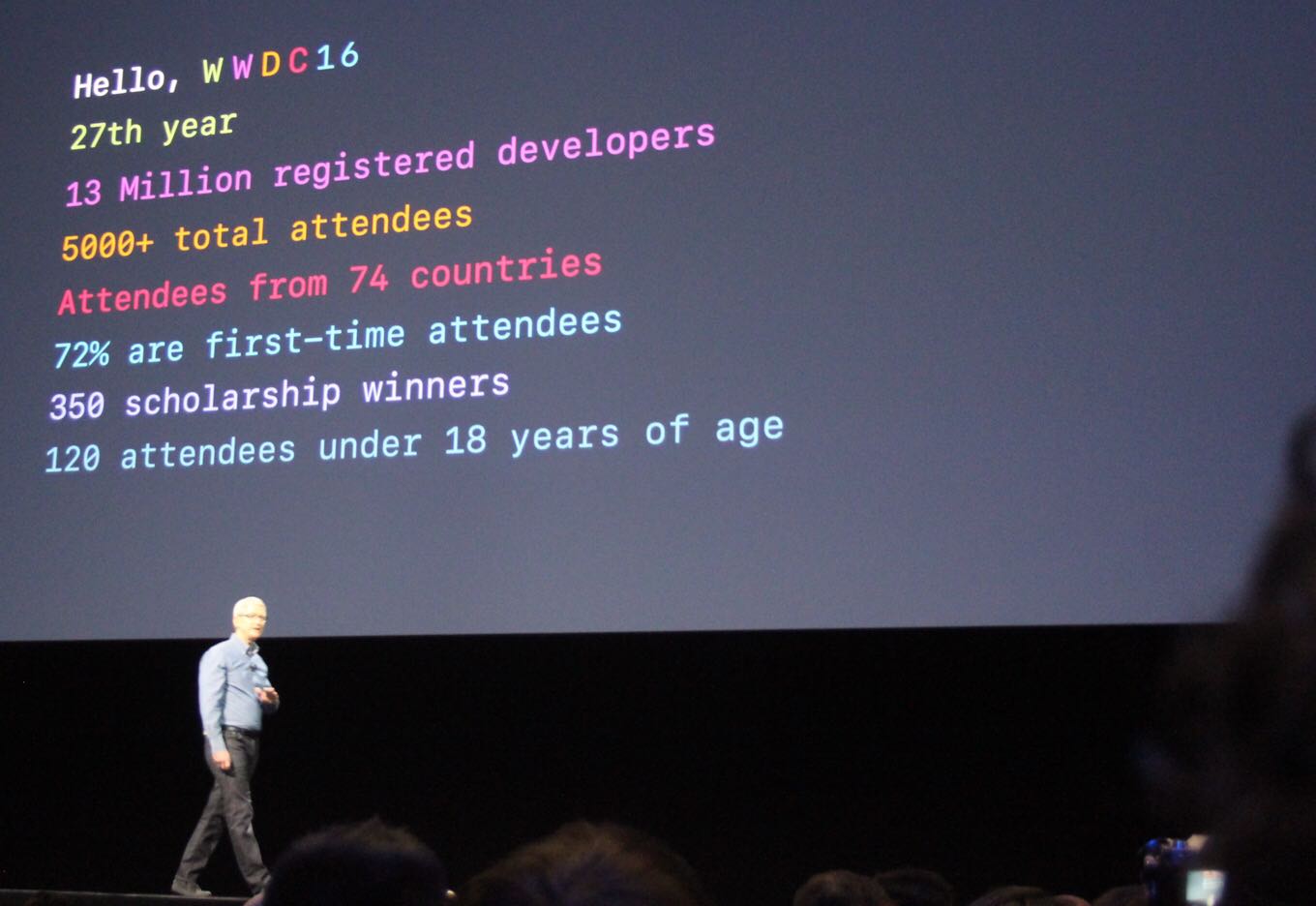
Tim Cook welcomed everyone to last year’s WWDC.
There are so many angles to take with the run-up to an Apple event. You can handicap rumors, stick to the most likely scenarios, or even hope your wildest dreams come true. For this article, though, I’m going to focus on what I most want to see—with the caveat that I’m only listing things that I think are within the realm of possibility.
iOS: Professional features
All of my desired features on iOS are about more advanced features, especially on iPad Pro. To me, Apple’s decision to not take the Mac in the same direction that Microsoft is taking Windows—all-in on touch interfaces—is a signal that the company believes the future of computing lies on iOS, not macOS. Fair enough—but if iOS is ever going to become a destination for all of those people who depend on the Mac to do their jobs, it’s going to need to add a lot of functionality it doesn’t currently offer. iOS 9 offered us some hints that Apple was headed in that direction, but iOS 10 delivered almost nothing in that vein. With iOS 11, hopes are high.
The multitasking features introduced in iOS 9, while a major boost to productivity—I’m writing this article on my iPad while looking up links in Safari via Slide Over—are first steps. It’s time for more: an improved multitasking app picker, drag-and-drop support, and other improvements that reduce the overhead in managing apps when in Split View.
Now let’s talk filesystems. No, the iPad and iPhone aren’t Macs. But when Apple introduced the iCloud Drive app in iOS 9, the jig was up—Apple was admitting that sometimes, you want to store a file someplace in one app and then open it via a different app. In iOS 11, I’d like to see Apple turn the iCloud Drive app into a more expansive Files app that lets you browse iCloud, other storage services such as Dropbox and OneDrive, and even—gasp—USB or networked storage devices.
iOS could also do audio a lot better. On the playback side, devices should be able to play two different audio streams without pausing one and playing the next. On my Mac, my web browser can play some audio while I’m listening to music, but on my iPad, any sound playing in Safari and my music is gone. On the recording side, I’d like apps to be able to record system and microphone audio in the background, so that musicians and podcasters can have more power in using iOS devices for audio production.
Finally, yes, I’d love to see new iPad Pro hardware, most specifically that rumored 10.5-inch iPad Pro—a device that packs the full resolution of the 12.9-inch iPad Pro into roughly the same size as the “classic” 9.7-inch iPad. And if iOS 11 supports pointing devices or there’s a Smart Keyboard with a trackpad attached, all the better.
Mac: A grab bag of old and new
Top of my list on the Mac side is something that seemed unlikely to happen until Apple got a bunch of writers together to explain that it really was committed to the professional market. What I want to see—and, I suspect, what the developer audience in attendance wants to cheer for—is an on-stage restatement of that commitment, with actions to back it up.
Ways Apple could demonstrate this commitment include shipping new MacBook Pro models with refreshed Intel processors, shipping new professional-level iMacs, and teasing the forthcoming Mac Pro. The act of updating the eight-month-old MacBook Pro with fresh processors alone would suggest that Apple realizes it needs to do better when it comes to turning around processor updates.
So many WWDC attendees are iOS developers these days. The iOS App Store thrives while the Mac App Store withers. I’d like to see Apple formalize a way for those iOS developers to easily create Mac versions of their apps. I’m not talking about running iOS apps on the Mac, necessarily, but if Apple made it easier for developers to take UIKit (the building block of iOS apps) and similar features and move them to an equivalent on the Mac, that could be a huge boost for the platform. (Apple’s Photos app, for example, uses a private “UXKit” framework that suggests the company has built some of these migration tools for itself. Maybe this could be the year everyone else gets them, too?)
I expect that Siri will be front and center at this year’s conference—across all of Apple’s existing hardware platforms, and perhaps new ones if the Siri Speaker stops being a tech unicorn and starts being a real product—and I’ll remind you that the Mac just got Siri last fall. It’s not a full-blown implementation, however, and I’d like to see Siri become consistent across all Apple’s platforms, especially the Mac. Support for HomeKit, the “Hey Siri” voice trigger, and SiriKit extensions would be a good start.
I’d also like to see Apple show signs of its commitment to the Touch Bar. If Apple truly thinks the Touch Bar is the future, it would be good to see Touch Bar improvements right away—including support for third-party apps to pop items into the Control Strip at all times. More reasons for third-party apps to adopt the Control Strip—and for users to use it more—would also be welcome. A Magic Keyboard with Touch Bar would hammer the message home. Without a sense of forward movement, I’m going to start to suspect that Apple’s not really committed to the Touch Bar, and it’s not good enough to be left to languish for another year.
Finally, I want Apple to release a new MacBook with faster processors and a second USB-C or Thunderbolt 3 port. I have a hard time seeing how this is part of a WWDC announcement, but I want it bad enough that I’m asking for it anyway, Santa.
Other stuff
Look, I’ve been asking for a Siri Speaker for more than a year1 I like my Amazon Echo a lot and would love to see Apple’s take on this product category. More generally, though, I want to see Siri become more capable—integrating with more apps on iOS, as well as with web services.
Finally, as someone who has spent an awful lot of time using (and writing about) Apple’s Photos apps, I want to see some great new features—and improvement of a bunch of old features. Machine-learning metadata should sync across devices. Families should be able to share full-quality photos easily and automatically. Search should allow you to find more than one metadata tag at a time. Memories should be more intelligent. Books and Calendars should pick up the auto-selection and layout features already deployed in Memories.
Maybe this is all too much to ask. But on Monday morning when I’m sitting in my seat at the convention center in San Jose, these are the features that will make me the most happy to see. I don’t need to see them all—but for the next few days, I’ll live in hope.
I can’t have been the first person to use that fake product name, can I? ↩
ALL HAIL THE ESSENTIAL PHONE: https://www.theverge.com/2017/5/30/15711170/essential-phone-announcement-price-android-andy-rubin
LIKEWISE HAIL THEIR HOME THINGY: https://www.theverge.com/circuitbreaker/2017/5/30/15711162/ambient-os-essential-home-andy-rubin
TechCrunch’s coverage is a little more staid: https://techcrunch.com/2017/05/30/nice-phone-essential-but-why-is-there-a-hole-in-the-screen/
There may indeed be updated MacBook Pros at WWDC: https://www.macrumors.com/2017/05/29/15-inch-macbook-pro-delivery-estimates-slip/
Mashable’s complaints about the Apple Watch: http://mashable.com/2017/05/30/apple-watch-fitness-fail/
Our thanks also to Omaha Steaks. Go to OmahaSteaks.com (http://omahasteaks.com) and type “REBOUND” in the search bar, add the Family Gift Pack to your cart and get an 80% savings! Great meat at a great price.
Our thanks to Indochino (https://www.Indochino.com) where you’ll find the best made to measure shirts and suits at a great price. Use the promo code “REBOUND” and get any premium suit for just $389.