

By Jason Snell
MacBook Pro with PROLED review: You could even say it glows
The new MacBook Pro with PROLED XDR Display is, like its name, a bit overloaded with meaning. Its banner feature is its impressive tandem OLED display, a first on the Mac—but most people will instead remember that display because it’s also a touchscreen. Advances in Apple silicon are usually a major part of the story of a new MacBook Pro, but not this time around—these new laptops are powered by the same M5 Pro and Max chips introduced on the MacBook Pro earlier this year.
So, yes, the real story here is the screen—but what a big story that screen is! In fact, it’s two big stories.
OLED and everything after
Let’s start with that OLED display, because it’s clear that this new laptop redesign (the first since the M1 era in 2021) was inspired entirely by the desire to move the MacBook Pro off of mini-LED backlit LCD panels and onto OLED at last.
Let’s be clear: The “old” MacBook Pro display is spectacularly good. But there’s only so much even Apple could do with that technology. OLED is just superior, in so many ways: it’s thinner and lighter, uses less power, and every single pixel emits light on its own, so you can have spectacularly bright areas with pitch-black pixels right next door. (The contrast ratio on the PROLED XDR display is ten million to one.)

The display really is impressive. Obviously, its primary target audience will be creative professionals who can take advantage of the wide color gamut (P3+Adobe RGB) and high dynamic range to create work without any fear that they’re not seeing exactly what they expect to see. For me, a person who mostly works in typed words and audio, well, it sure was something to pull up 4K HDR movies on the PROLED XDR display.
I was also impressed by just how bright the screen can get. Obviously, bright HDR content will be incredibly bright, up to a peak of 2000 nits. But I was also impressed with its brightness in standard dynamic range. In bright environments (think: direct sunlight), the display is actually capable of cranking up SDR brightness to 2000 nits, because even in direct sunlight, you do need to see your computer’s display to get anything done.
Since this is an OLED display, there could potentially be lifespan-limiting issues like burn-in. Apple says the laptop is continuously monitoring each pixel on the display and applying compensation to reduce long-term burn-in and retain as much consistency and precision as possible.
Just as those M1 MacBook Pro models introduced us to the “notch,” a camera and sensor cut-out smack in the middle of the menu bar, the PROLED MacBook Pros introduce the Dynamic Island to the Mac for the first time. In other words, the “notch” is now a small circular cut-out from the display. Rather than leaving it as blank space, Apple has taken a page from iOS and turned it into the Mac’s own Dynamic Island. (It’s still dead center in the menu bar, though, so menu items will need to leap over the island as they did the notch.)
Spotlight and Siri AI are now animated as emerging from the black blob that is the Dynamic Island. Now Playing appears up there, too, and you can click1 or tap2 on the Dynamic Island to expand it and get playback controls. Shared Live Activities from your paired iPhone should also appear up there, rather than in the menu bar itself, as they do on other Macs.
I’m a big fan of subtle, ambient information presentations that inform you about things happening on your devices. That’s why the Dynamic Island was such a fun approach to turning a problem (an unsightly camera cut-out) into a useful feature. The notch never really did anything—it was just a dead zone. The Dynamic Island serves a purpose and the MacBook Pro is better for it.
The other killer feature
I’ve written so many words about OLED, and yet we still haven’t gotten to the other huge feature of this new laptop design: The new 14-inch model is a full half-pound (about 15 percent) lighter, and the new 16-inch model is 0.7 pounds lighter. The new 14-inch model weighs three pounds, putting it closer to the MacBook Air in weight than the old 14-inch MacBook Pro.
I know, I know, all of this dramatic display technology and the fact that you can touch it and it does stuff, and I’m talking about weight?
Well, yes. Because unless you leave your laptop on a stand all day long, weight is one of its most important features. I spent maybe fifteen years commuting on public transportation with a laptop in my backpack, and it’s what made me fall in love with the MacBook Air. Because every ounce saved mattered. Even when carrying the laptop around the house or office, it’s just more pleasurable to move that thing if it’s light. To shave a full half-pound off in one go is just remarkable. I don’t hate toting my M4 Max MacBook Pro around when I need to, but I notice those 3.5 pounds, especially given my history with the MacBook Air.
But to get a high-performance laptop at three pounds? (Okay, if you get the M5 Max chip it’s 3.1 pounds, but still…) To cut 15 percent off the weight of a fairly mature laptop without sacrificing any battery life? It’s a design choice that deserves to be celebrated.
You can touch it
Then there’s the feature that probably seems like a bigger deal than it actually is: touch. If you care about the Mac, this is an incredible moment, the first time Apple has made a touchscreen Mac after decades of resistance. (Yes, people were agitating about touchscreen Macs back in the 2000s.) Fifteen years ago, Steve Jobs kicked off what has turned into a long parade of Apple executives who have had to explain why Apple just didn’t see any value in adding touch to the Mac, in the face of a load of PC laptops that offered it.
It’s complicated. The early PC touchscreen laptops weren’t really very good. Mostly the touchscreen was something a commodity PC maker would add so it could check a box on a feature list, even if it wasn’t particularly useful or well-integrated into Windows. At least some of Steve Jobs’s disdain for touchscreen PCs came from being asked why Apple wasn’t jumping off the same bridge as the PC makers. He drew from the same well of poisonous feelings he used to explain why Macs didn’t have Intel Inside stickers on them.
Which is not to say that there haven’t been interesting PCs that really took advantage of the touchscreen. The thing is, they weren’t conventional laptops. They were tablet PCs, or maybe convertible laptops with screens that flipped around or folded flat, so that you could interact with them via touch (or stylus) with better ergonomics than reaching out over a keyboard to touch a vertical display.
Apple, meanwhile, set about building some of the most popular touchscreen devices in the world, starting with the iPhone. Apple has made its own “tablet PC” since 2010—but it’s an iPad, not a Mac.
The fact that Apple’s selling its first touchscreen Mac in late 2026 is a bit hilarious. I suspect that at some point, corporate dogma took over and it became impossible internally to champion adding touch to Mac laptops. Pretty much every Apple executive has appeared in public and declared it a bad idea at some point. Also, after one of the world’s leading tech companies goes a couple decades without adding touch to its laptops, doesn’t the pressure build up a bit?
Oh, after all this time, you’re doing a touchscreen? This better be good!
Meanwhile, over the last couple of decades—and this is a trend Apple is directly responsible for—everyone who uses technology has become used to interacting with touchscreens on a regular basis. And once you spend enough time touching pieces of glass, it becomes second nature—to the point where I have absolutely reached up to tap or scroll on my laptop screen only to have to remind myself that it’s a Mac and it doesn’t work that way.
I’ve also used my iPad Pro with an attached keyboard and trackpad enough to recognize that, even when I’m driving that device like it’s a laptop, sometimes I will find it easier to just reach out and touch. It’s natural, it works, and it’s nothing to be afraid of.
So finally Apple is ripping the bandage off and embracing touch. In doing so, it really had two choices: Invent an entirely new paradigm for the Mac interface, one based on touch… or don’t do that and just make sure the existing Mac interface works fine if you use your fingers instead of a trackpad.
It chose the second one, and rightly so. If this new MacBook Pro was some weird convertible device with a fold-back screen and Apple Pencil support, adding a load of new touch features and gestures would make sense. But Apple has wisely chosen not to inflict a series of edgy and opinionated design decisions on its loyal base of professional users. I hope Apple does make a weird convertible MacBook Studio someday! But it wouldn’t be a MacBook Pro.
So, yes, you can touch the MacBook Pro’s screen and stuff happens. For the most part, I found I was using it the same way I used my iPad’s touchscreen when it was configured like a laptop—for reaching out and idly scrolling, tapping, maybe pinching and zooming. The touch affordances are subtle—tapping the menu bar will space out menu items a bit, tapping on the “traffic light” window controls will cause them to zoom out, iPad style, to make them clearer targets. Selecting text is accomplished by a double-tap (the rare gesture that is different from the usual iPhone/iPad playbook), and tapping and holding on an item in the Finder makes it lift upward, indicating you can drag it. (It also brings up the context menu, which is a little awkward but does the job.)
Would I expect someone to perform detailed brushstrokes in, say, Photoshop using their finger? No, I would not. But I do think that app developers may well appreciate being able to test their apps right on their laptops, complete with support for all the iPhone and iPad multitouch gestures. And there are undoubtedly other apps that can benefit from proper multitouch support—Apple demonstrated a Logic plug-in that allowed you to operate multiple control surfaces at one time with different fingers, something that’s impossible if you’re using a normal Mac with a single pointing device. That was pretty cool.
But touch seems like a niche interface so long as you’re touching a screen that’s upright, hinged behind a keyboard. I like that Apple has done this, and I hope it brings touch support to all its laptops over the next few years. But it’s a nice-to-have additional input mechanism, and that’s all. It will not dramatically change the way you interact with a Mac, nor should it. But given that we live in a world where just about every device supports touch, Apple needed to get over itself and make the Mac work with touch. It did, and that’s great.
(Oh, and if you hate the idea of touch, you can just turn it off in Accessibility settings and pretend this laptop is exactly like every Mac laptop that has ever come before it, no different in any way except maybe that the screen’s really nice.)
Always be branding

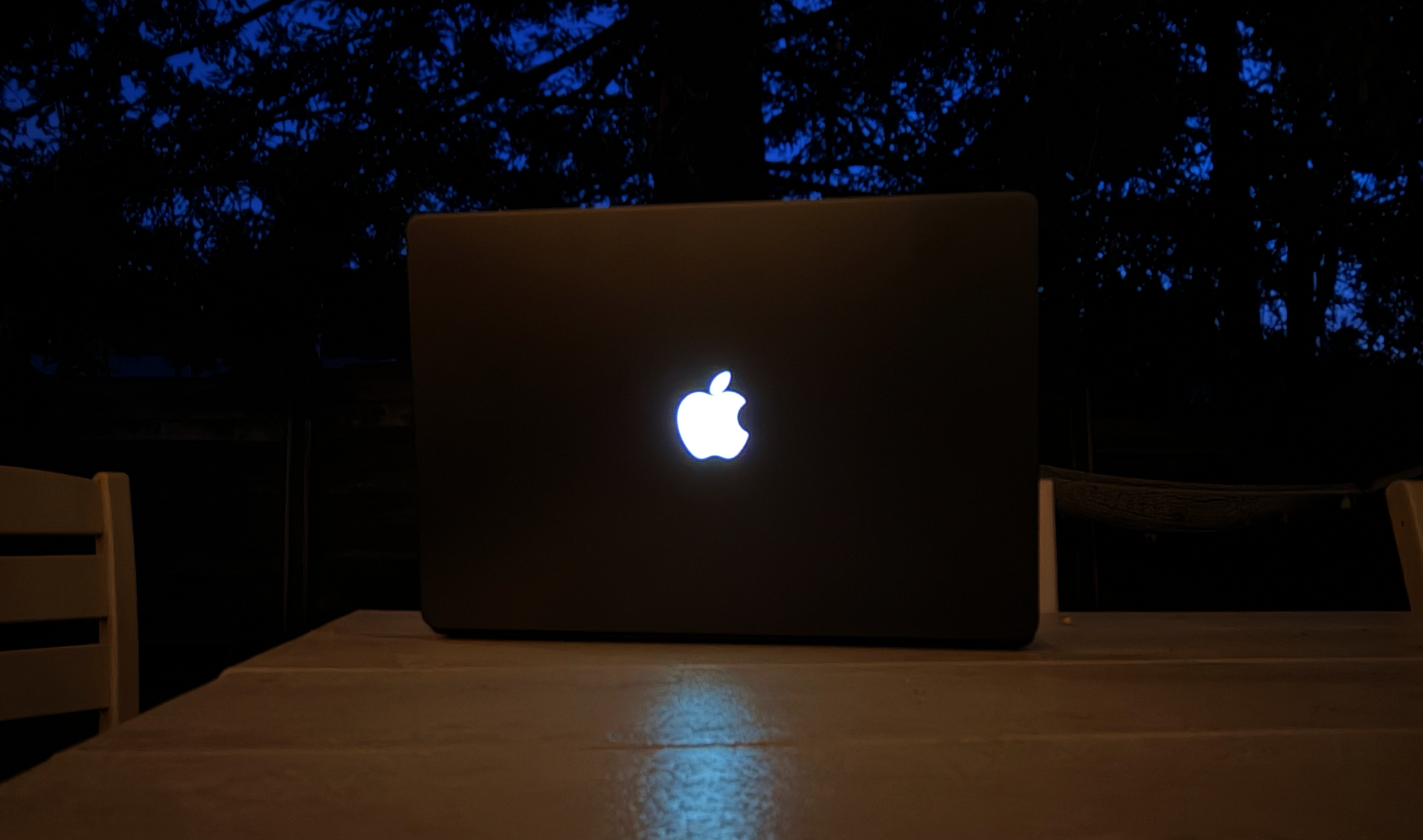
Back in the late ’90s, someone (maybe even Jony Ive?) had the bright idea to put a translucent Apple logo on the lid of the PowerBook G3, so that the Apple logo would glow. A couple of years later, Steve Jobs ordered that the logo appear right-side-up when the laptop was opened, and an era of rooms full of glowing representations of the Apple brand began.
Unfortunately, we can’t have nice things, and in the mid-2010s, among many other bad decisions, Apple changed its laptop logo to be a beautiful polished metallic shape—but one that didn’t light up.
Well, the MacBook Pro with PROLED has a polished metallic logo on the lid… and yet, somehow, when you turn on the laptop, it glows in the old-school style. You might think that this is a trivial detail barely worth mentioning, but that’s the point exactly. This is an independently controlled light source (there’s no backlight on an OLED screen!) that can, according to Apple, be turned off via a setting if you don’t want it to be seen.
Apple went to the trouble of engineering a glowing logo on the lid of the MacBook Pro—a whimsical bit of nostalgia that also coincidentally is pretty good branding—despite the fact that it has no real practical purpose. I love that. Apple has gotten really good at being ruthlessly efficient and at creating wildly popular tech products and accompanying services that have allowed it to generate nearly half a trillion dollars in revenue in the past year. But there needs to be more to that story. Apple should also maintain a level of whimsy, a touch of humanity, a desire not just to have a successful business but to truly surprise and delight its customers.
Bringing back the glowing Apple logo is a tangible example of Apple staying in touch with its soul. I love it. More like this, please.
That’s all there is… for now
It’s really strange to have a new generation of MacBook Pros with a new design—and yet no new chips. According to Bloomberg’s Mark Gurman, this is because Apple canceled the M6 Pro and Max chips in order to get to an even more impressive M7 generation due next year. I like the aggressiveness of that move, but it does have the side effect of making this particular product introduction a bit awkward.
Anyway, here are some test results. They’re pretty much the same ones you saw back in March:
Yes, the M5 Pro and Max chips are powerful. If you really needed them you could’ve gotten them in March, but they’re still good. (The next ones will probably be way better, though.) They’re just not new.
It’s so easy to focus on new chips when new Apple products come out that it’s almost refreshing to be forced to focus on everything else. Fortunately, the new MacBook Pro with PROLED XDR Display has a lot more going for it than a normal upgrade does.
We only get a major revision to a major Mac product line every few years, and this is a big one. The new OLED display is spectacular, especially if you need the best color or the most dynamic range—or a display capable of cranking way up in bright conditions. The reduced weight is an enormous improvement that shouldn’t be overlooked. That you can tote an M5 Max chip around in a three-pound laptop (okay, fine, 3.1 pounds for that model) is incredible. The Mac Pro in your backpack is just a whole lot lighter.
And, yes, there’s a touchscreen too. It’s a development that seems momentous, and yet is almost an afterthought compared to what else is going on with the MacBook Pro with PROLED XDR. Touch has been added tastefully and I hope it spreads to the rest of the MacBook line sooner rather than later. (And yes, if Apple would like to do a weird convertible laptop at some point, bring it on—as its own separate thing.)
This is the second MacBook Pro product release in one calendar year. It’s a little weird, like both revisions took a half-step forward rather than taking the single stride forward we’re used to from Apple. If you’re in the market for a new MacBook Pro, for an extra $400 you can get a dramatically better display, and lighter laptop, with touch—if any of those matter to you. The good news is, this design will probably be with us for the next several years, so if now is not the time for you to take the plunge, relax—there’s always next year.
If you appreciate articles like this one, support us by becoming a Six Colors subscriber. Subscribers get access to an exclusive podcast, members-only stories, and a special community.