

By Glenn Fleishman
Why Notes will never let us edit Markdown

The Notes app added Markdown import and export in the version 26 operating system releases, and the macOS 27 Golden Gate update lets us copy and paste as Markdown. Why can’t we just write natively in that hoary, simple format?
I use Markdown all day, every day. In fact, I’m writing these words in Markdown without you even knowing it. All content-management systems (CMSes) I’m aware of support native Markdown entries when posting, and many writing and note-taking apps integrate Markdown conventions without needing to trumpet them.1 I typed two hash marks (##) at the start of a line by instinct when writing a Kickstarter post in that company’s slightly awkward editor, and it formatted the line as Subhead (heading 2 in its style). Huh!
But Notes is a different animal: it’s a rich-media note-taking app, not a text app (TextEdit or BBEdit) or word-processor/layout app (Word or Pages). Or, to paraphrase the humanist computer book writer Robin Williams, “Notes is not a typewriter.”2
What’s the difference between typing and formatting?
WYSIWYG (What You See Is What You Get) isn’t new, even if some people think Steve Jobs invented it in 1984.3 The notion of formatting as you type and seeing it immediately onscreen, or on an adjacent monitor, an approximation of how it would appear when printed or viewed as a digital document by other people dates to the 1970s. As a typesetter in the 1980s, I coded type on a grainy little monochrome monitor using a language remarkably like HTML, but we had to visualize what it would look like.4 The Mac was a huge breakthrough!

Williams’s book The Mac Is Not a Typewriter (Peachpit Press, 1989) attempted to teach people how to use the typographic richness available on a Mac, like typographers’ quotes and long dashes, instead of typewriter conventions like straight quotes and double hyphens. Some typewriter conventions were created to indicate to a reader a typographic feature that wasn’t available on the limited space of a typewriter’s keyboard. (Although typewriters did have curly quotes.) Others were specifications for manuscript preparation: ways for the typist to let a typesetter know what was intended when a pamphlet, book, advertisement, or other material was set in “real” type.
We could strip those away, Williams explained, and produce better-looking native documents on a Mac, because the Mac didn’t have the strictures of a typewriter.
And then, 15 years later, John Gruber posted a specification for Markdown, a language far simpler than HTML that allowed us to write in a legible way in text that could also be interpreted into rich formatting without additional effort. While it’s been lightly expanded over the years, the core Markdown features and principles abide. Some adaptations, such as the version we use at Six Colors, allow embedded footnote references that are, again, both understandable in the text and can be rendered as pop-up notes or footnotes.
This is all prelude to the difference between writing in something like BBEdit or TextEdit and Notes:
- BBEdit and TextEdit (in plain text mode, anyway) are typewriters. You use them to enter text with no formatting, because you are writing intentionally without formatting, possibly in Markdown. (BBEdit is widely used by tech writers.)
- Notes is a Mac. Although in its early days it limited you to Marker Felt and no formatting, these days you have access to a rich panoply of options beyond bold and italic and bulleted lists. TextEdit in rich text mode is also a Mac.
- Pages is a layout program. Are Notes and Pages similar in the sense that a nori sushi roll and a burrito are? Plausibly. The two are vastly different in taste, but they can contain a rich array of things inside that are sometimes the same basic things, like fish and rice.

It’s clear you wouldn’t sensibly write Markdown in Pages—though I’m sure some people do—but Notes feels like a much more reasonable place to do so. Except, that’s not the kind of creature it is.
Make use of Notes’ Markdown features
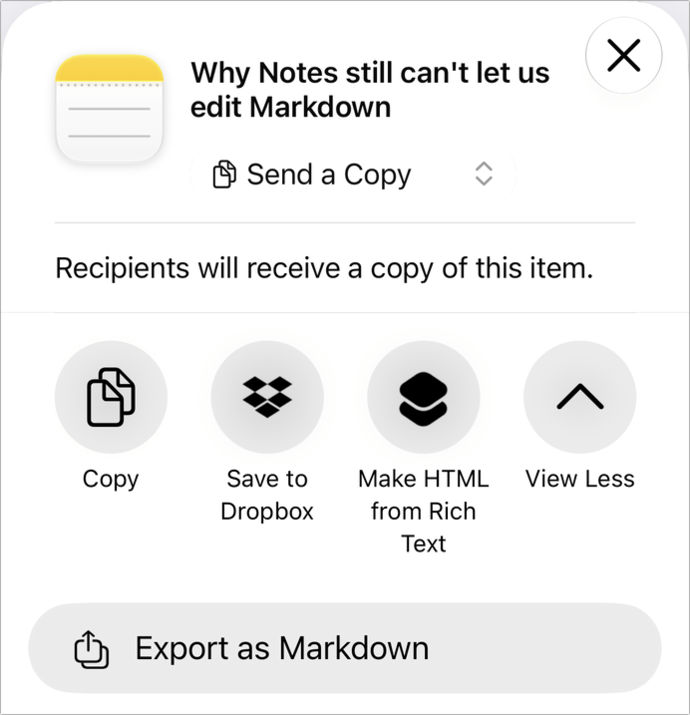
Now to the succulent tuna inside that nori roll.5 Here’s how you can use Notes in version 26 and 27 releases with Markdown. You should note (ha, ha) that Notes only supports “classical” Markdown. Notes will import elements added as extensions to Markdown, such as footnotes, but won’t render them.
In Notes for iPhone, iPad, and Mac in versions 26 and 27:
- Import Markdown: On a Mac, choose File: Import Markdown, select a file, and click Import. On an iPhone or iPad, find a Markdown file in another app or in Files, follow the app’s process to share, choose Notes as the destination app, and then tap Import in Notes. This will import referenced images, where possible.
- Export Markdown: On a Mac, select a note, choose File: Export To: Markdown, select a destination, and click Export. On an iPhone or iPad, touch and hold a note in a list of notes, tap Share, then tap Export as Markdown. (If you don’t see this option, scroll down to Edit Actions to add it to your Share sheet in Notes.) This creates a folder that includes the exported Markdown text and any images that are referenced in the note in an Attachments folder.
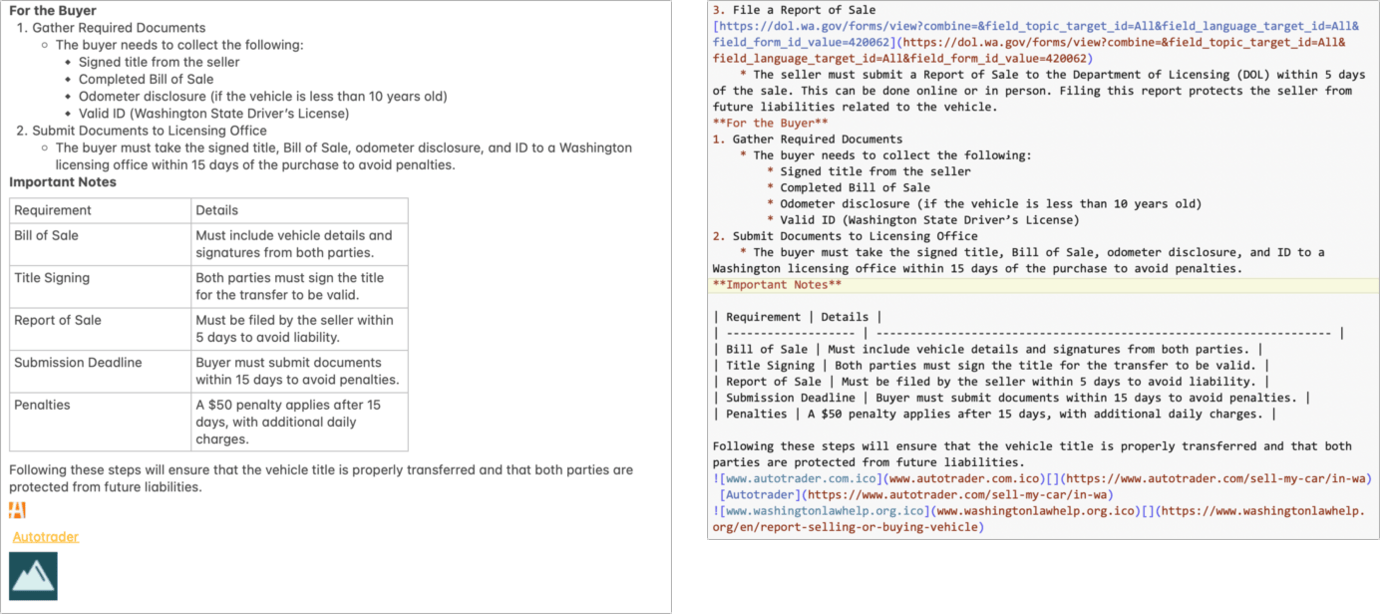
In macOS 27 Golden Gate (but not [yet] iOS 27 or iPadOS 27), you gain access to Edit menu items. These items don’t appear contextually when you Control-click/right-click in a note:
- Paste as Markdown: From another app or a website, copy Markdown text. In Notes, click to place the insertion point or select text to replace, then choose Edit: Paste as Markdown. Voilà! Rich text.
- Copy as Markdown: Select a text range or the whole note within its document window, and choose Edit: Copy as Markdown. Your Clipboard now has Notes’ rendition of what the Markdown equivalent should be. Images aren’t copied, just the text.

Now if you’ll excuse me, I need to limber up my fingers on an old Underwood.
- I’m obliged to repeat my axiom about CMSes, having used dozens and written two or three: “All CMSes are bad, except the one you’re currently using, which is worse.” ↩
- Robin Williams, the Mac and typography author, wrote a number of incredibly useful early Mac-era books that framed and taught how many new designers thought about digital design and typography. ↩
- While dining at a friend’s boyfriend’s house with his parents in the early ’90s, one described someone they had met as WYSIWYG, meaning the person had no pretenses. ↩
- This was on a Compugraphic EditWriter 7500. I’ve been trying for years to run down the typesetting programming manual with no luck. The language it used looked a lot like SGML (Standard Generalized Markup Language). SGML sort of led to HTML. ↩
- I am obviously writing this just before lunch. ↩
[Glenn Fleishman is a printing and comics historian, Jeopardy champion, and serial Kickstarterer. His current books in preparation, which you can pre-order, are Flong Time, No See, and That One Matt Bors Comic. Other books include Six Centuries of Type & Printing and How Comics Are Made.]
If you appreciate articles like this one, support us by becoming a Six Colors subscriber. Subscribers get access to an exclusive podcast, members-only stories, and a special community.