

By Dan Moren
January 15, 2026 10:54 AM PT
Wish List: SSH keys in Passwords
It might be weird to describe myself as an “authentication enthusiast,” but I guess I’ve never claimed to not be weird. I’ve written a whole lot about passwords and passkeys, so it shouldn’t come as a surprise that I’m a big fan of Apple’s Passwords app. It lets you easily store your authentication details, share them with others, and even view the history of changes to your accounts.
Previous to Apple offering features like iCloud Keychain and Password Autofill, I relied on 1Password to store a lot of this information, but in recent years I’ve transitioned in large part to Passwords. But you’ll note I said “largely.” There are still a few things that I use 1Password for and while Apple is generally good about ticking off the lowest hanging fruit and leaving third parties to offer more niche products, I’d argue that authentication and security are important enough to our everyday lives that the Passwords app can afford to take on more responsibility.
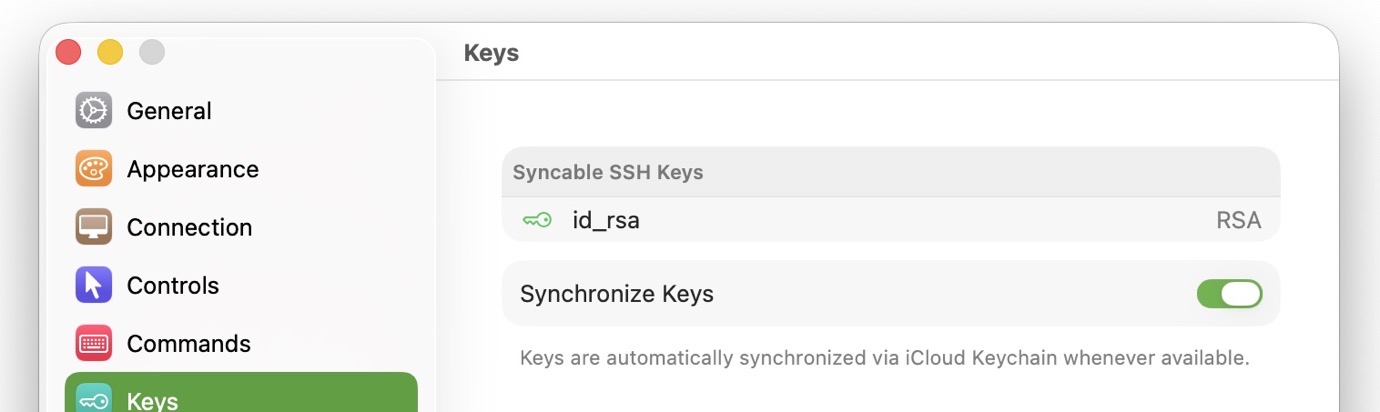
So, maybe it’s time for a power user feature. cracks knuckles SSH keys! You know them, you love them. If you don’t know them, you should love them. Like passkeys, SSH keys are credentials that rely on public-key cryptography to simplify connecting to remote servers and computers without the use of passwords.
And before you dismiss this as something that’s just for those of us who enjoy diving into Terminal, lots of services and sites let you use SSH keys, from GitHub to apps like Edovia’s screen-sharing app Screens and many more. Again, like passkeys, their use helps make our lives more secure and more convenient.

Managing these credentials, however, can be a headache. In part because they can be stored or viewed in many places: in your user’s home directory on macOS, synced via iCloud Keychain, in macOS’s Keychain Access app, the command-line ssh-agent tool, and even some third-party apps like, yes, 1Password can handle them.1
A veritable surfeit of solutions. Too many, really. I’d love to be able to have all my keys stored in a user-friendly interface like Passwords, which would hopefully work under the hood with the command-line tools as well as providing a system for more easily using the keys. 1Password seems to provide the best implementation here, where you can set it up to have requests for your key pop up a dialog box where you can use biometrics or your main password to authenticate.
Just as Apple eventually supported (or at least didn’t actively hinder) Touch ID for sudo on the command line, it’d be great to see Passwords embrace SSH key management for those of us who need it. Which, honestly, is all of us.
- A recent foray into setting up some SSH keys for one of my remote servers led me to discover that I had turned on 1Password’s SSH key management feature which, while cool, ended up confounding what I was trying to do. ↩
[Dan Moren is the East Coast Bureau Chief of Six Colors, as well as an author, podcaster, and two-time Jeopardy! champion. You can find him on Mastodon at @dmoren@zeppelin.flights or reach him by email at dan@sixcolors.com. His next novel, the sci-fi adventure Eternity's Tomb, will be released in November 2026.]
If you appreciate articles like this one, support us by becoming a Six Colors subscriber. Subscribers get access to an exclusive podcast, members-only stories, and a special community.