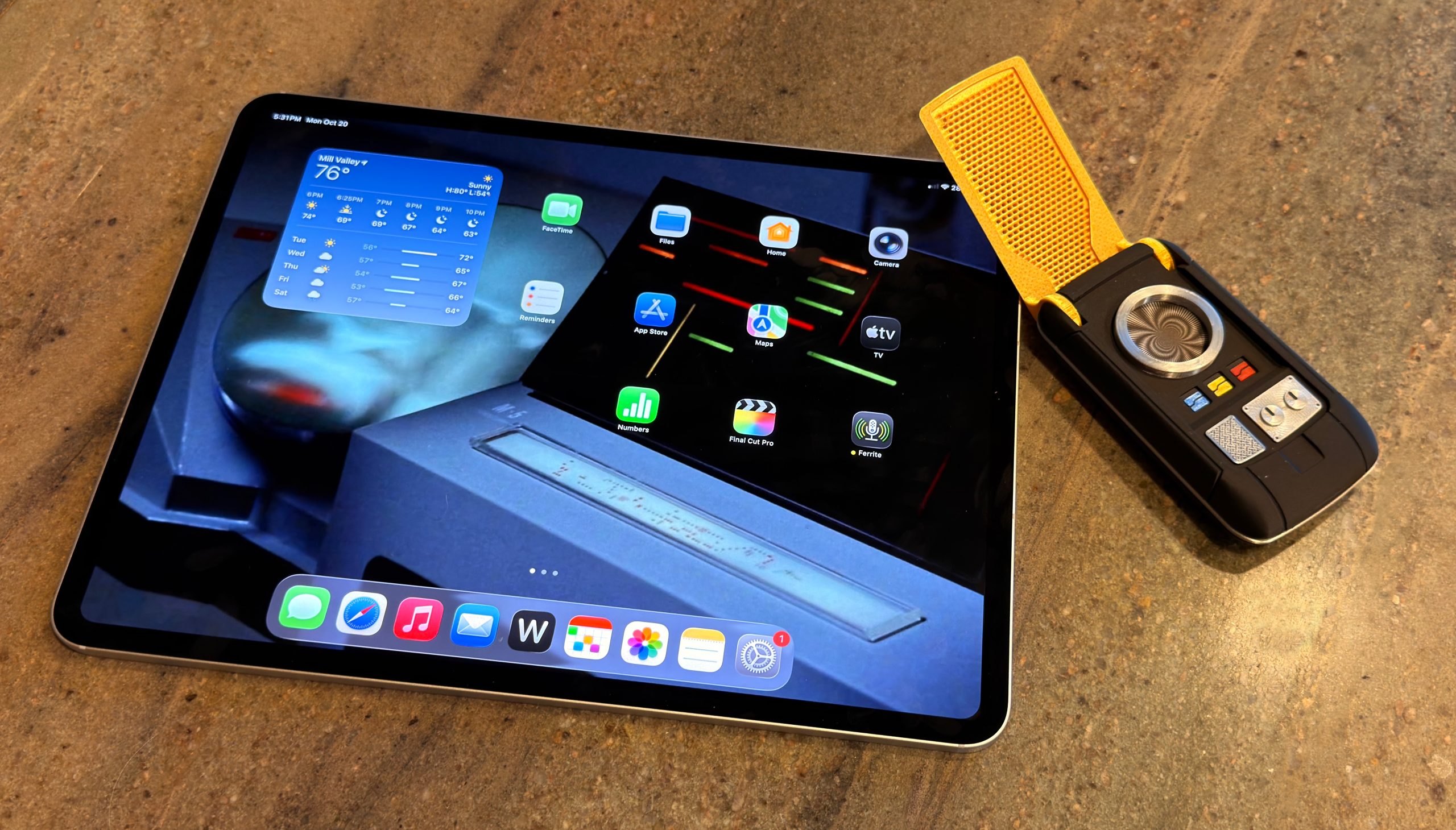
It’s been ten years since Apple released the first iPad Pro. In 2015, there were already people trying to integrate the five-year-old iPad platform into their working lives, but the wisdom of that choice seemed questionable—at least until Apple validated it by adding a true, professional-level model.
Unfortunately, it’s been a decade of rough sledding. Apple would occasionally feint toward embracing the iPad as a productivity device akin to the Mac, but (with certain exceptions) the experience was just too limited and restrictive.
In the past few years, things have changed. Apple has finally brought its pro media apps, Final Cut Pro and Logic Pro, to the iPad. And with iPadOS 26, Apple has delivered numerous improvements that get the iPad far closer than it has ever been to being a device that can get all sorts of different work done, without the need of a traditional computer as a fallback.
iPadOS 26 especially shines on the M4 iPad Pro, a device with a new, ultra-thin design, and bearing one of the best displays Apple has ever made: a tandem OLED screen with high dynamic range and remarkable brightness and color fidelity.
Into this very different world comes the M5 iPad Pro, which inherits that remarkable design and a much more capable operating system. Pretty nice.
When I was in college, a friend told me about working a summer job at one of those art stores that sold extremely average factory-produced oil paintings that were designed to fit people’s decor.1 They probably made most of their money from the markup on frames.
The FileMaker Pro database used to manage sales and inventory was finicky. Once, it crashed on my friend, and her boss was not happy about it. He decided she had done the sequence wrong: “You close a window first, then quit a program!” My friend was livid: that was not how Mac programs work then, nor is it how they work now. The app has to manage its windows so that when you choose File > Quit, it properly handles open windows. Though this was nearly 40 years ago, it remains true.
There was a time when you couldn’t trust an app, though, and in that limited sense, my friend’s boss was right: closing all your windows could be more reliable than quitting, because you got to see the file close in a saved fashion. I recall—as do many of you, I’m sure—saving a file or clicking the red close button in the window and clicking Save, and then getting the watch icon or the spinning rainbow circle of doom. You’d wait a long time, hoping that the hidden situation resolved itself and your danged file saved.
Six Colors reader Jason (not our fearless leader, Jason) wrote in with a question2 about the polar opposite:
I often have to open multiple CSV files in Numbers. When I close those documents, I have to hit Delete every time. I tried quitting the app and see [a] warning… But there’s no option to just close them all and forget about them. Back in the day, there used to be a “close all and don’t save” type option, but I can’t find it. I have my Mac set to close windows when I quit an app.
I’m in the same boat, member Jason! Managing logistics for shipping books and Kickstarter campaigns results in a lot of CSVs that I open in Numbers, and for which I don’t need to retain changes. Unfortunately, Apple has moved away from any option that involves losing data. Is that unfortunate? Only in our particular circumstances.
You can disable an option that appears to be related: System Settings > Desktop & Dock > “Ask to keep changes when closing documents.” But it only sounds like what you want. This option, rather, relates to automatically saving files when you close a document: when disabled, supported apps (including all of Apple’s) save changes without a prompt; when enabled, you’re asked if you want to save. But files that haven’t been saved at all are unaffected: you’re still prompted.
The way out of this situation, which I expect is both niche but also affects a reasonable number of Six Colors readers with particular apps, is an automation program, like Keyboard Maestro or BetterTouchTool.
In Keyboard Maestro, you can set a trigger, like “long press Command-Shift-Option-D” (long press helps avoid a single press closing a document). Then add actions: close the window and click the Delete button.
Keyboard Maestro lets you make a straightforward macro that can, in effect, close a window without saving.
For a number of Numbers or other app windows, you can encompass the above with a While loop, setting it to remain active while there’s a Delete button in the foreground. That could be very, very dangerous, so perhaps only for the strong of heart.
[Got a question for the column? You can email glenn@sixcolors.com or use/glennin our subscriber-only Discord community.]
Apple released new M5-based devices this week as Eddy Cue gives us a wink and a nod about Apple TV. AI continues to do… whatever this is.
Release the presses!
As was widely predicted in the days leading up to the event—like saying “Just watch, Chad’s bringing a box of store-bought cookies to the potluck again.”—Apple announced new hardware this week via press releases.
Apple put brand spanking new M5 chips in the MacBook Pro, iPad Pro and—oh, look!—even the Vision Pro. A chip that may take over your starship is certainly very exciting but these enhanced speeds are a little bumpy. All of these devices are largely the same as their previous iterations, with just some minor non-processor enhancements.
The Vision Pro, for example, comes with a new Dual Knit Band, which sounds like a Scottish folk music group.
“Laddies and jeeeentlewomen, The Stinky Haggis is proud tah prahzent… DUAL KNIT BAND!”…
As widely expected (and teased by none other than Eddy Cue), Apple announced on Friday that it’s zoomed into a five-year deal with Formula 1 to be the exclusive United States broadcaster of the racing circuit. Previously, ESPN had rights to air races in the U.S.
Apple’s coverage is starting-line-to-checkered-flag, including everything from practice to the Grands Prix and will be available to all Apple TV1 subscribers. Practices and some races will also be available for free to all in the app.
And Apple being Apple, this deal goes well beyond simply showing the races and instead across all of the company’s properties. There will be live updates in the Apple Sports app, of course, including Live Activities and “a designated widget” for the Home Screen, but also integrations in Apple News, Apple Maps, Apple Music, and even Apple Fitness+.2 (What of Apple Invites? Will you be able to quickly organize your watch parties?!)
As for F1 TV Premium, the circuit’s own subscription service, it’s not going anywhere—at least for the moment. Instead, it’ll be available only via a subscription to Apple TV. If you’ve already got such a subscription, you get F1 TV Premium as part of the package. (It’s not immediately clear if that means the races will be in the app, or you’ll simply log in to the F1 TV Premium app with your Apple account.)
More details are still to come, according to Apple, including more on how the races will be produced and all the integration details.
Though I’m not an F1 aficionado, I do find myself wondering about exactly how far Apple will go here. Five years is a goodly amount of time, and it’s possible that what this product looks like in year one of that deal is very different from what it looks like in year five. Will Apple spend the time putting its own stamp on the entire production, as it has with other sporting forays like Friday Night Baseball and Major League Soccer? This deal is certainly closer to the latter, if not quite the “wall-to-wall” terms that the company aspires to—after all, these rights are only for the U.S., not worldwide.
By which I assume they mean the vibrant new identity of Apple TV+. ↩
[Dan Moren is the East Coast Bureau Chief of Six Colors, as well as an author, podcaster, and two-time Jeopardy! champion. You can find him on Mastodon at @dmoren@zeppelin.flights or reach him by email at dan@sixcolors.com. His next novel, the sci-fi adventure Eternity's Tomb, will be released in November 2026.]
Perhaps you’ve heard the tempest in a wall wart over Apple not including a charger in the MacBook Pro in Europe. While some have been quick to blame this on EU regulation, it’s a little more complex than that. Nick Heer does an admirable job unpacking this whole brouhaha:
First of all, the dollar is not the currency in any of these countries. Second, the charger in European countries is €65, which is more like $76 right now. Third, Apple is allowed to bundle an A.C. adapter, it just needs to offer an option to not include it. Fourth, and most important, is that the new MacBook Pro is less expensive in nearly every region in which the A.C. adapter is now a configure-to-order option — even after adding the adapter.
There’s plenty of cynicism to go around here: some want to point fingers at Apple for cheaping out. Others want to blame Europe for silly and onerous rules. As it turns out, neither of those is really true.
Nick’s larger point is that it’s worthwhile—and, more importantly, incumbent upon—those of us who write about these things to take the time to get all the details.
Hulu goes worldwide, Apple drops the plus and explores a relationship with Formula 1, the Lakers get immersive, the NBA is everywhere all at once, and our TV Picks.
The New England Aquarium received a $9 million philanthropic donation – the largest private gift in its 56-year history – to expand a lab that helps companies be more “environmentally responsible,” aquarium officials announced Wednesday.
The gift was provided by Phil Schiller, an Apple executive, and his wife, Kim Gassett-Schiller – both of whom are prominent philanthropists with standing gifts out to several Massachusetts institutions, including Schiller’s alma mater, Boston College, and Salem State University, where Kim Gassett-Schiller graduated in 1983.
The New England Aquarium is a time-honored institution in the Boston area; I’ve been visiting for as long as I can remember, and I just took my kid there at the end of the summer.1 It’s really a marvelous place.
As to why Phil and his wife chose the aquarium, apparently he worked there as a teen in the 1970s.
“My time working and volunteering at the New England Aquarium as a high school student reinforced a love for the ocean that has stayed with me for decades,” Schiller said in the release.
Now the only remaining important question is whether they will name a penguin “Phil.”
Apple’s M5 updates and whether we use AI locally, media that’s brought us joy recently, whether the Vision Pro update changes our minds, and the Apple services and products we would rename.
Apple SVP Eddy Cue was the guest on this week’s episode of The Town (Apple Podcasts, Overcast) with Matt Belloni. The whole interview, which is focused on Apple’s TV and film ambitions, is worth your time, but I want to focus on what Cue responded when Belloni1 asked him about sports rights:
MLS is closer to what we wanted to do, which is we’d like to own a sport end to end, so that we can offer customers what we do today, which is you don’t have to worry about blackouts, you don’t worry about how to watch, we can do picture-in-picture, we can do all kinds of things that every sports fan wants. I know what I want when I’m watching all these other sports.
Taking little rights here and there across all these different sports just doesn’t deliver that. And so that’s not an area that we’ve been interested in…. I can tell you, we are not, we have not been in the bidding process to take chunks of sports.
Not only does this make me think that Apple’s F1 rights will include everything currently provided by both ESPN and the F1 TV streaming product, but it makes me think that this is a testing ground for Apple to perfect its coverage of F1 in the United States and then begin buying up rights to the sport in additional countries around the world, with the possibility that eventually it’ll own F1 everywhere.
That’s an enormous long-term goal for an extremely popular international sport, but Apple certainly has the money and the ambition to try to make it happen.
Like the M5 MacBook Pro and M5 Vision Pro, the iPad Pro boasts improvements like Neural Accelerators for the GPU that help juice up its AI performance, for all you crazy kids doing AI on your iPads.
But perhaps the most interesting news from the new models is the integration of Apple’s own networking hardware, including the N1 chips first introduced on this year’s iPhone line, bringing support for Wi-Fi 7 and Bluetooth 6 to the tablets. But the iPad Pro also gets Apple’s C1X cellular modem chip, introduced in the iPhone Air. Apple says its chip provides 50 percent faster cellular data performance as well as increasing efficiency over the C1 chip that launched earlier this year in the iPhone 16e; according to Apple that also means 30 percent less power usage than the M4 iPad Pro’s cellular modem.
Other than the new processor and networking chips, the specs of the M5 iPad Pro remain largely identical to its predecessor, including its accessory support, physical dimensions and weight, color options (space black and silver, naturally), and 10-hour battery life for surfing the web on Wi-Fi or watching video. The M5 model, however, does support fast charging of up to 50 percent in 30 minutes with Apple’s 40W Dynamic Power Adapter with 60W Max or other compatible adapter.
It’s also worth noting that, like the M4 iPad Pro, there is a distinction between the M5 processor on the 256GB/512GB models, which features a binned 9-core CPU, compared to the 10-core CPU on the 1TB or 2TB models.
The 11-inch iPad Pro starts at $999 for the 11-inch model and $1299 for the 13-inch model, both with 256GB standard. Cellular connectivity is available for $200 more, with a nano-texture glass option available on only the more expensive 1TB or 2TB models for an additional $100. Pre-orders are available today, and start arriving on October 22.
Updated to clarify nano-texture pricing and availability.
[Dan Moren is the East Coast Bureau Chief of Six Colors, as well as an author, podcaster, and two-time Jeopardy! champion. You can find him on Mastodon at @dmoren@zeppelin.flights or reach him by email at dan@sixcolors.com. His next novel, the sci-fi adventure Eternity's Tomb, will be released in November 2026.]
But hold on, you might say, aren’t there more MacBook Pros than just the one? Well, yes, but it seems that—as rumored—the M5 Pro and M5 Max processors are not yet ready for primetime, so today’s announcement is just the base-level MacBook.
Apple says its new M5 processor brings significant performance improvements to the MacBook Pro, including 3.5x the AI1 performance, thanks to new Neural Accelerators built into the GPU cores, much like on the latest generation of iPhones. (No surprise there, as the A19 Pro cores that power the iPhone Air and iPhone 17 Pro are from the same processor family.) The company also touts a faster CPU, revamped Neural Engines, and more memory bandwidth (153GB/s compared to 120GB/s on the M4 model), all of which contribute to its performance gains over its predecessor.
According to the company, the new MacBook Pro also features faster SSD performance thanks to newer storage technology, which also enables an upgrade option for 4TB of storage (at an additional eye-watering $1,200).
Specs otherwise remain unchanged from the M4 model, from the 10-core CPU/10-core GPU configuration down to the physical dimensions and weight, battery life, and colors: your basic Silver and Space Black.2 Like its predecessor, the M5 MacBook Pro starts at $1,599.
If you had “Apple brags about AI performance” on your bingo card, I’m sad to say you can stack all your chips there. That’s how bingo works, right? ↩
This despite a teaser video yesterday from Apple marketing honcho Greg Joswiak that seemed to suggest a blue model might be incoming. ↩
[Dan Moren is the East Coast Bureau Chief of Six Colors, as well as an author, podcaster, and two-time Jeopardy! champion. You can find him on Mastodon at @dmoren@zeppelin.flights or reach him by email at dan@sixcolors.com. His next novel, the sci-fi adventure Eternity's Tomb, will be released in November 2026.]
While the overall design of the device doesn’t change, the new M5, built on a 3nm process, brings better performance to the headset. According to Apple, the M5 can render 10 percent more pixels on the Vision Pro’s OLED displays, improving the sharpness of text; the new processor also supports a 120Hz refresh rate when viewing their physical surroundings, reducing motion blur, which should help make the pass-through mode more seamless.
Apple also cites improved battery life with this new version, sporting up to two and a half hours of general usage on a charge (up from two hours for the M2-powered version) and three hours of video playback (up from two and a half hours for the M2 version). Those savings appear to be related to the processor itself, since the Apple cites the different times for the models in the Apple Vision Pro Battery listing.
The new Dual Knit Band, included with the M5-powered Vision Pro, looks like a mix between the original Vision Pro’s two straps, the Solo Knit Band and the Dual Loop Band. It has the style of the Knit Band, boasting the 3D-knitted fabric on both lower and upper bands. The lower band also includes embedded tungsten inserts, designed to provide a counterweight to the Vision Pro’s own weight. Apple says this will provide better comfort and balance. It’ll be available in small, medium, and large sizes and is compatible with the M2 Vision Pro; it’s up for purchase on its own for $99.
There’s also some additional clarity around two previously announced Vision Pro accessories. The Logitech Muse, a 3D-enabled digital pencil device, is now available for preorder from both Logitech and Apple for $129.95.
Apple will also, as promised, be selling Sony’s PlayStation VR2 Sense controller and Controller Charging Station, supported by visionOS 26. It’ll cost $249.95 and be available on November 11.
The new Vision Pro will be available starting on October 22, with preorders up now for customers in Australia, Canada, France, Germany, Hong Kong, Japan, the UAE, the UK, and the U.S.; mainland China and Singapore pre-orders start on Friday.
Those hoping for a price change will be disappointed: it still starts at $3,499 with storage tiers in 256GB, 512GB, and 1TB at the same prices as before. In addition to the new Dual Knit Band, it includes the same Light Seal, pair of Light Seal Cushions, cover, polishing cloth, battery, and USB-C cable. However it also includes Apple’s recently announced 40W Dynamic Power Adapter with 60W Max, though it seems like an expensive way to get that if you want it.
[Dan Moren is the East Coast Bureau Chief of Six Colors, as well as an author, podcaster, and two-time Jeopardy! champion. You can find him on Mastodon at @dmoren@zeppelin.flights or reach him by email at dan@sixcolors.com. His next novel, the sci-fi adventure Eternity's Tomb, will be released in November 2026.]
While we waited for Apple’s announcements this week we talked about the company dropping the “+” from Apple TV+ and discontinuing Clips, Lex has some complaints about being a developer and we advocate for more app stores.
My friend and editor Joe and I were trying to talk.1 But something on his end continued to produce sound, and he couldn’t tell what it was. After some exploration, he realized that we had started using Slack’s “huddle” feature for a one-to-one audio chat and switched to FaceTime. He hadn’t hung up in Slack, and it was playing goshdarned hold music.
He said, “Shouldn’t there be a way to figure out which app is producing sound?” I said, yes—and then couldn’t immediately determine how. The two of us have approximately 7,500 years of Mac experience between us, so I hope you’ll never feel bad if you can’t solve a problem right away, either.
There are a few ways you can track down unwanted sound.
Browser muting
We all remember how we’d leave a tab or window open in Safari and then some time later, the Web site would reload the page or use other trickery and start playing an ad. We’d have to search through every open page to find the jerky one. Let’s be honest: some of us have hundreds, even thousands, of open tabs. This was a big job.
Apple added some visual indicators and menus to help you sort through. It evolved over the years, but the last several versions of Safari show an audio icon on any tab with audio playing, as well as in the Smart Search field (the old “URL bar”).
Using Control-click/right-click, you can reveal tabs with active audio and take action to stifle them.
You can take several contextual actions:
Tab: Click the audio icon on a tab, whether it’s the active one or not, and it mutes that tab’s audio.
Smart Search field, current tab playing audio: Click the audio icon on the field, and the current tab’s audio is muted.
Smart Search field, no audio in current tab: You can mute all tabs in all windows, not just the tabs in the current window, by clicking the audio icon on the field.
Smart Search field, Control-click/right-click: Control-clicking/right-clicking the audio icon on the field lets you choose Mute This Tab (if it has active audio) or Mute Other Tab(s), which mutes every tab in every window that’s playing audio, except the current one—it could be playing audio or not.
Chrome offers controls similar to Safari, but provides Mute Site to dampen an entire domain.
You can also select Window > Mute/Unmute This Tab or Window > Mute/Unmute Other Tab(s).
Chrome and Firefox (and Chromium browsers, among others) all offer tab muting and discovery, too, using an audio icon on a tab and Control-click/right-click menus for mute and unmuting.
The sound of one hand apping
Apple doesn’t offer a system-wide “what’s playing that sound” tool. (Now Playing, via System Settings > Menu Bar in Tahoe, seemingly only reveals apps using some macOS audio framework, like Music and Safari.) I found two solutions, neither of which is cheap, but if it’s a recurring problem or you want app-specific, sophisticated sound control, you might enjoy adding one of them to your Mac’s soundscape-control repertoire.
SoundSource providers app-specific feedback about what’s making sound and controls for modifying, shaping, and redirecting audio.eqMac’s App Mixer section shows audio sliders for each app, with ones currently making noise at farthest left.
SoundSource ($45): Like many of Rogue Amoeba’s products, SoundSource captures many different desirable audio-related features into one place that Apple hasn’t provided much or any access to within macOS. Among those is that any app playing audio appears in a list.
eqMac ($3 per month, $30 per year, $40 lifetime): An app with an interface that more closely resembles physical audio soundboards, eqMac also reveals which apps are squawking, showing them automatically on the leftmost edge of a scrolling list of active apps.
I’d have to make a deep study of the two apps to tell you whether one is superior to the other among the many features they offer, including headphone equalization, app-specific audio volume and effects, and many others. Fortunately, both offer trial versions, so you can test them out to see which fits your needs and your interface interaction style better.
[Got a question for the column? You can email glenn@sixcolors.com or use/glennin our subscriber-only Discord community.]
Joe Kissell runs Take Control Books, purveyors of fine how-to ebooks, of which I write a passel. ↩
I’m okay with the decision. When everyone calls your service one thing, it’s probably best to just go with it and simplify. Everyone calls it “Apple TV.”
I would argue that the existence of the TV app (which everyone calls Apple TV), and the Apple TV 4K (which anyone who knows it exists calls Apple TV), adds a little complexity for people in the know, but contextually, it all kind of makes sense. While it’s not clean, and it’s a little silly, we all can survive with the current state of the Apple TV brand.
However, I will suggest that the mystery of the Apple TV 4K hardware box could be simplified if it were just given a new name. Apple is reportedly investing a lot in future home products, including a smart screen, likely arriving next year. The HomePod is still out there. And in the living room, it’s Apple TV.
It gets me thinking: maybe it’s time to just rename the Apple TV 4K.
“HomePod” is actually a pretty great name. The speaker products, eh, they’re fine, but the name is good. It’s got “home” right in there, it references the iPod, and the phrase “pod” is so flexible that you can affix it to just about anything.
So maybe Apple should just appropriate the HomePod brand and use it for all its smart-home products. The Apple TV 4K can be the HomePod TV. The speakers become HomePod Speakers. And that new display thing can be called HomePod Display or Control or something.
Chances of Apple actually doing this: Pretty low. Like I said, inertia and context probably solve this problem just fine. But I do like the idea of grabbing the lapels of the Apple TV 4K and yanking it out of the street before it’s run over by Apple’s streaming ambitions.
Apple’s been working closely with international racing circuit Formula 1 for a few years now, bringing “F1: The Movie” to the big screen and, on December 12, to Apple TV. Formula 1’s TV rights in the United States are currently up for bid, and Apple is reportedly working to extend and deepen its F1 relationship.
John Ourand, the excellent sports business reporter now at Puck, reported last week that Apple got a deal to broadcast Formula 1 in the U.S., and it’s due to be announced shortly, perhaps even this weekend:
The number I keep hearing is $140 million per year for U.S. rights, a significant bump from the $90 million per year that ESPN currently pays.
The main holdup had been a dispute around Formula 1’s streaming service. Apple stuck to its original position that the racing circuit needed to shut down F1 TV in the U.S., and was reluctant to dole out $140 million on rights fees just to have the races carried on another streaming service. Because F1 TV is profitable in the U.S. market, Formula 1 has been hesitant to pull the plug. It’s not entirely clear where the two sides netted out on this, but it’s an area to watch when the deal finally gets announced. Meanwhile, this will be Apple’s most significant sports rights deal since it signed a 10-year, $2.5 billion deal with the MLS three years ago.
The issue here is that there are currently two different ways to watch Formula 1 in the U.S.: on ESPN, via standard television pathways, or streaming on F1’s subscription product, F1 TV Pro, for $85/year (or $130/year if you want it in 4K with multiview). So what is Apple buying for a 55% increase on what ESPN currently pays? Is it just buying the rights to a simple video stream, or does it want to capture the entirety of the F1 audience in the United States?
The first option seems very unlike Apple. Other than bringing a few new viewers into Apple TV, how does showing races in America (most of them very early in the morning) show off Apple’s brand and technological prowess? The entire point of a streaming-only product is that once you’re off traditional TV, you can go beyond the single stream and provide interactive options. The whole point of streaming TV, especially sports, should be that you can leave the flat video stream behind and build something cool using software.
That is, by the way, what F1 TV Pro is: A sophisticated bit of software that merges track data with multiple cameras to let viewers choose how they want to watch races. It’s absolutely the product that Apple should aspire to build, or co-opt, in this deal.
I understand that Formula 1 owner Liberty Media is reluctant to lose a profit center, but if Apple’s paying them an extra $50 million, isn’t that the proper trade-off? Also, working with Apple in the U.S. could be part of a longer-term tech partnership between F1 and Apple that could extend worldwide.
It’s a bit mystifying. I really don’t know how this is going to play out, but here are some possibilities:
Apple just picks up what ESPN is doing, a simple video stream. I’m sure it isn’t what Apple wants to do, but maybe that’s all that’s on offer. It’s packaged similarly to MLS Season Pass ($99/year), with a discount offered to Apple TV subscribers, with the occasional race made available outside the package as a teaser. (A question: Would Apple continue ESPN’s practice of just using the Sky feed from the UK rather than building its own broadcast team? I really, really can’t see it, but this is already the worst among Apple’s options, so who knows?)
There’s some sort of weird co-branding deal where Apple sells subscriptions to F1 TV, splits the proceeds with F1, and in the U.S., the F1 TV app uses Apple’s feed and announcers instead of the ones usually provided on the F1 stream. Apple ensures that the F1 TV app is expanded across all of Apple’s platforms with some whizzy new features. And a simpler feed of just the race is available inside the TV app.
Apple erases F1 TV access in the U.S. and offers its own equivalent instead. A new app across Apple’s platforms (including Vision Pro) gives access to multiple camera views and race data in exchange for an annual subscription fee. In this scenario, maybe the flat ESPN-style race video is available to all Apple TV subscribers.
The more I think about it, the more the last option is the only one that makes sense from an Apple perspective. A simple video stream is essentially a legacy product, especially in a sport that’s rich with data and a perfect fit for an interactive experience. If that’s all Apple can get from F1, I guess we’ll know that Apple really wanted to extend its relationship with them beyond making “F1: The Movie” and this was the only partnership on offer.
If F1 chooses to hold on to F1 TV in the U.S. rather than take advantage of the opportunity to build a partnership with a global tech giant that could eventually extend around the world… it feels like a failure in vision. I realize Apple may be offering more money, but if all they’re allowed to do is take ESPN’s place, it would probably be better to make the cheaper deal with ESPN and reach a broader audience. Making a deal with Apple should mean building a richer technological partnership.
So far, Apple has been very careful in its bidding for sports rights. I suppose we’re about to find out if it’s got a big plan for Formula 1, or if it’s just desperate to keep rubbing elbows with the world’s greatest race drivers—and is willing to pay a premium for an underwhelming product.
Apple is significantly expanding its clean energy projects across Europe with new large-scale solar and wind farms now in development in Greece, Italy, Latvia, Poland, and Romania. Together with a newly operational solar array in Spain, the projects announced today — all enabled by Apple — will add 650 megawatts of renewable energy capacity to electrical grids across Europe in the coming years, unlocking more than $600 million in financing. This will generate over 1 million megawatt-hours of clean electricity on behalf of Apple users by 2030.
These projects are both part of Apple’s continuing to push on its “Carbon neutral by 2030” platform, which includes providing clean energy to offset the amount of power needed to run and charge its devices.
However, it’s not hard to notice that these are two big investments that do not include the United States. It’s hard not to view that in light of the current administration’s outright denial of climate change and pooh-poohing of all things clean energy.1 But it’s also a reminder that Europe and China—which itself has invested hugely in clean energy—are becoming the world’s leaders in clean energy2, especially as the electricity demands of technology (including, of course, the ever-present AI) continue to skyrocket. Meanwhile, the U.S. risks becoming irrelevant in this essential industry (as in so much else).
It will be interesting to see if Apple is still able to meet that 2030 goal, given the prevailing situation in the U.S.
Apple TV+ is now simply Apple TV, with a vibrant new identity.
Naturally, the obvious joke that occurred to everyone reading this news was “Apple TV in the Apple TV app on the Apple TV” —or some nearly identical variation on that. How confusing it is that they are all named the same thing!
But they aren’t actually named the same thing. That little black box Apple sells has been named Apple TV 4K for the last eight years. The TV app has a big Apple logo in its icon, but it’s still the TV app, or Apple’s TV app, not “the Apple TV app.”
Of course I wish Apple had never named its service Apple TV+, or any derivation of an existing product, but we’re way past that now. Unless you have a time machine to go back to 20191, there’s no point inventing a completely new name. It’s too late to call it Apple Rainbow or Apple Stream. Everyone already calls it Apple TV. This announcement is just catching up with reality.
This is the company that sells you a MacBook Pro M4 Pro and a MacBook Pro M4 Max. Naming isn’t its strong suit, and this is hardly the most confusing thing it has ever done.
Yes, this is all quite grating for nerds—what a polluted namespace!—but most people are much less focused on these details and it all burs together into Apple TV-ness. Sure, you’ll still need to ask clarifying questions about what someone is referring to when it isn’t obvious from context, but it mostly is obvious:
“F1: The Movie” is coming to Apple TV December 12th.
Is that confusing in any way?
There’s certainly room for improvement on coordinating the announcement of this rebrand so that it coincides with the name appearing on Apple platforms. The developer beta that was just released this morning uses the new rainbow gradient Apple TV logo (“a vibrant new identity,” I guess), but most of the interface elements are still labeled “Apple TV+.” Maybe next beta?
At least now, when we’re talking to normal people and they say things like, “I’m watching The Studio on Apple TV,” we won’t have some little gnawing urge to say, “You mean Apple TV+?”
Think of how much more likable we’ll all be after that! What a real plus!
If you do have a time machine please don’t waste it on Apple product names. We need real help. ↩
[Joe Rosensteel is a VFX artist and writer based in Los Angeles.]