

By Dan Moren
Secretive helps you keep your SSH keys secret, keep them safe
Way back in January I noted that one of the features that had kept me from using Passwords as my only password management app was its inability to manage SSH keys, a feature offered by competitor 1Password. What I liked about 1Password’s approach was that it abstracted this feature, letting me authenticate my keys using macOS’s built-in authorization system. So instead of typing in a passphrase for that key, I could just use Touch ID or type my 1Password password. This still seems to me like the kind of thing that Passwords should offer, and I still hope that it might in the future.1
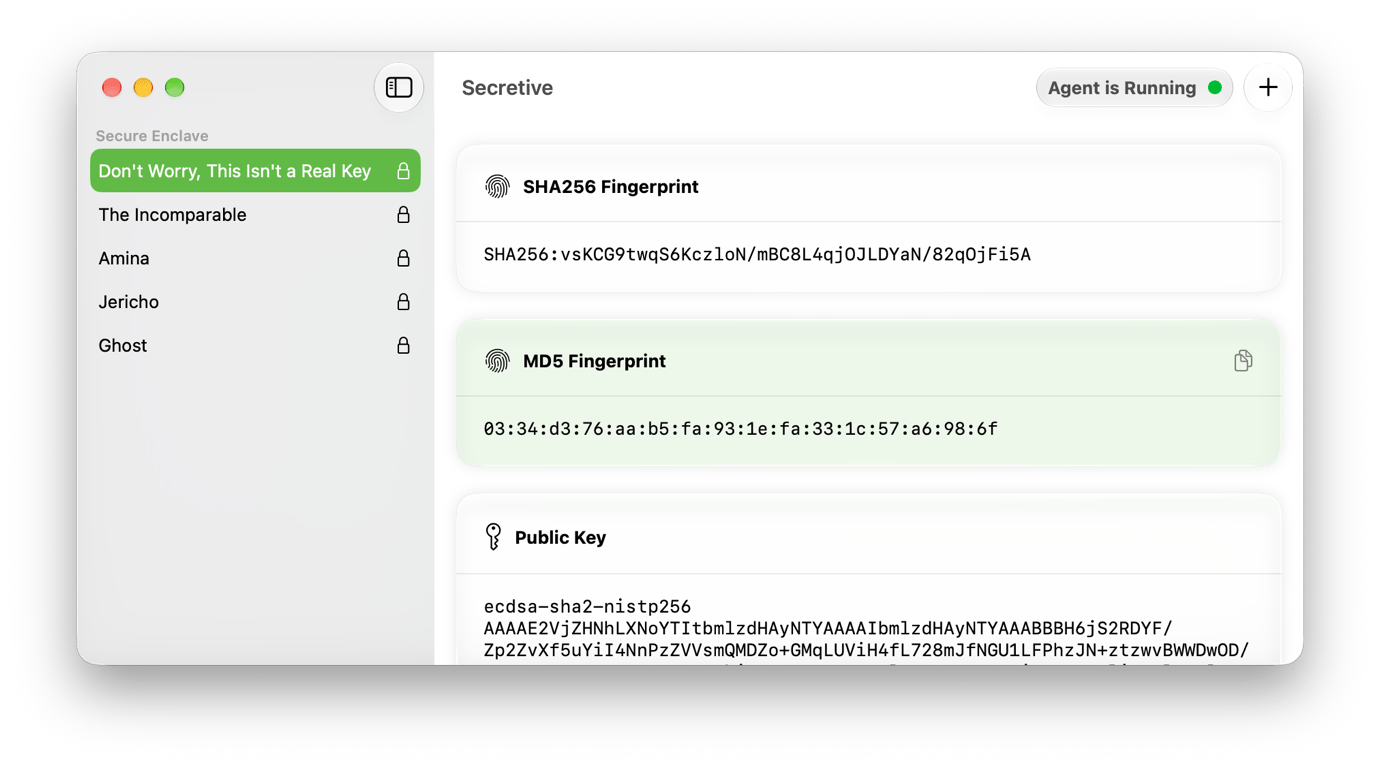
In the meantime, I’ve recently turned to Secretive, an open-source tool by Max Goedjen and others that allows you to store your SSH keys inside your Mac’s Secure Enclave. Doing so means that your keys can’t be exported and are protected by the same level of security as your system’s most sensitive data. In addition to ECDSA-256 keys, running Secretive on macOS Tahoe and later lets you create post-quantum keys using the MLDSA-65 and MLDSA-87 algorithms. If you don’t know what any of that means, don’t worry about it—you’re fine.
Using Secretive still requires some technical know-how. You’re going to have to edit some configuration files and, if you’re using the keys to log in to remote servers, install them yourself. There are instructions for much of this both in the app and online. Other apps can work with Secretive too, assuming the developers have built in support: right now, it’s mainly targeted at developer tools like git and GitHub, as well as secure file transfer clients like Transmit and Cyberduck.
The one major downside of this system is that since the private keys are stored in the Secure Enclave, they cannot be backed up or transferred elsewhere. That’s more secure, but it’s more inconvenient as well; if your Mac gets hosed, or you migrate to a new device, you’ll have to recreate your keys all over again. It also means that if you maintain SSH keys on multiple Macs, you have to set up Secretive on all of them. That’s another reason that I’d like to see Apple find a way to abstract this process further via the Passwords app, if it can figure out a safe and secure way to do so—not to mention, potentially making it available on iOS as well. Like passkeys, ssh keys offer more security and less reliance on passwords.
Secretive’s not for everybody, but there are certainly a subset of users who will be very interested in the security it offers. But until such a time as Apple makes this process part and parcel of its operating system, I’ll be relying on Secretive to help me manage it.
- It also might help more people who would like to move away from 1Password for…reasons. ↩
[Dan Moren is the East Coast Bureau Chief of Six Colors, as well as an author, podcaster, and two-time Jeopardy! champion. You can find him on Mastodon at @dmoren@zeppelin.flights or reach him by email at dan@sixcolors.com. His next novel, the sci-fi adventure Eternity's Tomb, will be released in November 2026.]
If you appreciate articles like this one, support us by becoming a Six Colors subscriber. Subscribers get access to an exclusive podcast, members-only stories, and a special community.